
BlockP

How Set Custom URL on Block Screen on BlockP App?

blockp has 20K+ reviews
How Set Custom URL on Block Screen on BlockP App

Table of Contents

When you try to access porn or any other content you have added to the blacklist, a display message appears showing that the website is blocked and it gets redirected to a custom website address. You can choose the website to be redirected to by setting a custom URL in the BlockP app.

To set a custom URL, follow the steps below.

Step 1: Click on the custom blocking in the dashboard
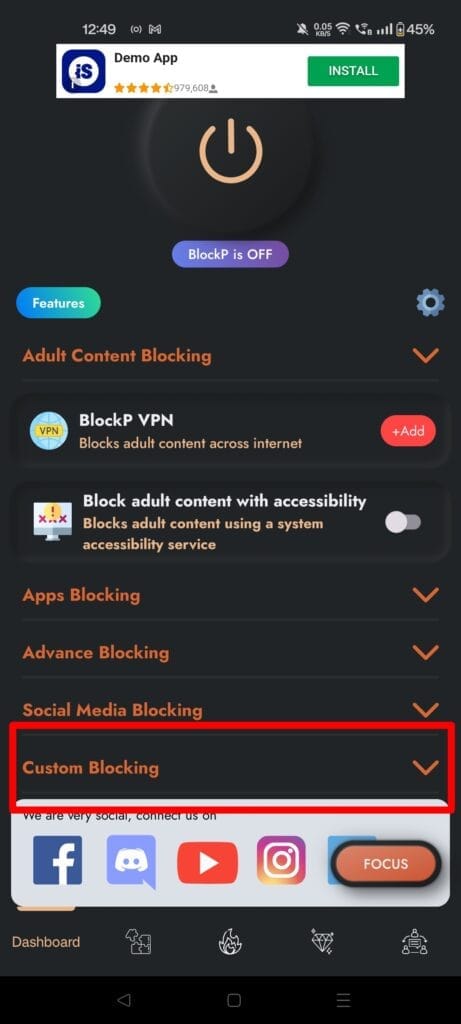
Step 2: In the dashboard section, scroll down to the bottom where you can find the option “Set Custom URL” and type in the website address you wish to be redirected to.
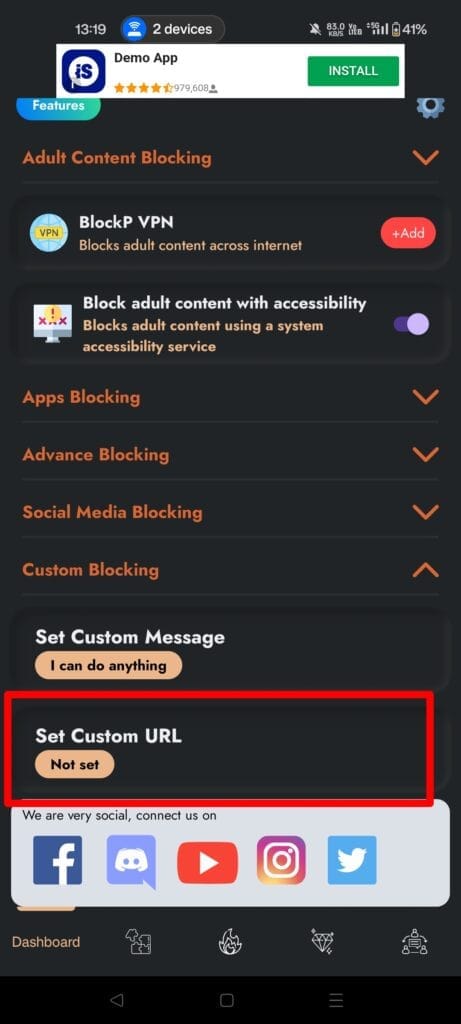
custom URL 3

Step 3: Save the settings and make sure that BlockP is enabled.
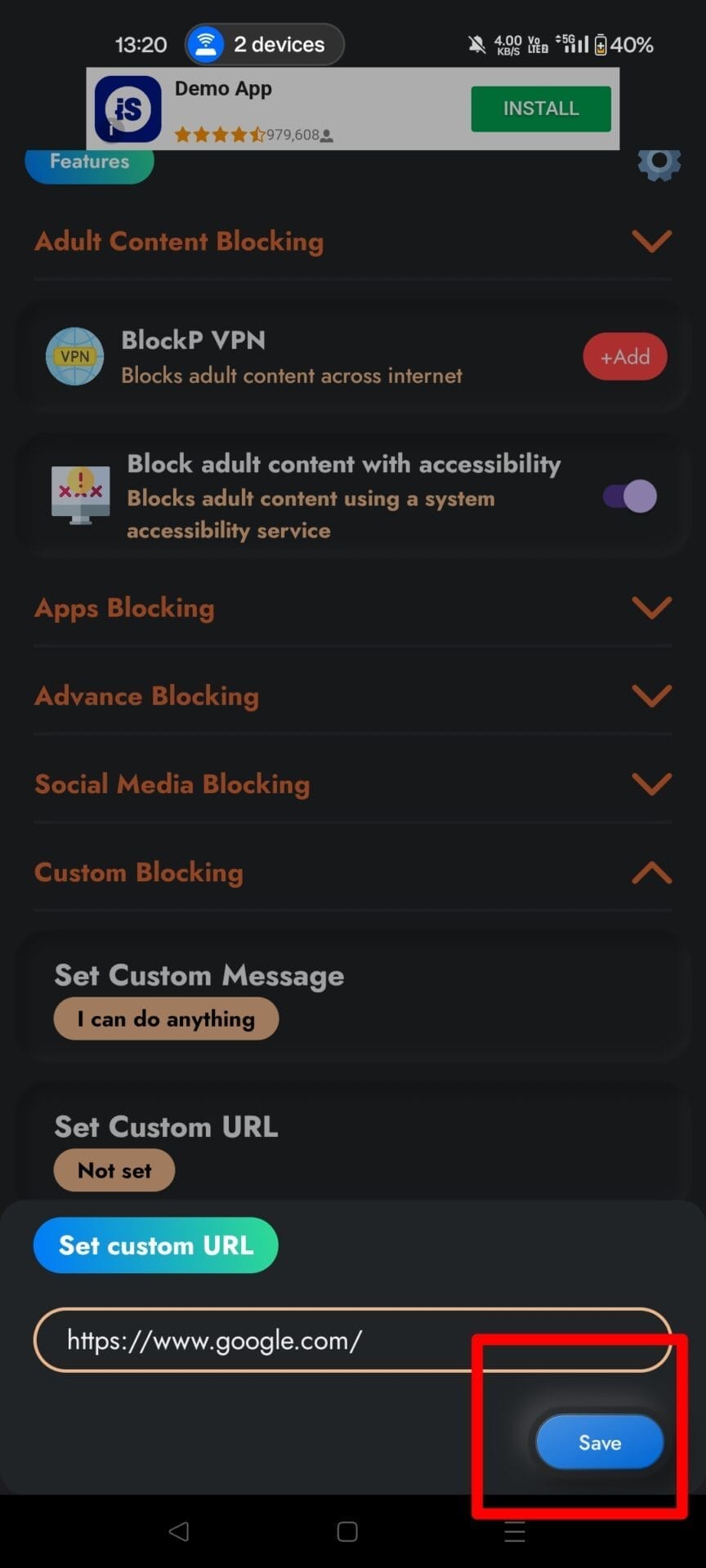
custom URL

Step 4: Check to see if it works. When you try to open a blocked website, you will be able to see the blocker display message which then gets redirected to your customized website URL.
Written By:

Our content team is dedicated to producing high-quality, family-safe, and educational content that supports individuals, parents, and communities in overcoming porn addiction. With deep experience in mental health, digital wellness, and behavior change, our team creates practical and research-backed resources tailored especially for young people, teens, and adults seeking a healthier, more focused life.

Recent Blogs:

How to Stop Gooning

“How to quit gooning,” does it sound like a strange question to …

Podcast About Porn Addiction and Recovery

Porn podcasts can change how you approach your recovery.  The storytelling and …

What Happens After you Quit porn for 30 Days

30 days of no porn – does that sound a bit extreme …

Porn in Marriage

Porn and marriage are not a great combination. Sex and physical intimacy …

Leave a Comment

Your email address will not be published. Required fields are marked *

Scroll to Top