Block Phone Reboot BlockP Android App
Prevent phone restarts from bypassing BlockP restrictions. Enable reboot protection on Android to strengthen accountability and stay focused.
Get Started with BlockPKnowing how to block phone reboot - why should this question matter to someone who is trying to block adult content?
For any adult content blocking app that you are using, its real test comes at the moment when an intense urge hits and you are trying to find a way to bypass the restrictions. Because in that moment, the temptation and cravings create a sense of urgency that makes us find any loophole that can get us to adult content.
Whether it's a grown-up trying to quit adult content or a parent trying to keep their child safe from online sexual content - they will eventually run into the same problem. Because any adult content blocking method is only as strong as the easiest way to bypass it.
What makes rebooting the phone one of the most convenient ways to bypass adult content restrictions is that you don’t need any technical knowledge to do it. And it's super quick - before you can think through the choice you are making, the restart is completed.
This is why BlockP has a dedicated feature to block you from rebooting the phone so that even during moments of extreme temptation, you cannot bypass its protections.
How to Enable Phone Reboot Protection in BlockP
Here is how to block phone reboot on your Android device with BlockP:
Step 1: Install BlockP.
Download the BlockP app from the Google Play Store and install it on your Android phone.
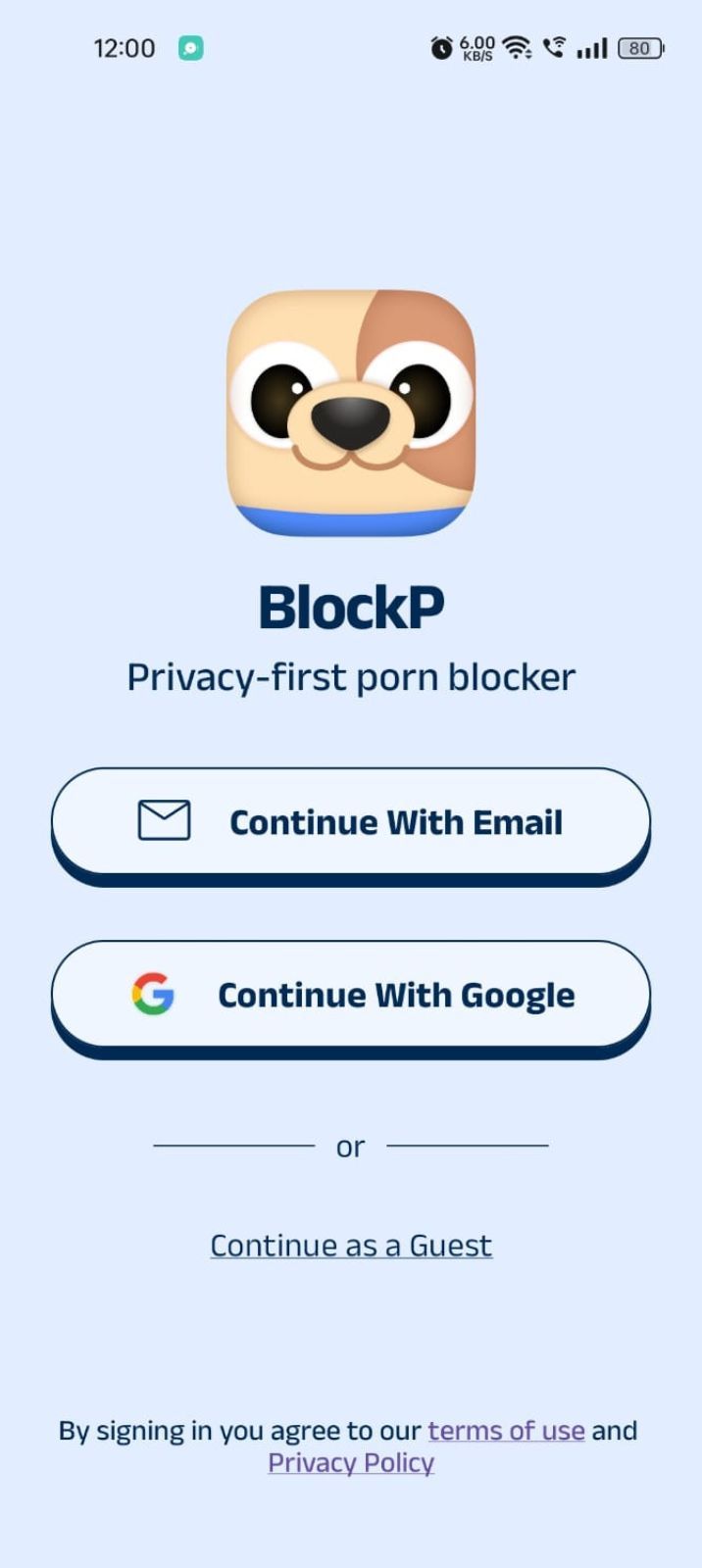
Step 2: Sign Up on BlockP
- Open the BlockP app.
- Sign up using Email or Google.
- Or tap Continue as a Guest to get started without creating an account.
Step 3: Give Necessary Permissions
1. Accessibility - Lets the Android adult content blocker see what you are watching on your screen. Here is how to let BlockP use it:
- Click on the Accessibility permission toggle.
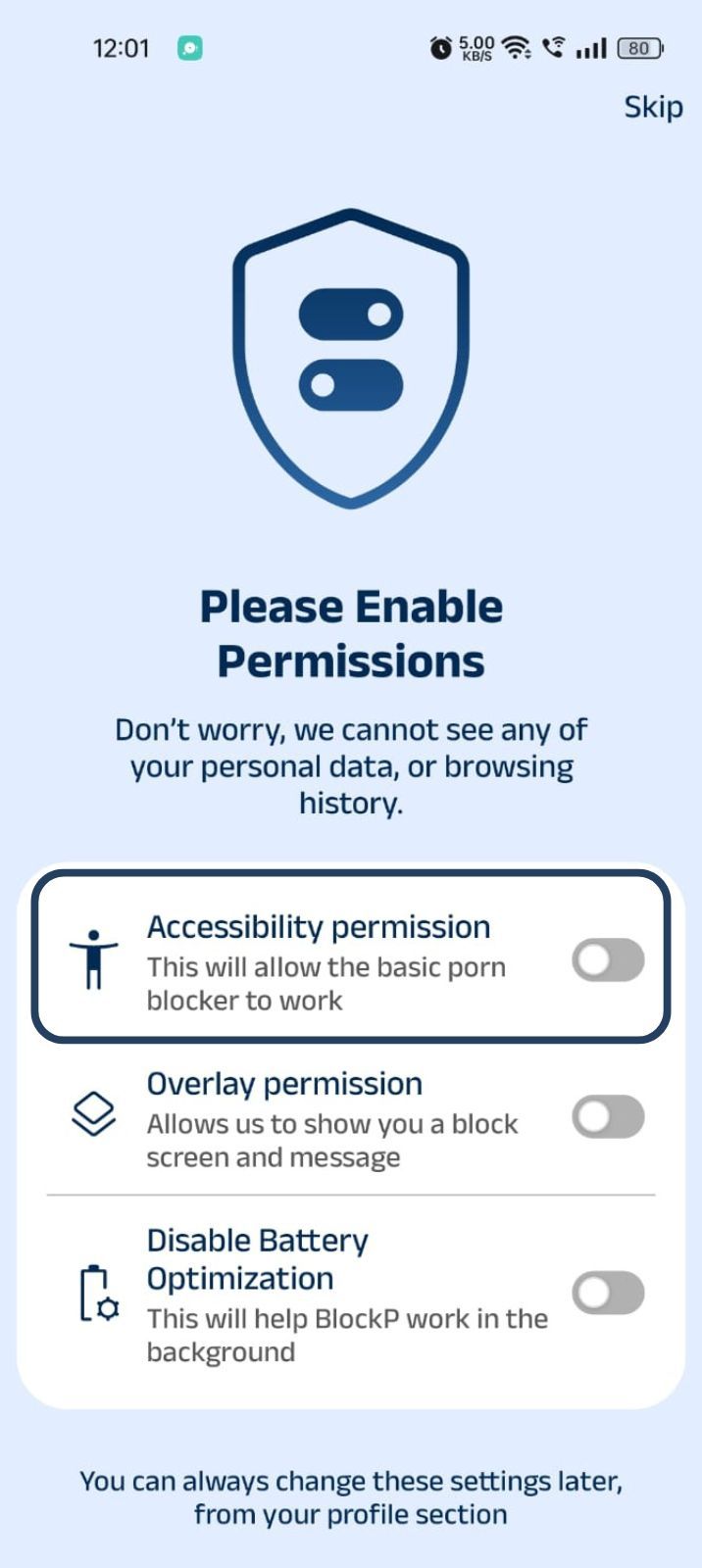
- Then click on "Let BlockP Access Accessibility Services"
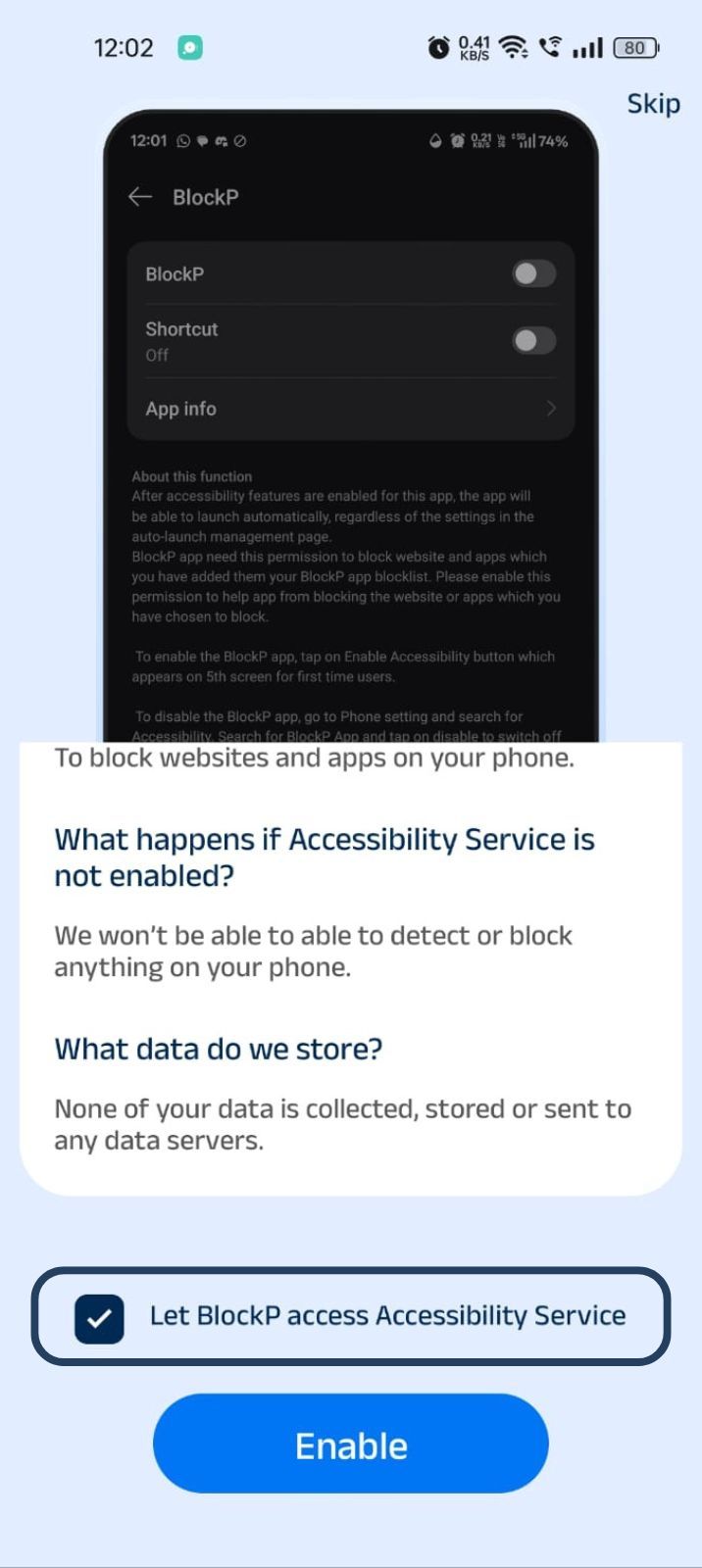
- Next, click on the Enable button
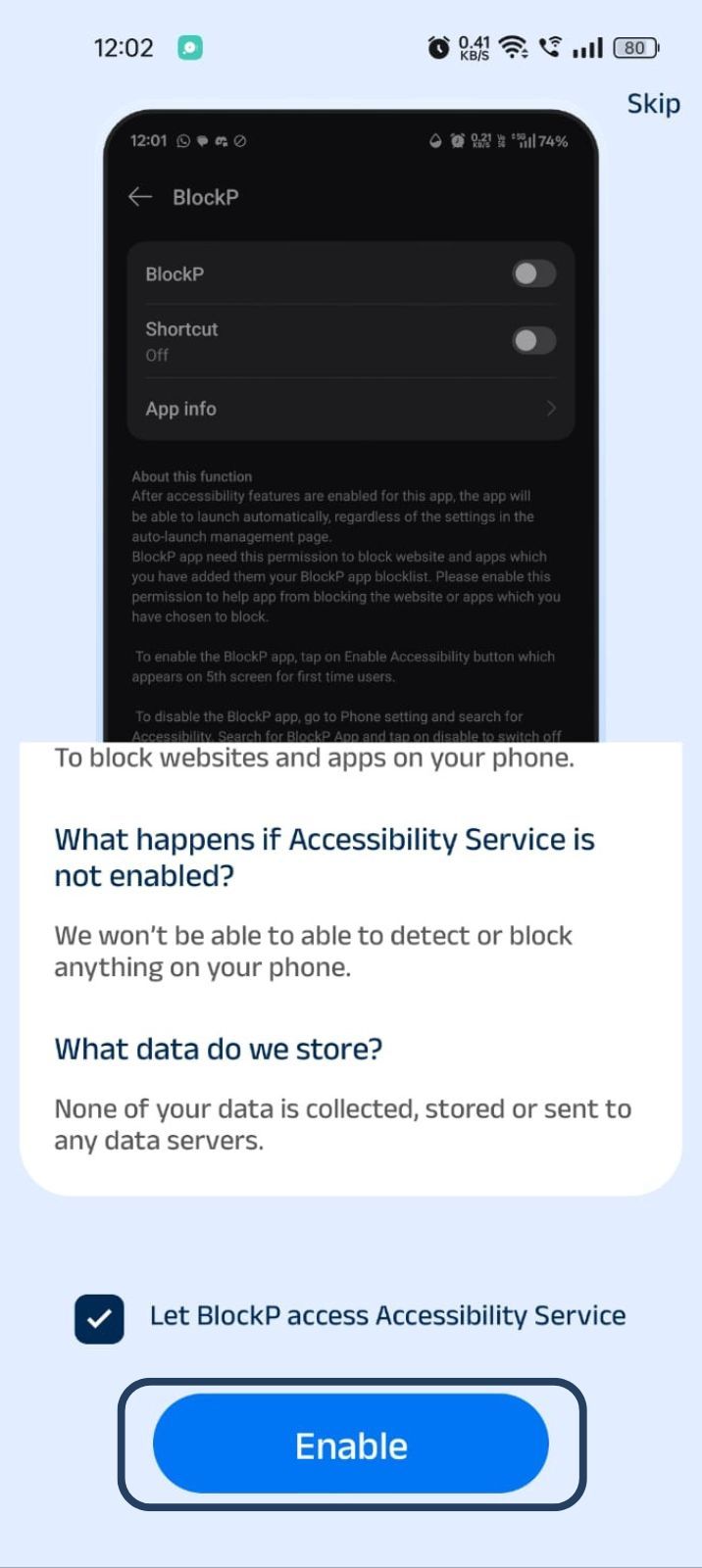
- Next, click on the downloaded apps button.
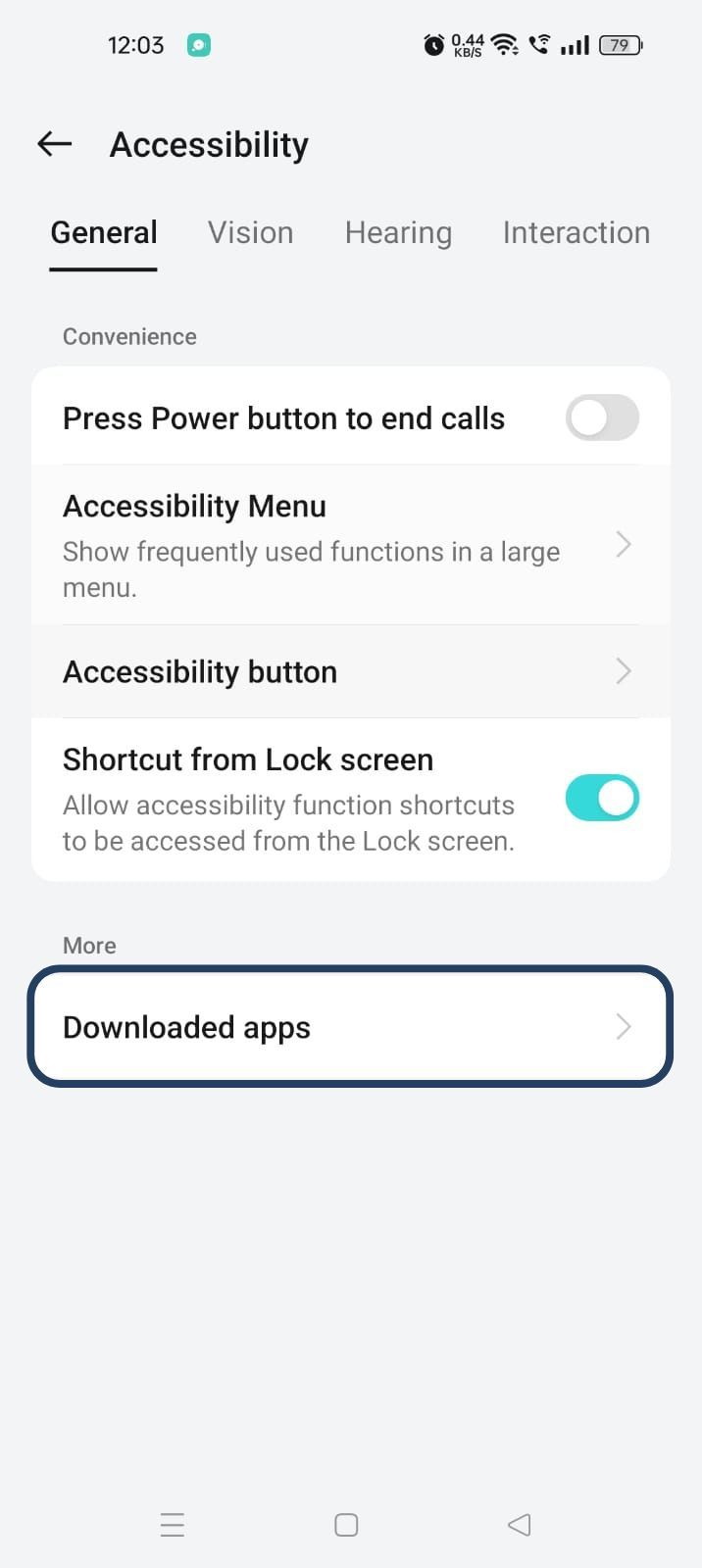
- Now, you will find Blockp - click on BlockP.
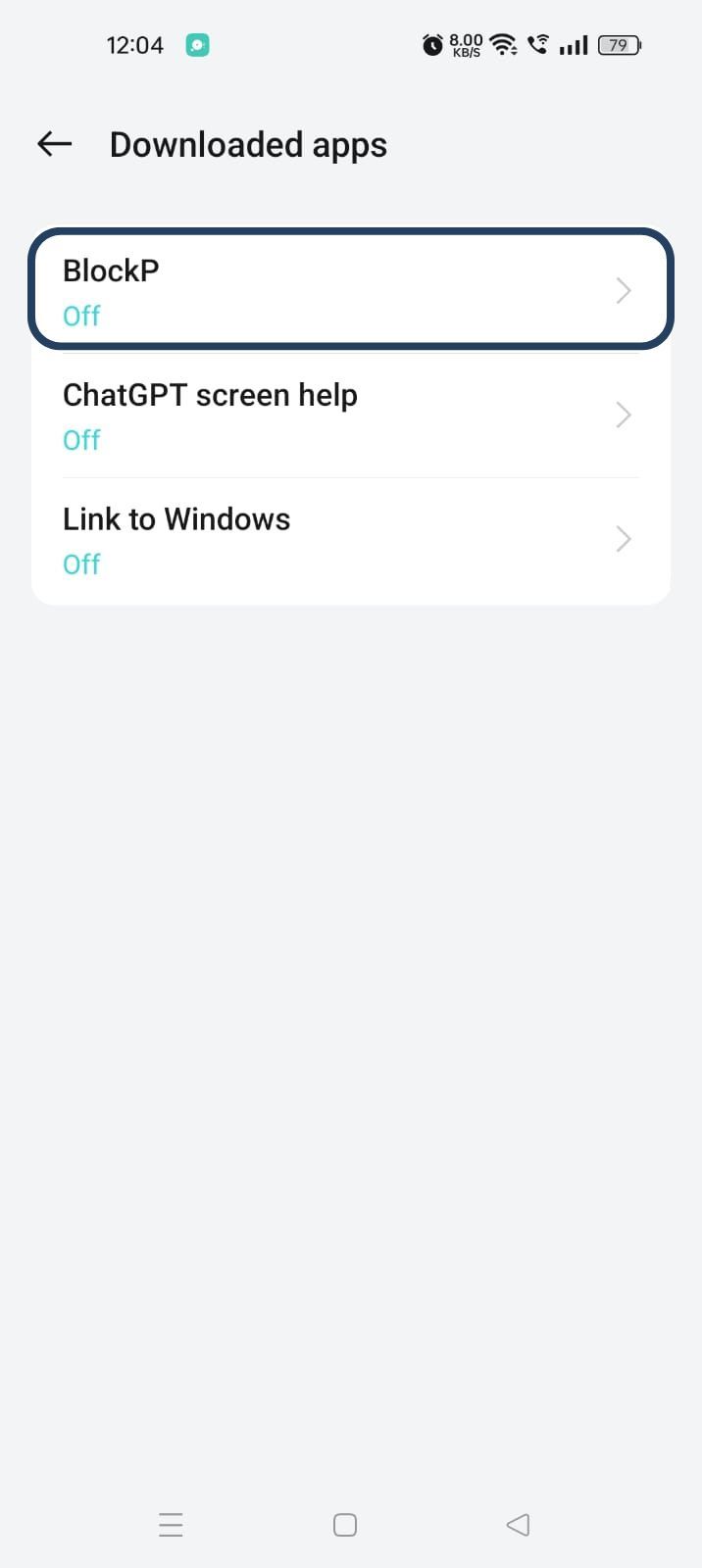
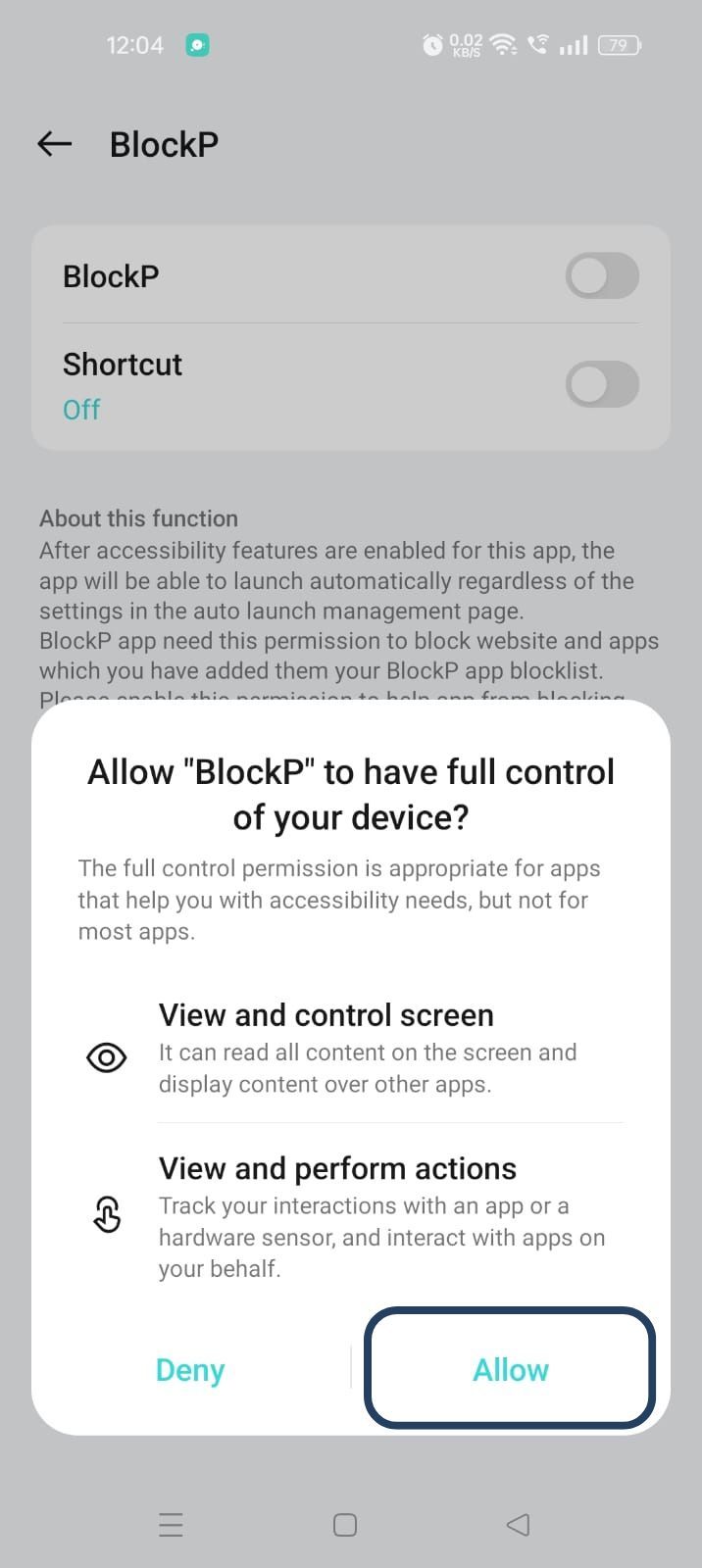
- The new screen will show a toggle in front of BlockP - enable the toggle and then click on the Allow button to complete the accessibility permission.
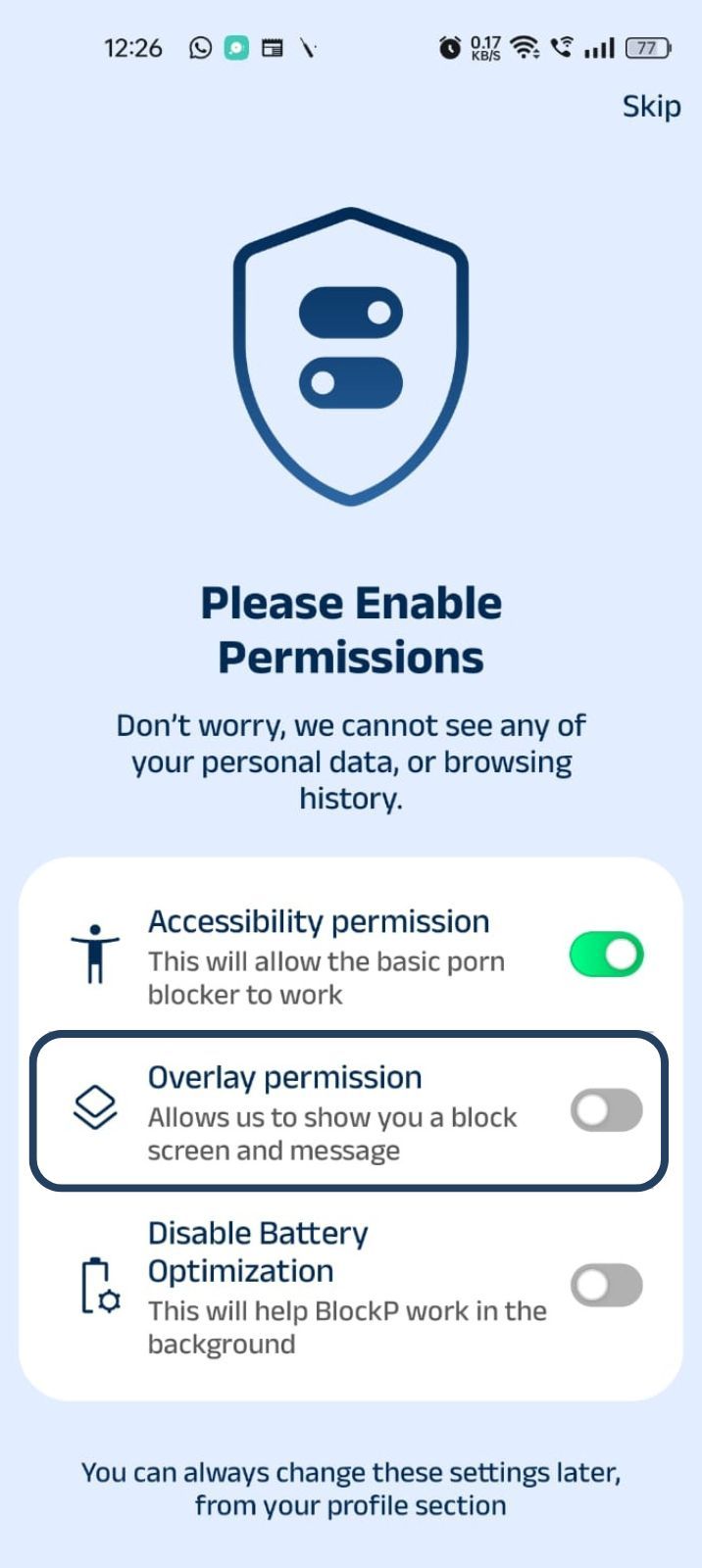
2. Overlay - lets BlockP show you a blocked screen and message when you try to access adult content.
- Click on Overlay permission toggle.
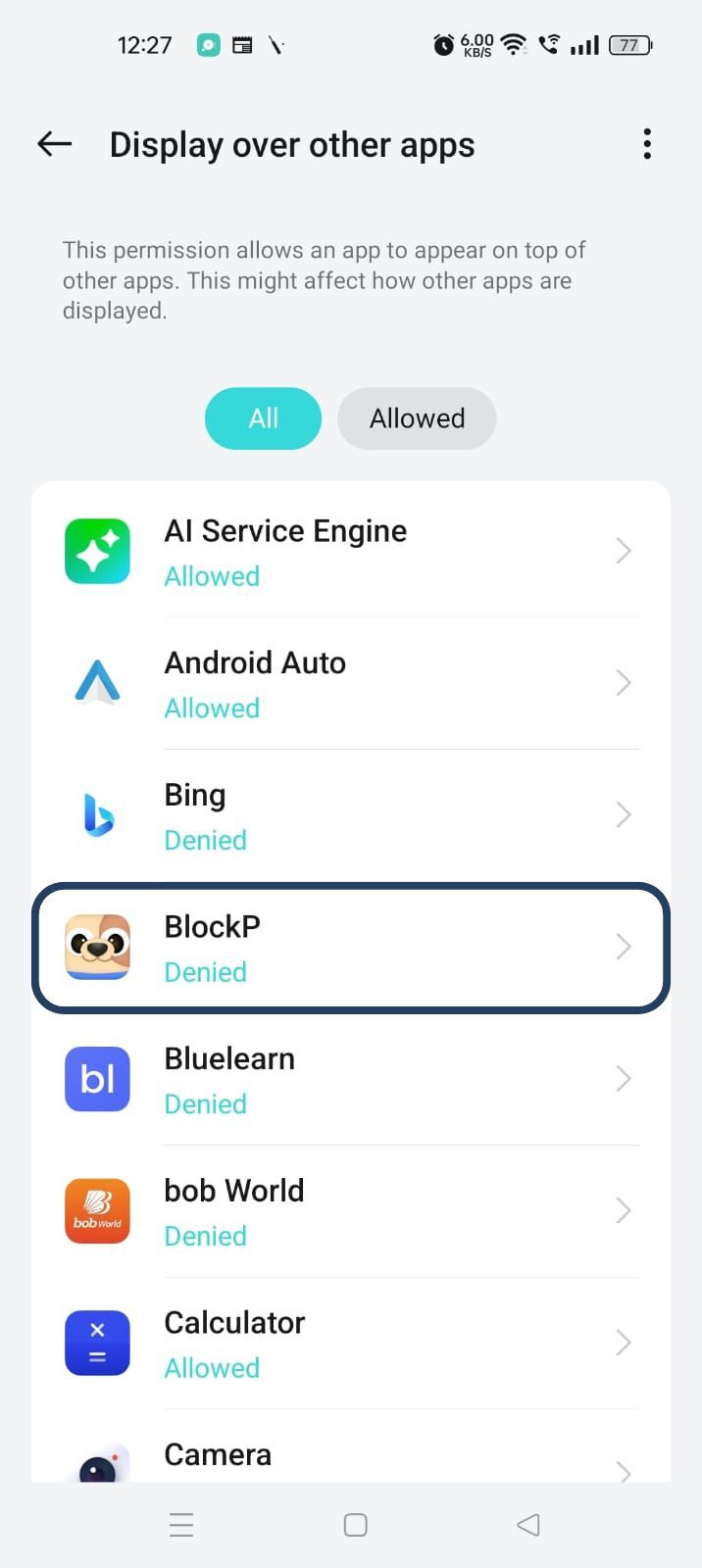
- You will get a menu with a list of apps titled - Display over other apps. Find BlockP in this list and click on it.
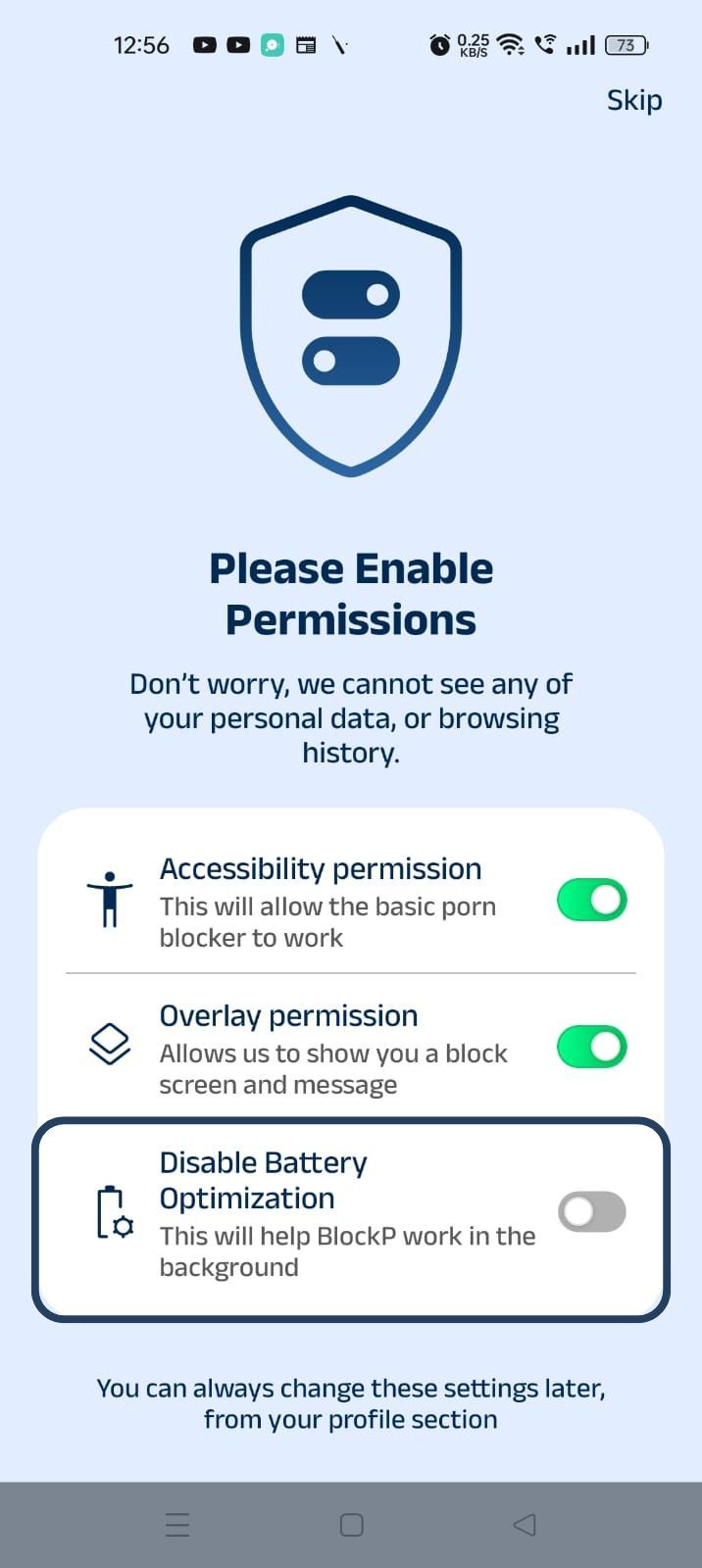
3. Disable battery optimization - so that BlockP can keep working in the background to filter adult content.
- Click on the Disable battery optimization toggle
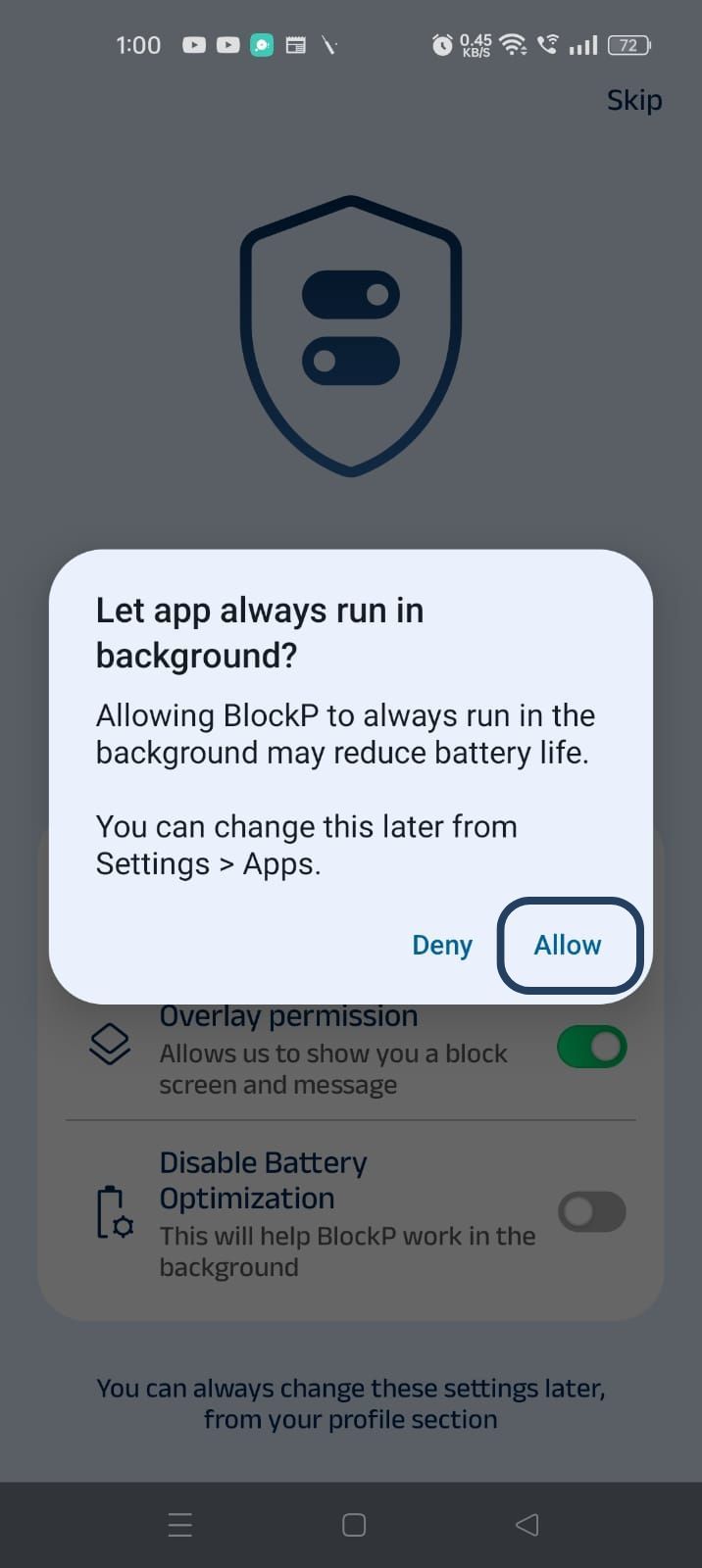
- When prompted, tap Allow to let BlockP run in the background. This helps BlockP stay active and block content without interruption.
Step 4: Go to Advanced Settings
Locate the advanced settings icon in the top right corner of BlockP’s home screen and click on it.
Step 5: Go to General Settings
Scroll down to the General Settings section and find the Block Phone Reboot options (it is the second one in the General Settings section).
Step 6: Turn on the Block Phone Reboot
Slide the toggle next to Block Phone Reboot - Now you have activated BlockP’s phone reboot blocker.
Step 7: Optional Protections
For additional security, set up a long-sentence password or enable password protection so that your accountability partner gets an OTP if you try to change any settings.
Why Block Phone Reboots?
When the urges and adult content cravings hit, the person will be desperate to find a way to cheat the adult content blockers and find their fix. So, just blocking adult content, i.e., only one fixed layer of protection, is never enough.
Rebooting the phone is often a preferred workaround because you do not need any technical skill for it. Just a long press of the power button, and voila! You can indulge in adult content.
Many apps simply disable the adult content access rather than completely blocking adult content. So, rebooting the phone becomes the easiest way to reverse these changes and let the device run without the restrictions.
BlockP has a reboot protection feature to close this specific gap. Its phone reboot blocker is a crucial layer of friction that keeps you safe in the moments when your temptations try to sneak past your digital safeguards.
How Phone Reboot Protection Works
BlockP’s block phone reboot feature has one simple goal - to ensure that adult content protection stays robust through software updates, accidental phone restarts, and moments of extreme temptation where you try to reboot your phone.
Once you have activated the phone reboot blocker, it works quietly in the background so that you never have to think about it again. It is designed to block one of the most common and easiest bypass methods without requiring you to use your willpower or technical knowledge in moments of vulnerability.
Here is precisely how the Block phone reboot feature works in BlockP:
- BlockP detects when your device restarts - whether it is on purpose or you have rebooted the phone accidentally.
- As soon as the device is powered back on, BlockP applies its protection settings automatically. You do not have to log into the app or change any setting.
- BlockP removes the gap between restart and re-protection because even during device reboot, all adult content blocking features stay active.
- The Block phone reboot feature works alongside other security features of BlockP, like password protection, uninstall prevention, etc. So, rebooting the phone does not disable a safeguard.
BlockP’s block phone reboot feature has one simple goal - to ensure that adult content
Why Choose BlockP?
BlockP is the obvious choice for adult content and adult content blocking because it combines adult content blocking with features that prevent bypass.
Robust Adult Content Blocking
BlockP combines the usual URL-based blocking and keyword blocking with advanced AI-powered filters for filtering nude and semi-nude content, which can be a major trigger. Network-level filtering and real-time blocking ensure complete safety from accidental exposure for kids.
Strong Bypass Prevention (Including Blocking Phone Reboot)
All these adult content restrictions are further secured by BlockP with features to block phone reboots and password protection to prevent impulsive changes to settings. It is this dynamic layer that makes BlockP much harder to bypass and prevents relapse.
Frequently Asked Questions
Can restarting my phone bypass BlockP?
No. BlockP’s phone reboot blocker feature can detect when your phone restarts and applies the restrictions automatically when the phone powers back up.
Does reboot protection affect phone performance?
Not at all. The block phone reboot feature is activated only when there is a phone restart. It does not affect your everyday use.
Is reboot protection available on Android?
The block phone reboot is an in-built feature of BlockP for reboot protection.
Can I disable reboot protection later?
You can disable reboot protection later if required. However, BlockP does provide long-sentence passwords and accountability partner features to prevent you from impulsively disabling the reboot prevention settings.