Block Custom URL's with BlockP | Wesbite Blocker for Android
Block distracting and adult websites on Android with BlockP's Website Blocker. Improve productivity, reduce distractions, and browse with confidence.
Get Started with BlockPYou can find anything you want on the internet in seconds - highly convenient but equally distracting. Especially for someone trying to quit adult content, or who needs to safeguard their focus while being online, it poses a hard challenge. That’s where a website blocker for Android can help.
Usually, an adult content website blocker app lets you block adult websites. But a website blocker for Android like BlockP can help you block any website - so it gives you much more freedom and better flexibility to stay protected from online distractions.
How to Enable Website Blocker on BlockP Android App
Here is how to enable the website blocker on your Android device with BlockP:
Step 1: Install BlockP
Download the BlockP app from the Google Play Store and install it on your Android phone.
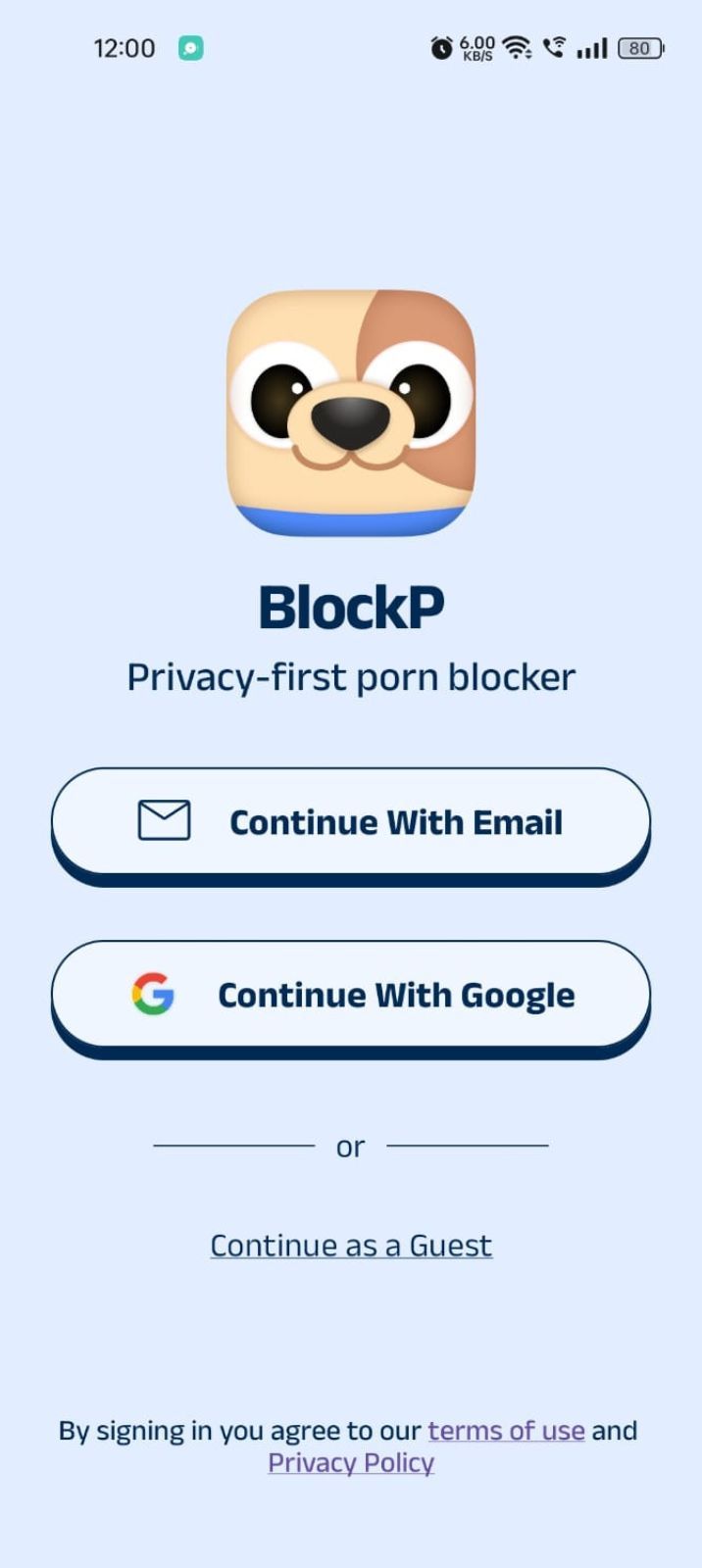
Step 2: Sign Up on BlockP
- Open the BlockP app.
- Sign up using Email or Google.
- Or tap Continue as a Guest to get started without creating an account.
Step 3: Give Necessary Permissions
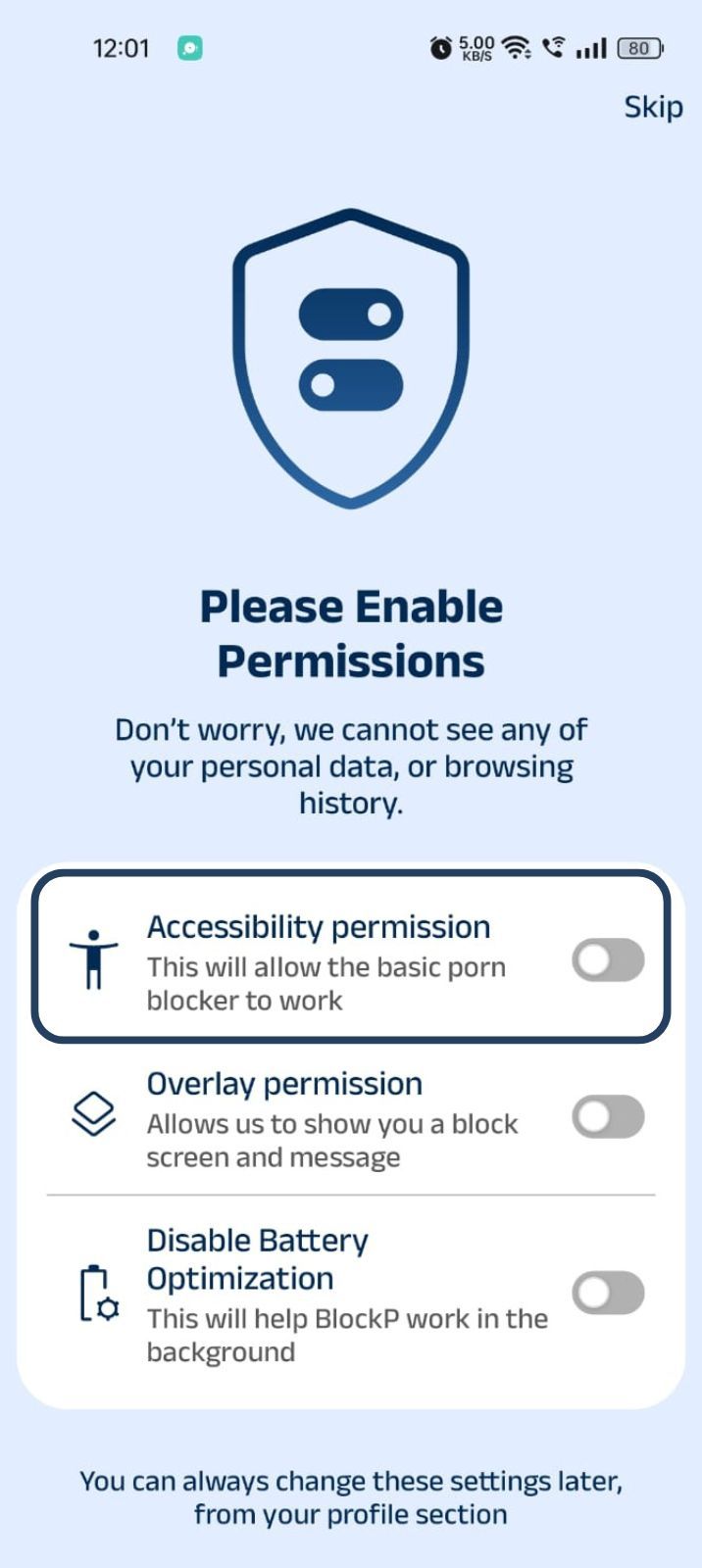
1. Accessibility - Lets the Android adult content blocker see what you are watching on your screen. Here is how to let BlockP use it:
- Click on the Accessibility permission toggle.
- Then click on "Let BlockP Access Accessibility Services"
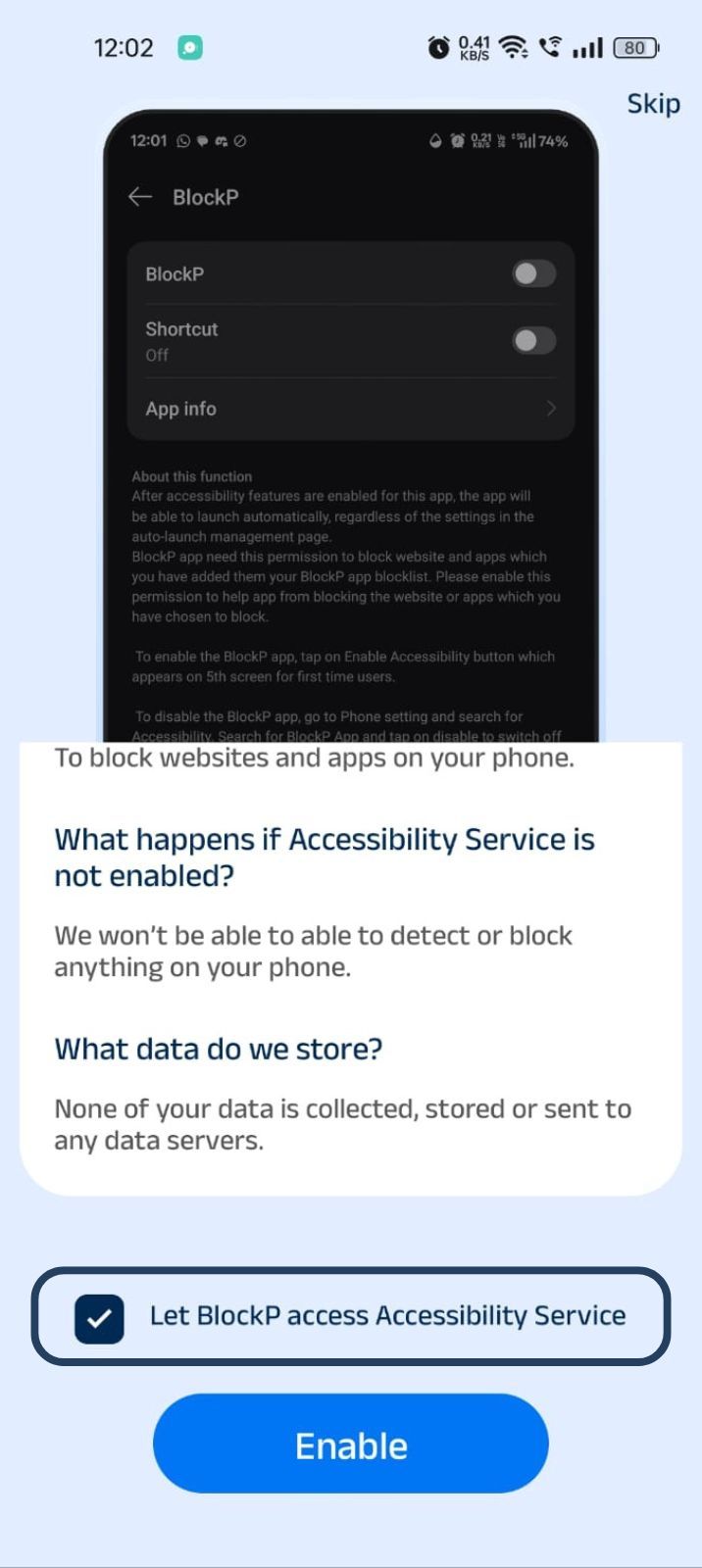
- Next, click on the Enable button
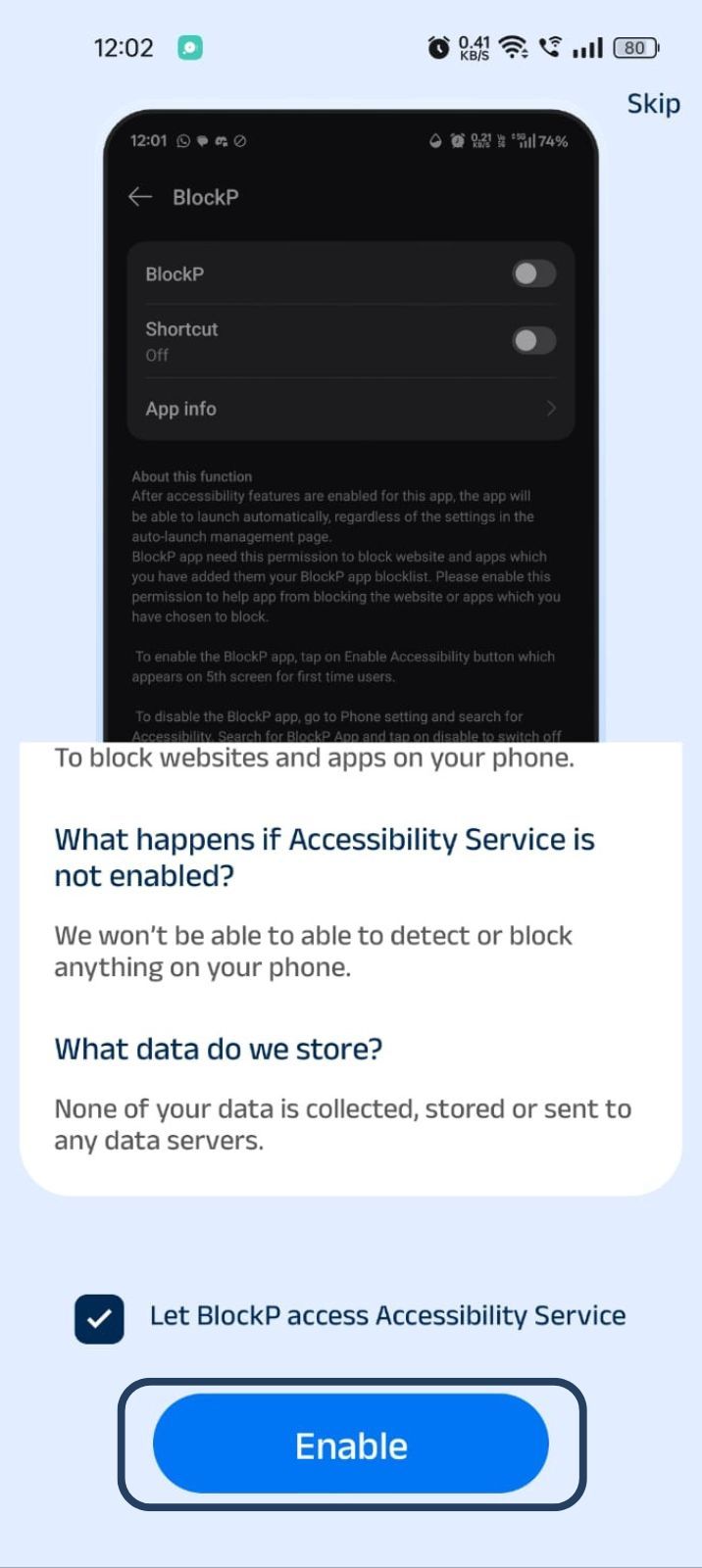
- Next, click on the downloaded apps button.
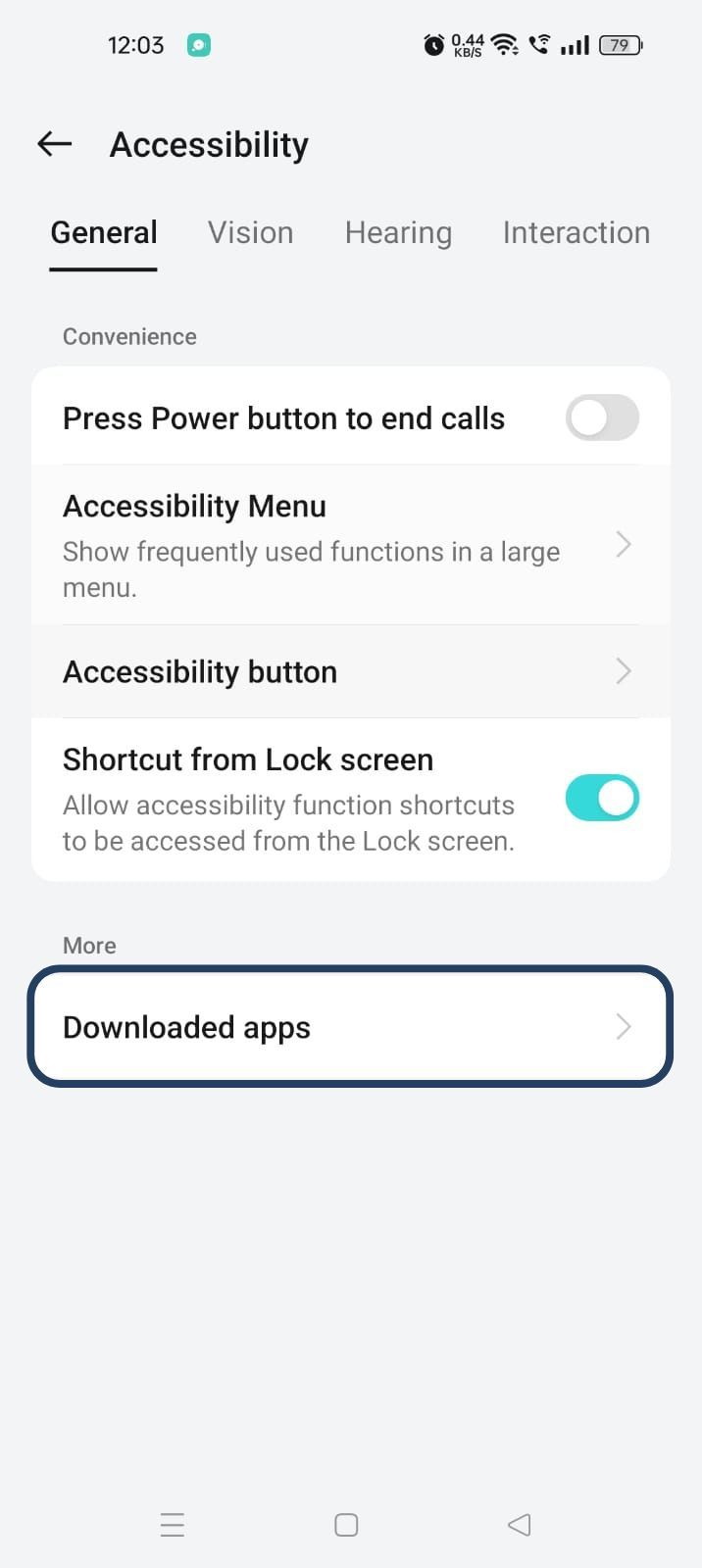
- Now, you will find Blockp - click on BlockP.
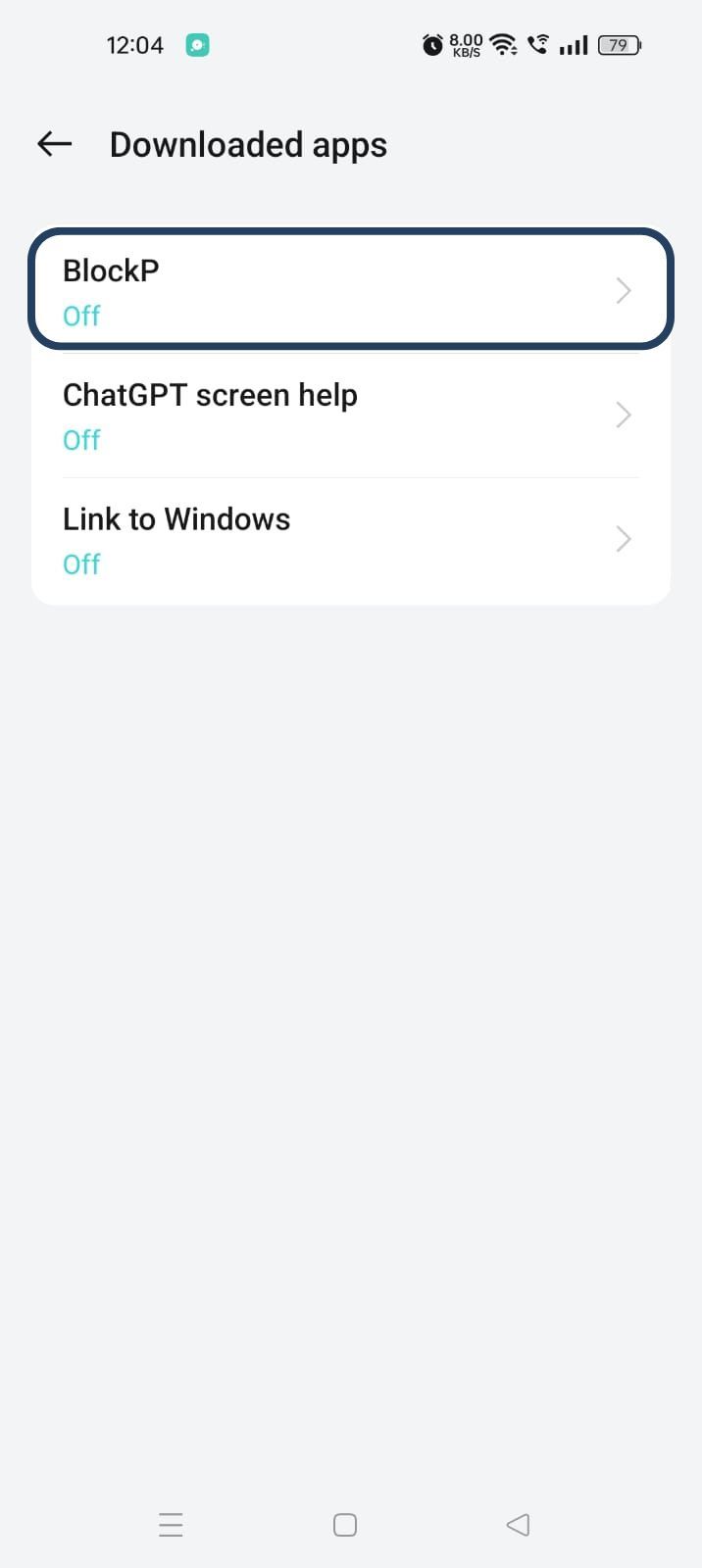
- The new screen will show a toggle in front of BlockP - enable the toggle and then click on the Allow button to complete the accessibility permission.
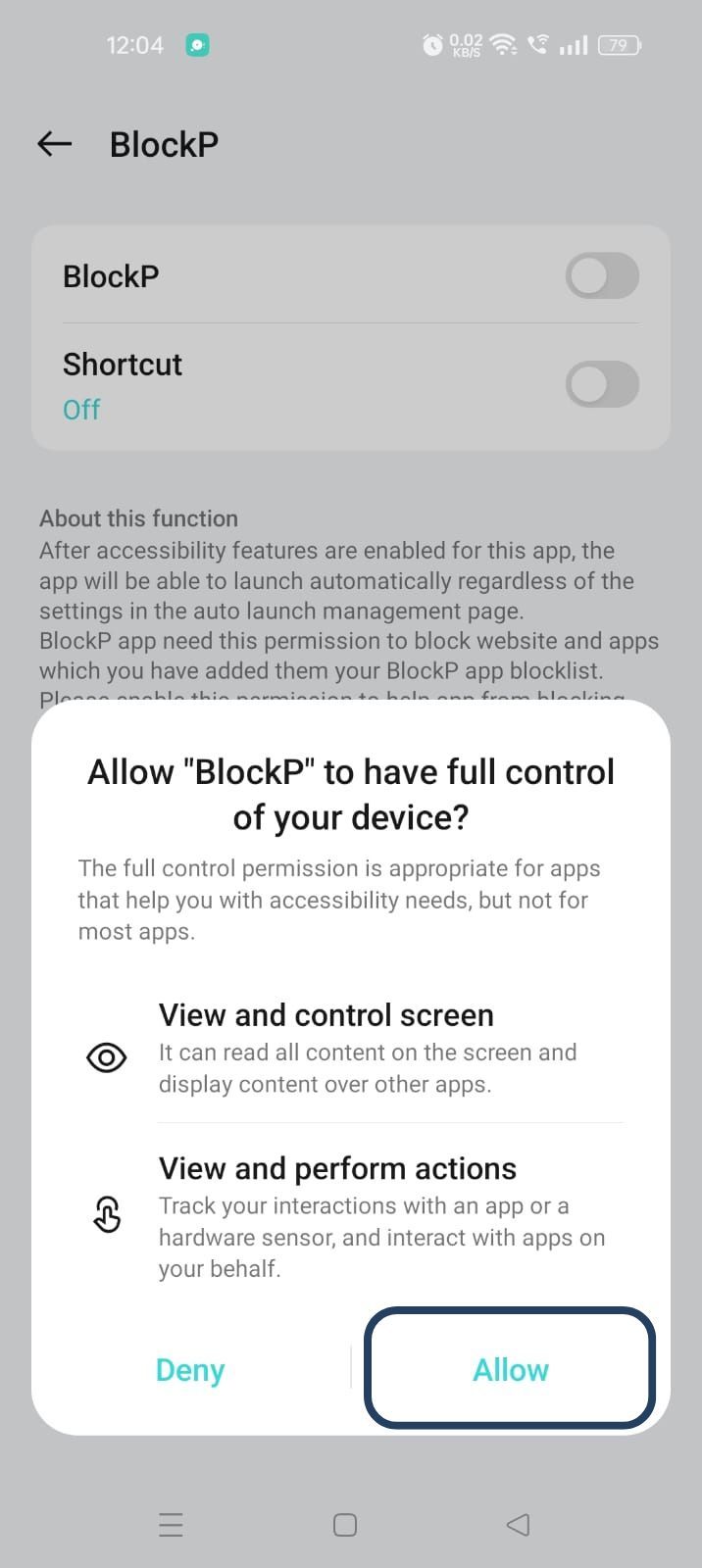
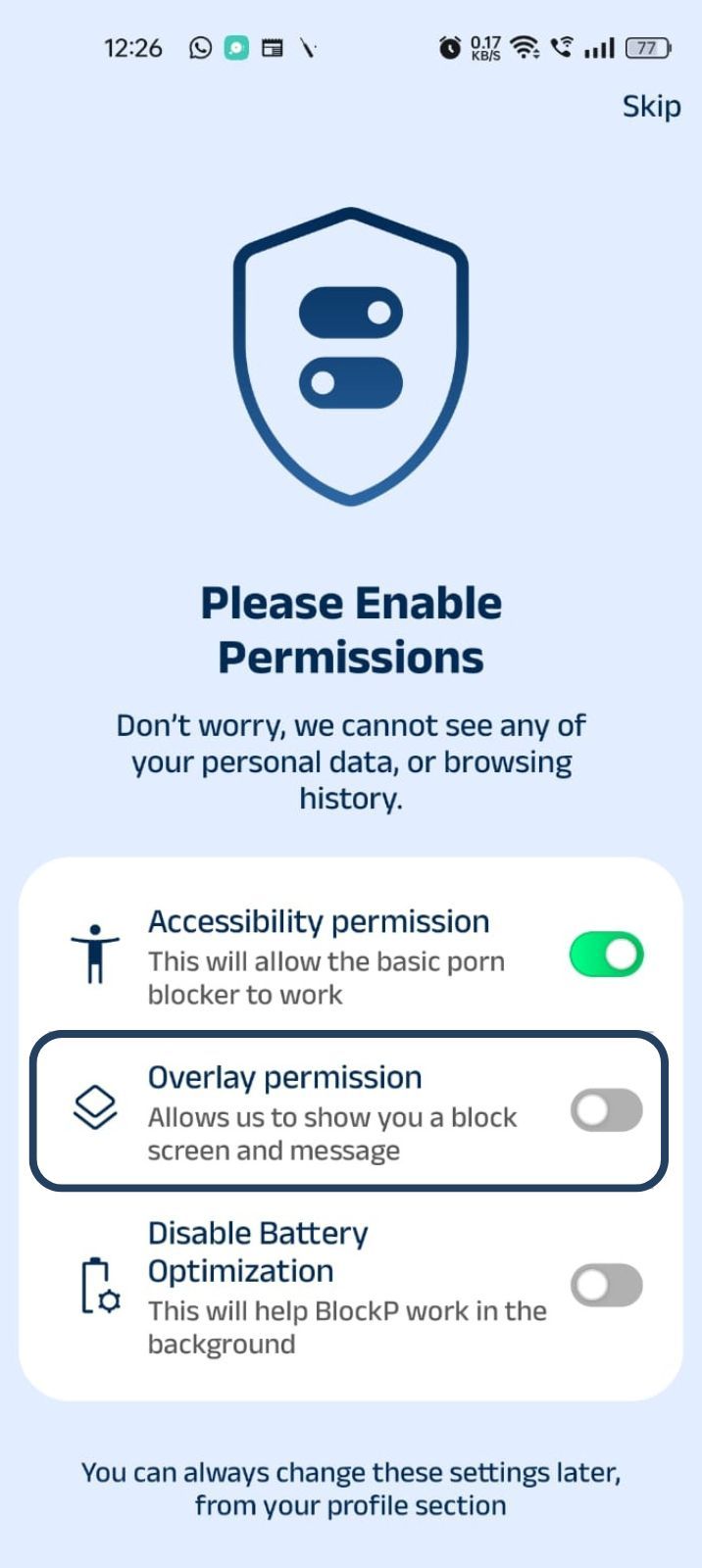
2. Overlay - lets BlockP show you a blocked screen and message when you try to access adult content.
- Click on Overlay permission toggle.
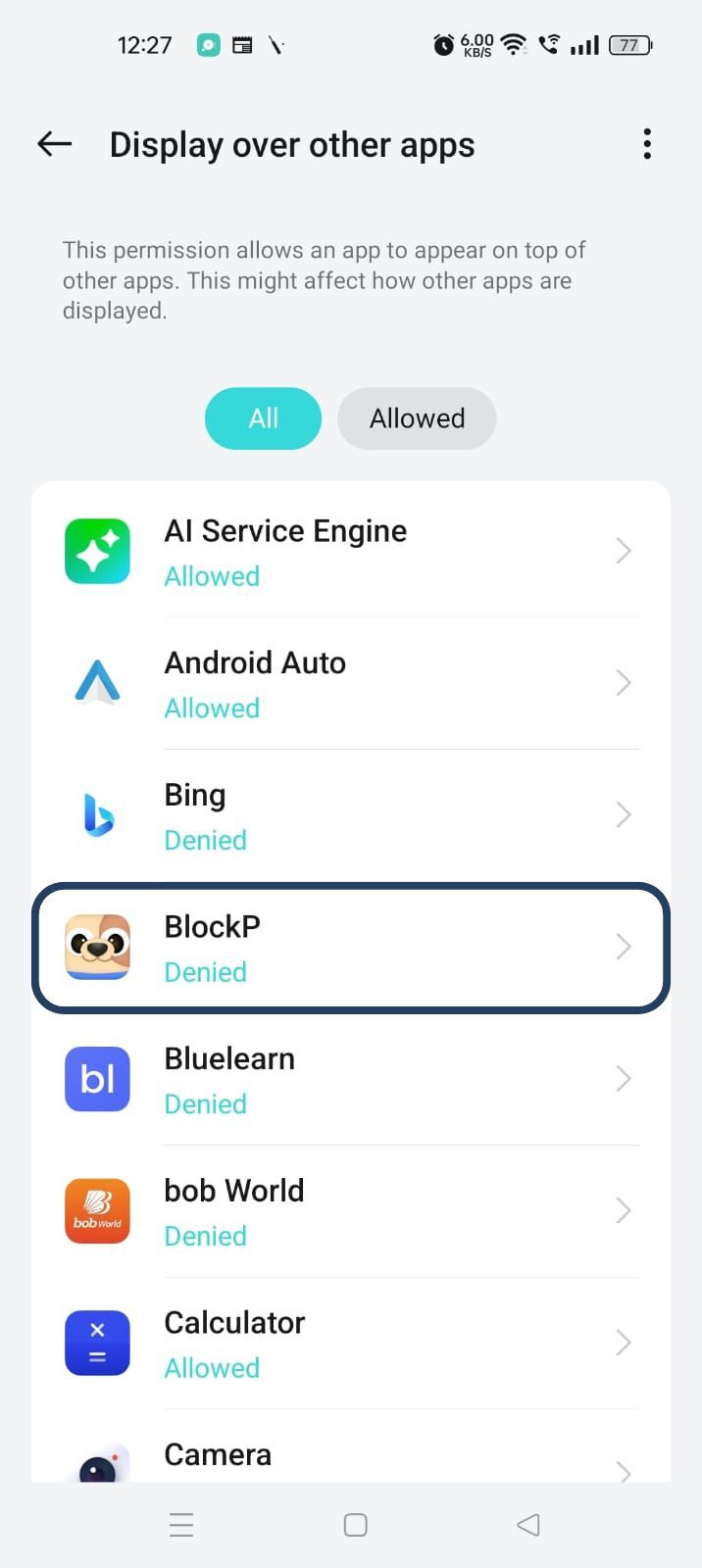
- You will get a menu with a list of apps titled - Display over other apps. Find BlockP in this list and click on it.
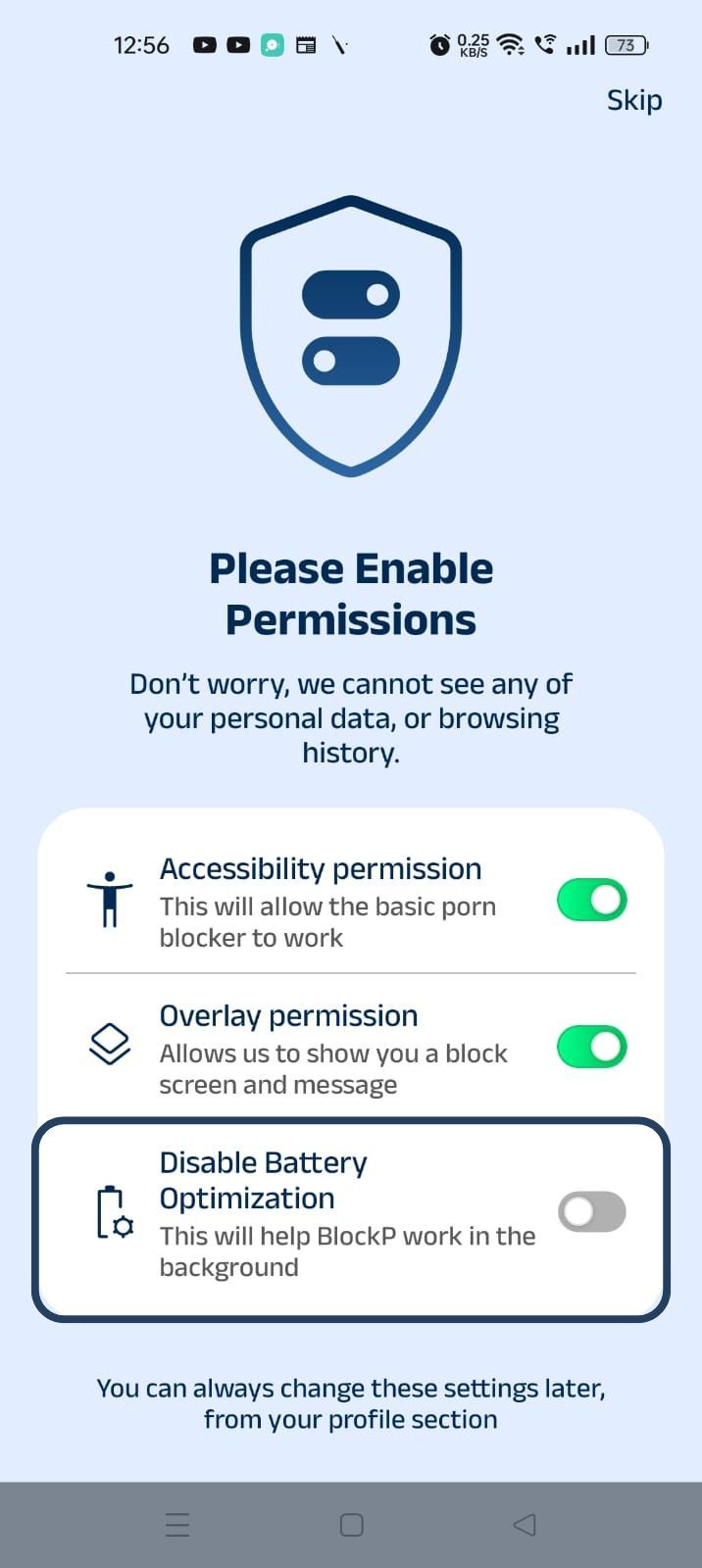
3. Disable battery optimization - so that BlockP can keep working in the background to filter adult content.
- Click on the Disable battery optimization toggle
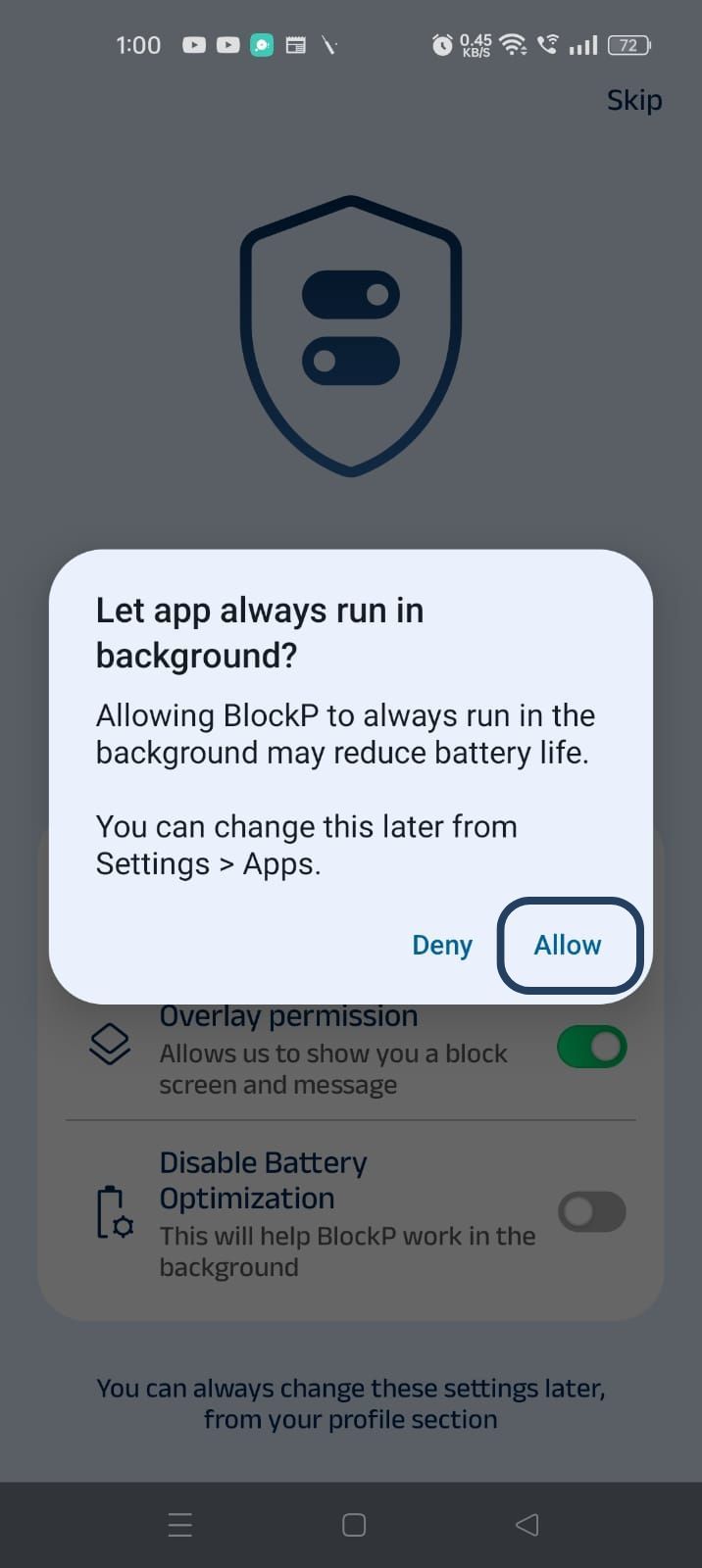
- When prompted, tap Allow to let BlockP run in the background. This helps BlockP stay active and block content without interruption.
Step 4: Go to the BlockP App's Home Screen
On the bottom of the BlockP home screen, find the ‘Block list’ icon (it is the second icon from the left, next to the dashboard), and click on it.
Step 5: Add Websites to the Blocklist
In the Block List section, you will see two options - Blocklist and Whitelist. Click on the Blocklist option.
At the bottom of the screen, you will find the ‘Add Items’ button; click on it and you will see three options:
- Add app
- Add website
- Add keyword
Click on the ‘+’ sign in front of the ‘Add website’ option.
Now, BlockP opens a new window where you can enter the name of the website. Enter the website name without the www tag - for example, xxx.com or xxx.net.
You will be automatically redirected to the BlockList section, and you can see the websites you have blocked in the blocklist.
Repeat the process to add any number of websites you want to block.
Why Block Websites on Android?
When you use a website blocker for Android, it makes your preference into a setting where you don’t have to recruit your willpower every day to enforce it.
For someone who is trying to quit adult content, an option to block adult content websites on Android prevents relapse. When a person can block any website that is personally triggering for them, it makes them feel more confident while using their phones.
For a student, it helps to restrict social media and other entertainment so that they protect their focus for studies.
A remote worker can use the website blocker for blocking news sites, shopping sites, or streaming and video websites to protect their productivity.
Benefits of Using BlockP's Website Blocker
- Different users have different online habits. So, if there is only a fixed blocklist or only the developer can edit the blocklist, it makes the feature a little less effective. The BlockP website blocker for Android lets everyone create a custom blocklist that is designed to meet their own goals.
- When you block adult content websites on Android, it adds another layer of protection over the automatic adult website blocking boundaries of BlockP.
- When you block distracting websites like social media, it makes the time spent online more intentional and protects your focus.
Why Choose BlockP?
BlockP’s website Blocker for Android lets you block any website that you want to avoid. And it also does not limit the number of websites that you can add to the Block List.
Many people find content on mainstream websites triggering, even if they are not explicit. BlockP's website option helps you avoid those sites also.
Frequently Asked Questions
How do I block websites on Android?
You can add any website to BlockP’s blocklist section to block it on your Android phone.
What is the best website blocker for Android?
BlockP because you can add any number of websites to its blocklist - adult or not.
Can BlockP block adult content websites on Android?
You can block adult content websites with a website blocker for Android like BlockP.
Can I block specific websites with BlockP?
You can block any specific website with BlockP.
Does BlockP work with Chrome on Android?
BlockP works with Chrome on Android and it also supports other browsers (Opera, Edge, Brave, and Firefox.)
Can I block social media websites on Android?
You can block distracting websites including social media by adding them to BlockP's blocklist.
Does Website Blocker work in Incognito Mode?
Yes.
Can I create a custom website blocklist?
Yes.
Will Website Blocker slow down my Android phone?
No. It has to work only when you try to access a restricted website; otherwise, it stays silent in the background.
Does Website Blocker work with other BlockP features?
Yes.
Can parents use BlockP to block websites on Android?
Yes.
Is BlockP's Website Blocker free to use?
Yes.