How to Enable Accountability Partner in BlockP Android App
Stay accountable with BlockP's Accountability Partner feature on Android. Share reports, build better habits, and stay focused on your goals.
Get Started with BlockPA content filter can block an adult content website. But it can not out-argue a craving that hits you when you are alone and feeling vulnerable. This is often the point where software controls feel weak, and this is also exactly the point where an accountability partner app like BlockP adds immense value.
How to Set Up an Accountability Partner on BlockP Android
Here is how to enable the accountability partner feature on Android with BlockP:
Step 1: Install BlockP
Download the BlockP app from the Google Play Store and install it on your Android phone.
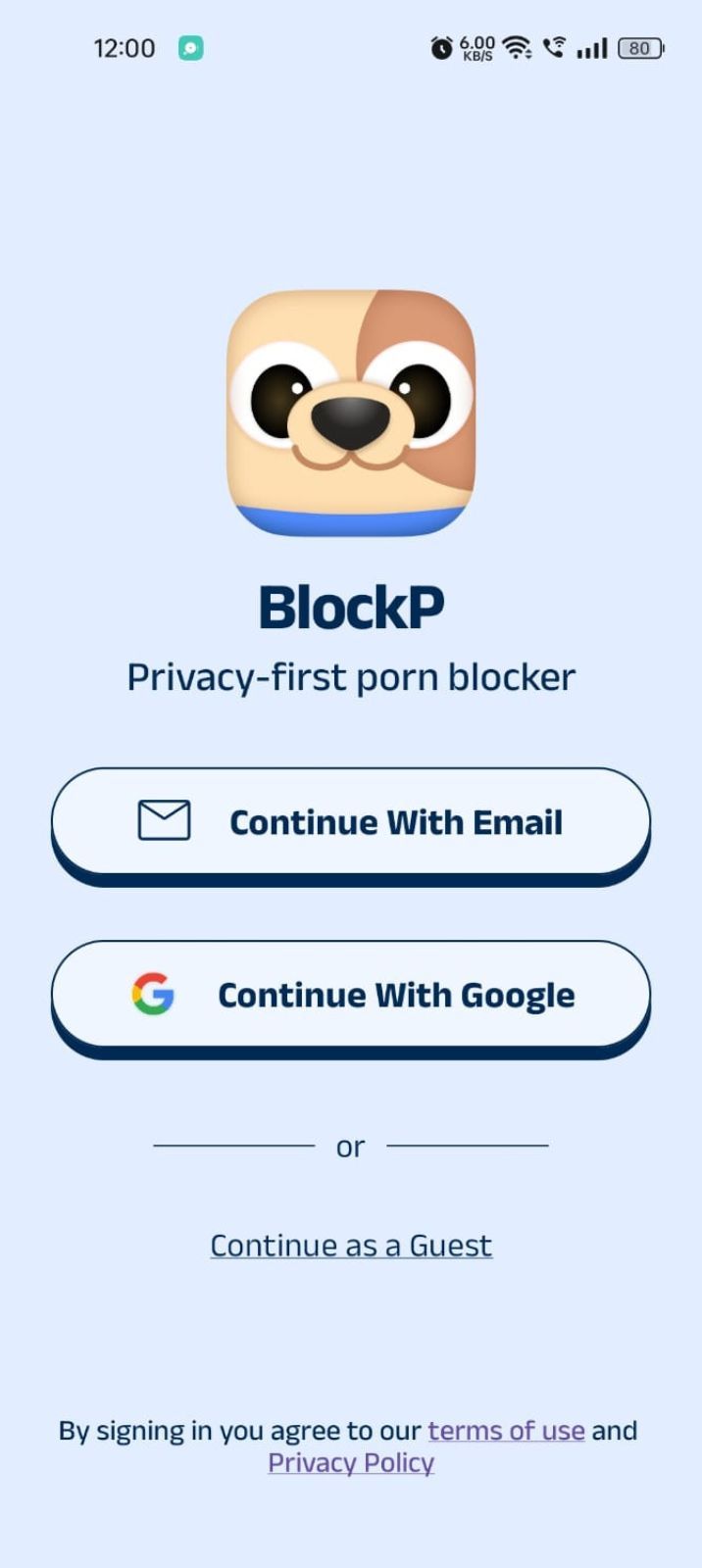
Step 2: Sign Up on BlockP
- Open the BlockP app.
- Sign up using Email or Google.
- Or tap Continue as a Guest to get started without creating an account.
Step 3: Give Necessary Permissions
1. Accessibility - Lets the Android adult content blocker see what you are watching on your screen. Here is how to let BlockP use it:
- Click on the Accessibility permission toggle.
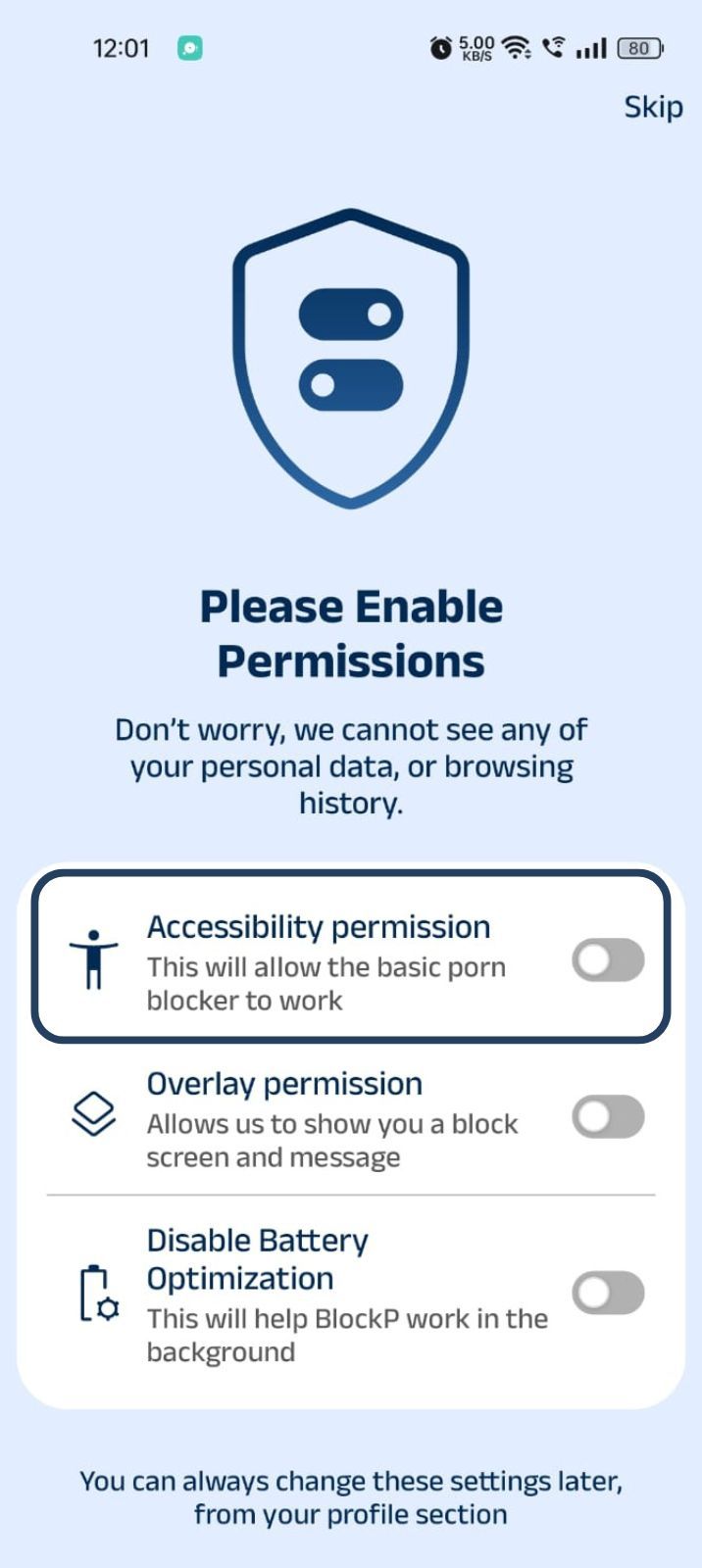
- Then click on "Let BlockP Access Accessibility Services"
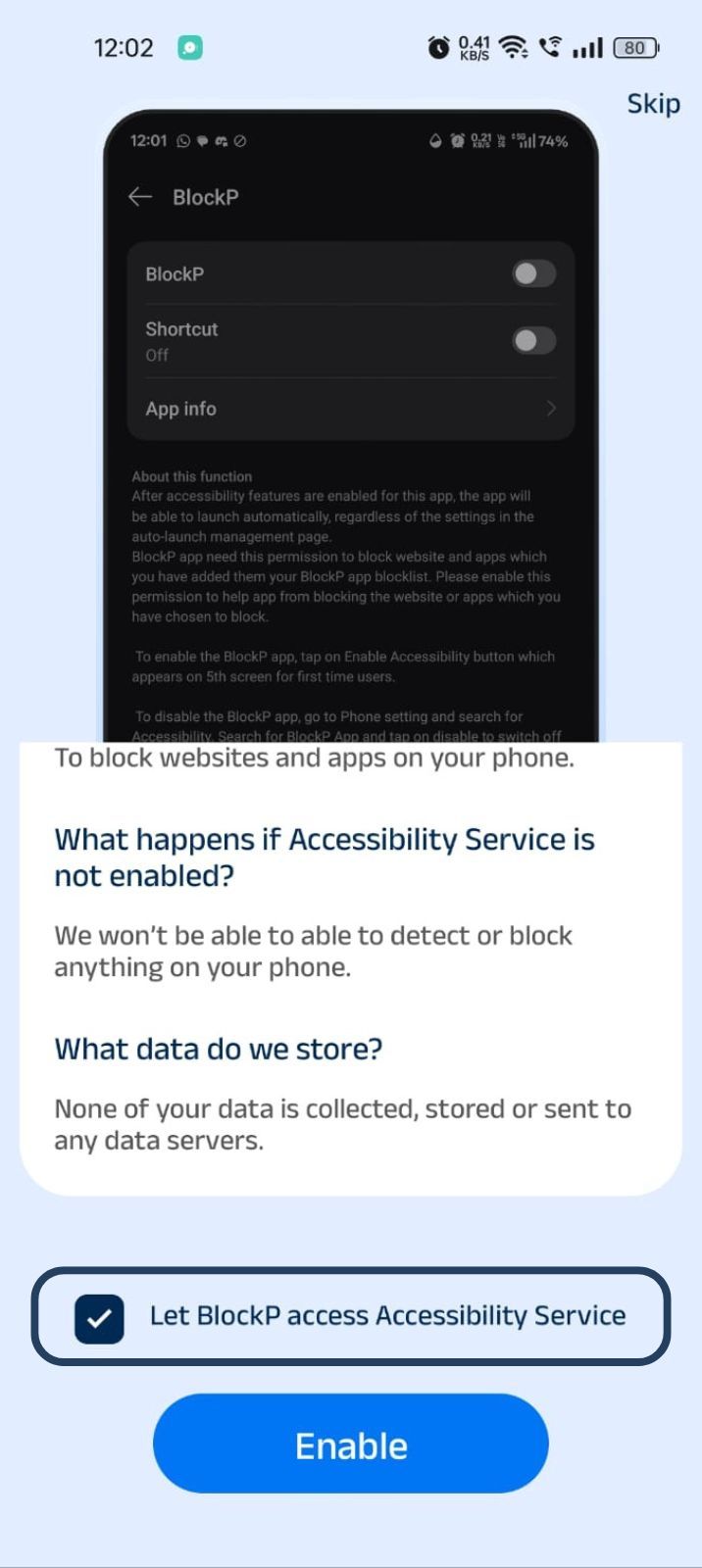
- Next, click on the Enable button
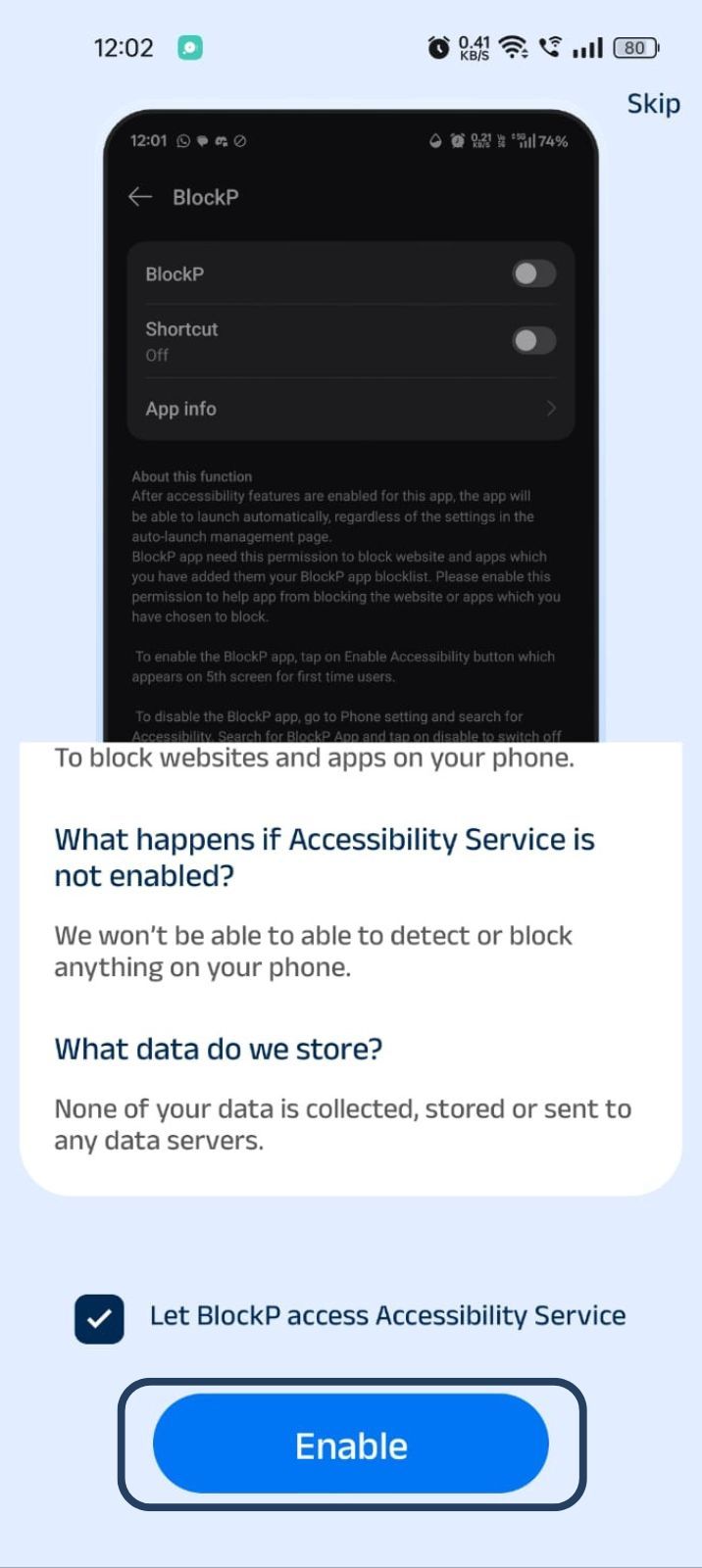
- Next, click on the downloaded apps button.
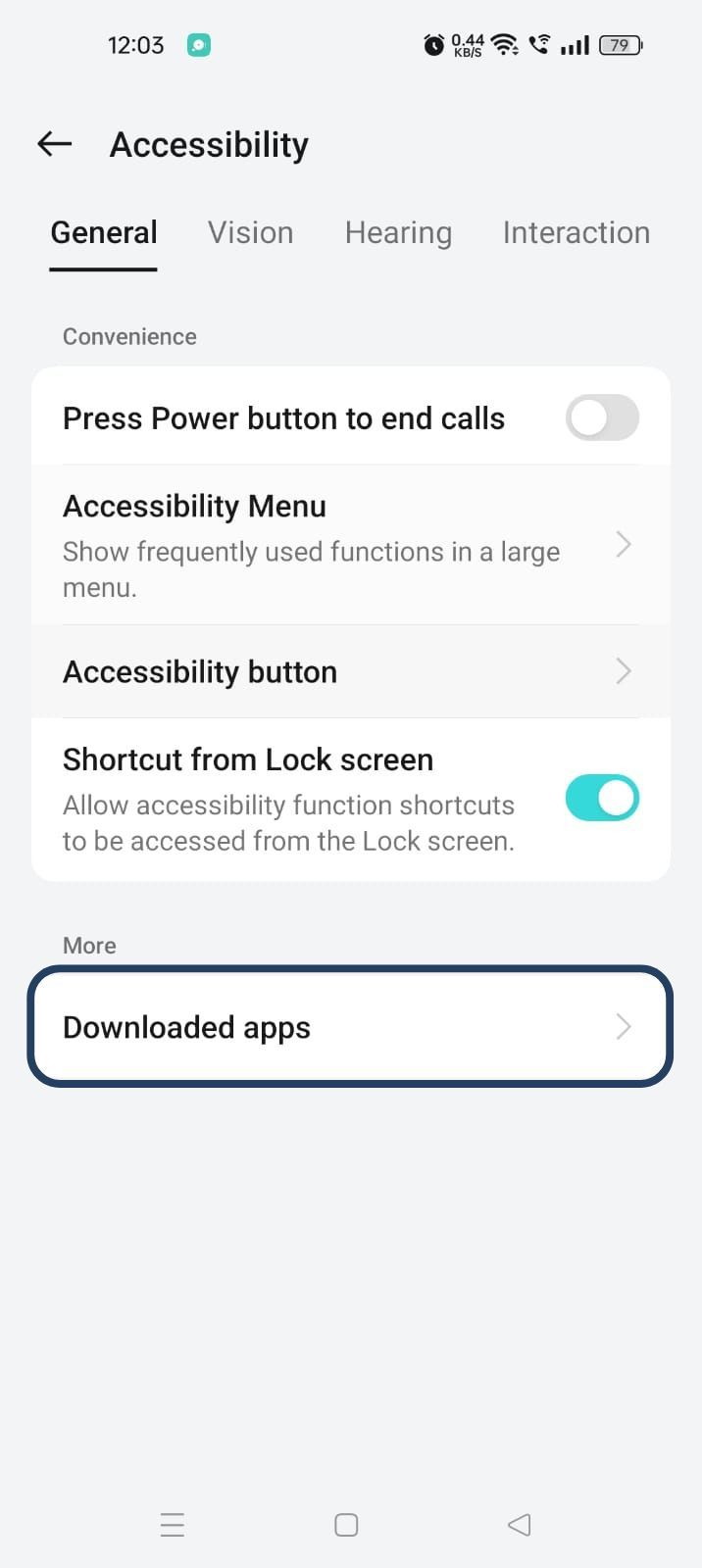
- Now, you will find Blockp - click on BlockP.
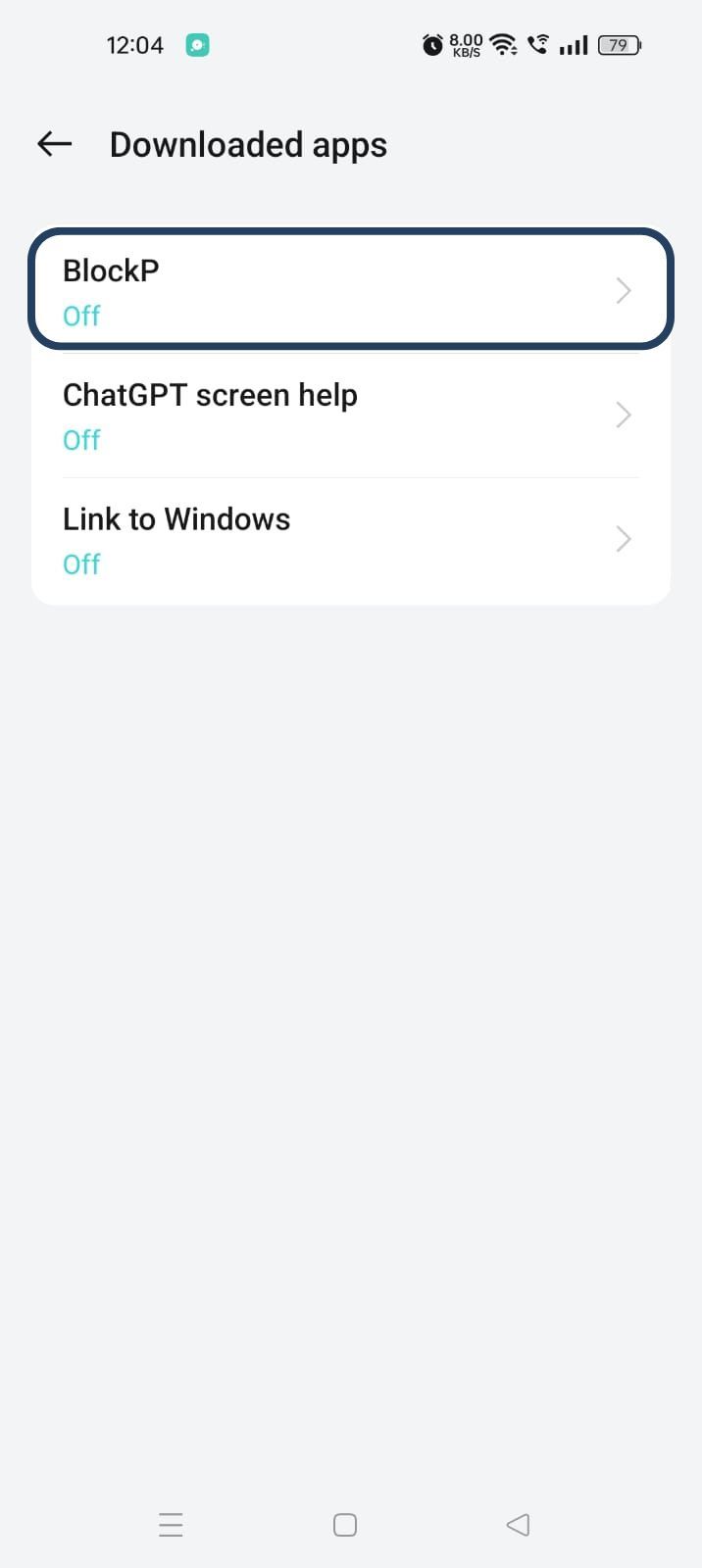
- The new screen will show a toggle in front of BlockP - enable the toggle and then click on the Allow button to complete the accessibility permission.
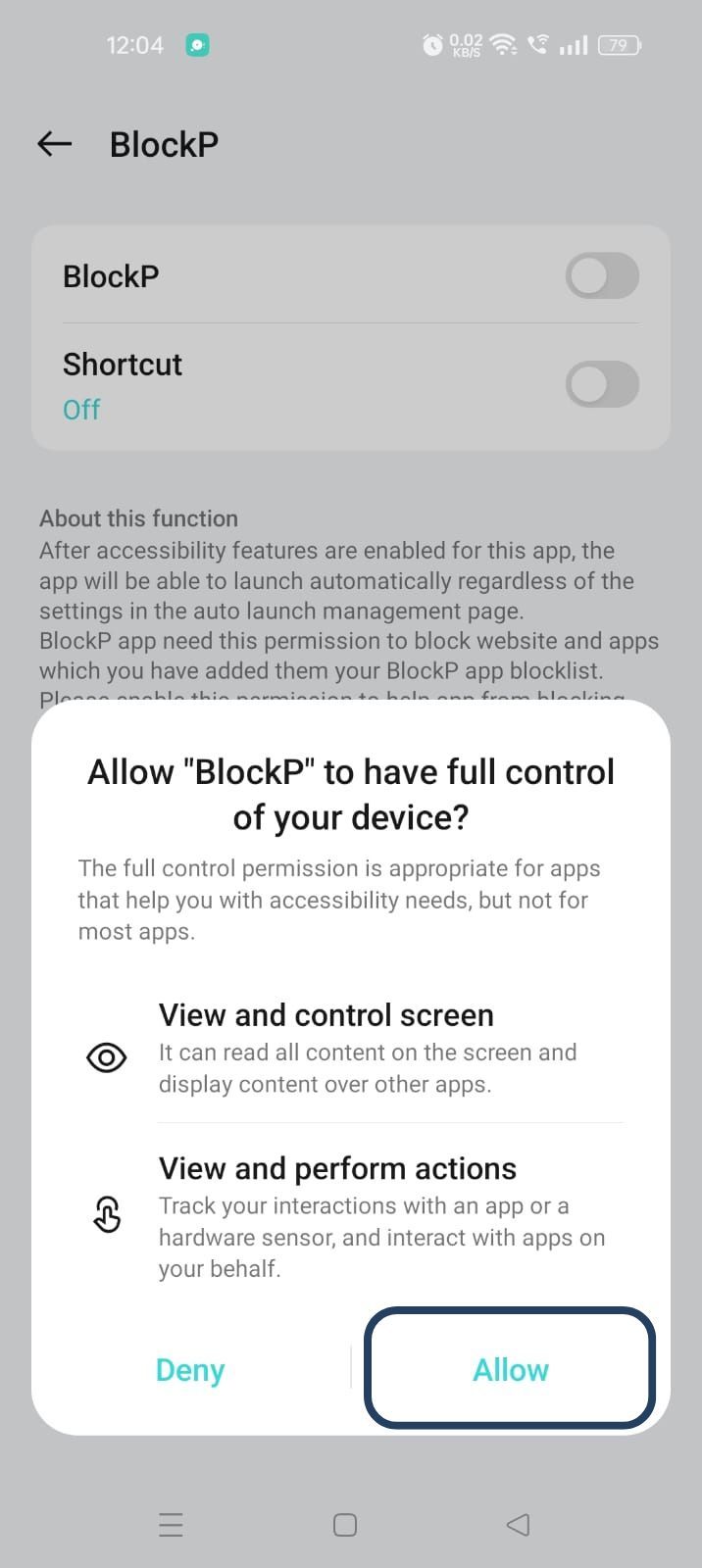
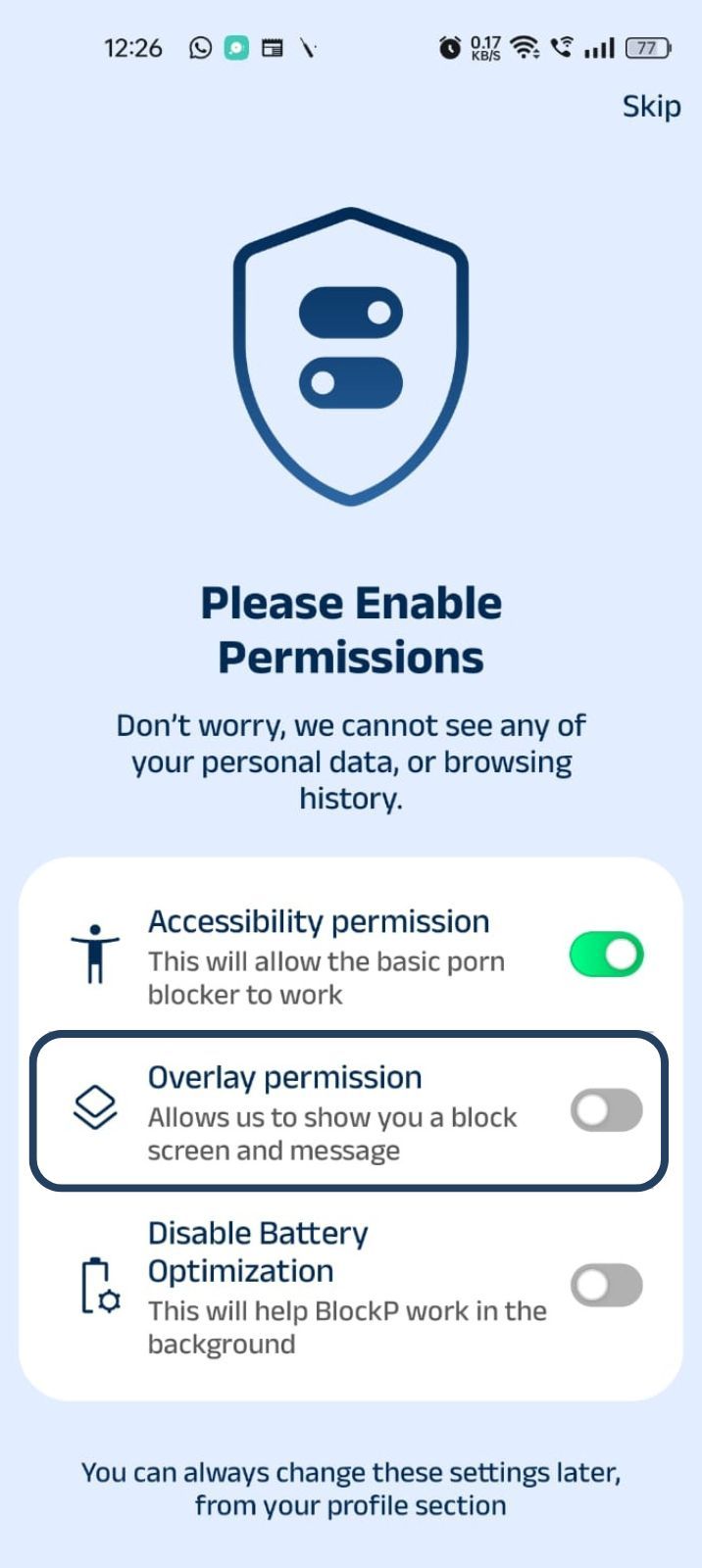
2. Overlay - lets BlockP show you a blocked screen and message when you try to access adult content.
- Click on Overlay permission toggle.
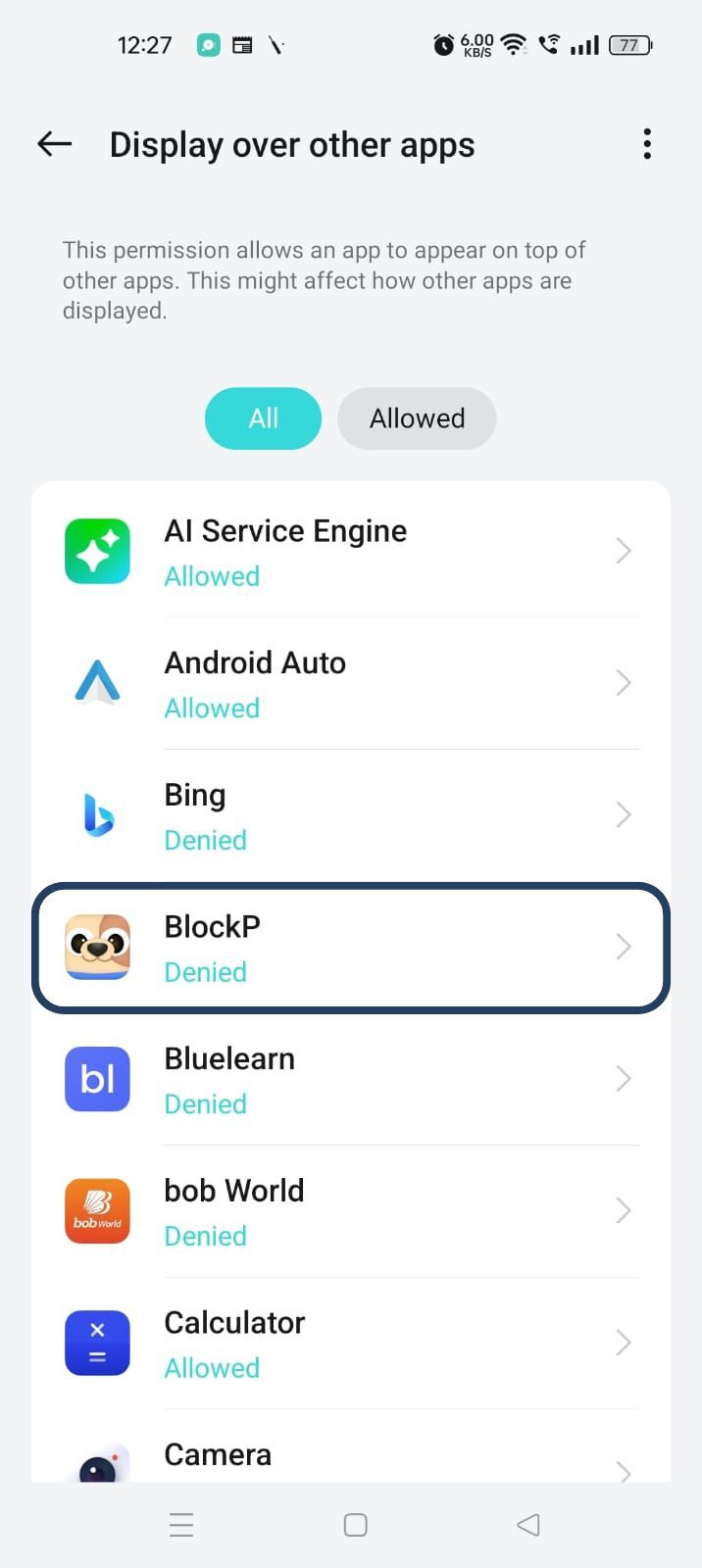
- You will get a menu with a list of apps titled - Display over other apps. Find BlockP in this list and click on it.
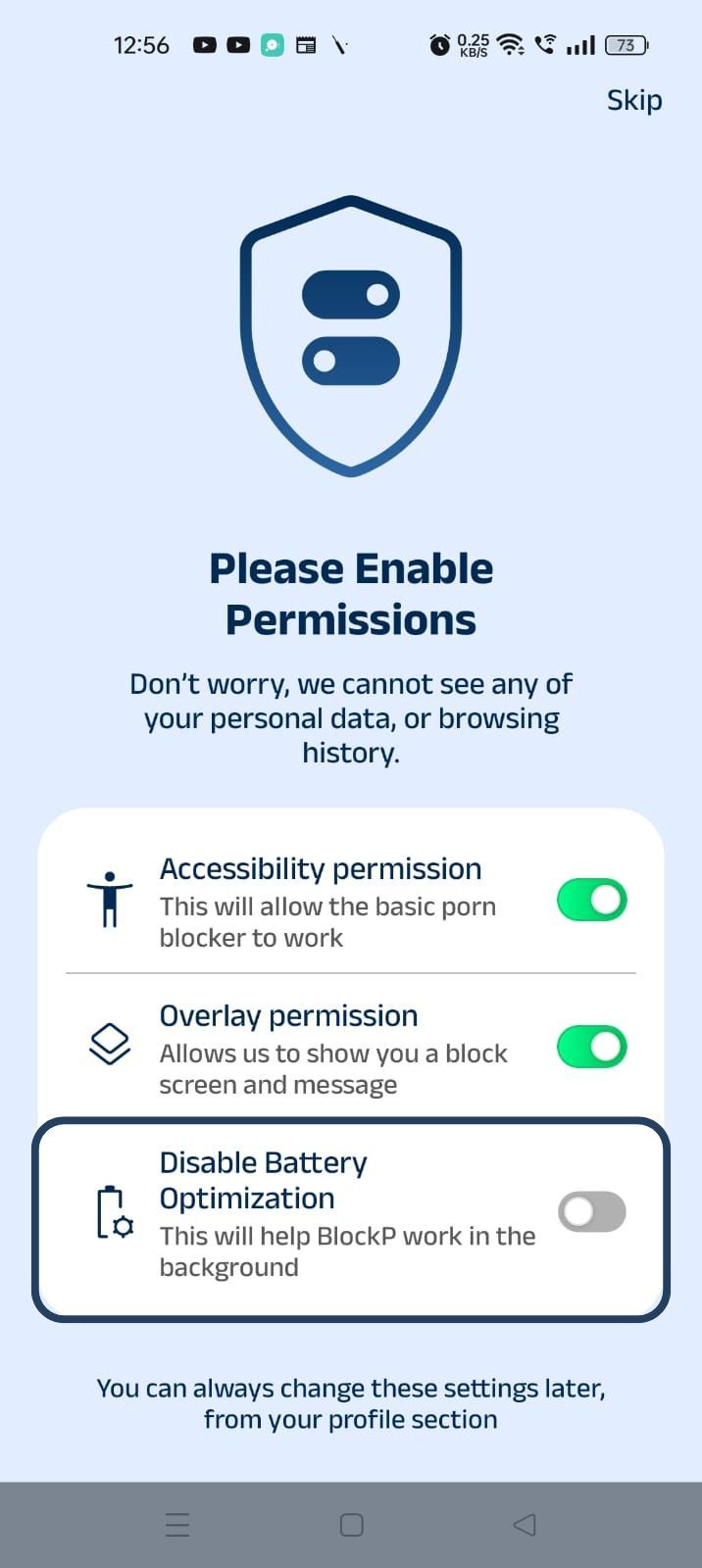
3. Disable battery optimization - so that BlockP can keep working in the background to filter adult content.
- Click on the Disable battery optimization toggle
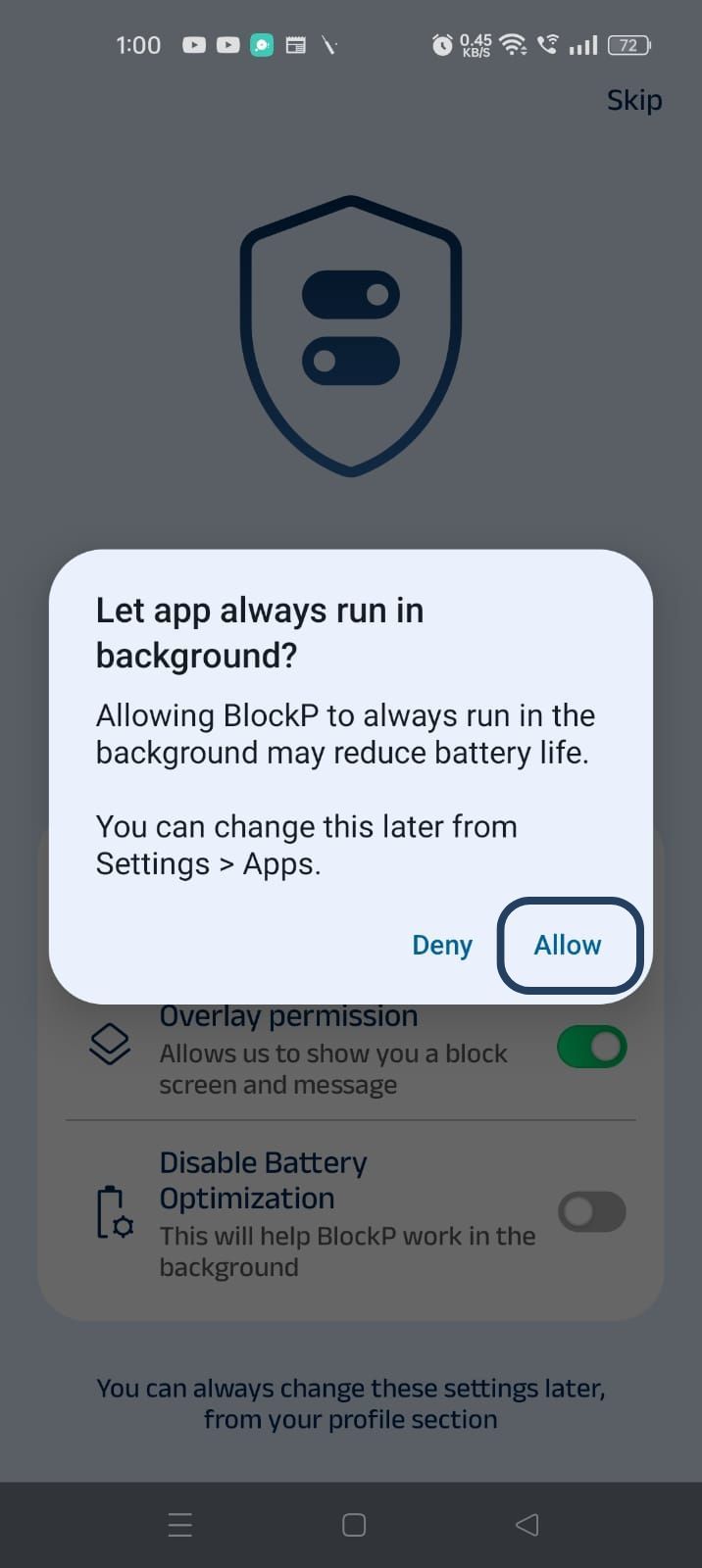
- When prompted, tap Allow to let BlockP run in the background. This helps BlockP stay active and block content without interruption.
Step 4: Go to the BlockP app's Home Screen
Open the BlockP app’s home screen and scroll down. Just below the ‘block unsupported browsers’ option, you will find the ‘accountability partner’ option; click on that option.
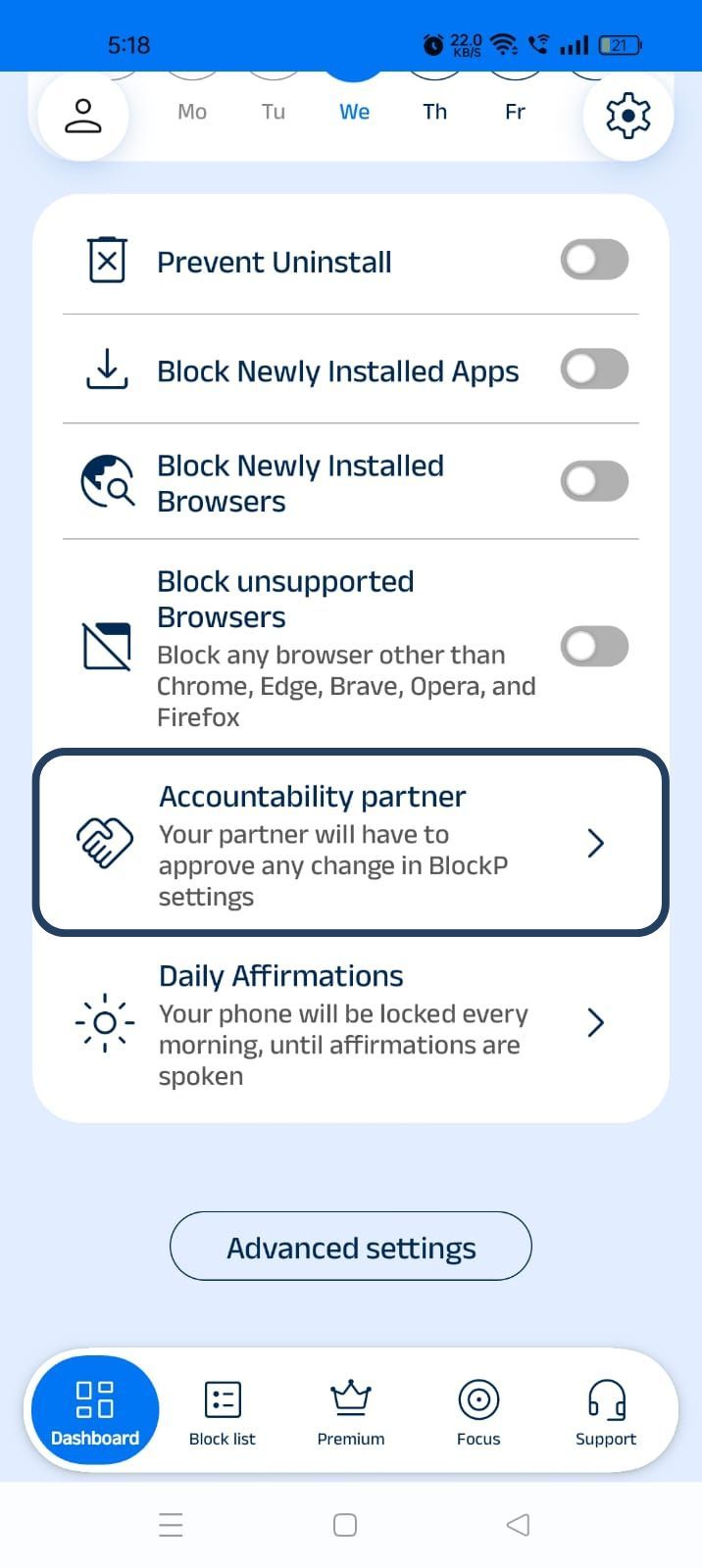
Step 5: Enable Accountability Partner Option
Click on the accountability partner option. BlockP will open the accountability partner settings. Here you will find 2 options:
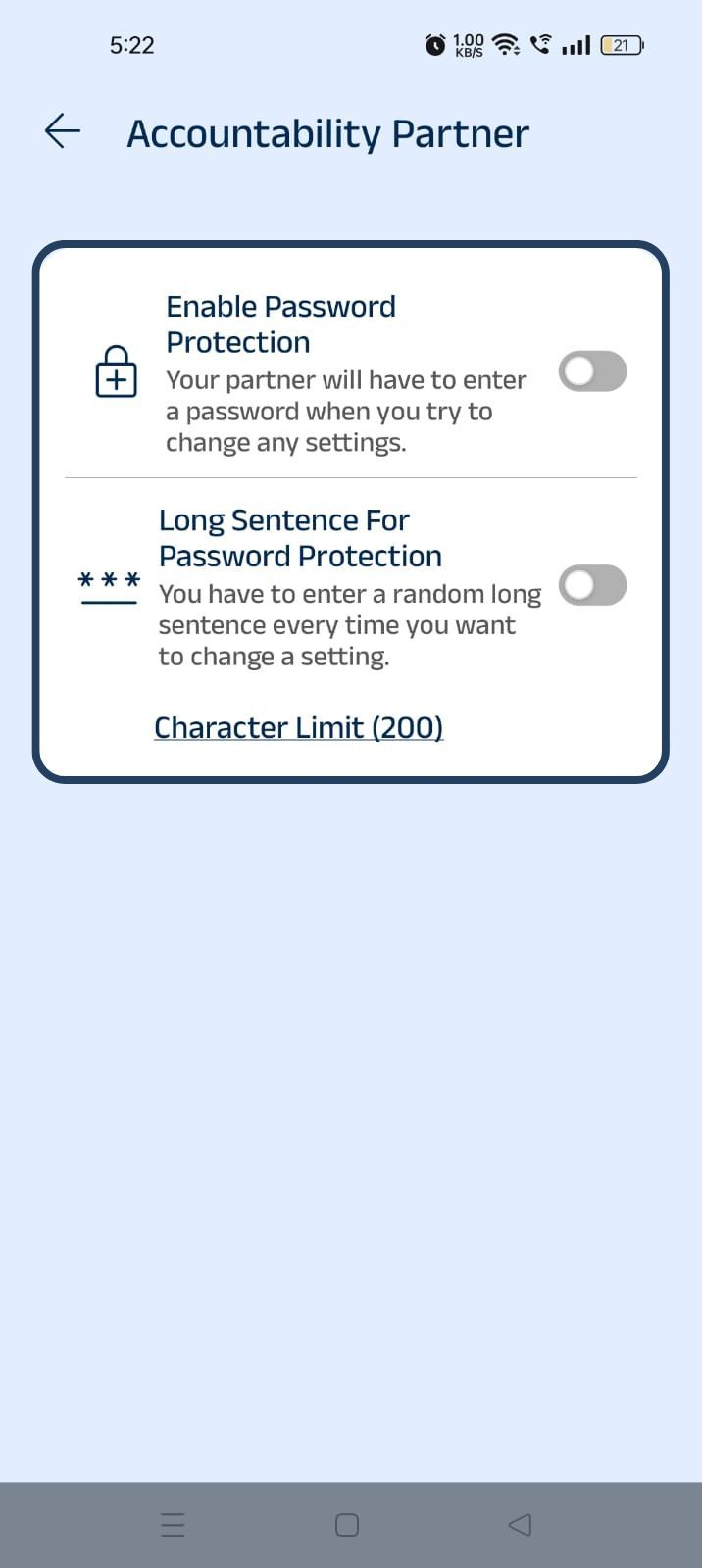
1. Enable password protection
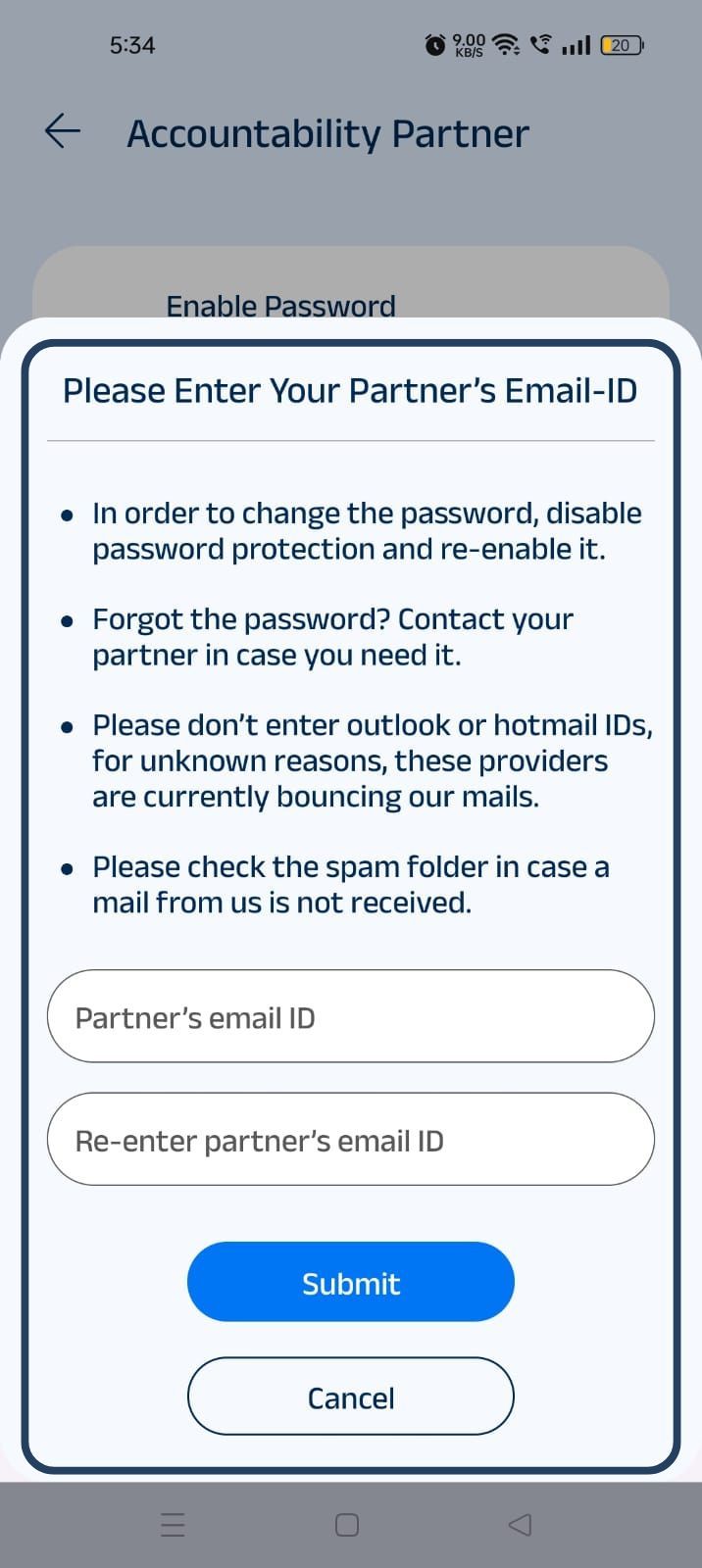
Click on the "Enable Password Protection" option. A pop-up will appear asking you to enter your accountability partner's email address.
- Enter your partner's email address.
- Re-enter the same email address to confirm it.
- Tap Submit to enable Password Protection.
Once enabled, whenever you try to change any protected settings, BlockP will send a verification password to your partner's email address. You'll need to enter that password before any changes can be made.
2. Long sentence password protection
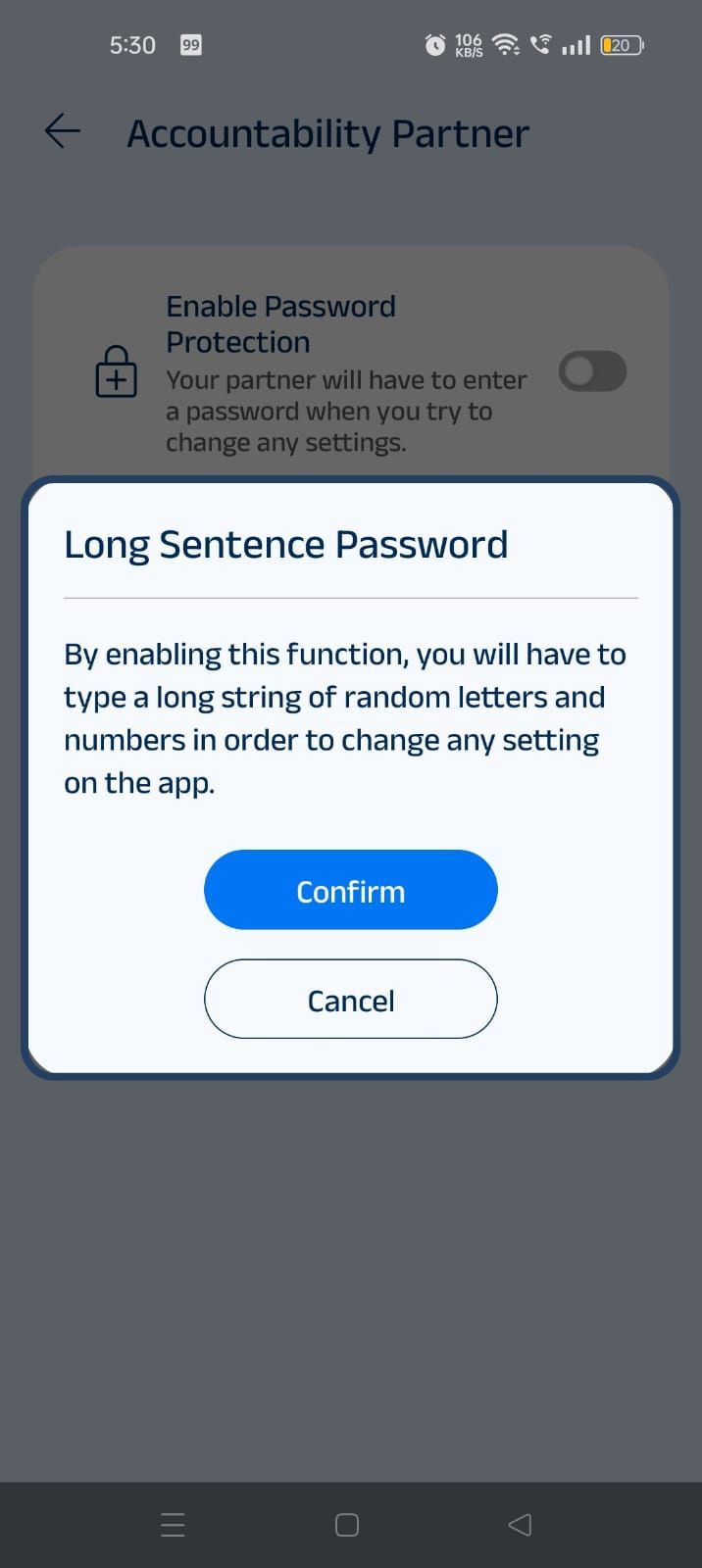
Click on the "Long Sentence Password Protection" option. A confirmation pop-up will appear explaining how the feature works. Tap Confirm to enable it.
After enabling the feature, BlockP will generate a random 200-character string of letters and numbers. You must type this string exactly every time you want to change any protected settings, adding an extra layer of security against impulsive changes.
What Is an Accountability Partner Feature?
The logic behind the accountability partner feature is simple: the moment you try to bypass a decision, you should not have to rely on willpower.
Instead BlockP reroutes the decision so that friction is created by
An accountability partner who gets a fresh password every time you want to change the setting and has to share it with you.
A long-sentence password, which can be up to 200 characters, which you have to manually type in order to be able to change the settings.
The twist here is that the long sentence is not an actual straightforward sentence. It's a mix of random letters in uppercase and lower case, which takes real effort and attention to type, which creates a time gap that removes the urgency often attached to cravings.
Why Use an Accountability Partner on Android?
Having an accountability partner makes a private and impulsive decision to watch adult content into a shared one.
It is not about policing the user. An accountability app for Adult Content Addiction like BlockP is for making sure that your adult content blocking settings do not become an easily reversible decision.
Benefits of Using BlockP's Accountability Partner
An accountability partner app like BlockP gives you the protection that algorithms and content moderation cannot replace. In fact, the BlockP Android accountability app is purpose-built to step in when the software controls can no longer keep you safe.
- Having an accountability app for adult content addiction reduces your risk of relapse. The research on relapse prediction shows that the perception of social support is strongly linked to lower relapse rates.
- An Android accountability app like BlockP creates just the right amount of friction that helps to dampen the urgency and the anxiety created by your cravings.
- Honesty is one of the core pillars of habit change. Secrecy is what creates shame and keeps you stuck in the habit loop. Having an accountability partner shatters the secrecy of adult content addiction so that you do not have to hide a part of yourself.
- BlockP is among the few adult content blocker accountability partner app choices that keep your browsing data completely private.
Why Choose BlockP?
Having an accountability partner app like BlockP ensures that you get the friction you need to prevent relapse without invading your privacy.
A traditional adult content blocker accountability partner app relies on monitoring your browsing. It takes screenshots, and if it detects that you have tried to access adult content, it notifies your accountability partner.
This approach feels invasive, and it feels like you are under surveillance.
An accountability partner app like BlockP does not share any of your browsing. But, if you are tempted to bypass the content restriction settings, there is a failsafe to protect you.
Frequently Asked Questions
1. What is an accountability partner on Android?
An accountability partner is a person chosen by you - a trusted friend, your spouse, a parent, a family member, and even a therapist (in some cases) - who has to give you a password every time you want to change a setting on an accountability partner app.
2. How does BlockP's Accountability Partner work?
In BlockP, your accountability partner will get a fresh password every time you try to change a content filtering setting. Only when you enter the password can you change the setting.
3. Who can be my accountability partner?
Anyone you trust and anyone who is willing to support you can be your accountability partner.
4. Can an accountability partner help with quitting adult content?
The knowledge of such a setup itself becomes a deterrent from relapsing into old adult-content-watching habits in many instances.
And the accountability partner can make a genuine distinction between when you have to legitimately use a restricted feature and when you are at risk of relapsing. So, they can intervene when you are feeling vulnerable and help you manage the urge instead of impulsively acting on it.
5. Is my personal information shared with my accountability partner?
No.
6. Can I change my accountability partner later?
Yes.
7. Is the Accountability Partner feature available on BlockP Android?
Yes.