How to Block In-App Browsing on Android with BlockP
Block in-app browsing on Android with BlockP. Prevent websites from opening inside apps like Instagram, Reddit, Facebook, and X to stay focused.
Get Started with BlockPThe option to block in-app browser is often overlooked or totally missed by many of us. And in moments of vulnerability it can make most of us vulnerable to distraction and relapse.
Most Android apps offer in-app browsing as a convenience and also use it as a strategy to make the user stay on their app for longer periods. But for someone who is trying to stay focused or a child who is trying to bypass the adult content restrictions, in-app browsing can become a convenient loophole.
That’s why BlockP has designed a ‘block in-app browser’ feature that blocks adult content inside apps and keeps you safe.
How to Enable In-App Browsing Protection in BlockP Android
Here is how to block In-App Browsing on your Android device with BlockP:
Step 1: Install BlockP.
Download the BlockP app from the Google Play Store and install it on your Android phone.
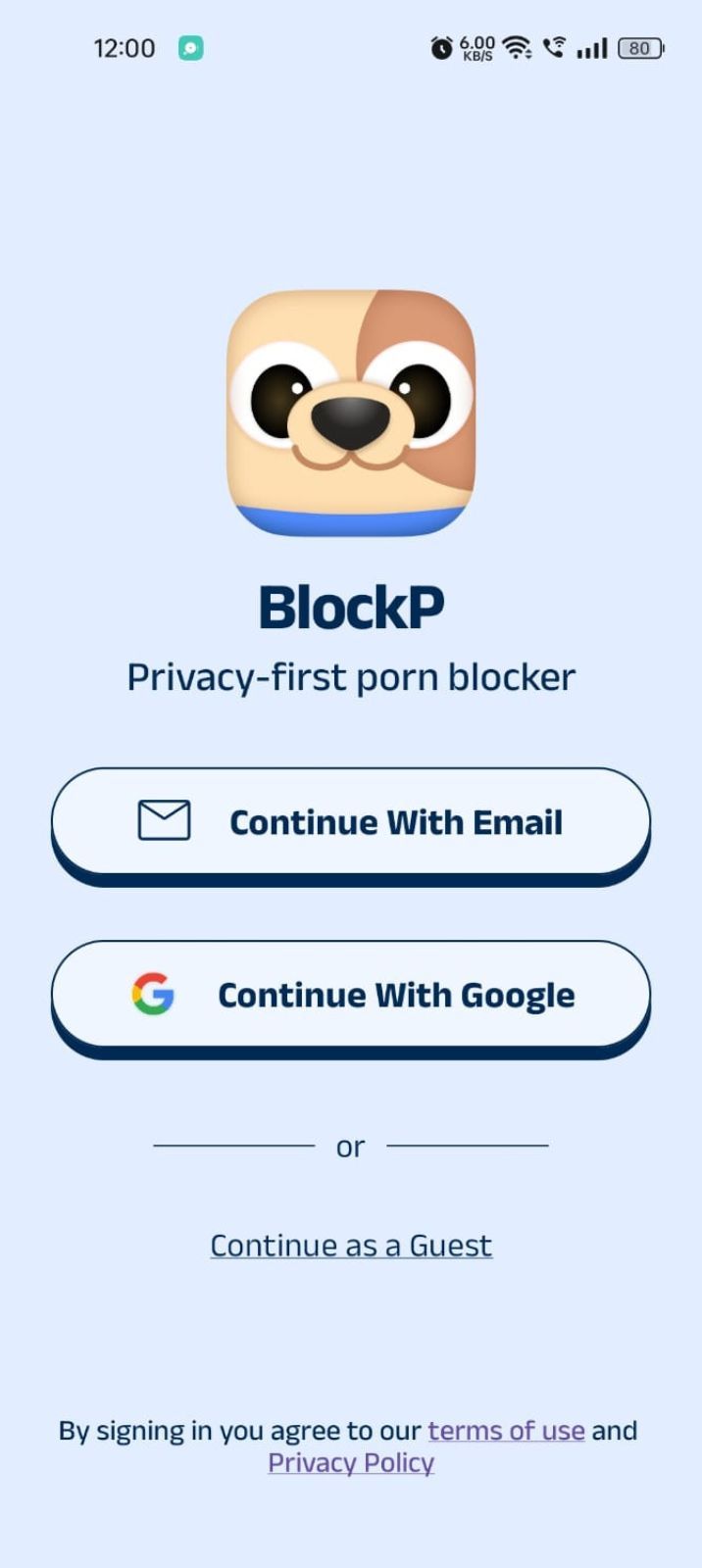
Step 2: Sign Up on BlockP
- Open the BlockP app.
- Sign up using Email or Google.
- Or tap Continue as a Guest to get started without creating an account.
Step 3: Give Necessary Permissions
1. Accessibility - Lets the Android adult content blocker see what you are watching on your screen. Here is how to let BlockP use it:
- Click on the Accessibility permission toggle.
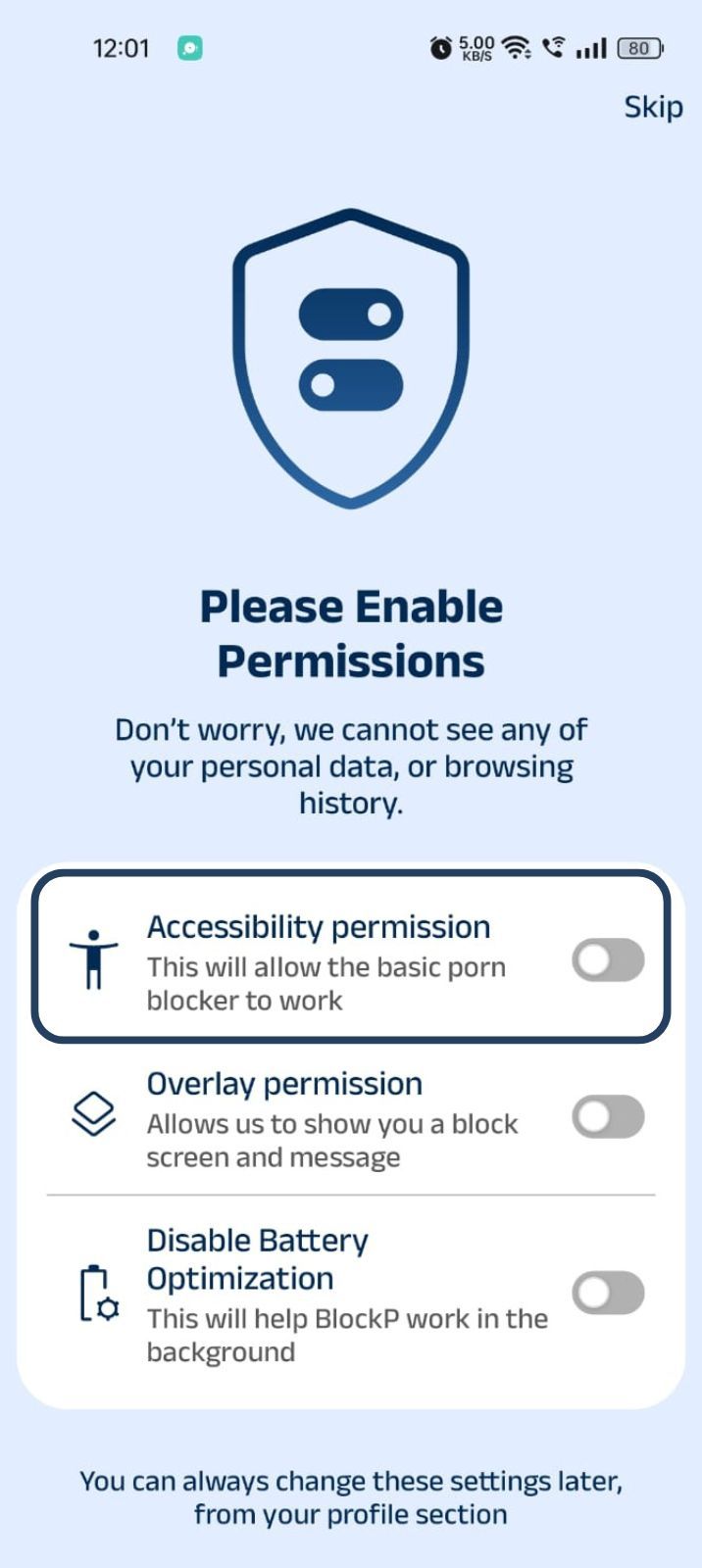
- Then click on "Let BlockP Access Accessibility Services"
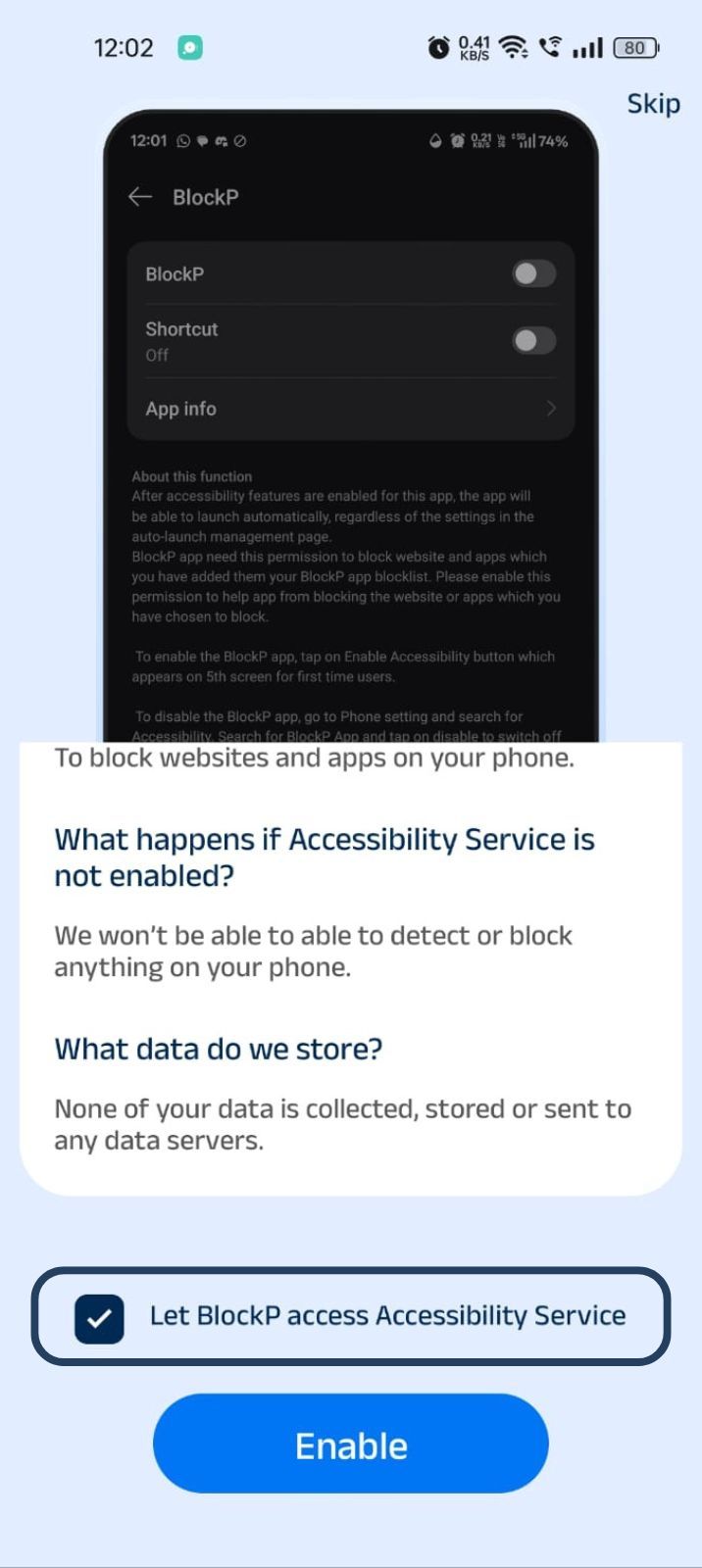
- Next, click on the Enable button
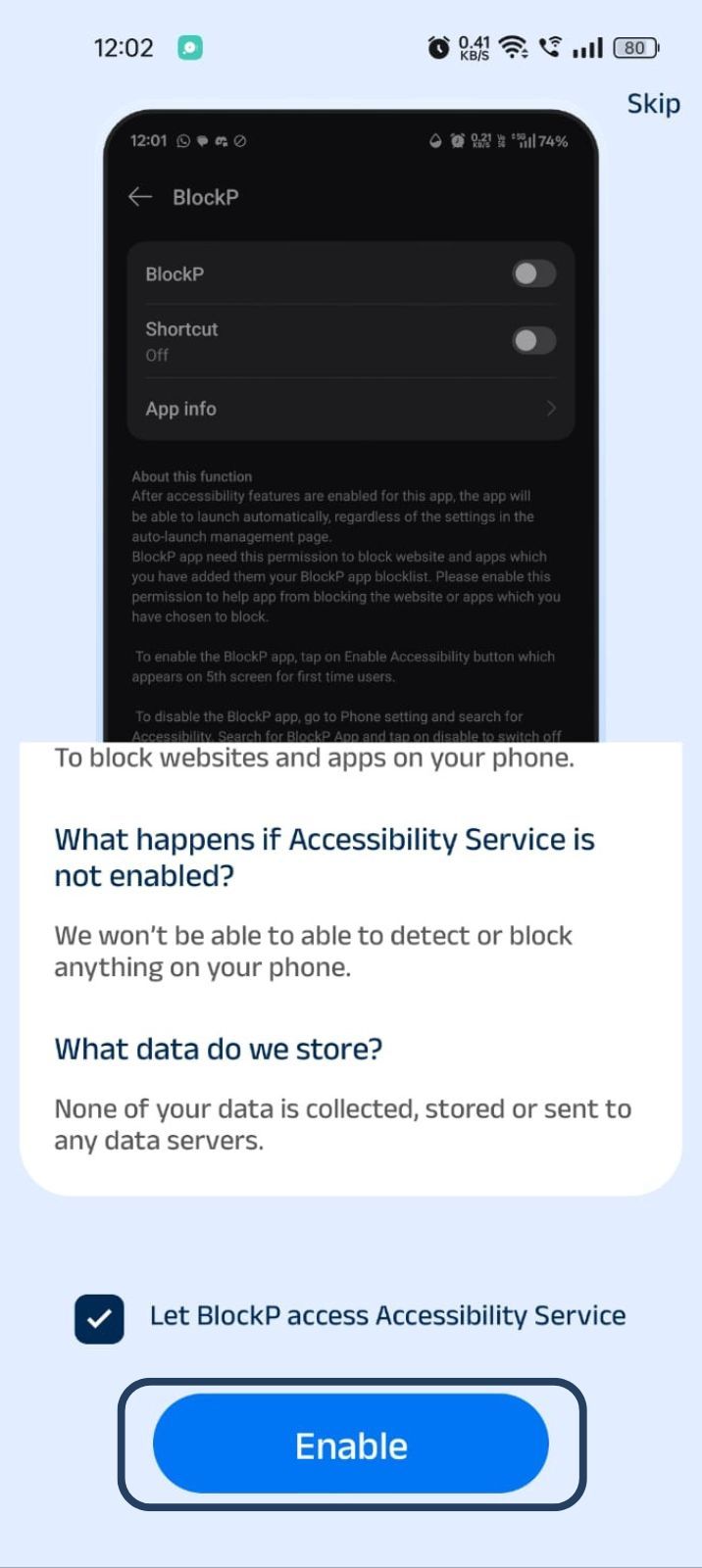
- Next, click on the downloaded apps button.
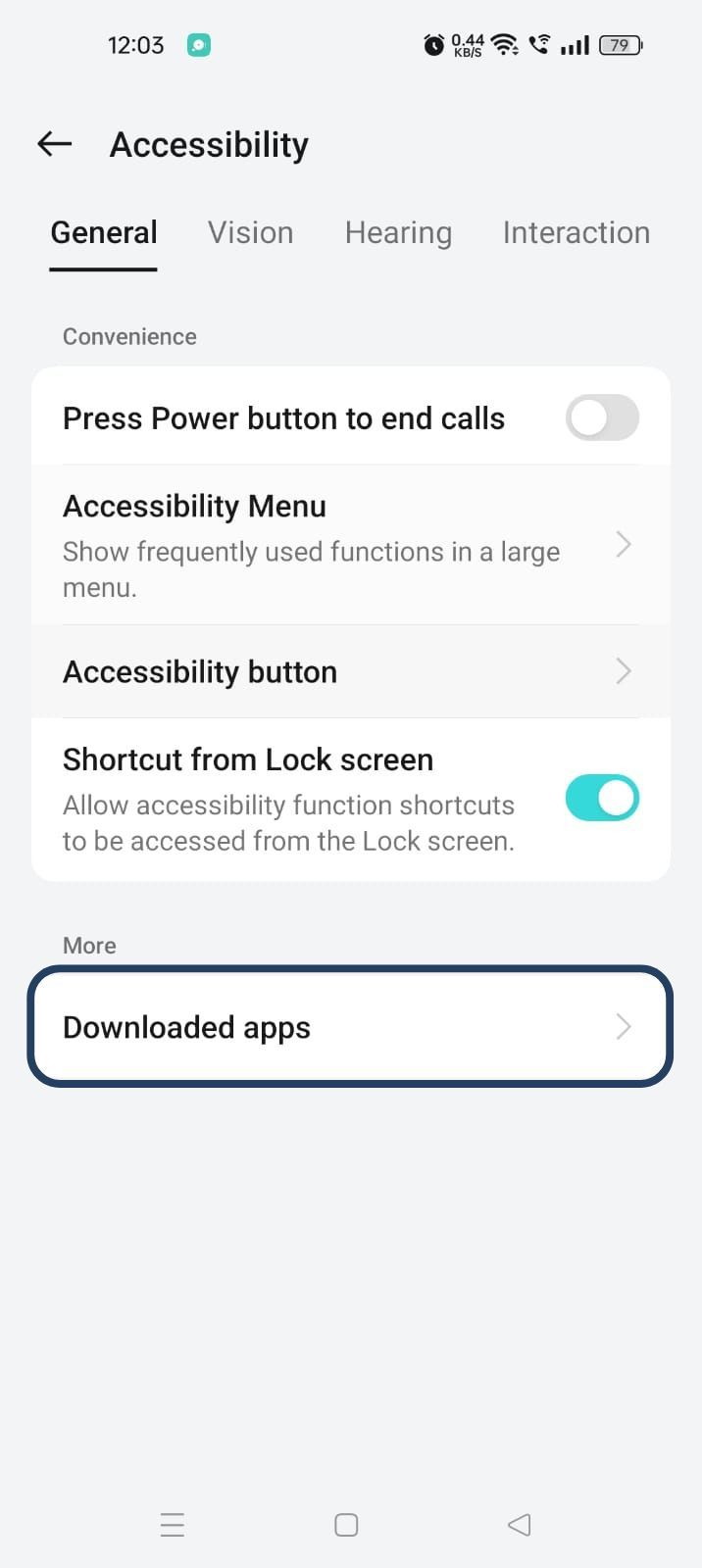
- Now, you will find Blockp - click on BlockP.
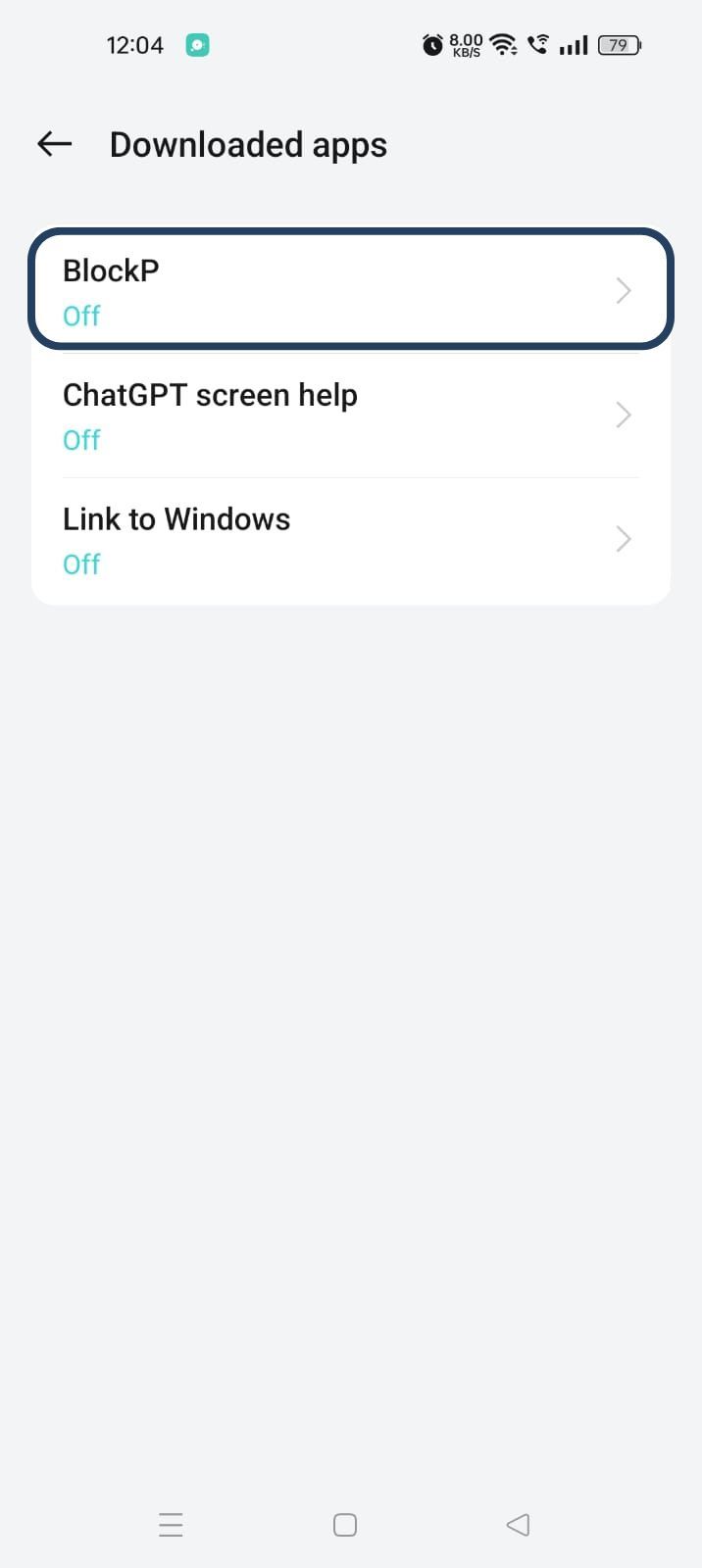
- The new screen will show a toggle in front of BlockP - enable the toggle and then click on the Allow button to complete the accessibility permission.
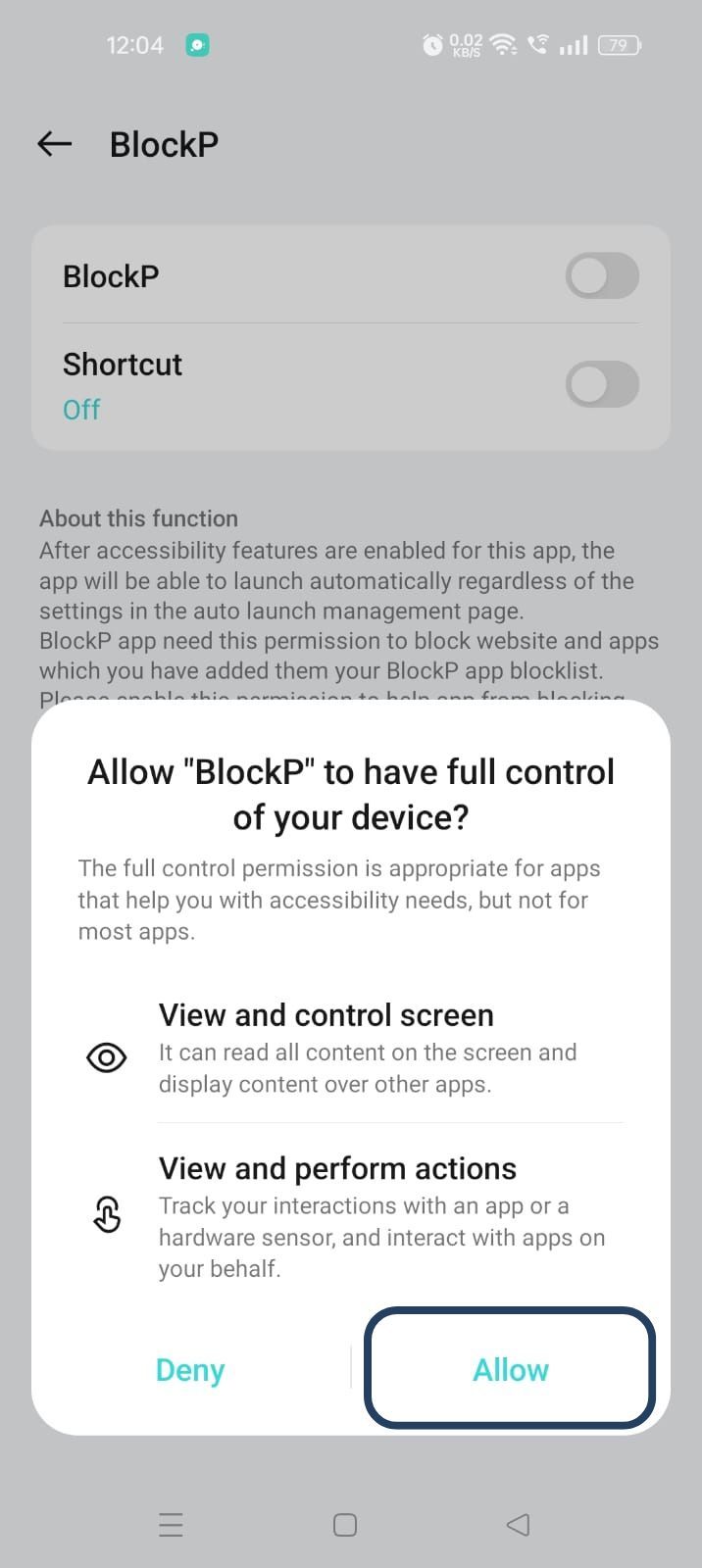
2. Overlay - lets BlockP show you a blocked screen and message when you try to access adult content.
- Click on Overlay permission toggle.
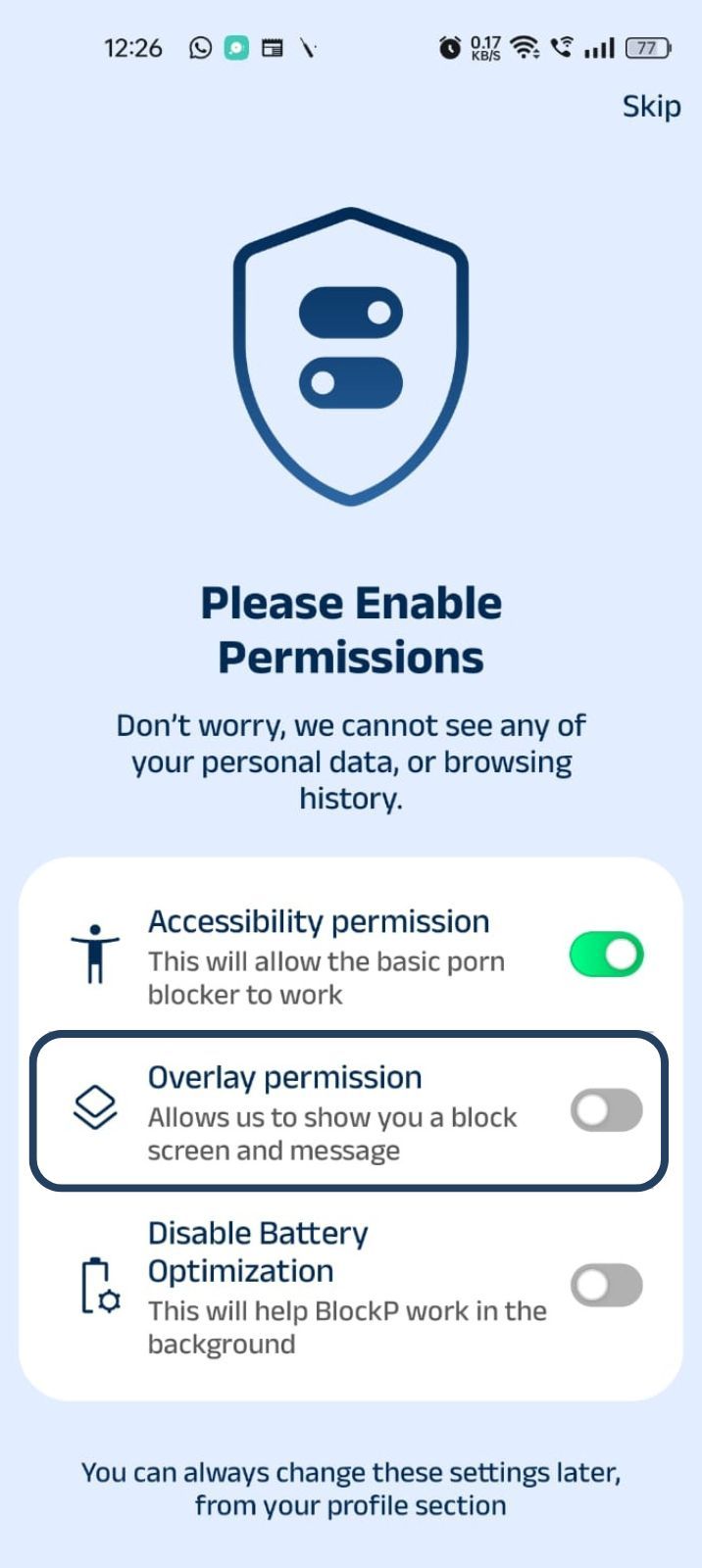
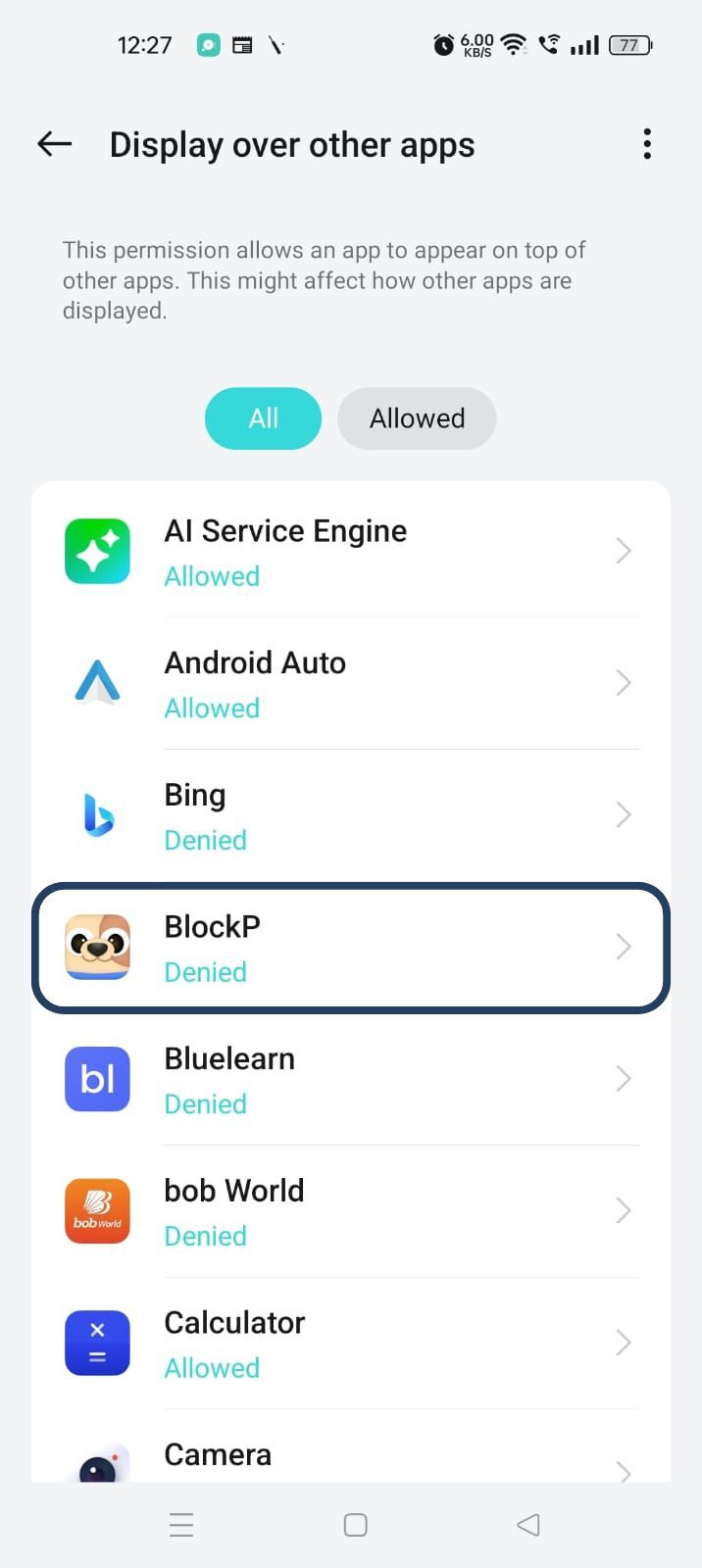
- You will get a menu with a list of apps titled - Display over other apps. Find BlockP in this list and click on it.
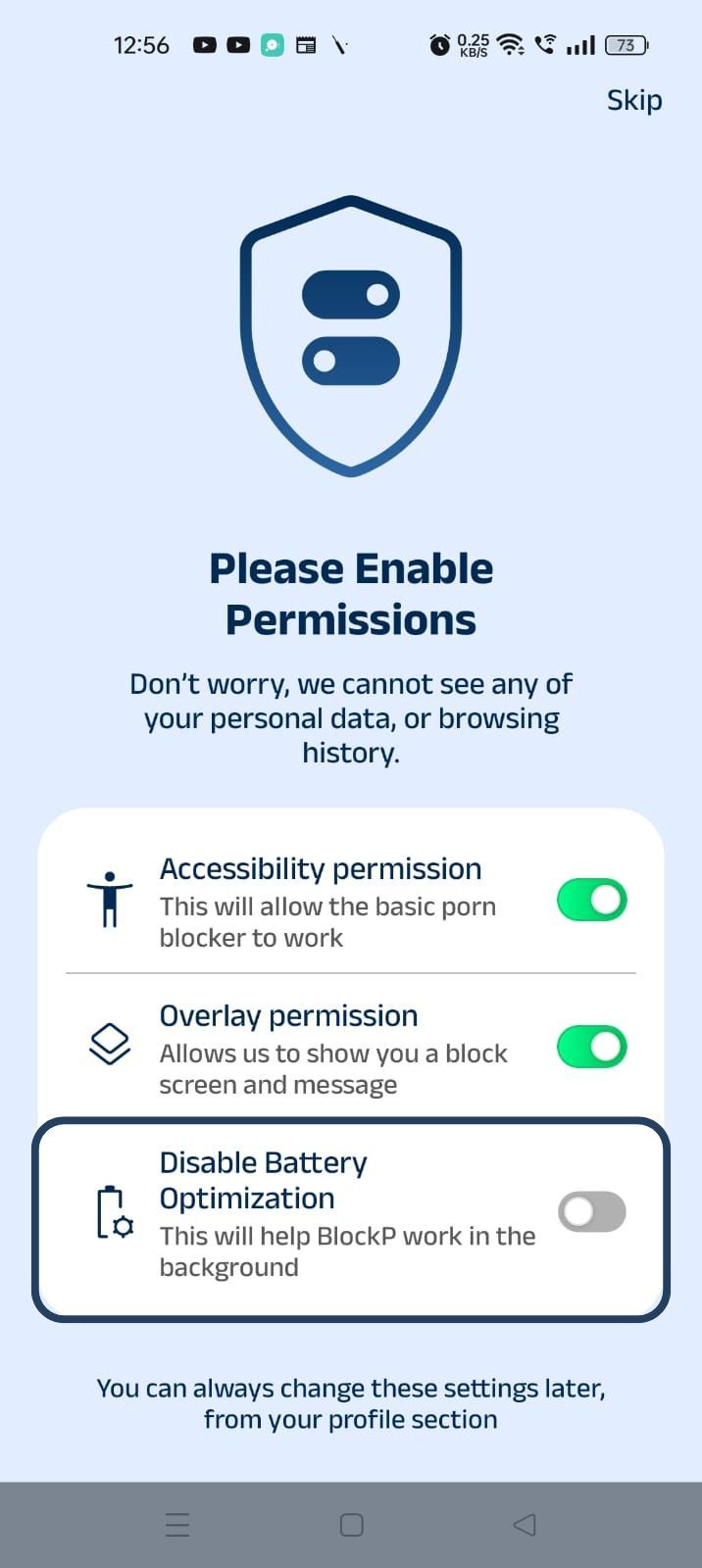
3. Disable battery optimization - so that BlockP can keep working in the background to filter adult content.
- Click on the Disable battery optimization toggle
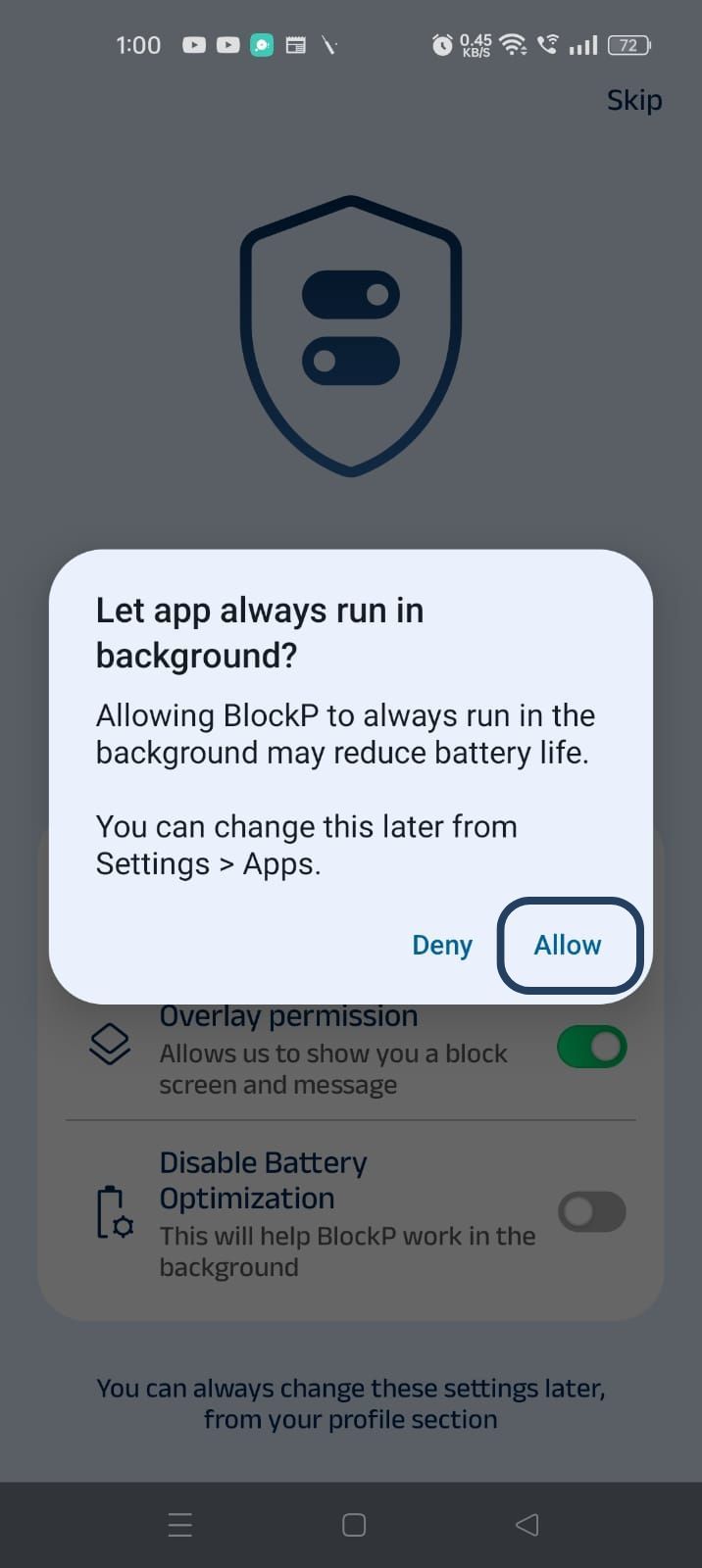
- When prompted, tap Allow to let BlockP run in the background. This helps BlockP stay active and block content without interruption.
Step 4: Go to Advanced Settings
Locate the advanced settings icon in the top right corner of BlockP’s home screen and click on it.
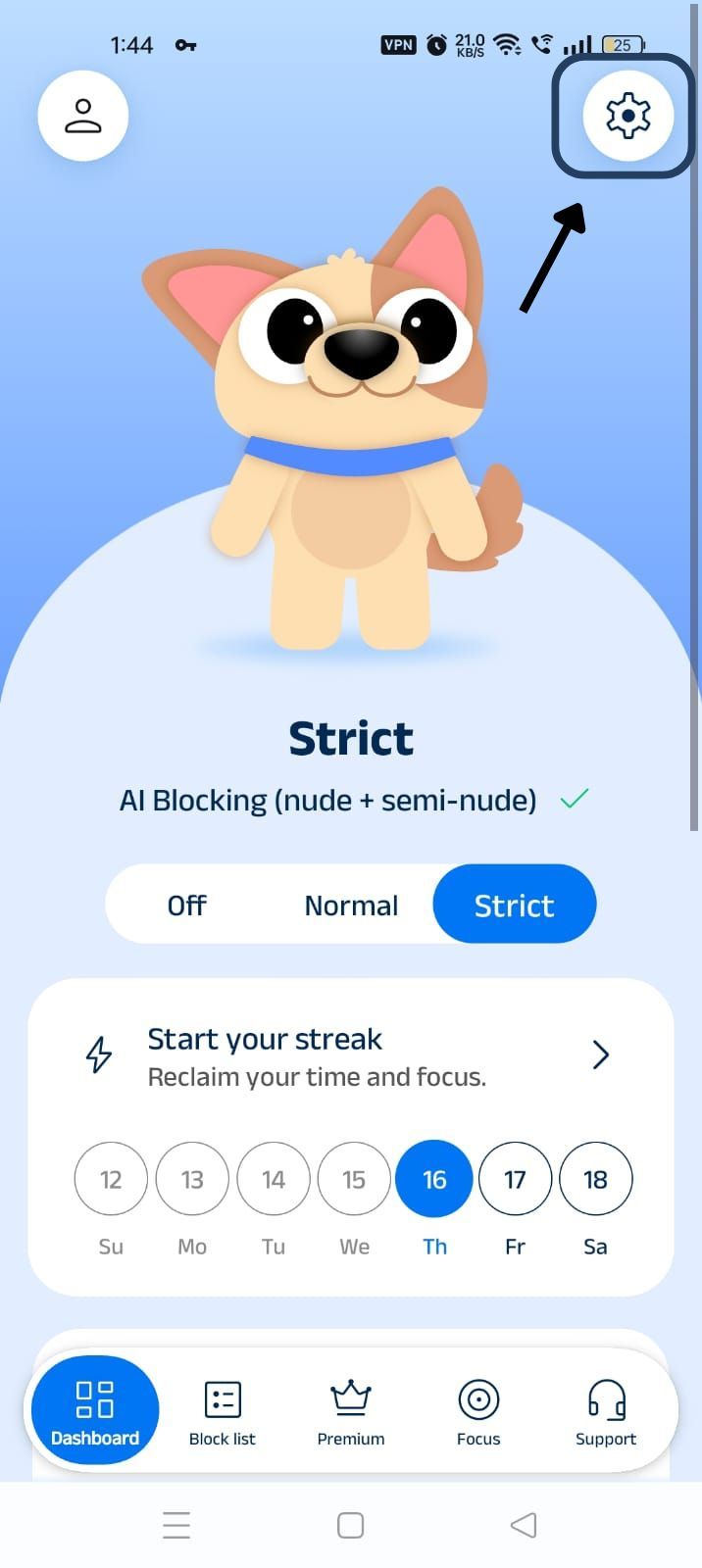
Step 5: Go to General Settings
Scroll down to the General Settings section and find the Block In-App Browsing option (it is the third one in the General Settings section).
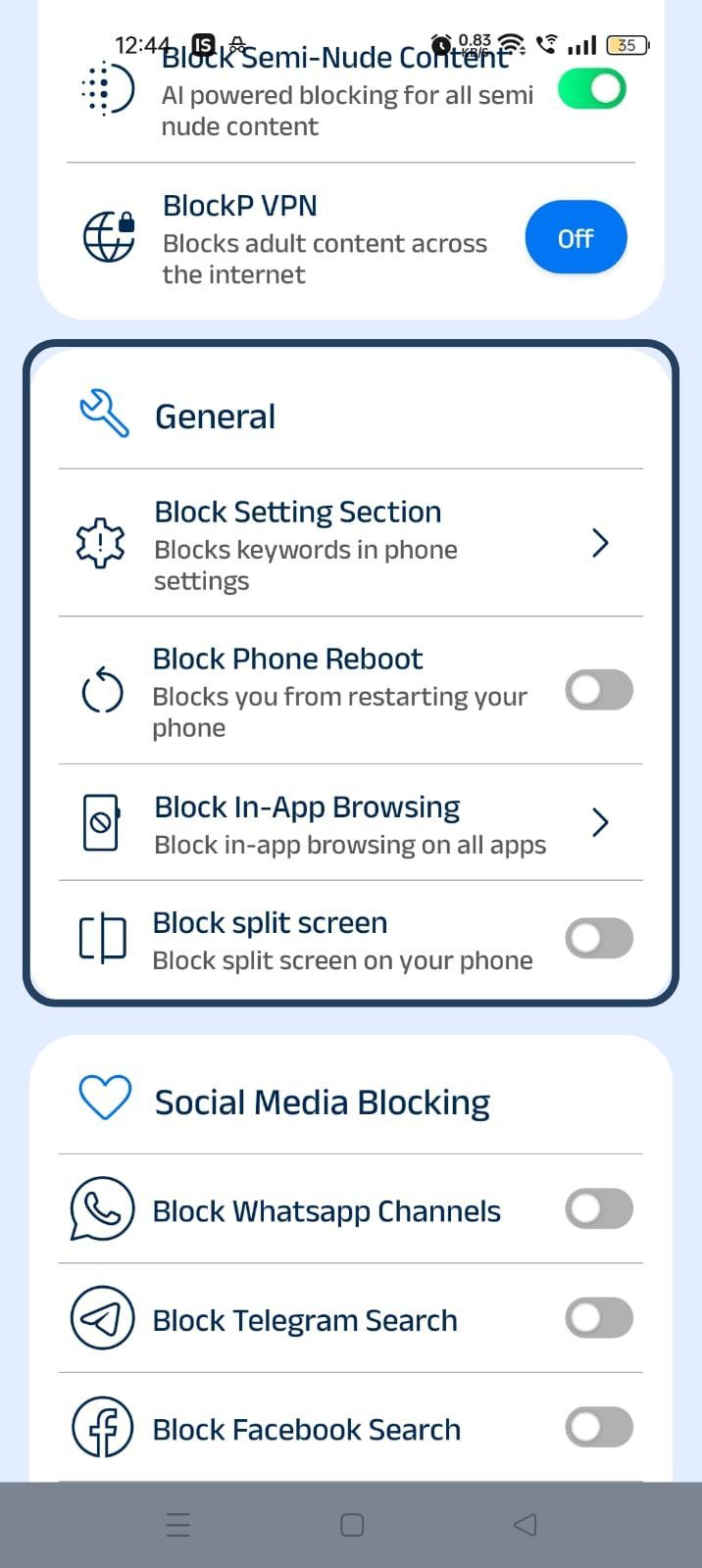
Step 6: Turn on Block In-App Browsing
Slide the toggle next to Block In-App Browsing - Now BlockP will show you the list of apps on your phone.
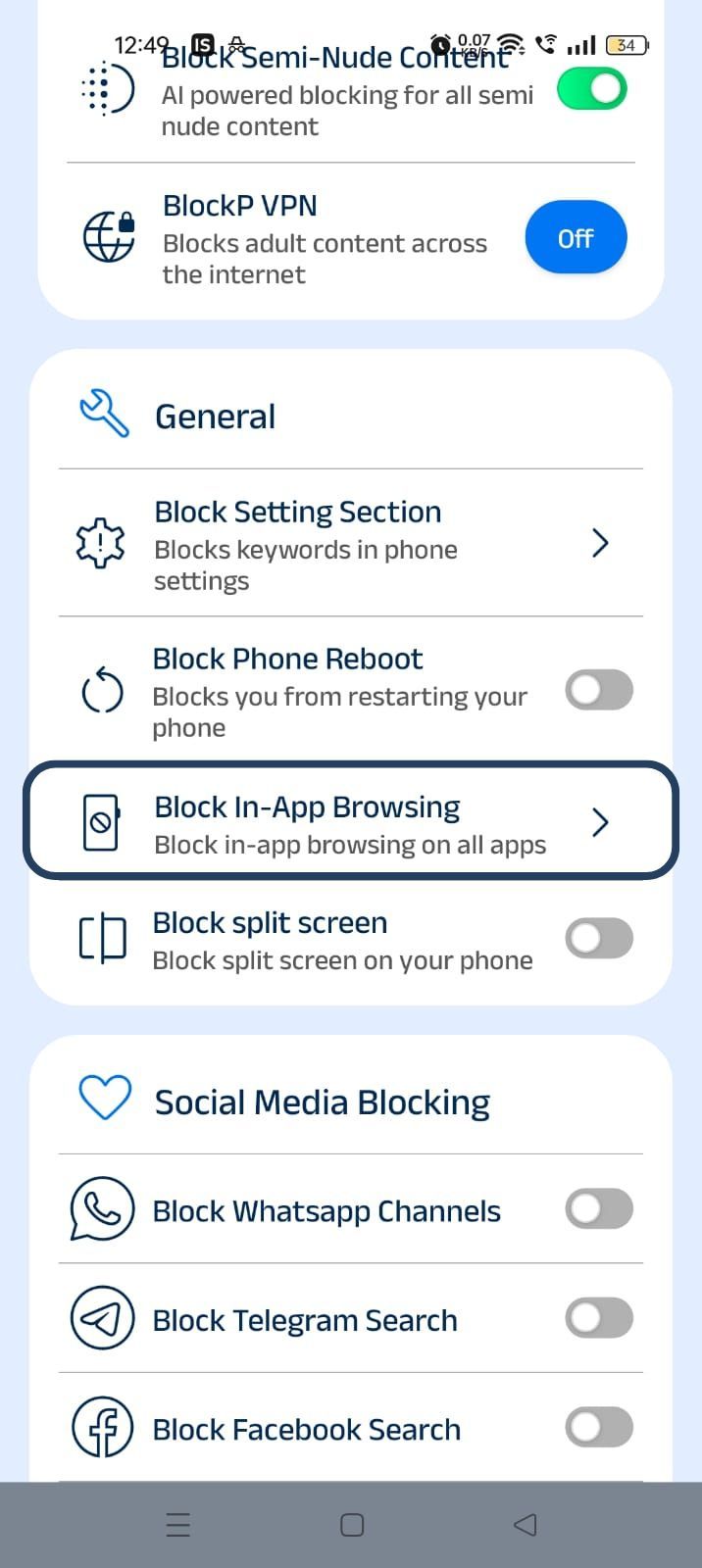
Step 7: Select the Apps
Click on the checkbox next to the apps where you want to block in-app browser options. Once you have selected the apps, click on the ‘x’ button on the right-hand corner of the screen to complete the setup.
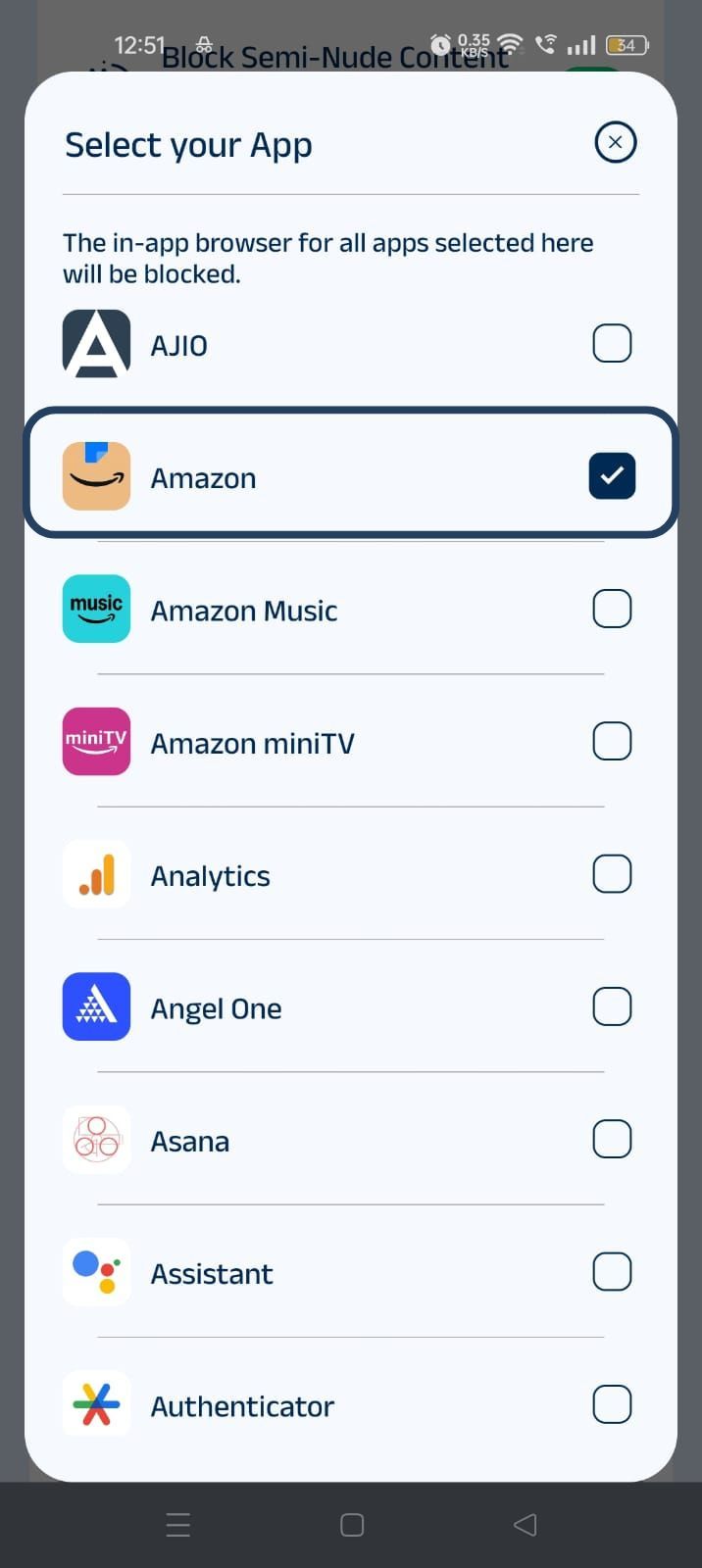
Why Block In-App Browsing?
Traditional website blockers often work with a blocklist of websites, and if you try to use your browser app to access these websites, your access is blocked. But, as the apps have become more functional, they are including in-app browsing options where you can open links within the app and also browse the internet within the app.
Many times even when there is a robust adult content blocking overall, in-app browsing can become an easily missed loophole. And you do not need any technical expertise to use this loophole, which makes it easier.
Even productivity or work apps like Gmail also come with in-app browsing that can derail a work session. Similarly, children can use in-app browsing to bypass the filters set by parents to protect them from inappropriate content.
How BlockP Blocks In-App Browsing
- When you enable the block in-app browser setting of BlockP, it uses the accessibility permissions, which help it to detect whenever you open a browsing session inside supported apps.
- BlockP's in-app browsing blocker is integrated with other website blocking features of BlockP. It treats the in-app browser as your main browser and applies the same filtering rules to block adult websites in apps. So, it helps you block adult content websites inside apps and stay focused.
Once you have enabled the block in-app browser option and chosen the apps to be restricted, it works in the background, and you become aware of it only when you try to use the in-app browsing within an Android app.
Apps Supported by In-App Browsing Protection
BlockP’s block in-app browser feature supports many of the core Android apps (with built-in browsers) that we use every day.
It supports social media platforms like Instagram, Reddit, X (Twitter), Facebook, and Discord. It also supports communication and work-focused apps like Telegram, Gmail, and Messenger.
Why Choose BlockP?
BlockP stands out as the best choice among the content-blocking apps because it takes a comprehensive approach, i.e., no loophole is considered too insignificant, and the user is left to rely on their willpower.
It leverages its various adult content blocking options (AI-powered filters) and bypass prevention options (prevent uninstall and password setting) to create an efficient free from adult content digital ecosystem on your phone. So, you can set up features like 'block in-app browsing,' and they will automatically work in sync with all other settings for most effectiveness.
Very importantly, all your browsing data is processed within your device and not shared with any external browser to protect your data privacy.
Frequently Asked Questions
What is an in-app browser?
An in-app browser is a browser feature that is integrated into an Android app so that if you want to open a link or visit a website, you can do it from the app itself and do not have to exit the app and open another browsing app.
Can BlockP block adult websites opened inside apps?
If you enable the ‘block in-app browsing' setting, then the search option itself is blocked. So, it lets you block adult content websites inside apps from showing up.
Does this work with Instagram and Reddit?
Yes. This works with Insta and reddit as well.
Will this affect normal browsing?
BlockP's in-app browsing blocker prevents you only from using the browsing option within apps. You can use the main browser app like Chrome as usual.