App Blocker for Android | Block Apps with BlockP
Block distracting apps on Android with BlockP's App Blocker. Stay focused, reduce screen time, and block social media, games, and other unwanted apps.
Get Started with BlockPHaving apps that let you use your phone for work, study, entertainment, and communication feels very efficient. But, more often than not, they begin to interfere with each other, affecting your productivity and focus. An app blocker for Android ensures that your apps do not make your phone a distraction.
As long as the app is sitting on your phone and can be opened with that one quick click, it will always present a point of temptation. When you add an app blocker Android tool like BlockP, you create a strong barrier between the impulse and the action.
How to Block Apps on Android with BlockP
Here is how to enable the BlockP app blocker for Android on your device:
Step 1: Install BlockP
Download the BlockP app from the Google Play Store and install it on your Android phone.
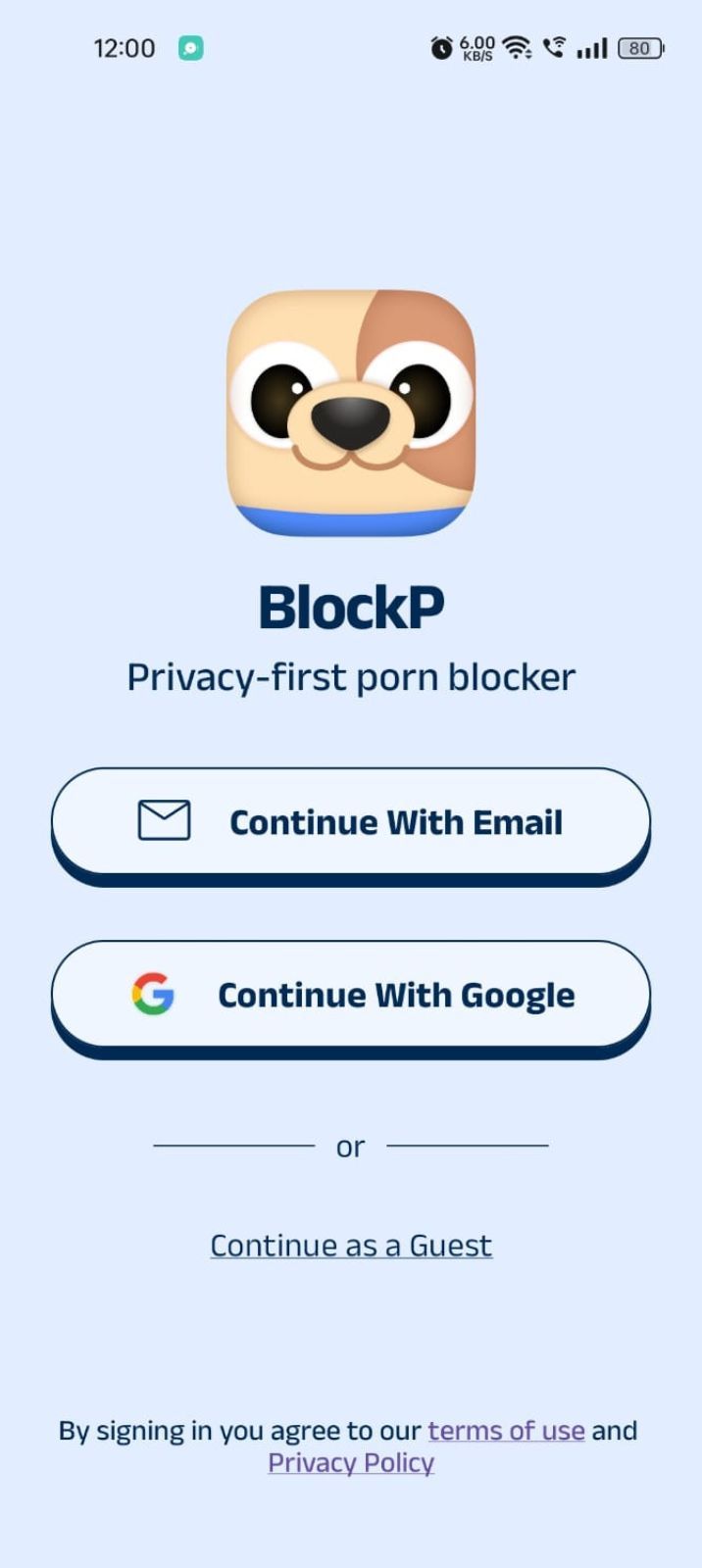
Step 2: Sign Up on BlockP
- Open the BlockP app.
- Sign up using Email or Google.
- Or tap Continue as a Guest to get started without creating an account.
Step 3: Give Necessary Permissions
1. Accessibility - Lets the Android adult content blocker see what you are watching on your screen. Here is how to let BlockP use it:
- Click on the Accessibility permission toggle.
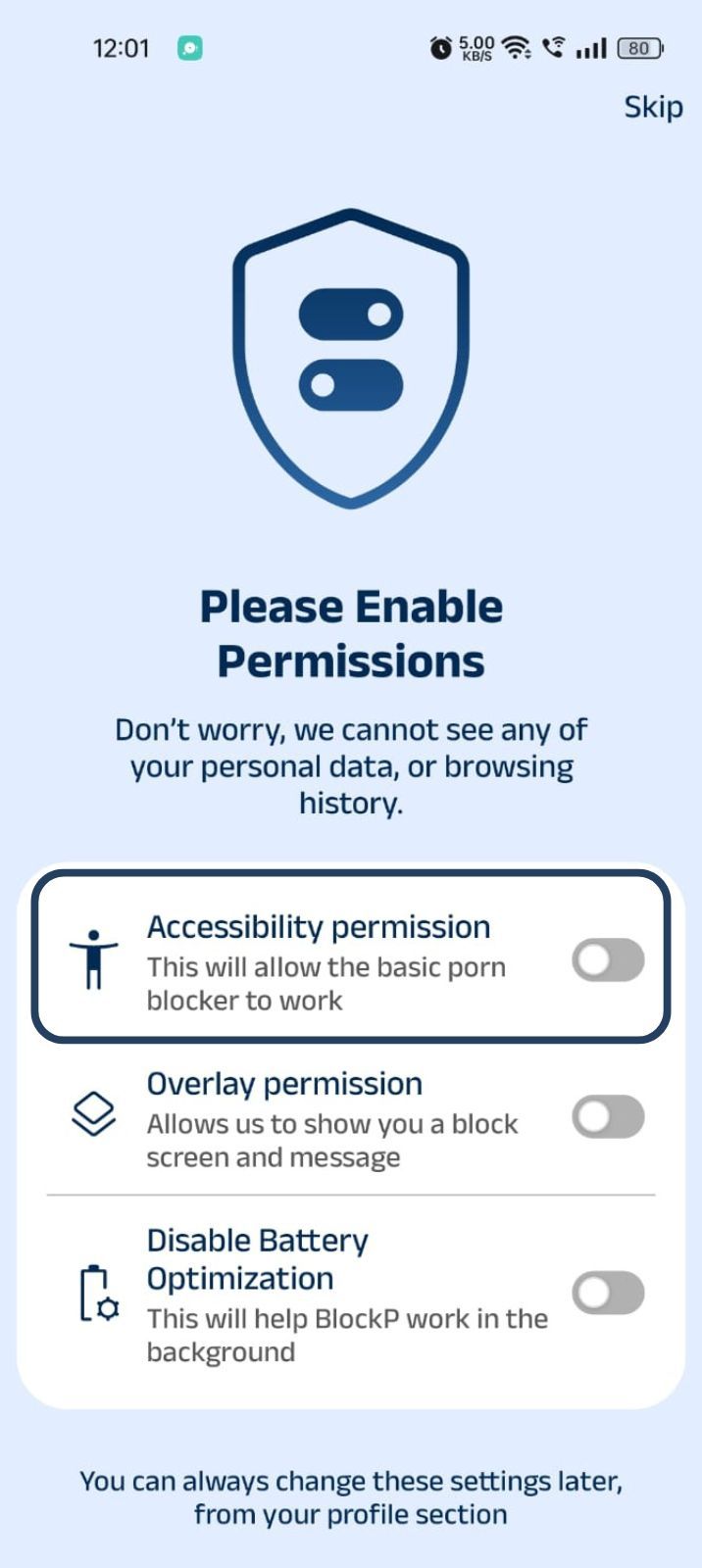
- Then click on "Let BlockP Access Accessibility Services"
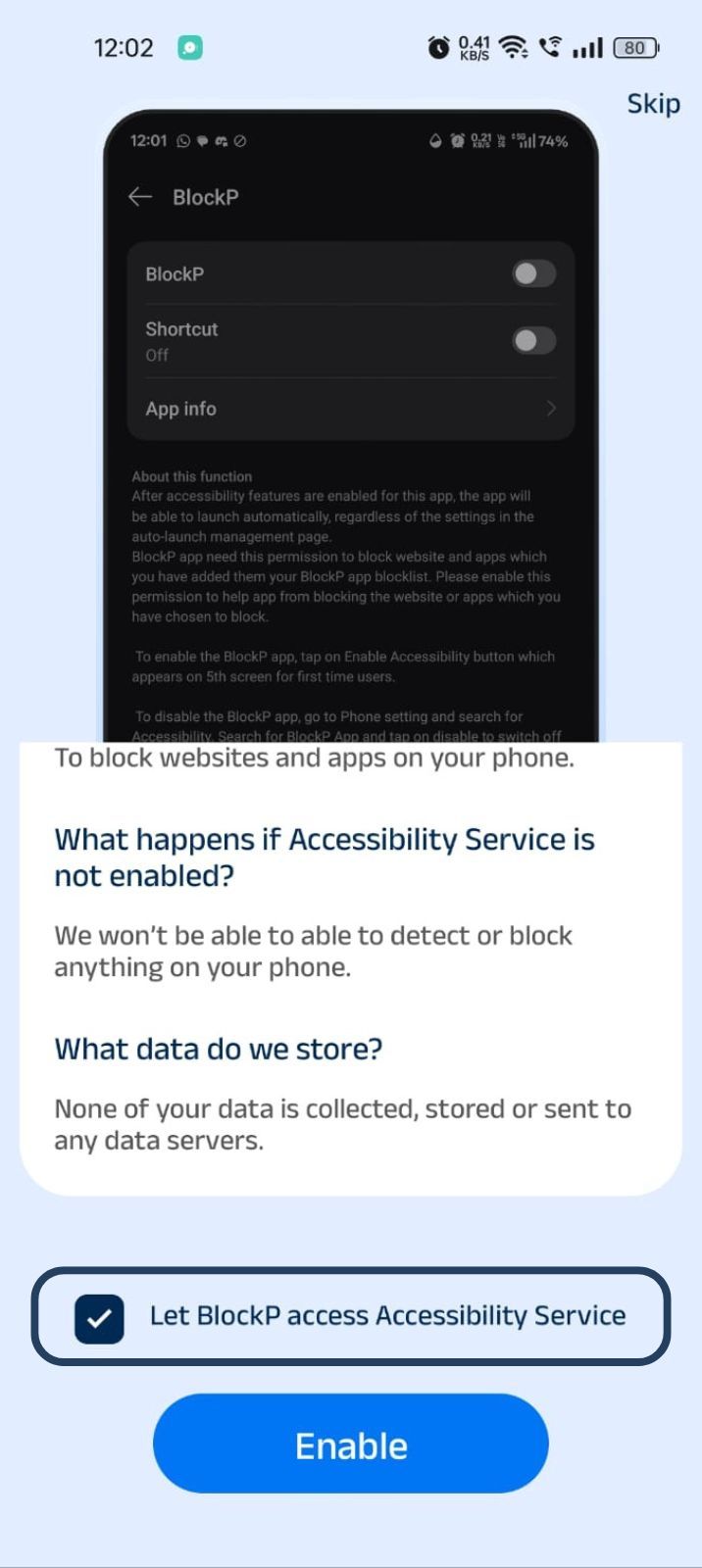
- Next, click on the Enable button
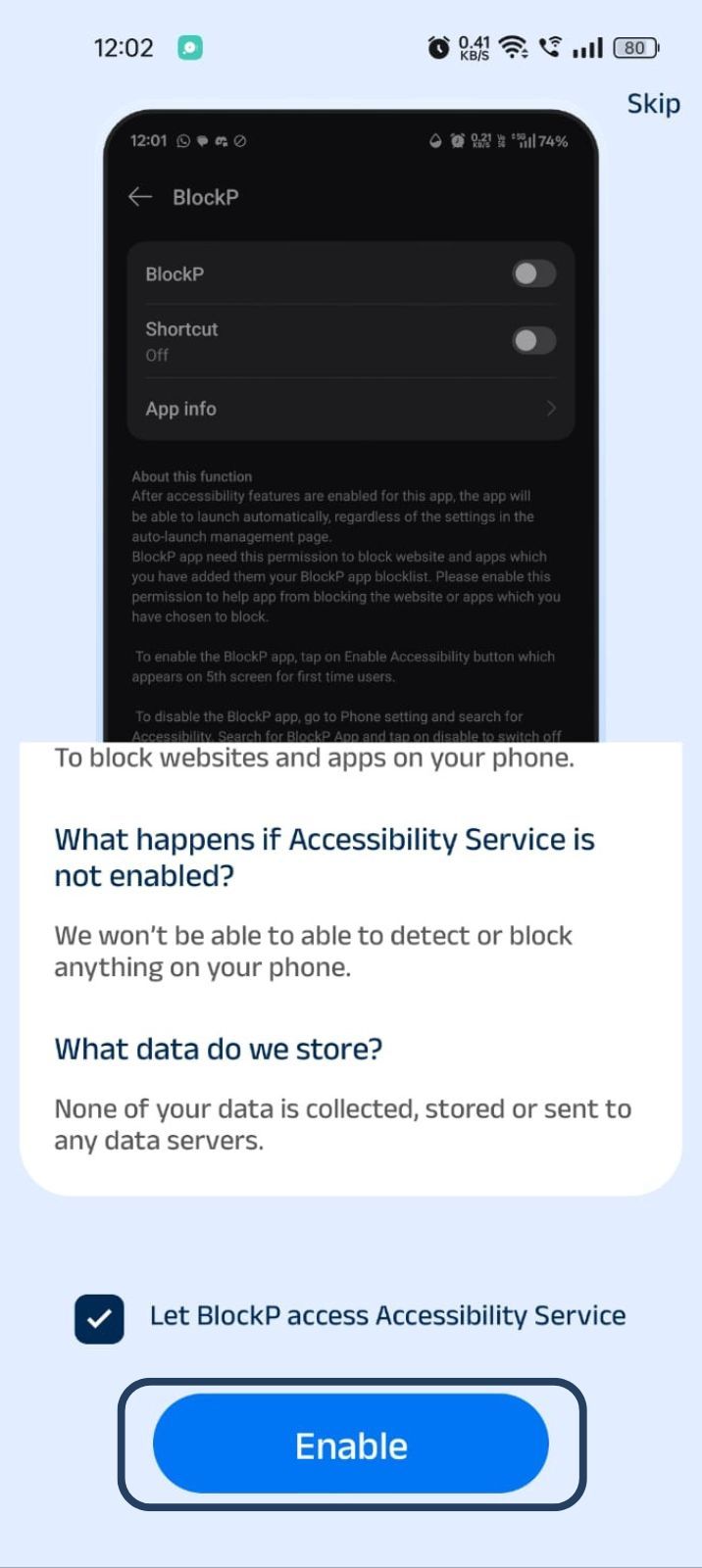
- Next, click on the downloaded apps button.
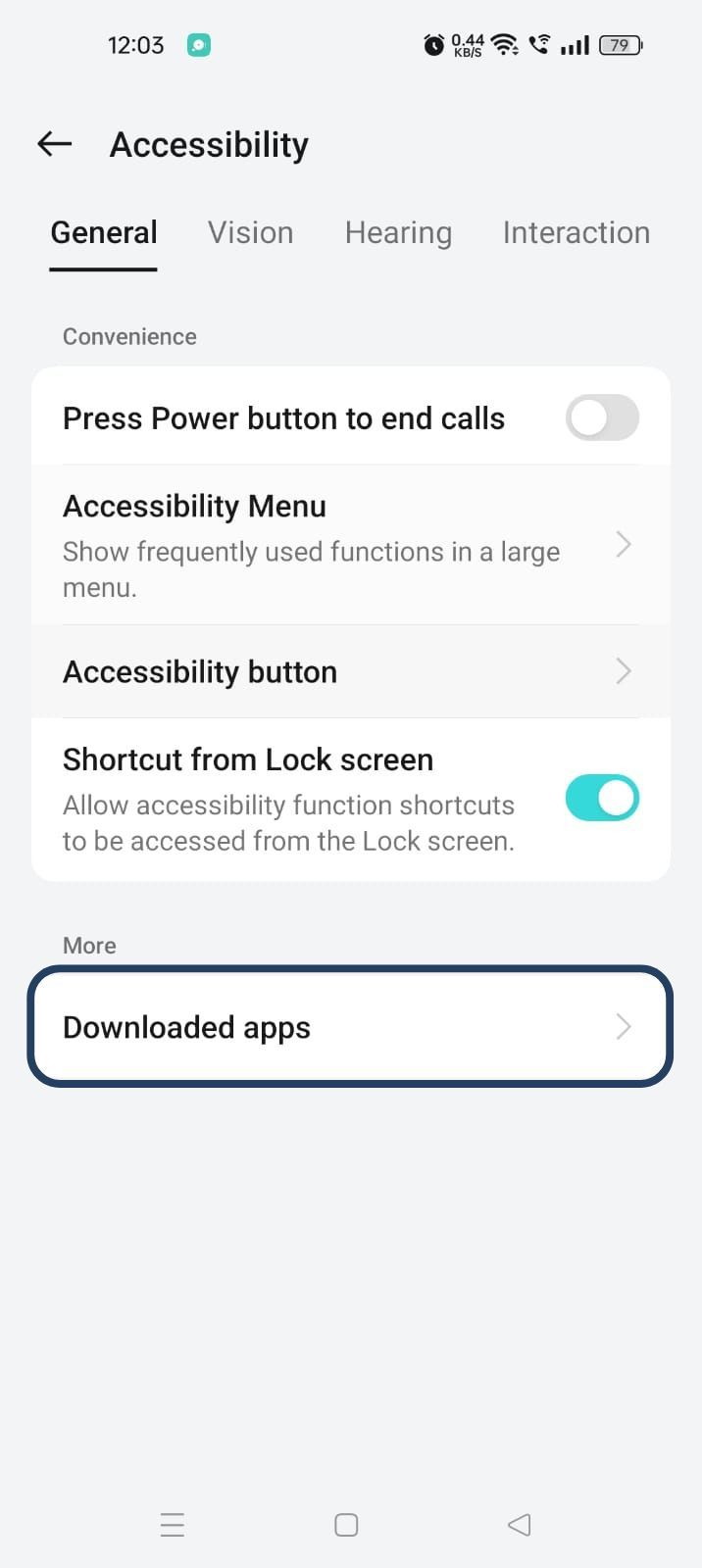
- Now, you will find Blockp - click on BlockP.
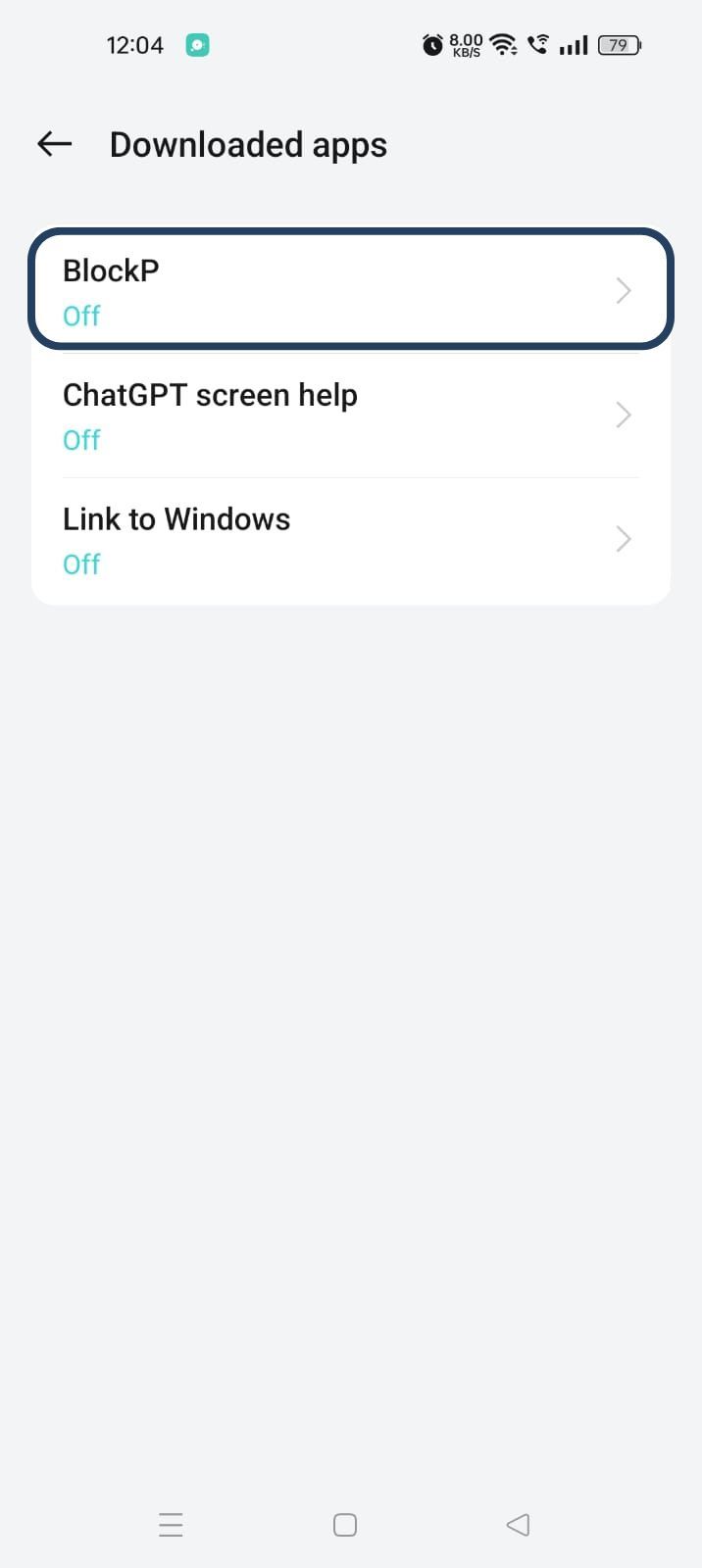
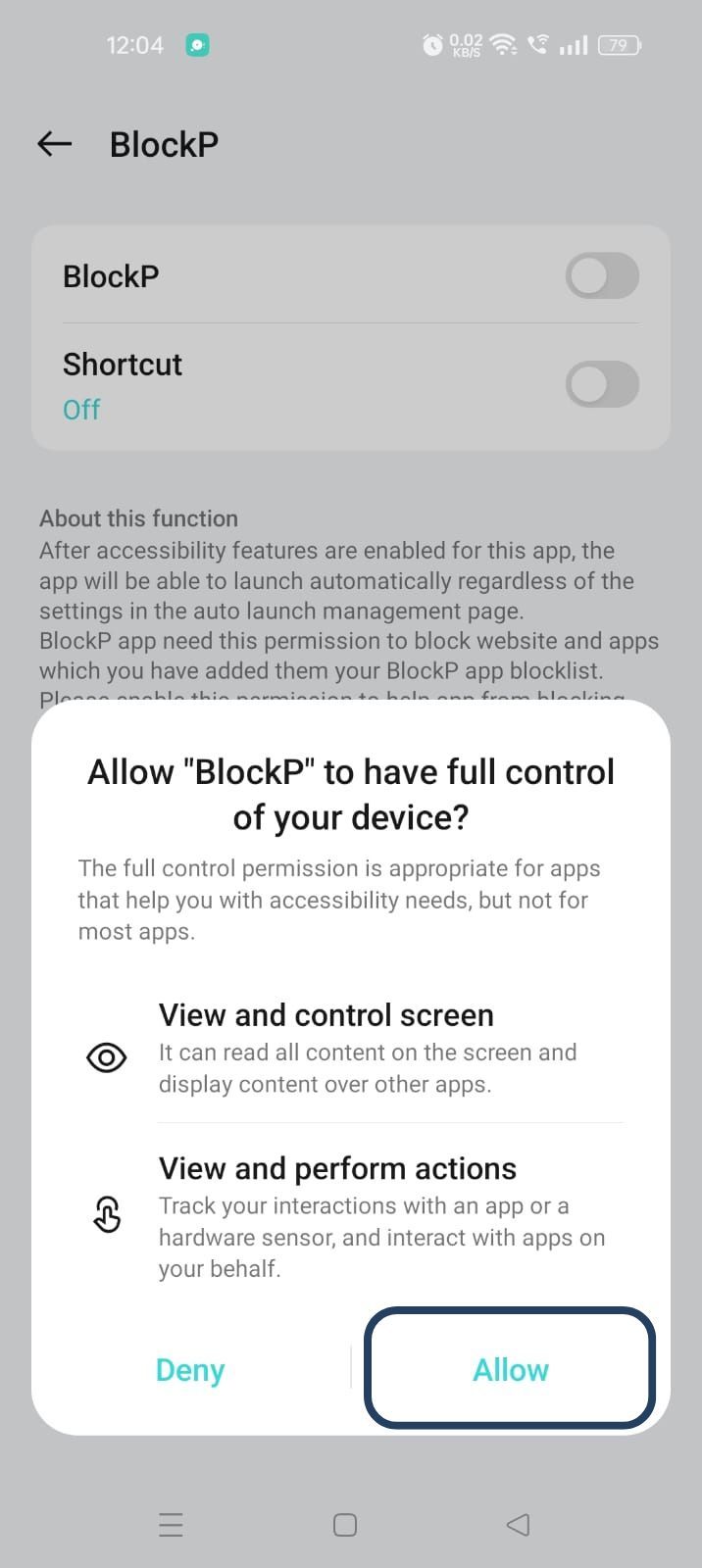
- The new screen will show a toggle in front of BlockP - enable the toggle and then click on the Allow button to complete the accessibility permission.
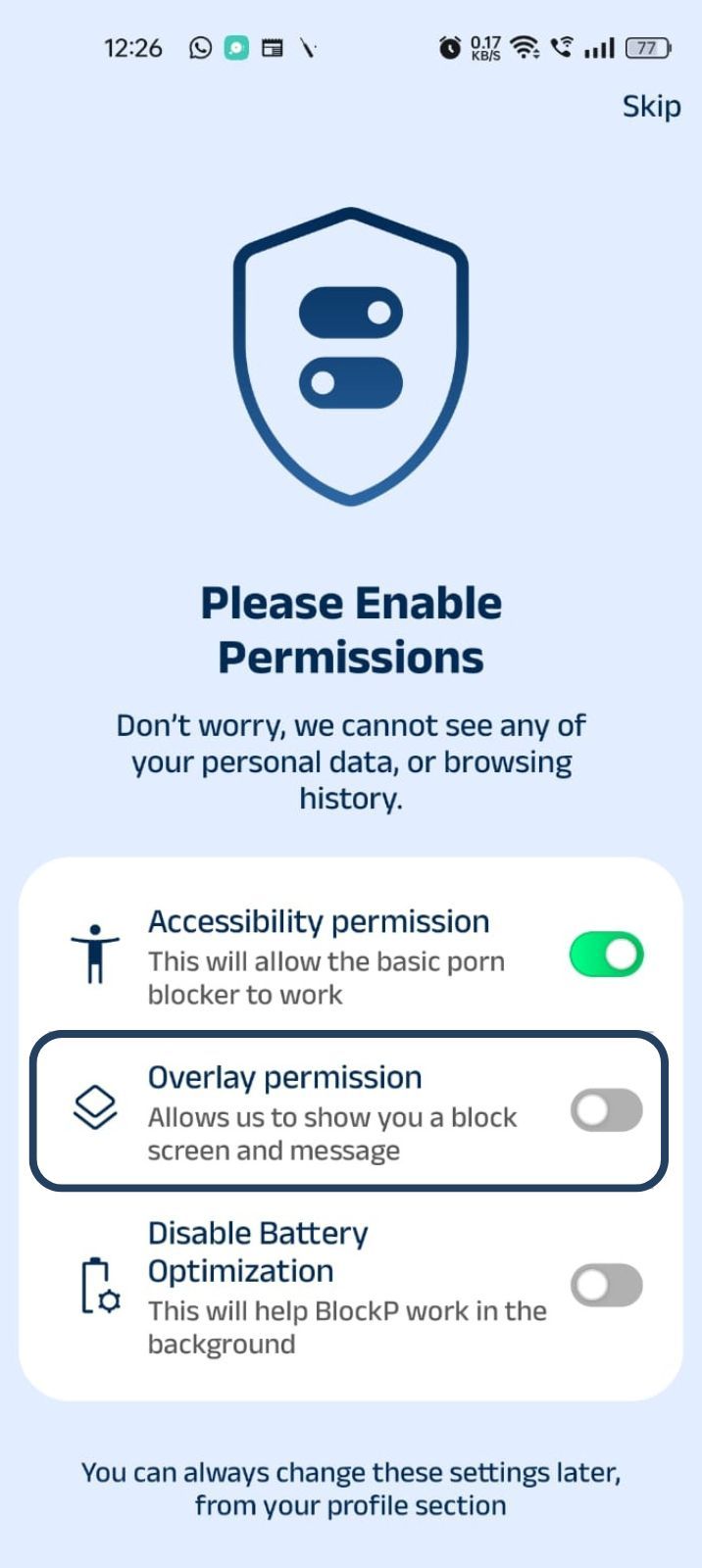
2. Overlay - lets BlockP show you a blocked screen and message when you try to access adult content.
- Click on Overlay permission toggle.
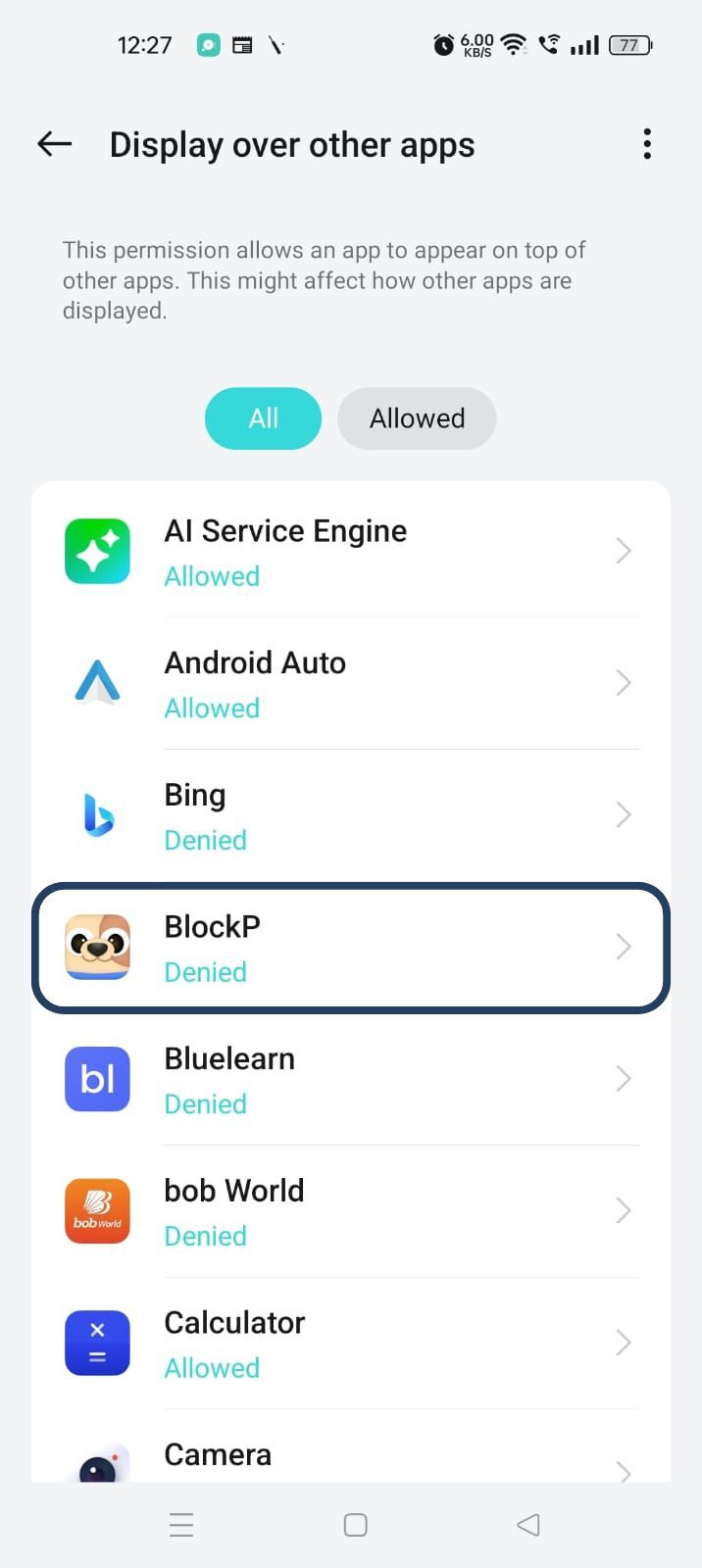
- You will get a menu with a list of apps titled - Display over other apps. Find BlockP in this list and click on it.
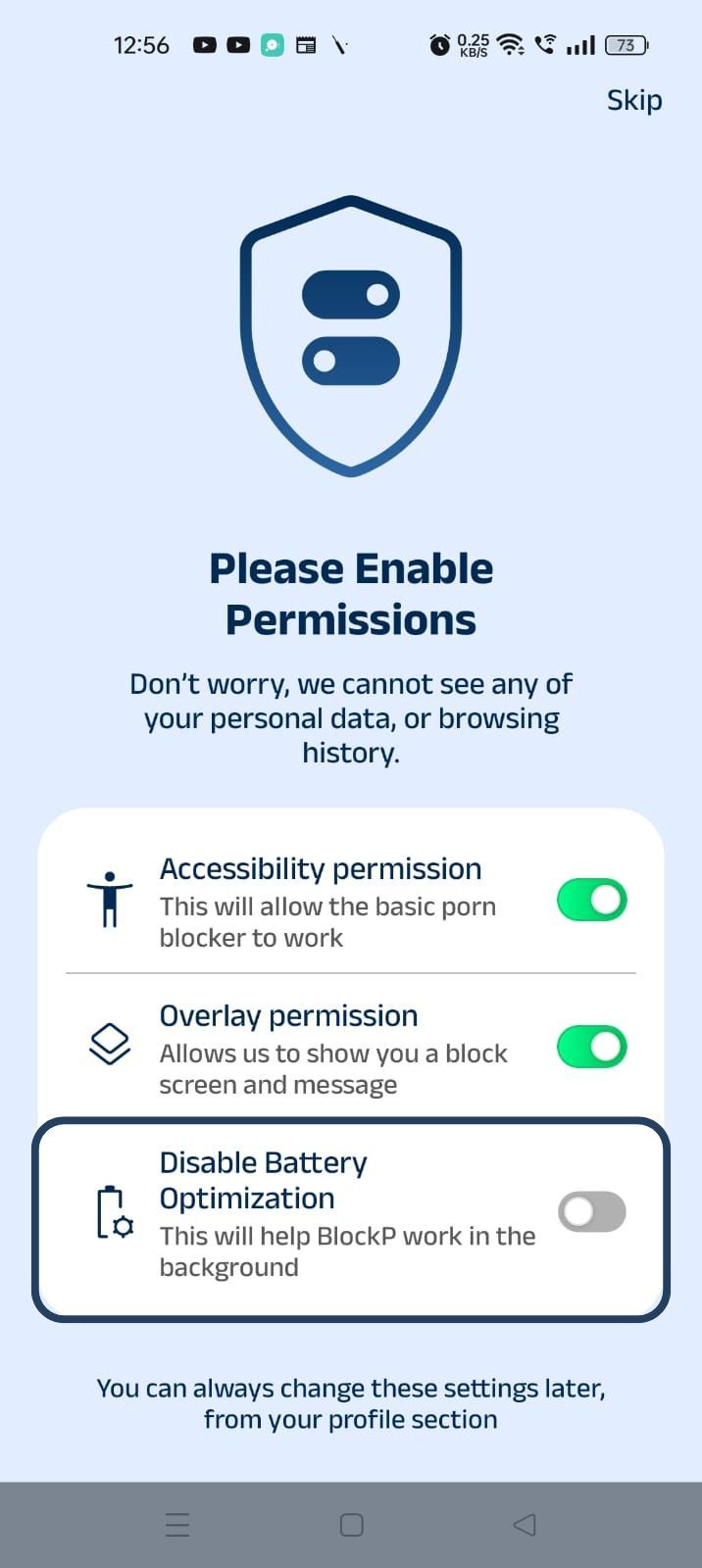
3. Disable battery optimization - so that BlockP can keep working in the background to filter adult content.
- Click on the Disable battery optimization toggle
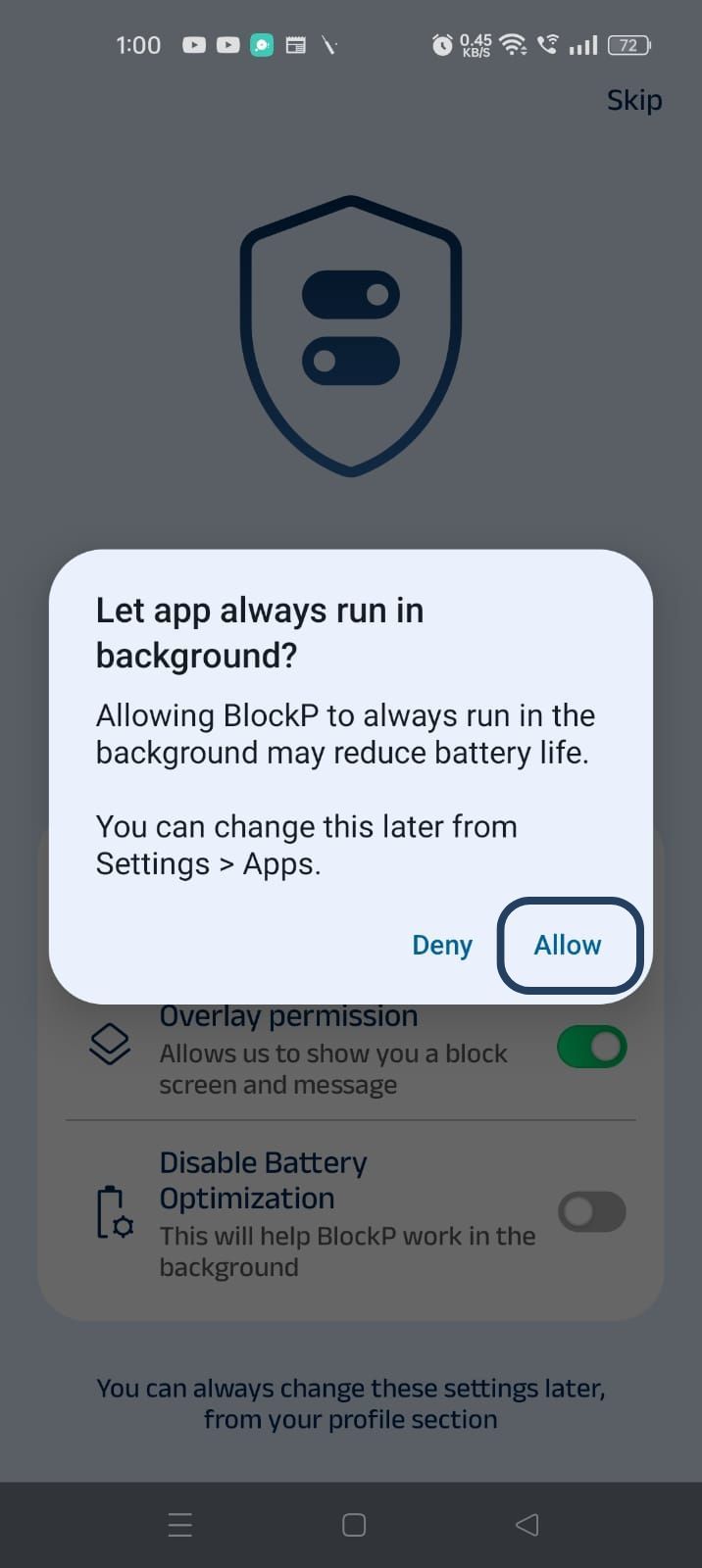
- When prompted, tap Allow to let BlockP run in the background. This helps BlockP stay active and block content without interruption.
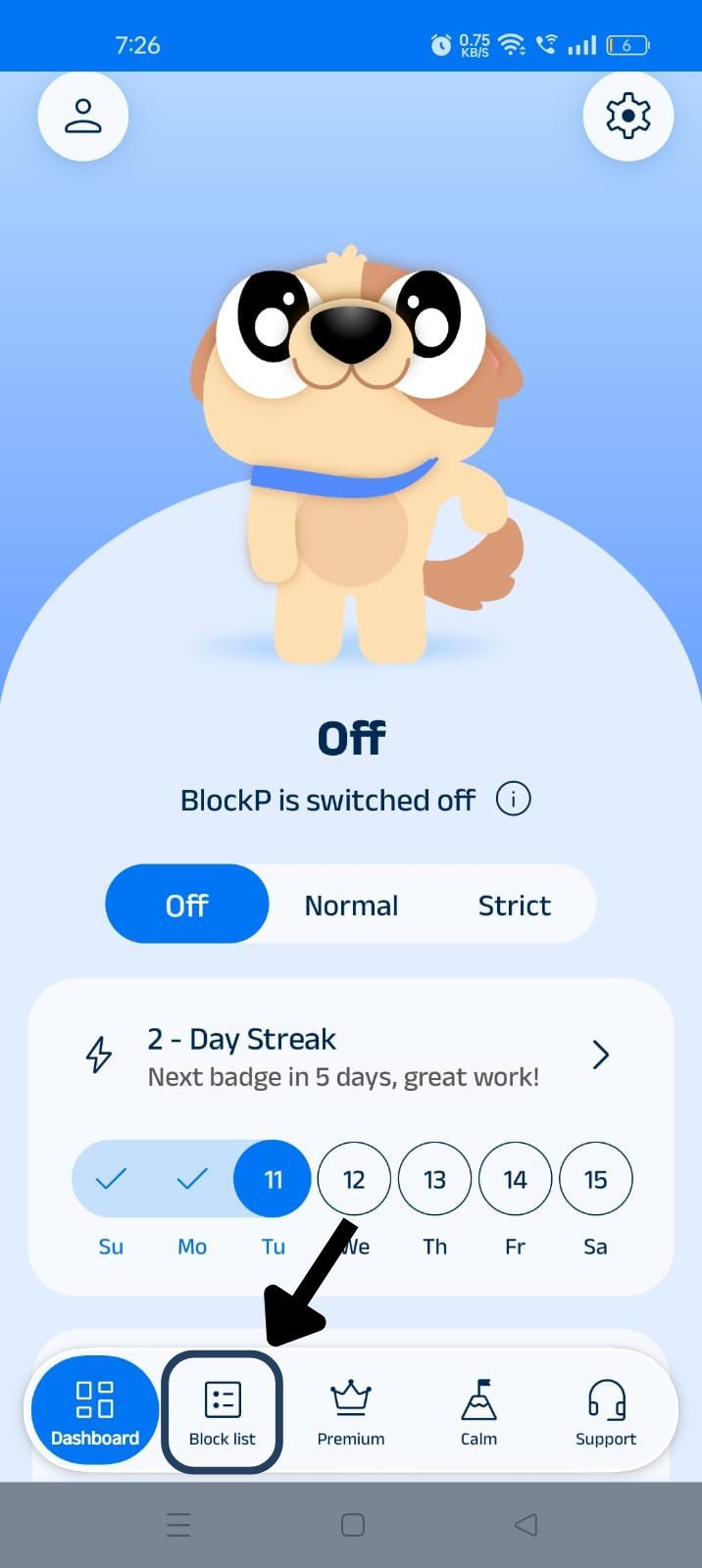
Step 4: Go to the ‘Block List”
On the bottom of the BlockP home screen, find the ‘Block list’ icon (it is the second icon from the left, next to the dashboard), and click on it.
Step 5: Add Apps to the Blocklist
In the Block List section you will see two options - Blocklist and Whitelist. Click on the Blocklist option.
At the bottom of the screen, you will find the ‘Add Items’ button; click on it and you will see three options:
- Add app
- Add website
- Add keyword
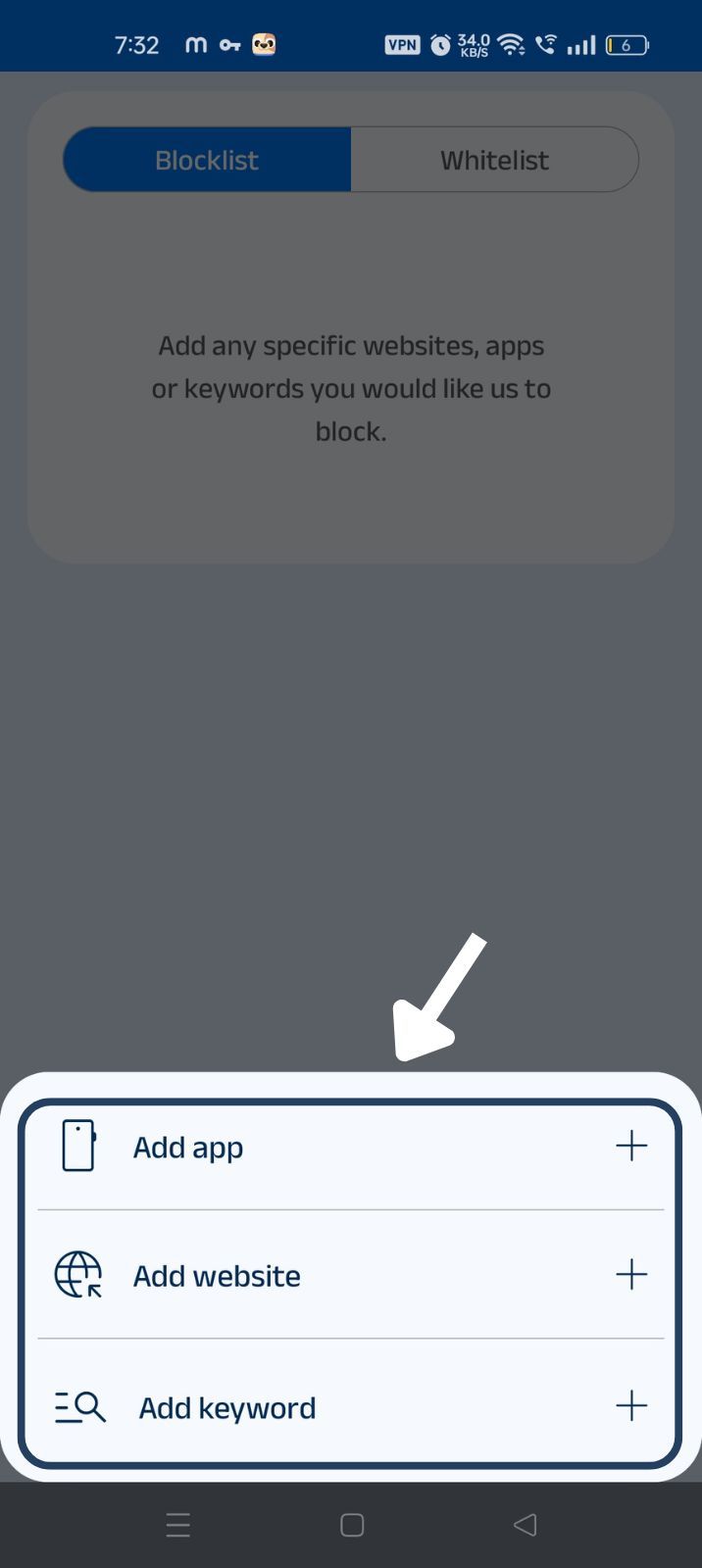
Click on the ‘+’ sign in front of the ‘Add app’ option.
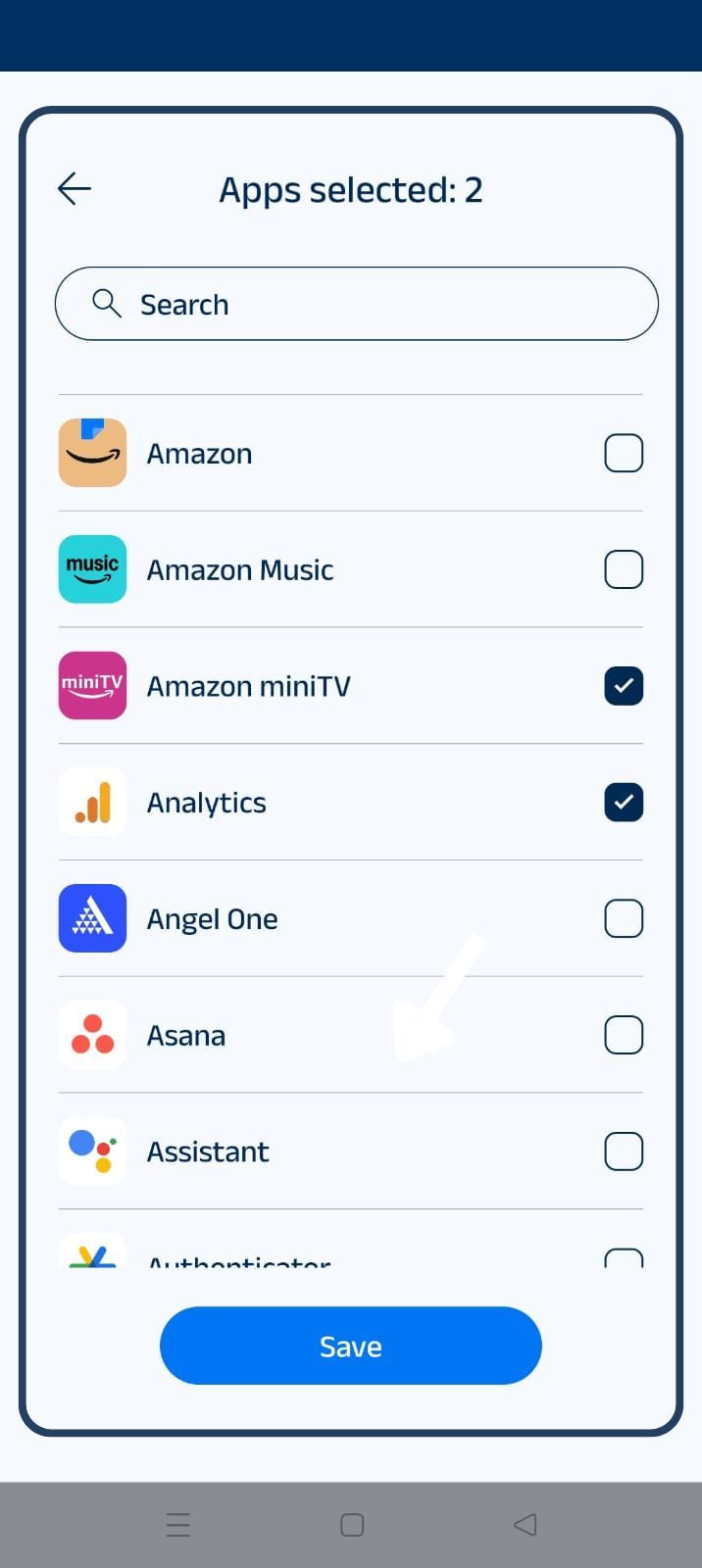
Now, BlockP opens a new window where you can see the full list of apps available on your Android phone.
Now you can either go through the entire list and block the apps you want to restrict. Or you can use the search bar at the top of the page to look for a particular app and block it.
Once you have completed selecting the apps you want to block by clicking on the checkbox next to them, click on the save button at the bottom of the screen to save the blocked app settings.
Why Block Apps on Android?
If you are using your phone without an Android app blocker, the temptation to open the apps and the trigger of notifications will keep taxing your willpower.
Taking a quick break in between work to check Facebook or attending to a notification from Instagram can feel totally harmless. But, in reality, these small disruptions add up when they keep occurring throughout the day. And even small distractions mean that you will need some time to refocus every time.
If you have an app blocker for productivity like BlockP, it protects your attention and safeguards your focus.
Benefits of Using BlockP's App Blocker
An app blocker for Android like BlockP lets you create a custom blocklist of apps based on the apps you want to avoid. So, you don’t have to deprive yourself of your phone just to avoid a couple of apps.
Using an app blocker for productivity like BlockP protects your focus and lets you work without distractions.
The BlockP Android app blocker also helps you develop better digital habits.
If you rely only on screentime control (which can be undone with a couple of clicks) or your willpower, it does not create enough friction for your brain to learn new digital habits. When BlockP is acting as your willpower, your cognitive resources are free to learn a new way of using the phone.
Apps You Can Block with BlockP
You can use the BlockP app blocker for Android to block many distracting apps that you use on your phone every day, like
- TikTok
- X (Twitter)
- Snapchat
- YouTube
- Chrome
- Gaming apps
- Any other supported Android apps
Why Choose BlockP?
Why should you choose BlockP as your app blocker for Android?
The answer is simple - because it lets you build app restrictions based on your own needs.
And also lets you combine the app restrictions with website and keyword restrictions for complete protection. For instance, you can block Instagram apps and also block access to Instagram through any browser app with website blocking.
The built-in screen time restrictions for apps can be easily undone.
So, for parents who want to protect their children’s focus and people who are looking to boost productivity, BlockP gives options to not just block the apps but also has features like 'password protection' and 'accountability partner' that prevent bypass.
Frequently Asked Questions
How do I block apps on Android?
BlockP app blocker for Android lets you block the apps you want to avoid.
What is the best app blocker for Android?
BlockP is the best Android app blocker, as it supports most of the Android apps that we use every day and also find highly distracting.
Can BlockP block social media apps on Android?
For social media, you can block apps to reduce screen time with BlockP.
Can I block specific apps with BlockP?
Yes.
Does App Blocker work during Focus Mode?
Yes.
Can I schedule app blocking on Android?
The focus mode feature of BlockP lets you schedule app blocking during working hours or study time or at bedtime.
Does BlockP block games and entertainment apps?
Yes. BlockP Android app blocker can block games and entertainment apps on your phone.
Will App Blocker slow down my Android phone?
No.
Can parents use BlockP to block apps on Android?
Yes, parents can use BlockP to block apps to reduce screen time of their children.
Does App Blocker work with Website Blocker?
Yes.
Can I unblock apps whenever I want?
Yes.
Is BlockP's App Blocker free to use?
Yes.