
How to Block Snapchat Search on Android Using BlockP
Block Snapchat Search on Android with BlockP to reduce exposure to adult, suggestive, and inappropriate content while staying focused online.
Get Started with BlockPAccording to the Pew Research Centre report, 55% to 75% of U.S. teens use Snapchat. This increasing preference is the reason why more and more parents are concerned about how to block Snapchat search on their child’s Android phone.
Most content-blocking options and Android screen time tools give only the option to completely block Snapchat. Such an approach frustrates both the kids and parents.
Instead, BlockP gives them a more practical and reasonable solution - block Snapchat search only and let the children use messaging and posting to stay connected with their friends.
How to Block Snapchat Search on Android with BlockP
Here is how to block Snapchat search on your Android phone with BlockP:
Step 1: Install BlockP
Download the BlockP app from the Google Play Store and install it on your Android phone.
Step 2: Sign Up on BlockP
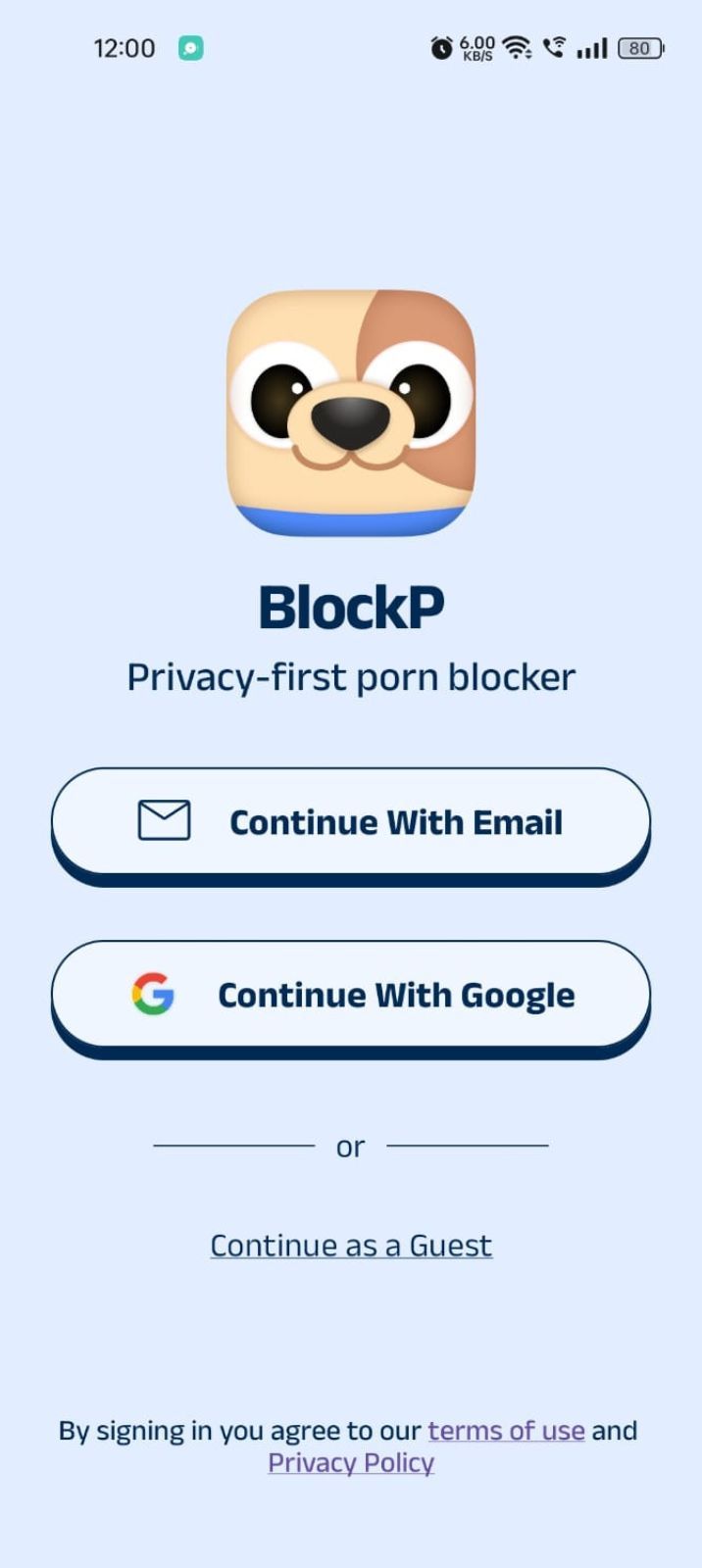
- Open the BlockP app.
- Sign up using Email or Google.
- Or tap Continue as a Guest to get started without creating an account.
Step 3: Give Necessary Permissions
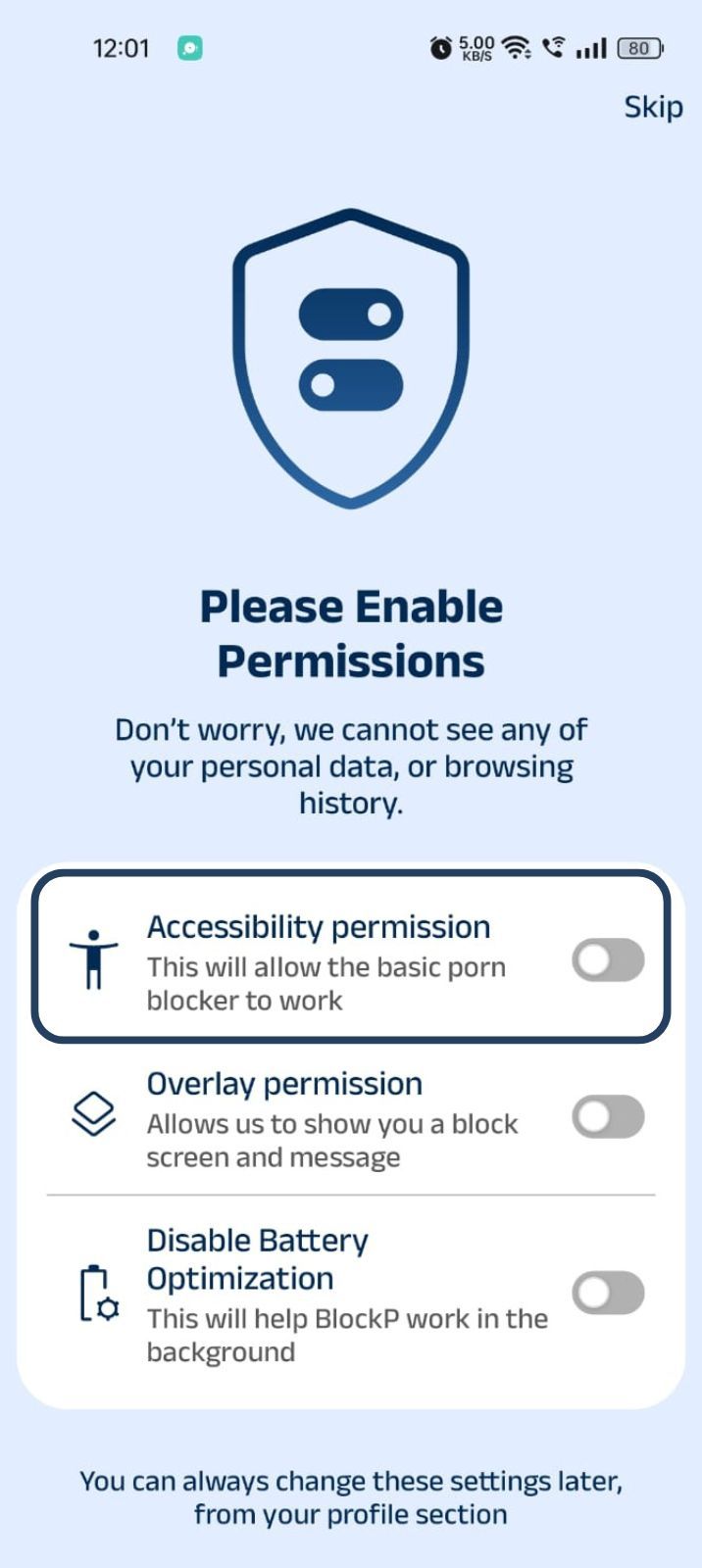
1. Accessibility - Lets the Android adult content blocker see what you are watching on your screen. Here is how to let BlockP use it:
- Click on the Accessibility permission toggle.
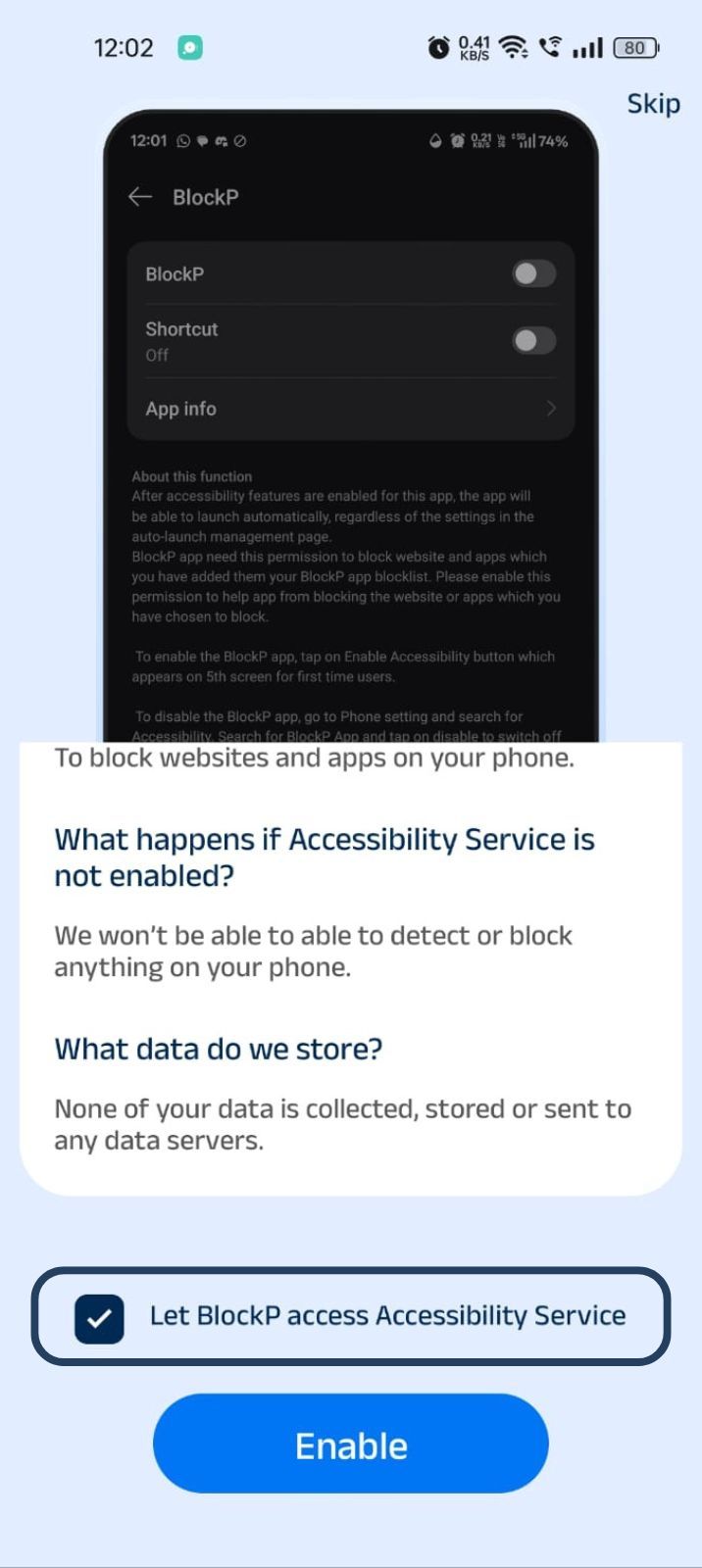
- Then click on "Let BlockP Access Accessibility Services"
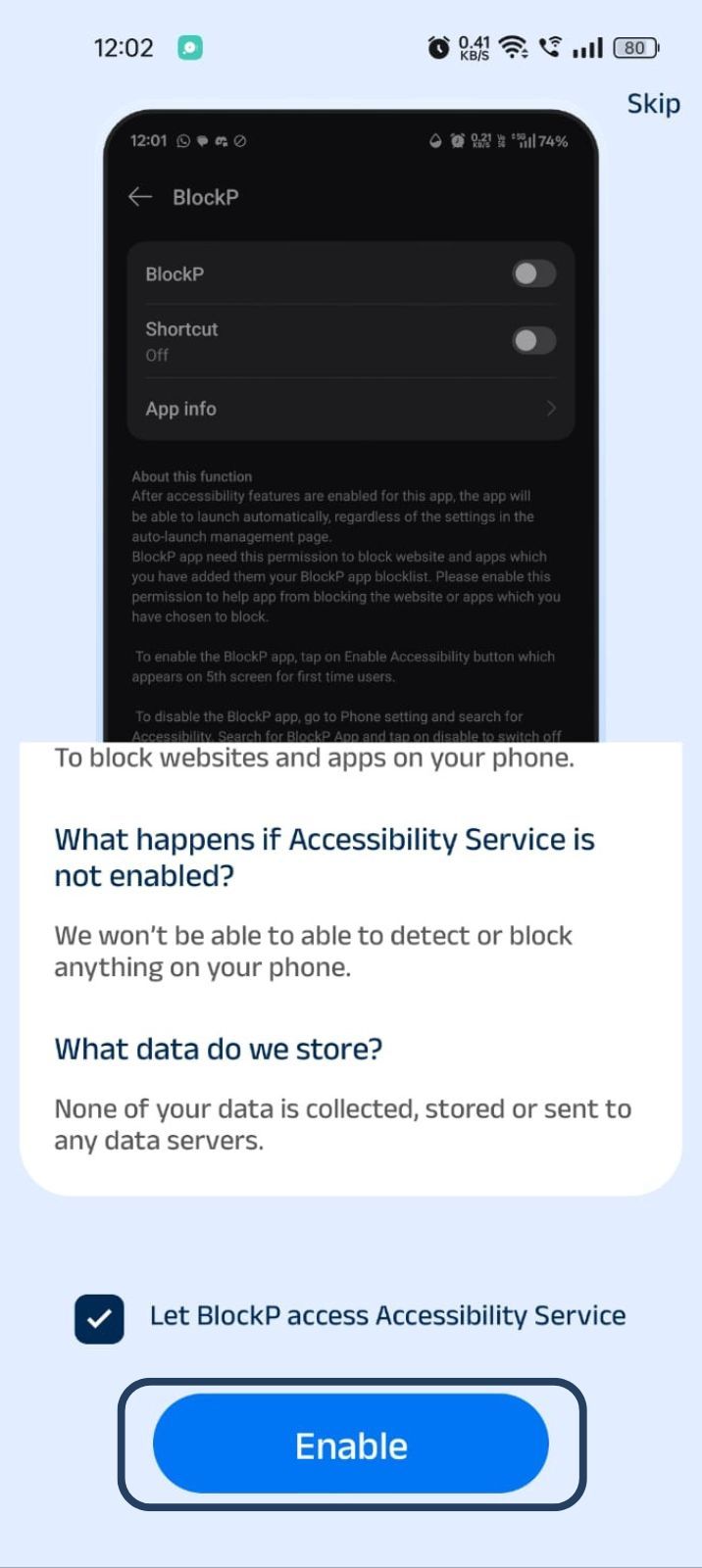
- Next, click on the Enable button
- Next, click on the downloaded apps button.
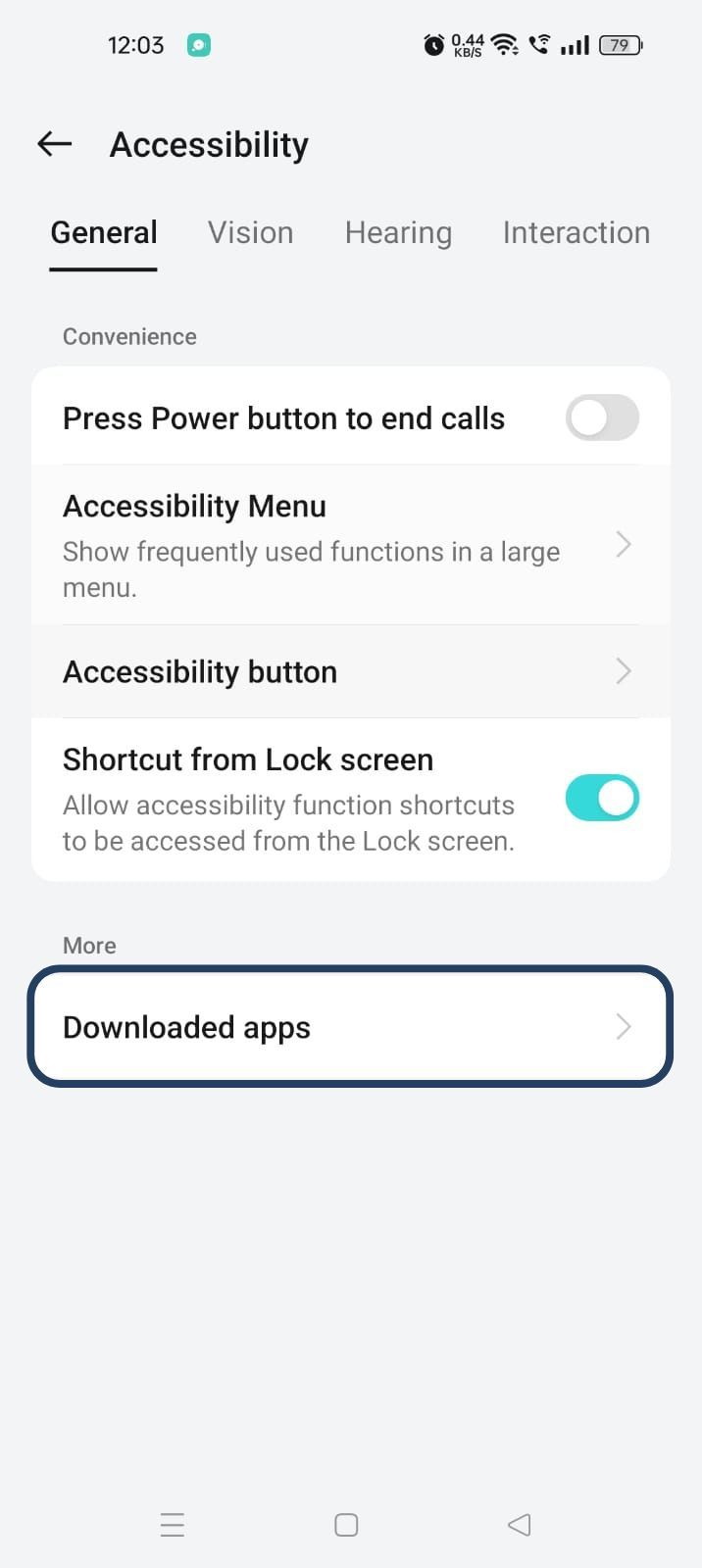
- Now, you will find Blockp - click on BlockP.
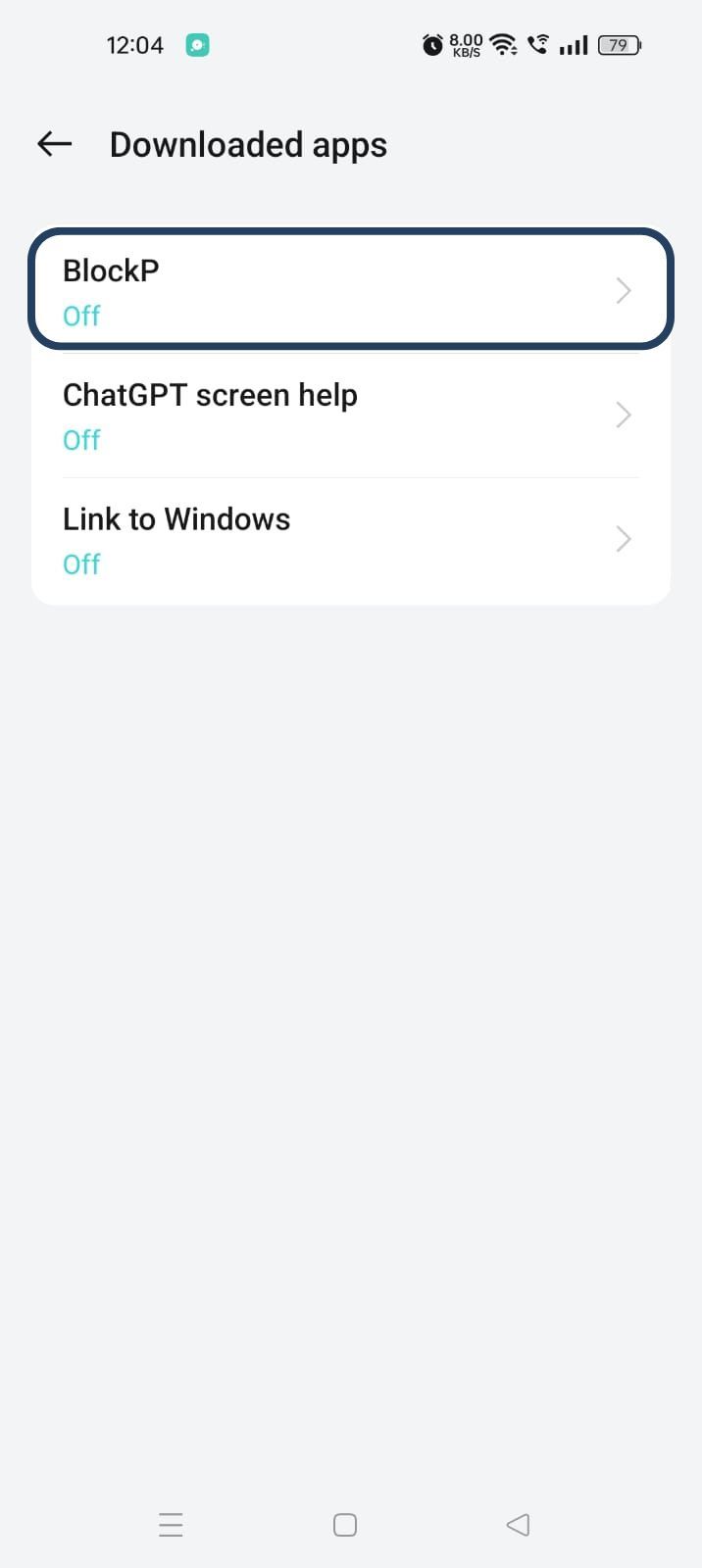
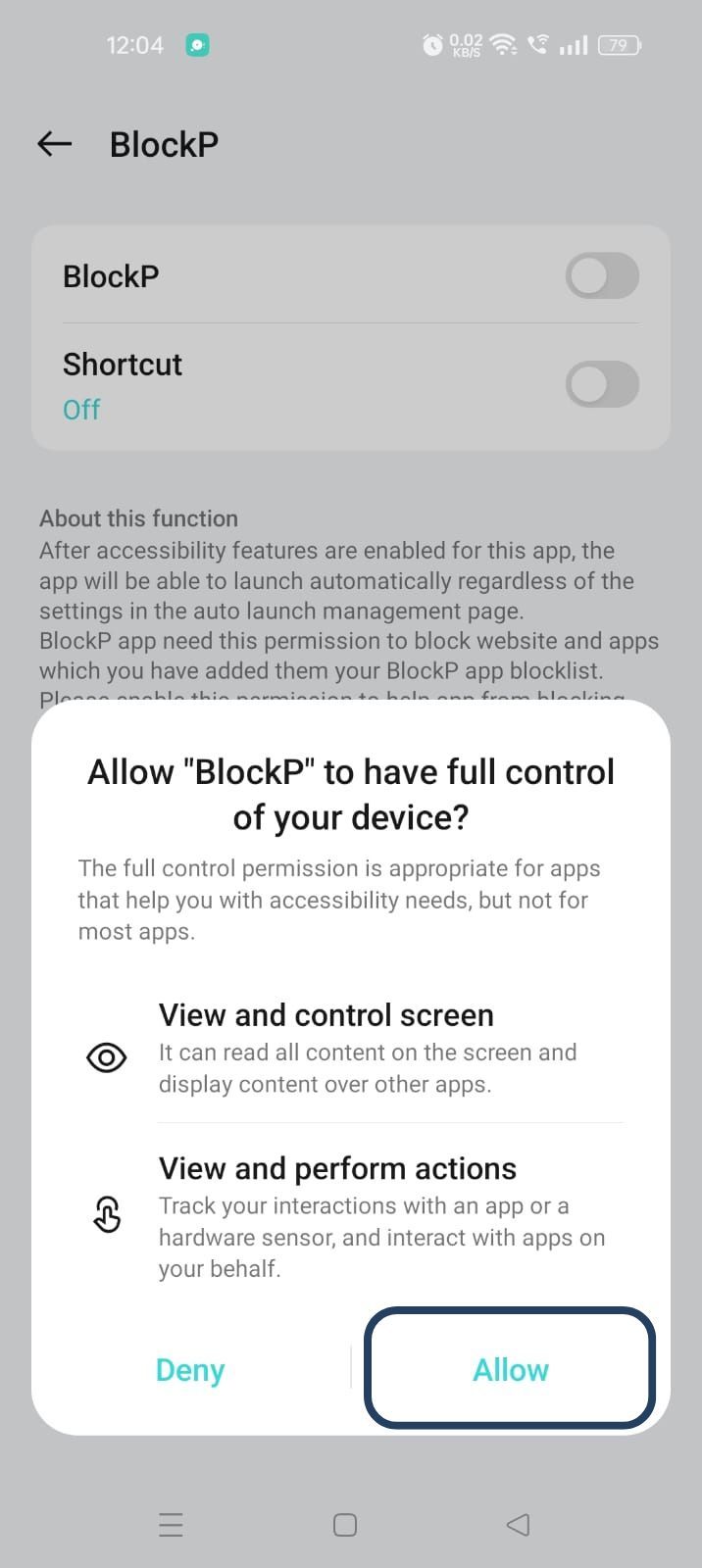
- The new screen will show a toggle in front of BlockP - enable the toggle and then click on the Allow button to complete the accessibility permission.
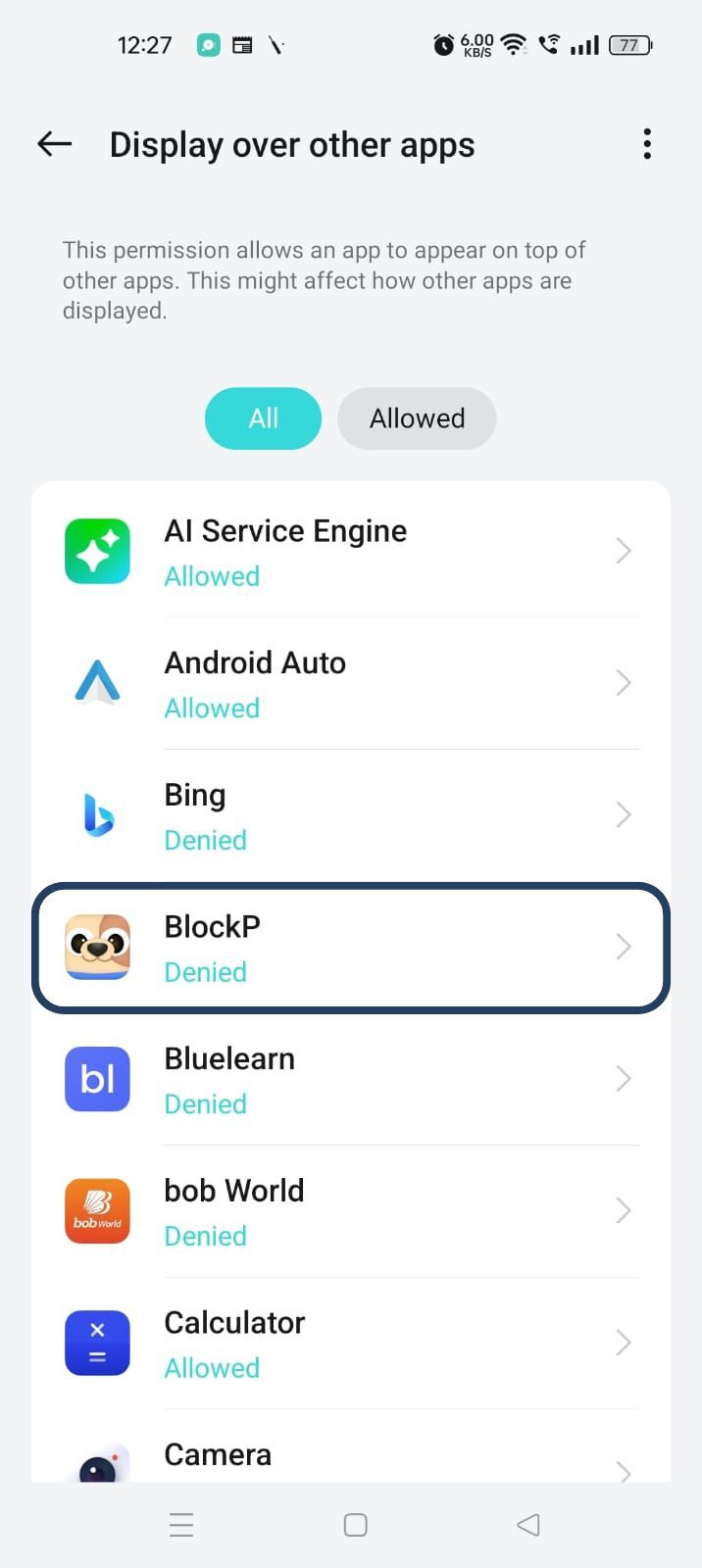
2. Overlay - lets BlockP show you a blocked screen and message when you try to access adult content.
- Click on Overlay permission toggle.
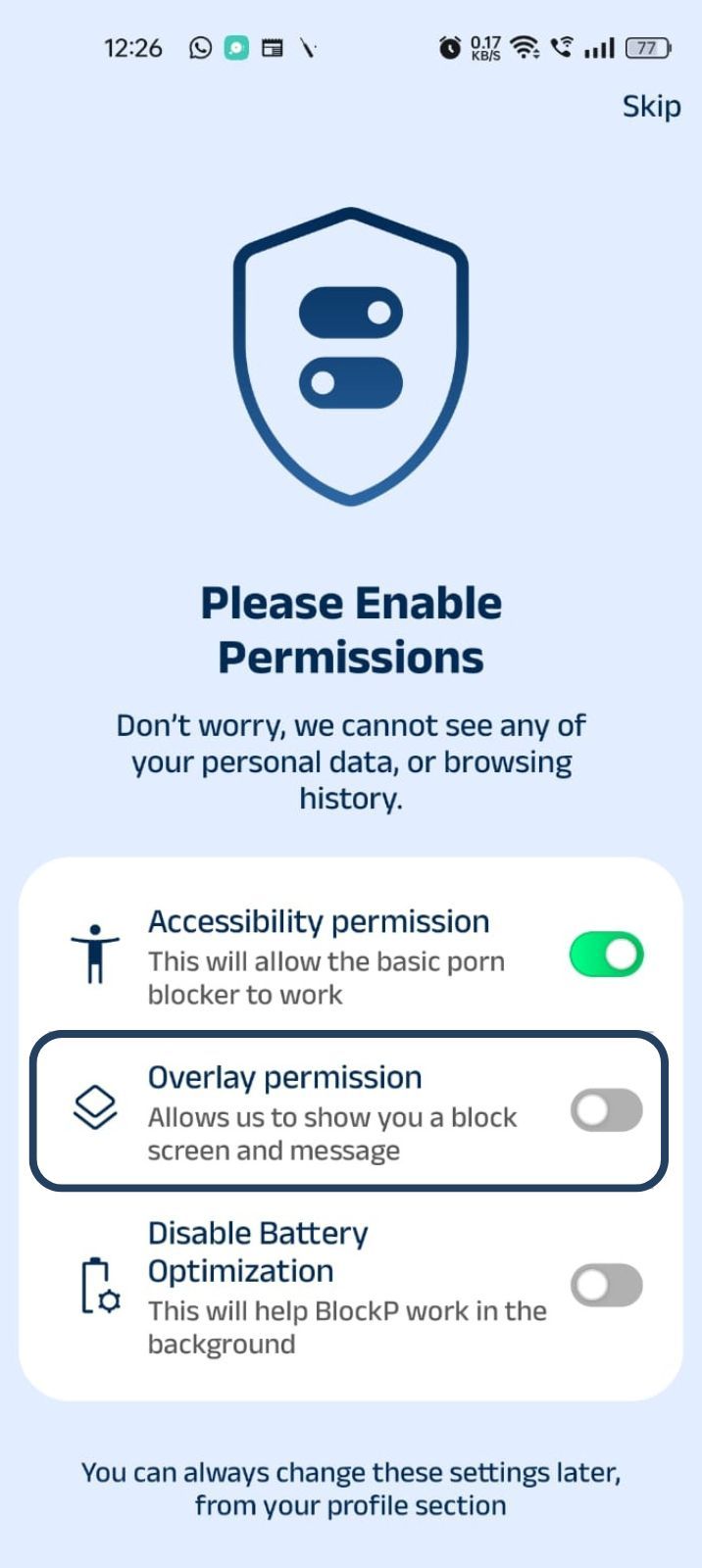
- You will get a menu with a list of apps titled - Display over other apps. Find BlockP in this list and click on it.
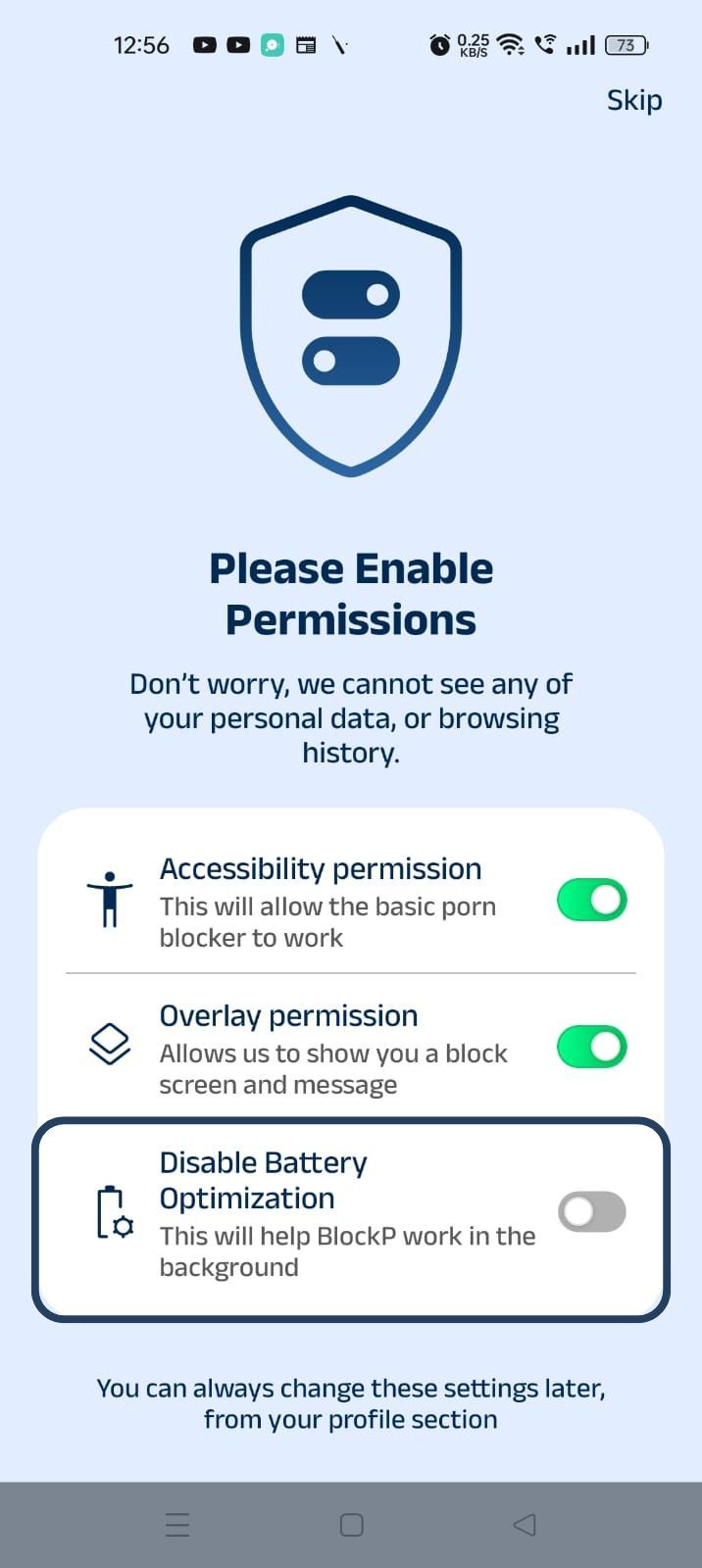
3. Disable battery optimization - so that BlockP can keep working in the background to filter adult content.
- Click on the Disable battery optimization toggle
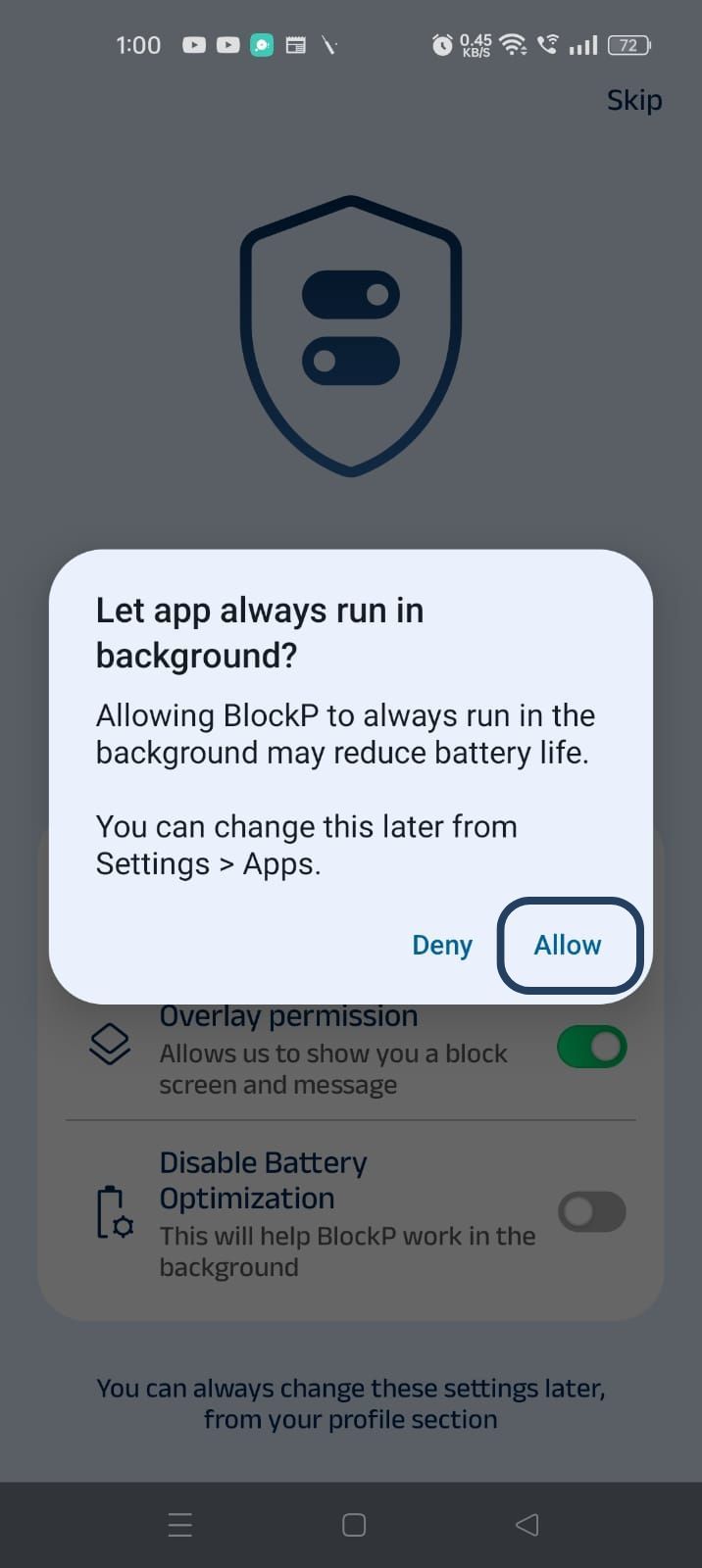
- When prompted, tap Allow to let BlockP run in the background. This helps BlockP stay active and block content without interruption.
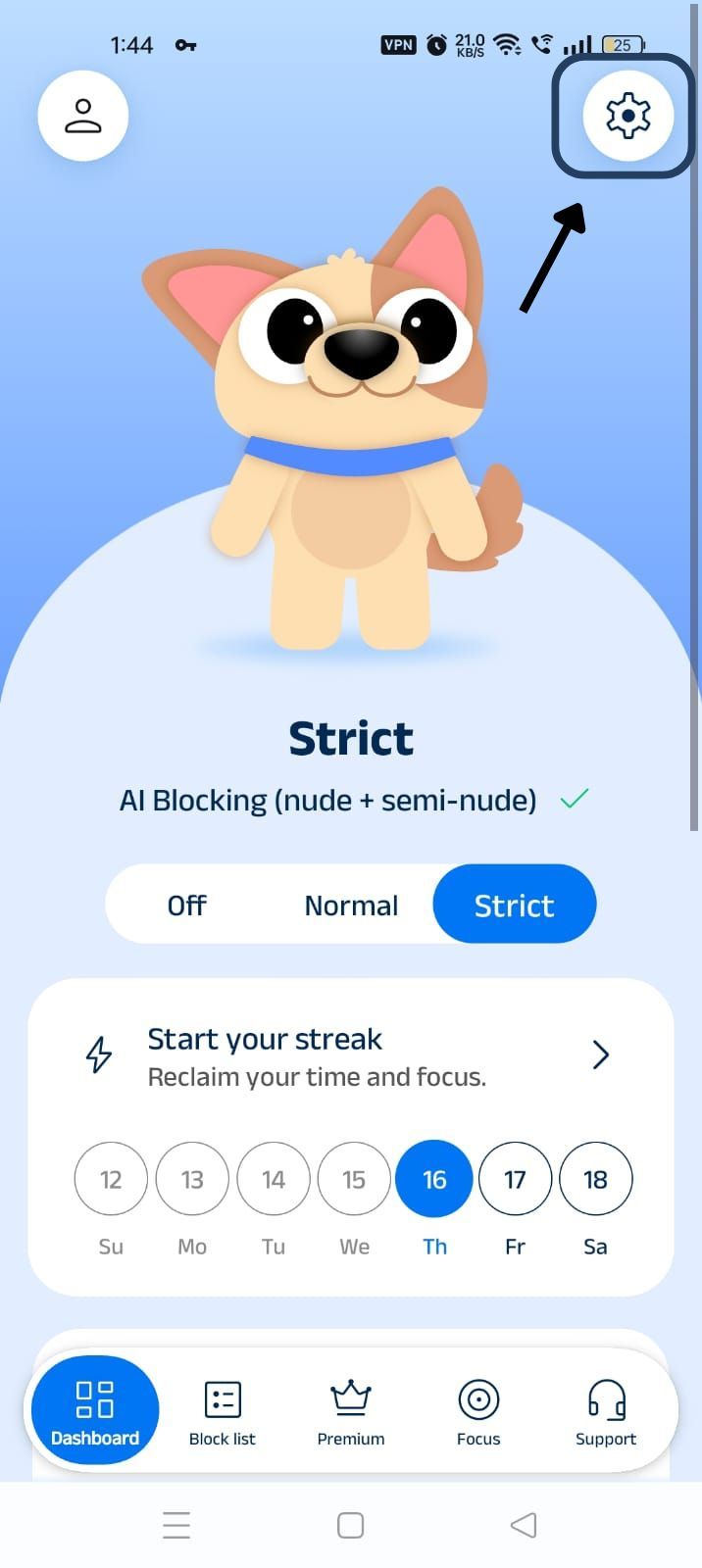
Step 4: Go to Advanced Settings
Locate the advanced settings icon in the top right corner of BlockP’s home screen and click on it.
Step 5: Scroll Down to Social Media Blocking Section
Scroll down the General Settings section and find the Social Media Blocking subsection. This section lists options related to social media apps like WhatsApp, Telegram, Instagram, Facebook, Snapchat, X, and so on.
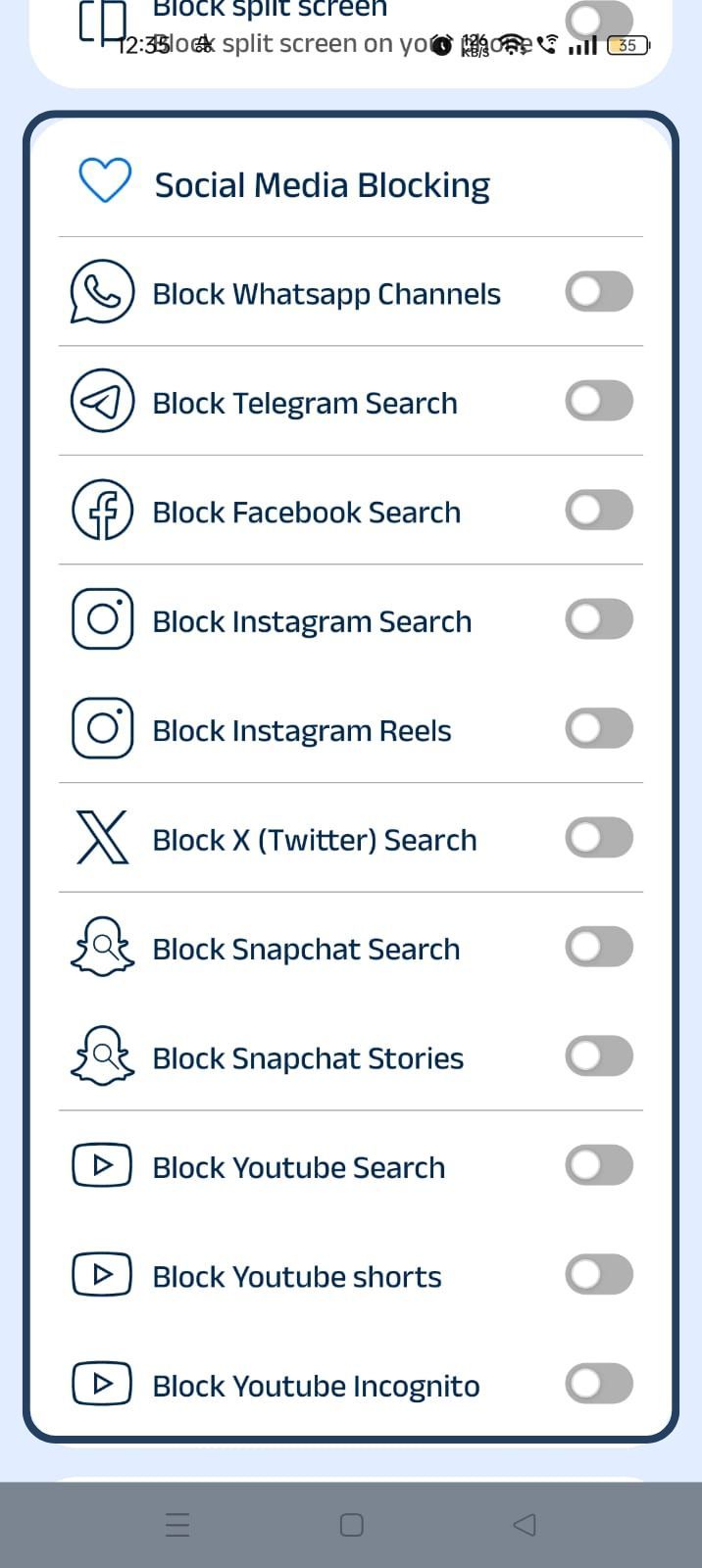
Step 6: Block Snapchat Search
In the social media blocking section, find the Block Snapchat Search option and slide the toggle to activate it.
How Snapchat Search Can Become a Distraction
Snapchat is media-heavy, and the search feature of the app is the access point for the users to find its public database.
So, when you search something on Snapchat, it does not just show the results related to the search but gives you content around trending topics and public spotlight videos. So, a simple search can easily turn into hours of scrolling.
Snapchat search often exposes the users to explicit and suggestive content. This quick and easy access to risky content can easily distract a teenager or someone who is trying to quit porn.
Benefits of Blocking Snapchat Search with BlockP
When you have used the block Snapchat search setting, its blocking is limited only to that particular feature. The essential communication like messages and snaps remains untouched.
When the search function is blocked, it prevents the impulsive curiosity and compulsion to keep finding more content. So, you will use Snapchat only for what you actually need. As a result, your productivity and focus can improve.
For parents, the option to block Snapchat search helps to keep the kids safe without blocking their use of the entire app (which can be very frustrating). It also helps to block
How BlockP Blocks Snapchat Search on Android
When you give accessibility permission to BlockP, it can see exactly what you are seeing or what app you are using on your phone. (This is perfectly safe because BlockP does the filtering on your phone itself, and your data is not shared).
So, when you type a keyword in the search bar of the Snapchat app, BlockP can know that you are trying to use a blocked feature.
The overlay permissions allow BlockP to display a custom screen over any other app on your phone. So, when it detects an attempt to use the Snapchat search, instead of search results, BlockP redirects you to its custom screen with a motivational message. So, the search results never load.
Then you can use the ‘Back’ button option on the BlockP custom screen to take you back to your phone’s home screen.
Why Choose BlockP?
Most content restriction apps work by blocking all features of Snapchat when they block the app.
This frustrates the kids (who are the majority users) because they feel like they are missing out on messages and snaps shared by their friends. For parents also, it can become a constant negotiation of screentime and monitoring their Snapchat use.
The advantage of BlockP is that it lets the kids use the features that they actually need and blocks only the search feature, which exposes them to the risk of adult content and affects their focus.
Frequently Asked Questions
How do I block Snapchat Search on Android?
BlockP’s Snapchat content blocker setting lets you block the search option on Snapchat's Android app.
Can BlockP block Snapchat Search without blocking the entire Snapchat app?
Yes.
Can BlockP help reduce exposure to adult content on Snapchat?
Snapchat search often exposes the users to accounts that post adult content. So, when you block Snapchat search with BlockP, it reduces access to such content.
Does Snapchat search blocking hide suggestive and inappropriate content?
The majority of suggestive and inappropriate content often shows up in Snapchat search results. So, when you use the BlockP Snapchat blocker, it prevents you from finding explicit content.
As a failsafe, you can also enable BlockP content filters that use AI to block suggestive and inappropriate content from your feed.
Will blocking Snapchat Search affect other Snapchat features?
No.
Does this feature work alongside BlockP's AI Content Filter?
BlockP's block Snapchat search setting can work while its AI content filter is active.
Can I enable or disable Snapchat search blocking anytime?
Yes.
Does Snapchat search blocking work on all Android devices?
If your Android settings can give accessibility and overlay permissions, BlockP can work on that device to block Snapchat search.
Can parents use this feature to help reduce exposure to inappropriate content?
The Snapchat content blocker can protect the children from accidentally getting exposed to inappropriate content through search.
Is Snapchat search blocking included in the free version of BlockP?
Yes.