
How to Block Telegram Search on Android Using BlockP
Block Telegram Search on Android with BlockP to reduce exposure to adult channels, adult content, and NSFW groups while staying focused online.
Get Started with BlockPThose who use Telegram regularly soon discover the risks that come along with its search feature. They are often shocked to find that a simple search can become the gateway to highly sexual content. These moments make the users look for a way to block Telegram search.
BlockP has a Telegram content blocker feature that specifically prevents the search feature, while all other Telegram features can be used without any issue.
So, instead of worrying about unsafe content and blocking the entire Telegram app, you can use BlockP to block search options while using messaging and calls as usual.
How to Block Telegram Search on Android with BlockP
Here is how to block Telegram search on your Android phone with BlockP:
Step 1: Install BlockP
Download the BlockP app from the Google Play Store and install it on your Android phone.
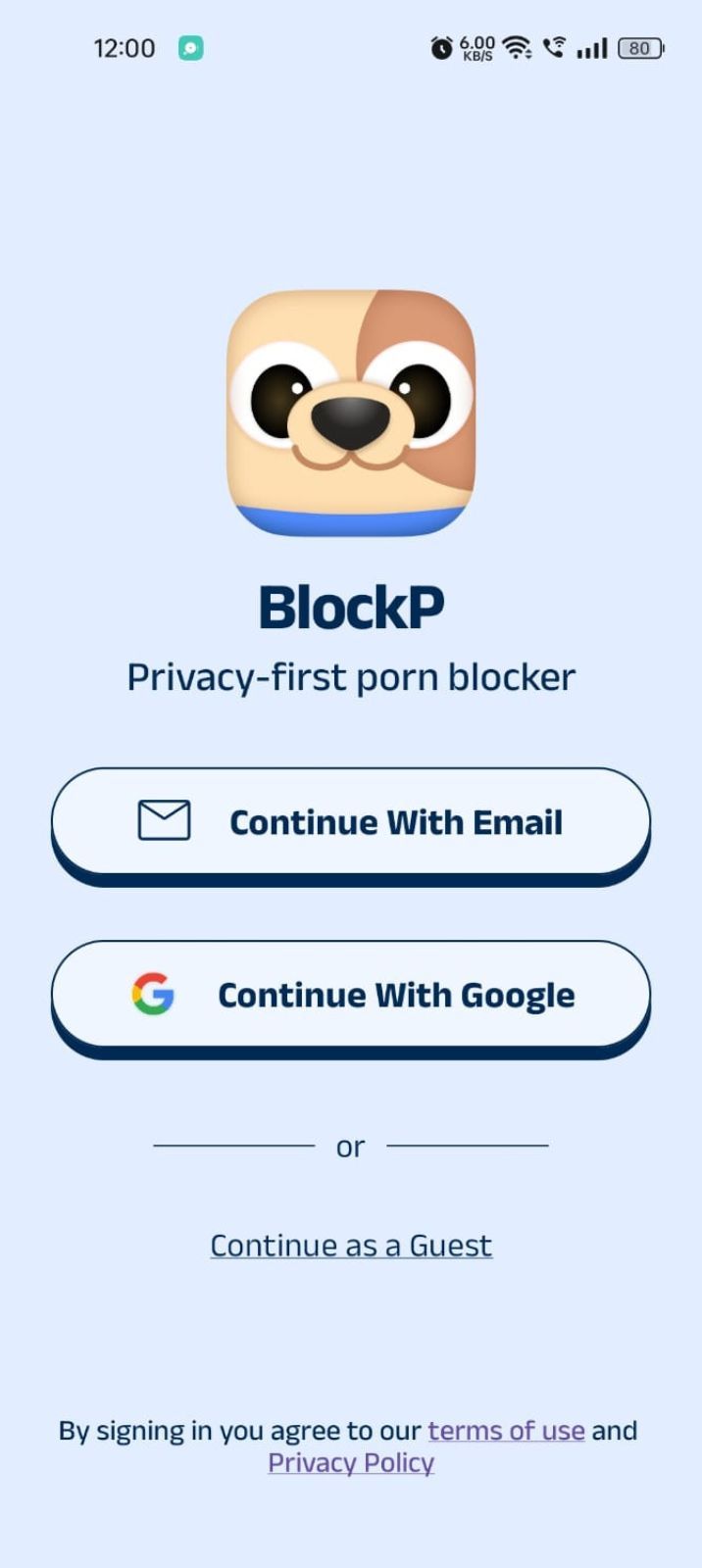
Step 2: Sign Up on BlockP
- Open the BlockP app.
- Sign up using Email or Google.
- Or tap Continue as a Guest to get started without creating an account.
Step 3: Give Necessary Permissions
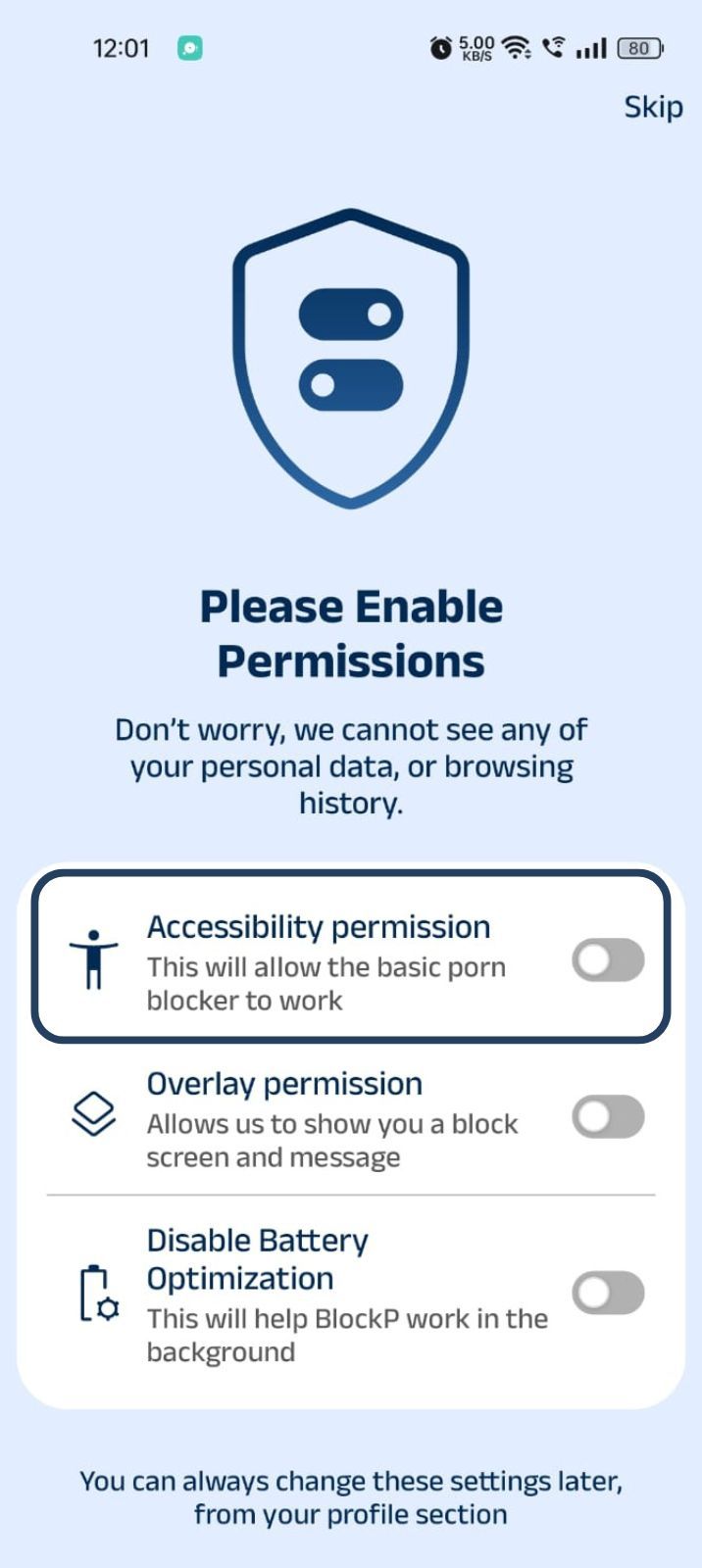
1. Accessibility - Lets the Android adult content blocker see what you are watching on your screen. Here is how to let BlockP use it:
- Click on the Accessibility permission toggle.
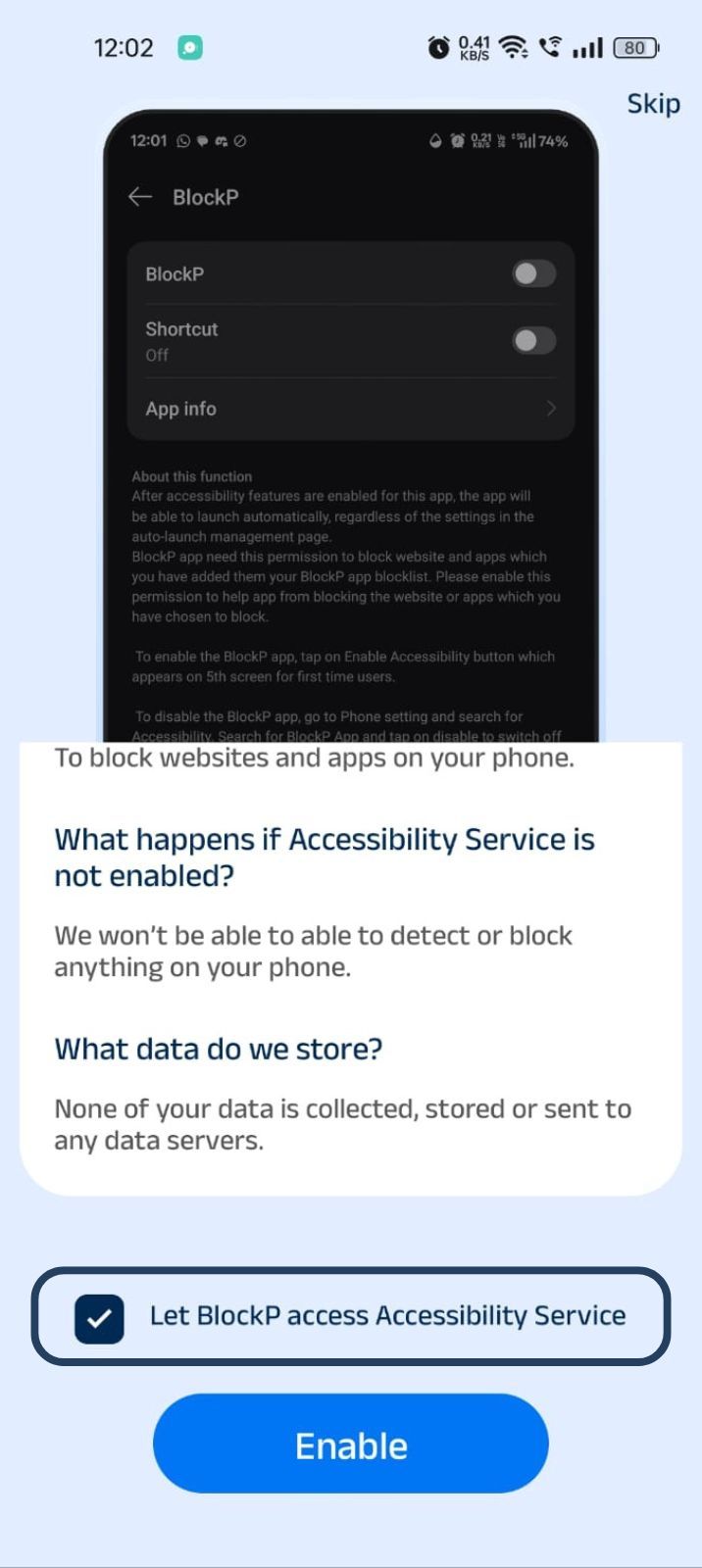
- Then click on "Let BlockP Access Accessibility Services"
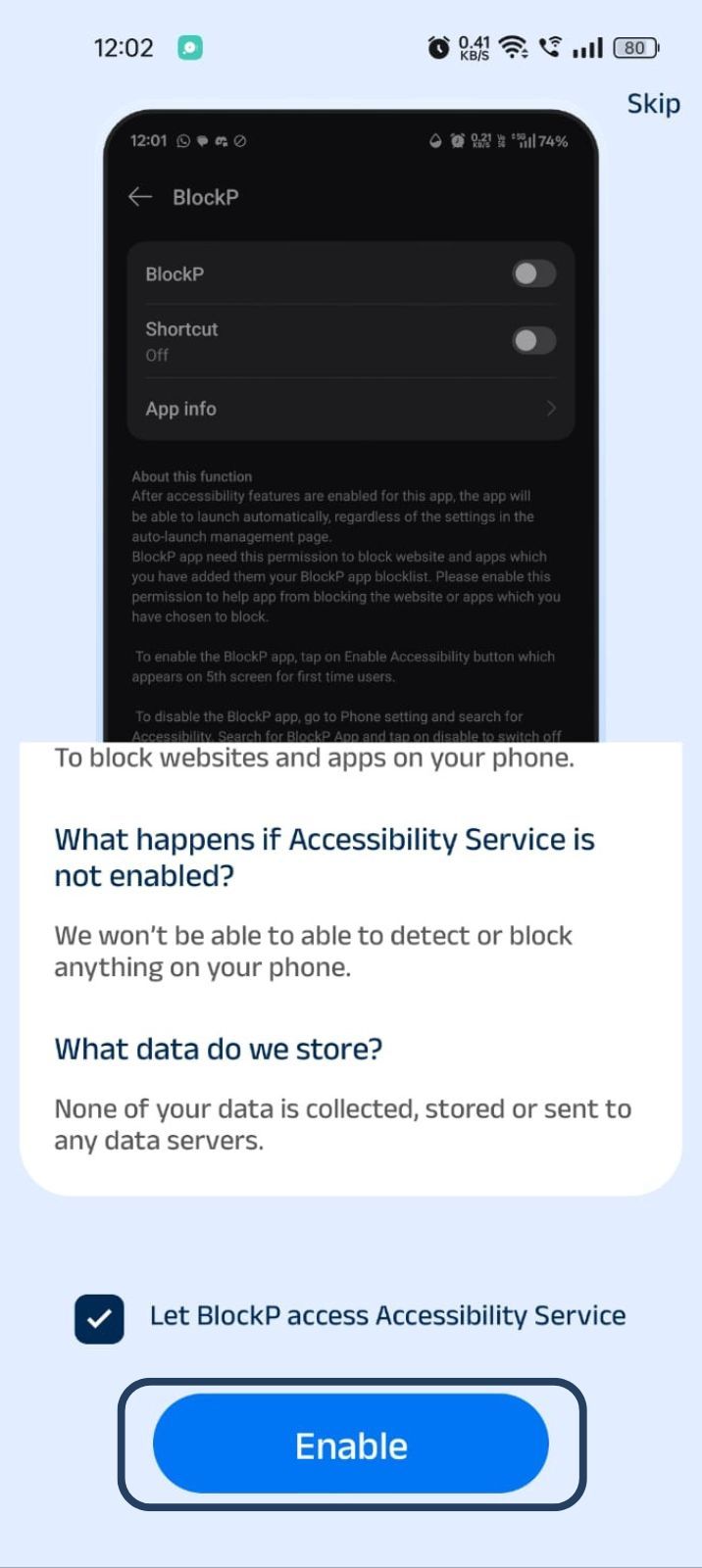
- Next, click on the Enable button
- Next, click on the downloaded apps button.
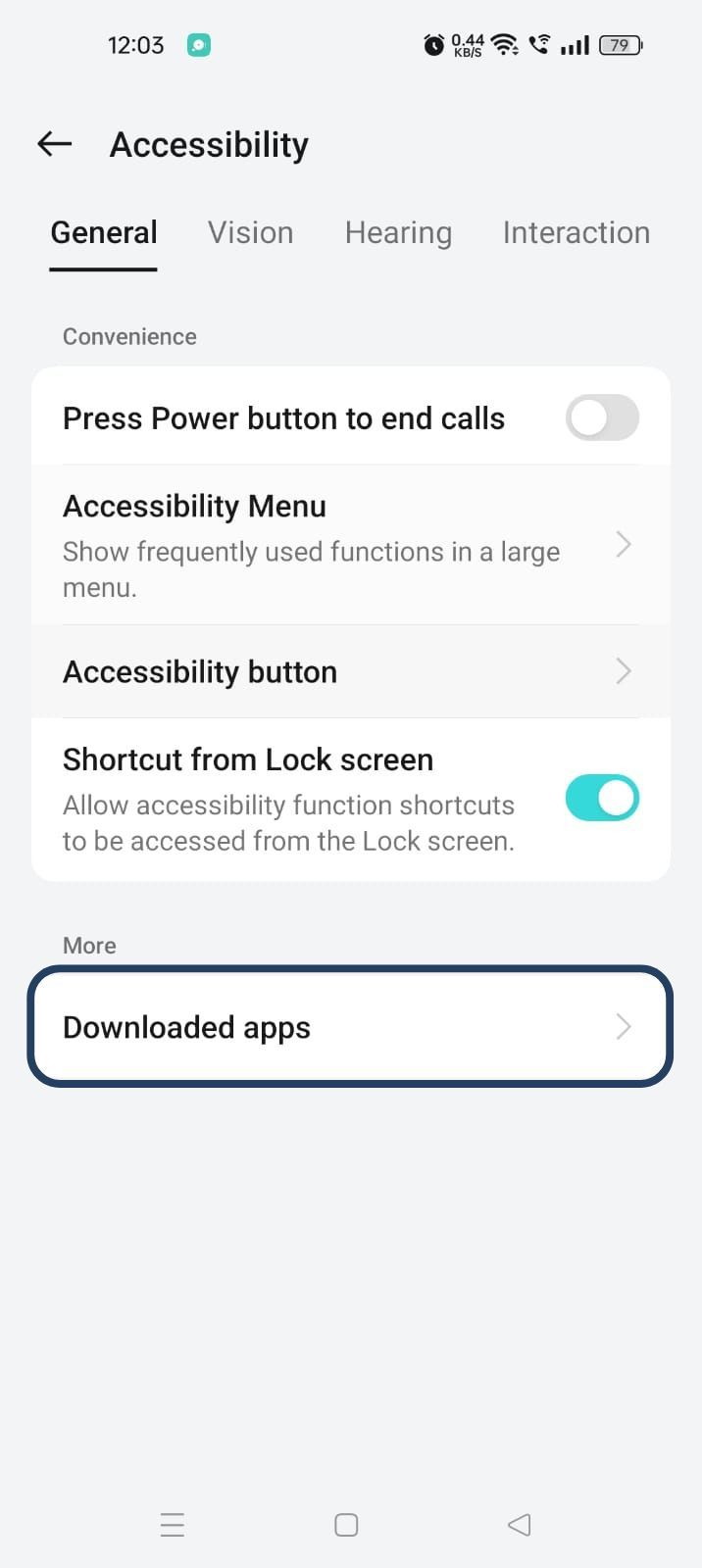
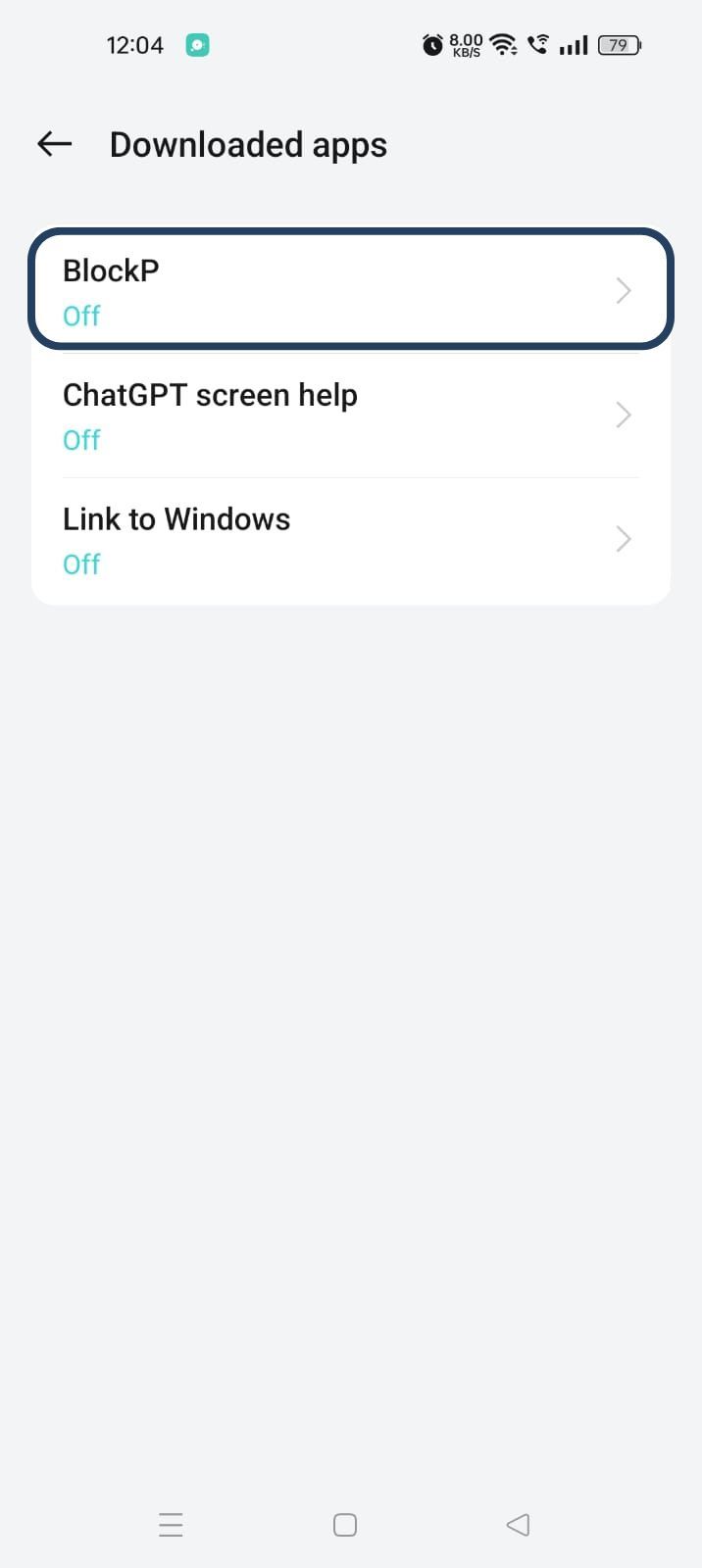
- Now, you will find Blockp - click on BlockP.
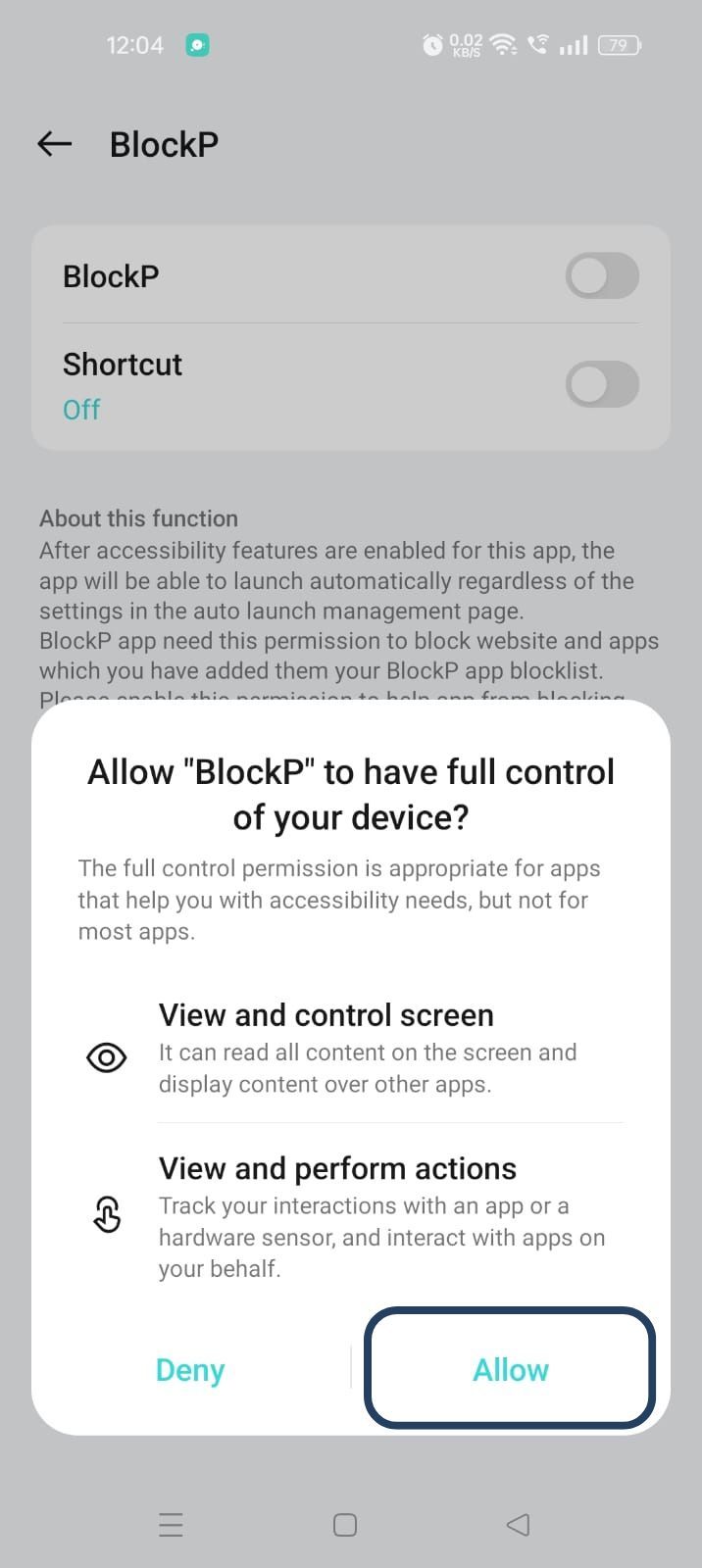
- The new screen will show a toggle in front of BlockP - enable the toggle and then click on the Allow button to complete the accessibility permission.
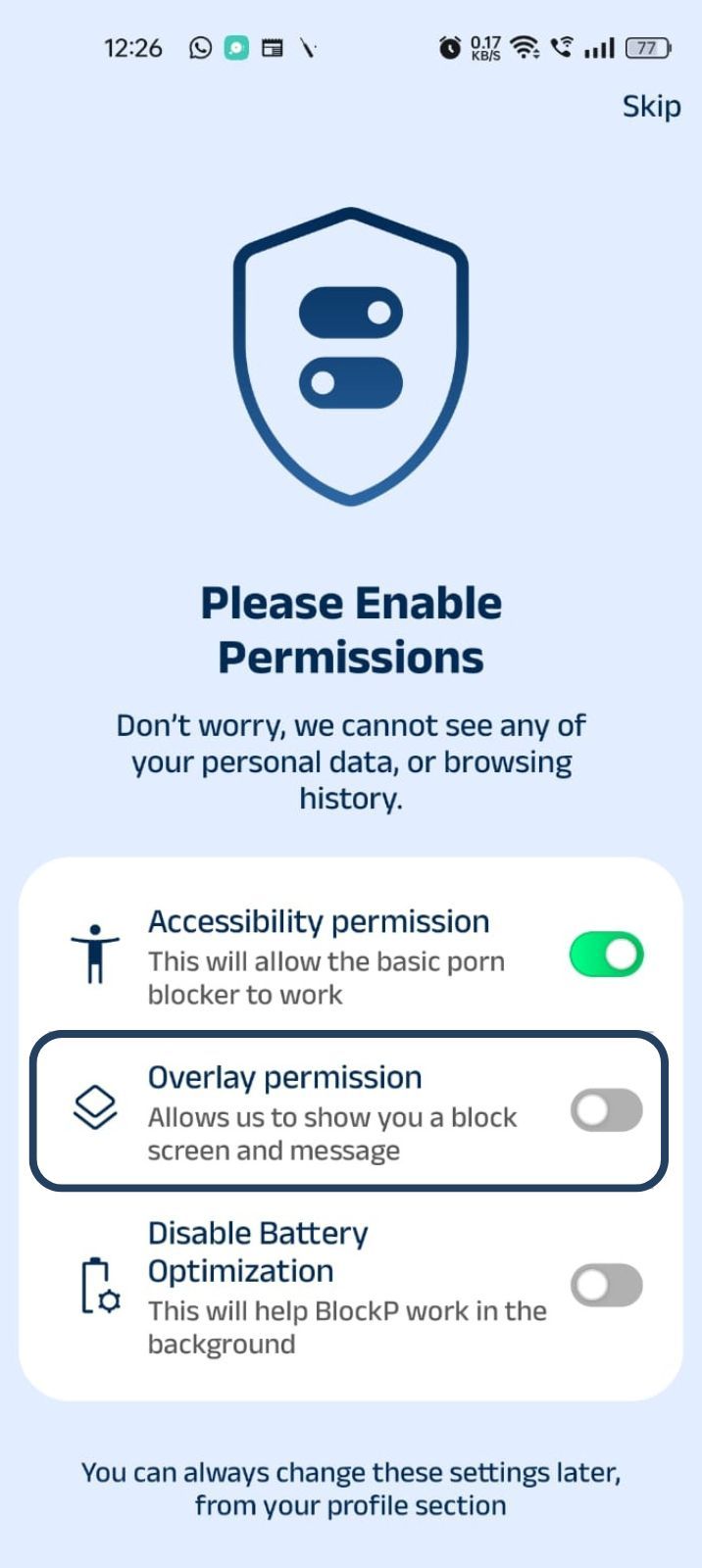
2. Overlay - lets BlockP show you a blocked screen and message when you try to access adult content.
- Click on Overlay permission toggle.
- You will get a menu with a list of apps titled - Display over other apps. Find BlockP in this list and click on it.
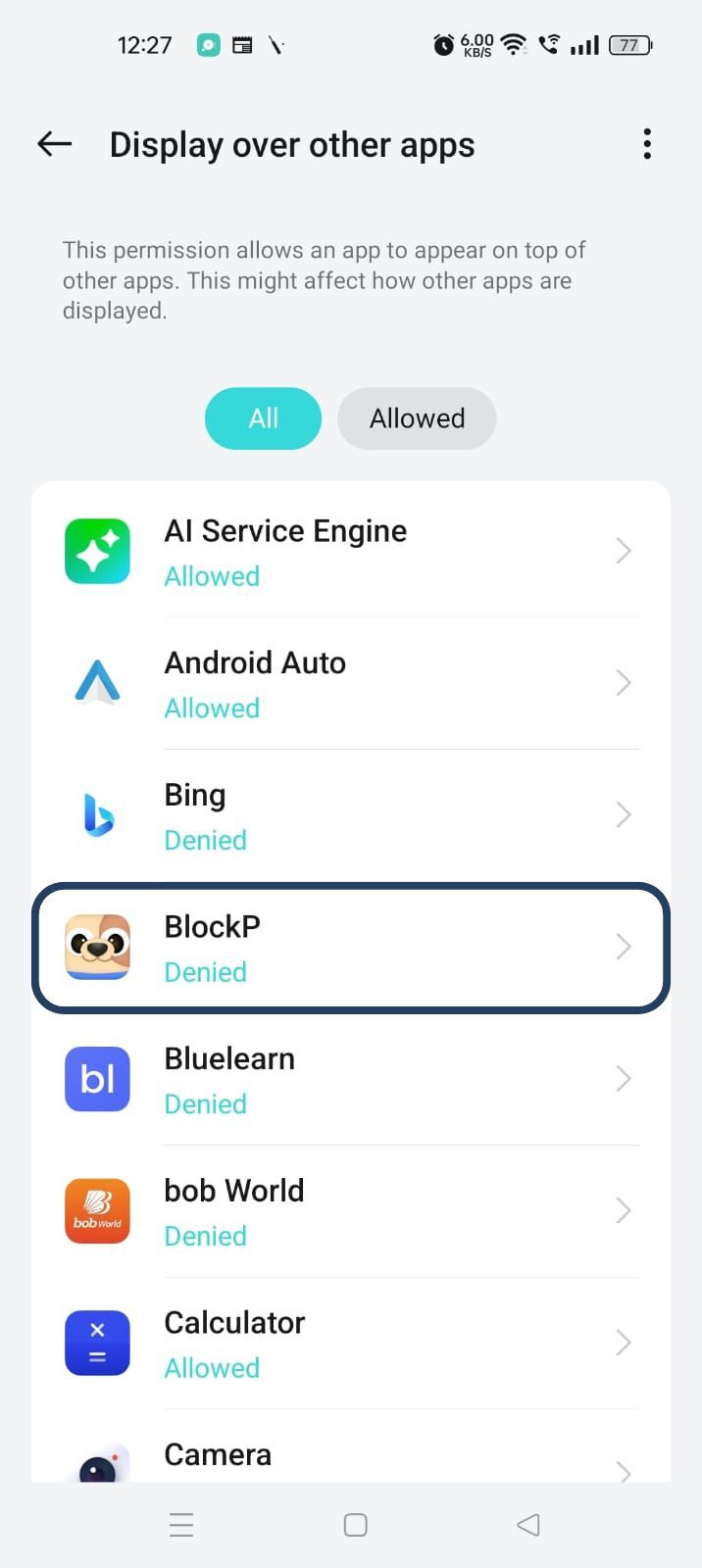
3. Disable battery optimization - so that BlockP can keep working in the background to filter adult content.
- Click on the Disable battery optimization toggle
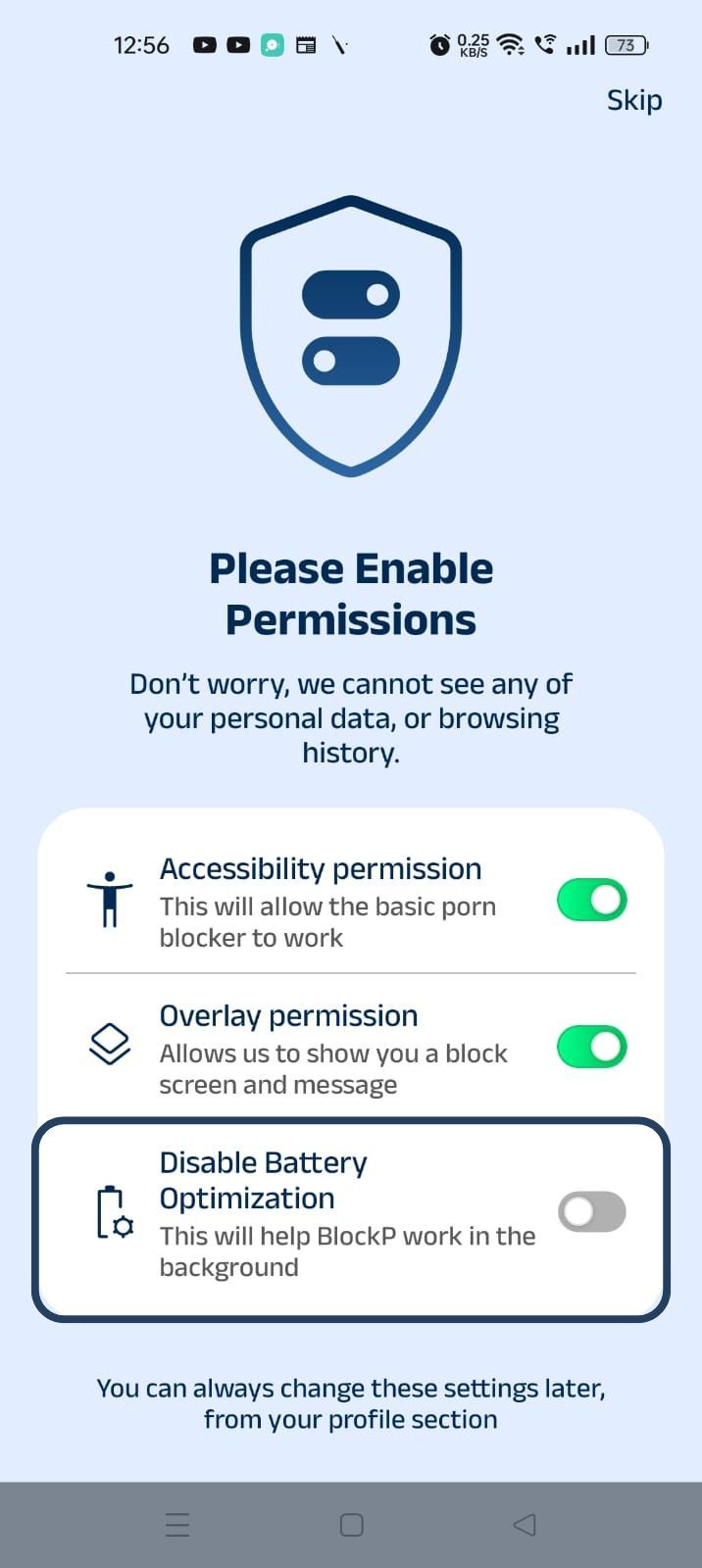
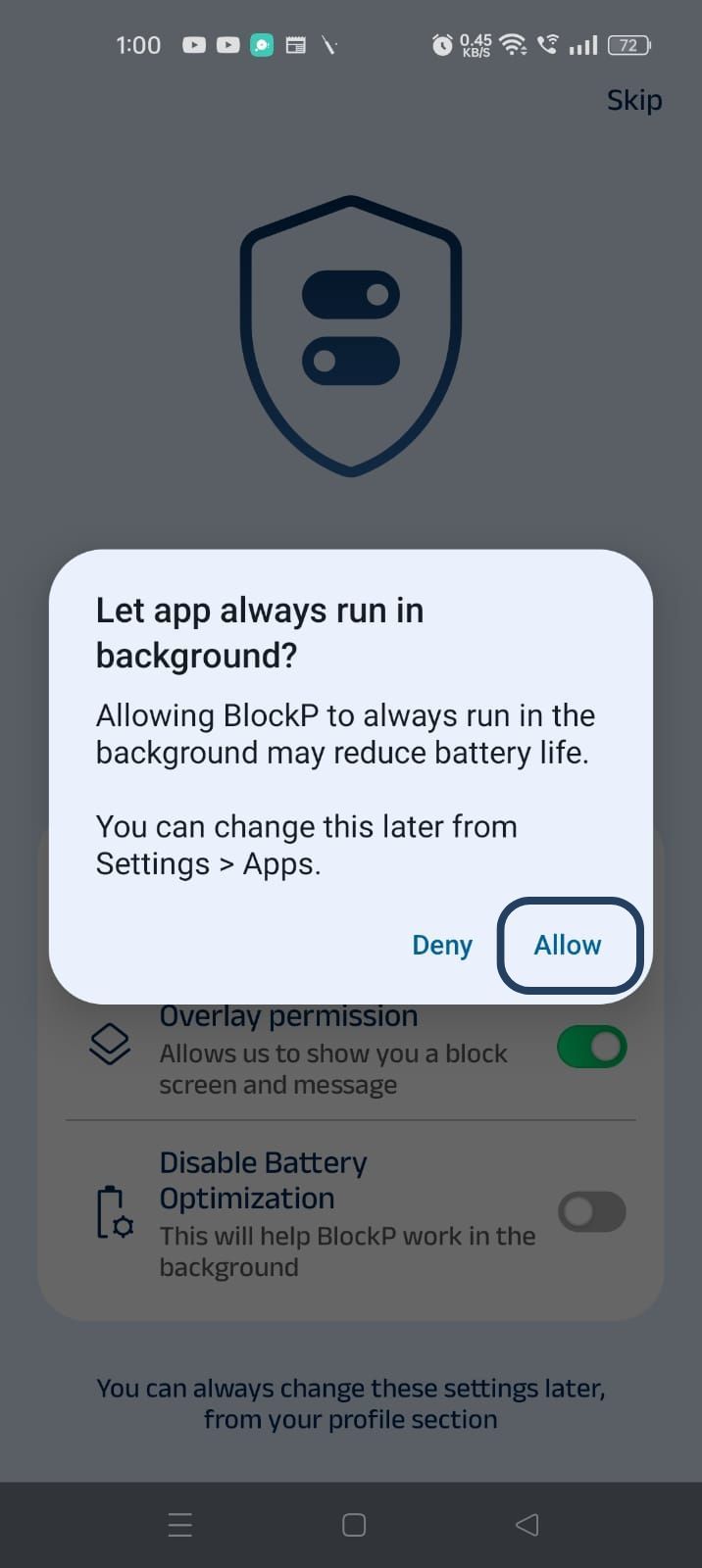
- When prompted, tap Allow to let BlockP run in the background. This helps BlockP stay active and block content without interruption.
Step 4: Go to Advanced Settings
Locate the advanced settings icon in the top right corner of BlockP’s home screen and click on it.
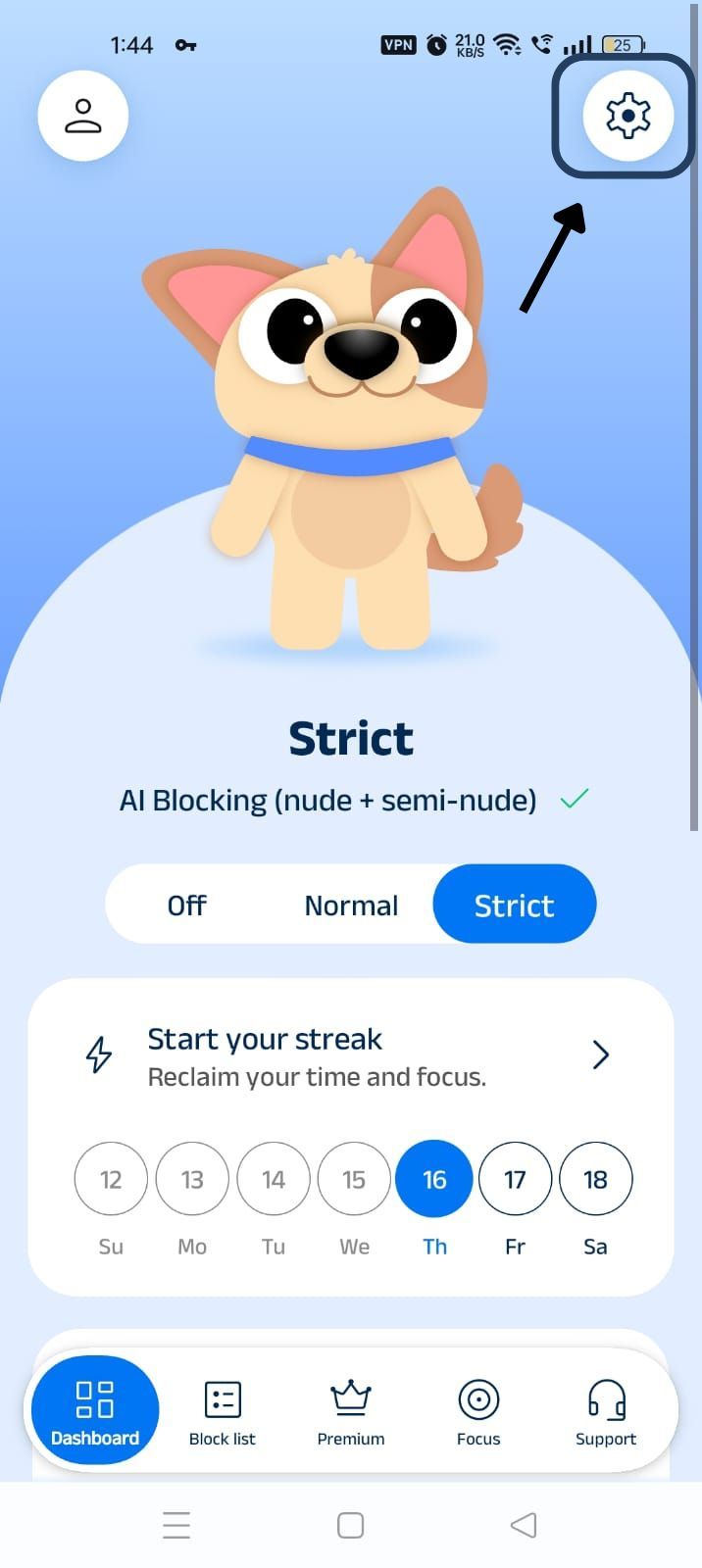
Step 5: Scroll Down to Social Media Blocking Section
Scroll down the General Settings section and find the Social Media Blocking subsection. This section lists options related to social media apps like WhatsApp, Telegram, Instagram, Facebook, Snapchat, X, and so on.
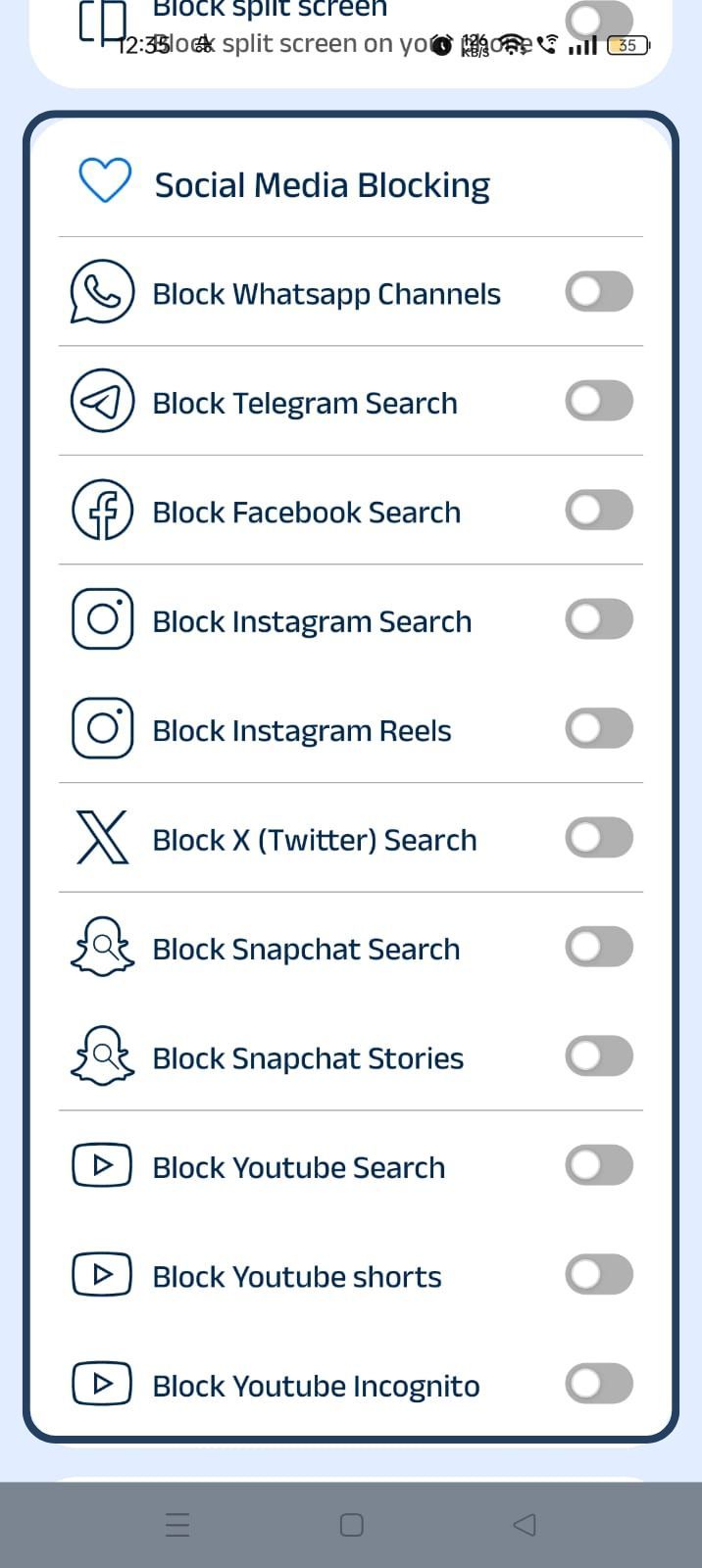
Step 6: Block Telegram Search
In the social media blocking section, find the Block Telegram Search option and slide the toggle to activate it.
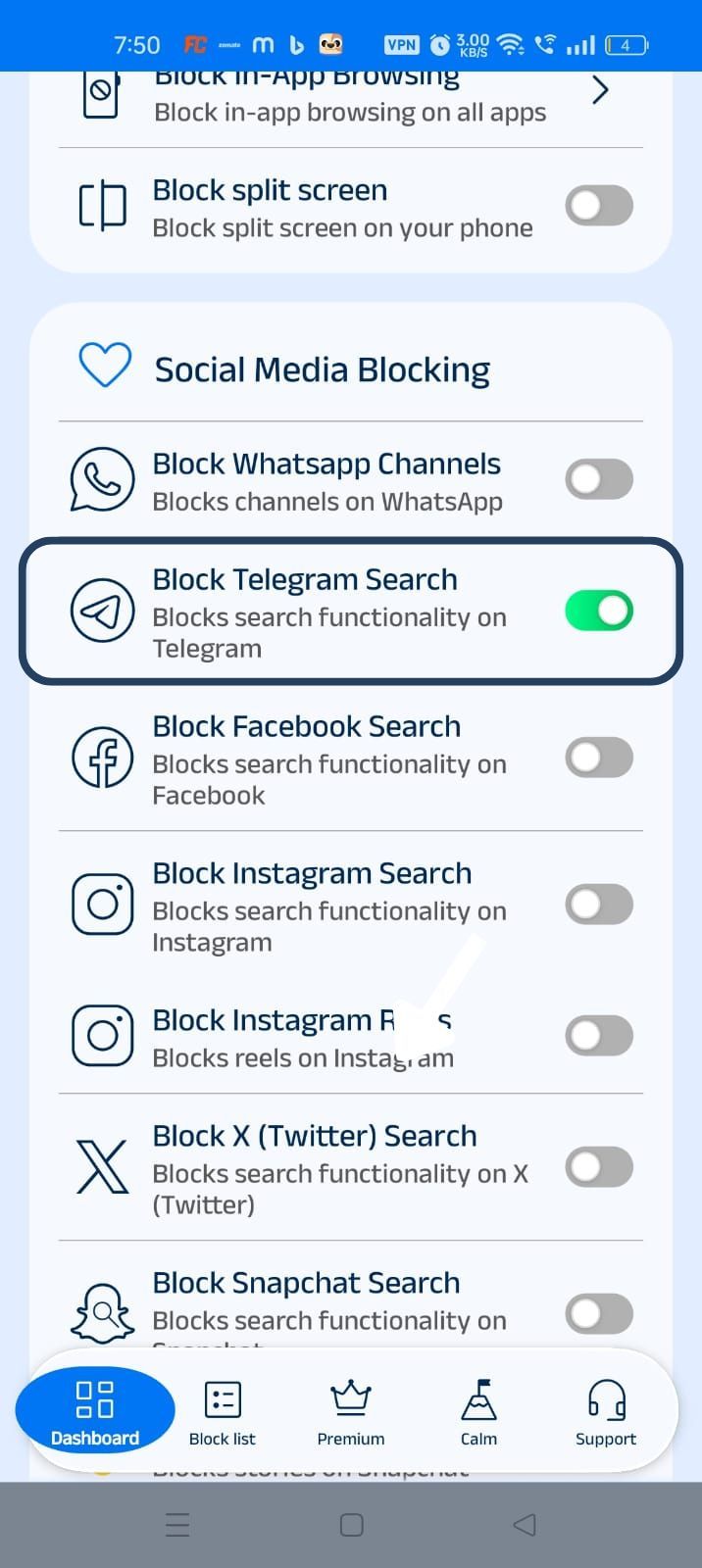
How Telegram Search Can Become a Distraction
Telegram’s content moderation is mostly reactive, i.e., the content gets removed only after it is reported. So, even though the Telegram platform is blocking thousands of channels and groups every day, until someone reports, the explicit content on unreported channels still stays searchable.
Telegram is also one of the major platforms that does not prohibit exploitative content in private chats. And alarmingly, the National Centre on Sexual Exploitation has found that the basic search function of Telegram can lead to unmoderated and adult-oriented channels. Telegram’s search-driven structure also makes it harder to moderate content.
These factors make Telegram search a highly risky zone where someone recovering from adult content addiction or a child searching for something totally innocent can encounter adult content.
Benefits of Blocking Telegram Search with BlockP
Blocking Telegram search helps you stay focused and also protects you from unsafe channels:
- When there is no search option, it reduces the compulsion for mindless browsing whenever you are bored.
- Telegram’s core use is chats and calls, which you can continue to use even when you use the BlockP Telegram blocker. You can also keep following the content on the channels you have subscribed to.
- When search is blocked, it reduces the risk of accidentally running into unmoderated content on public channels.
- For families, it helps to protect the kids from adult channels and unsafe links.
- When you combine it with other BlockP features like adult content blocking and focus mode, it creates a healthier and safer digital ecosystem.
How BlockP Blocks Telegram Search on Android
- When you open the Telegram app and try to type a keyword in the search bar, the accessibility permissions let BlockP see your screen and know that you are trying to use a blocked feature.
- The overlay permissions allow BlockP to display a custom screen over any other app on your phone. So, when it detects an attempt to use Telegram search, instead of search results, BlockP redirects you to its custom screen with a motivational message.
- Then you can use the ‘Back’ button option on the BlockP custom screen to take you back to your phone’s home screen.
Why Choose BlockP for Telegram Search Blocking?
Most content restriction or productivity apps end up blocking all features of Telegram. This kind of blunt approach without nuance is frustrating for people who are using Telegram for work or to stay connected with their friends.
What BlockP does is it blocks only one specific feature, Telegram Search, while keeping all others fully accessible. So, only the distracting feature is blocked, and the use of necessary features becomes more intentional.
Frequently Asked Questions
How do I block Telegram Search on Android?
BlockP gives you a setting for blocking Telegram search among its social media blocking features.
Can BlockP block Telegram Search without blocking the entire Telegram app?
Yes.
Can BlockP help reduce exposure to adult channels on Telegram?
The Block Telegram search feature is designed to stop people from searching a keyword and accidentally being led to an adult channel. As an additional protection along with Telegram content blocker, you can also enable BlockP’s adult content filters to block any adult Telegram channels.
Does Telegram search blocking hide adult and NSFW content?
When you block Telegram search with BlockP, you cannot use the search feature at all, and the adult content simply will not load. If you want to block Telegram adult content throughout the app, you have to enable BlockP’s AI filters and semi-nude content filters.
Will blocking Telegram Search affect other Telegram features?
No.
Does this feature work alongside BlockP's AI Content Filter?
BlockP's setting to block Telegram's global search works at the same time with other adult content blocking settings.
Can I enable or disable Telegram search blocking anytime?
The BlockP dashboard has a simple toggle setting to enable or disable the Telegram search feature anytime.
Does Telegram search blocking work on all Android devices?
If your Android phone has accessibility and overlay permissions, then it will let the blocked Telegram search feature work.
Can parents use this feature to help reduce exposure to inappropriate content?
Parents can block Telegram adult content searches by using BlockP to keep their children safe from adult content. Without search, the children can only use Telegram to communicate with subscribed channels and contacts.
Is Telegram search blocking included in the free version of BlockP?
Yes.