
How to Block Twitter (X) Search on Android Using BlockP
Block Twitter Search on Android with BlockP to reduce exposure to pornographic, NSFW, and sensitive content that surfaces in search while staying focused online.
Get Started with BlockPTwitter search feels like a harmless and even a handy tool for finding something interesting. But, when you actually begin to use it, you will realize its potential for distraction and cannot help thinking, “Is there a way to block Twitter search on my phone?”
Most of us need to use Twitter for work or as part of our social interactions.
But the search feature can often drag us away from the content we actually follow and expose us to content that is not useful. The infinite scrolling and suggestions of Twitter search results can hijack our attention and make the app itself feel addictive.
So, there are two parallel requirements - the need to block Twitter search and an equally important need to keep using other necessary features of the app. For this exact purpose, BlockP has a dedicated setting to block Twitter search.
How to Block Twitter Search on Android with BlockP
Here is how to block Twitter search on your Android phone with BlockP:
Step 1: Install BlockP
Download the BlockP app from the Google Play Store and install it on your Android phone.
Step 2: Sign Up on BlockP
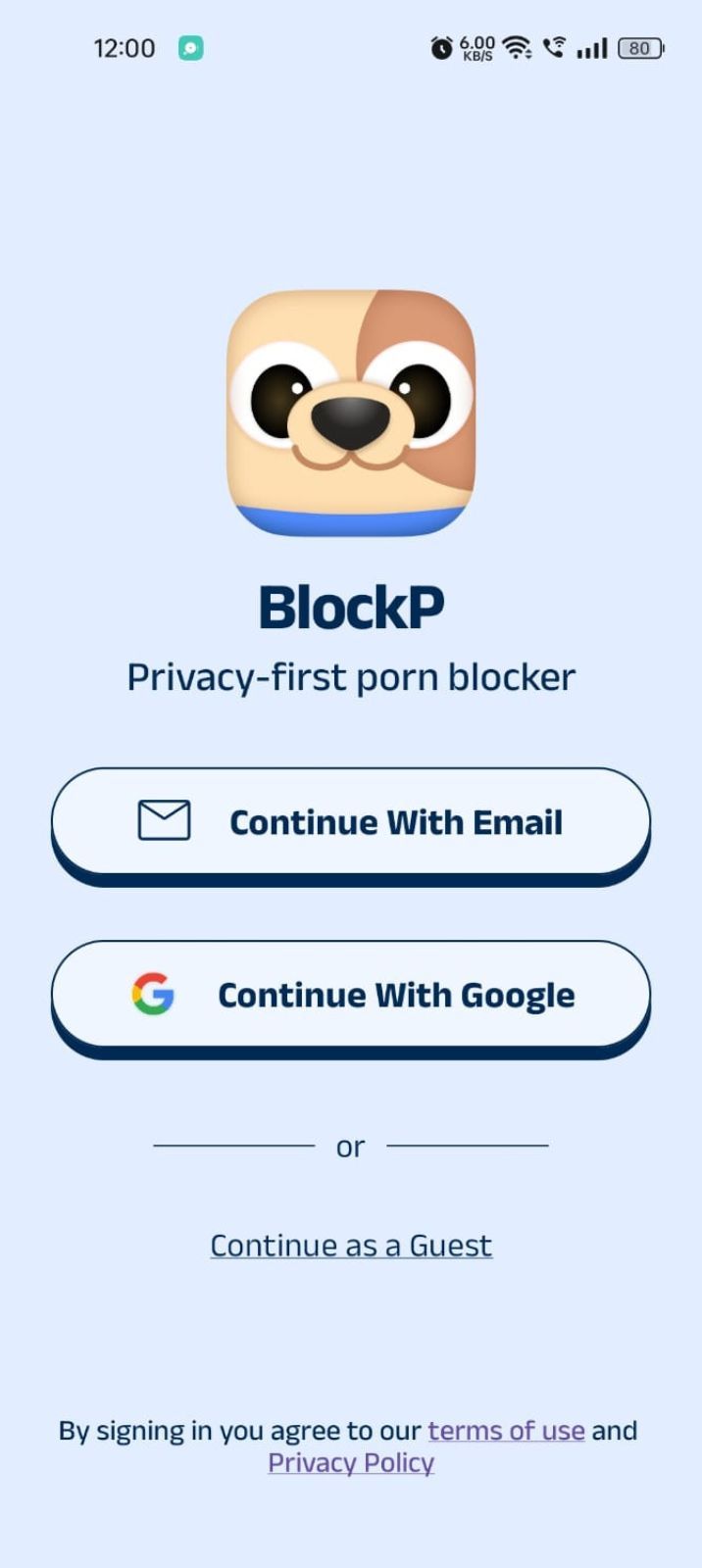
- Open the BlockP app.
- Sign up using Email or Google.
- Or tap Continue as a Guest to get started without creating an account.
Step 3: Give Necessary Permissions
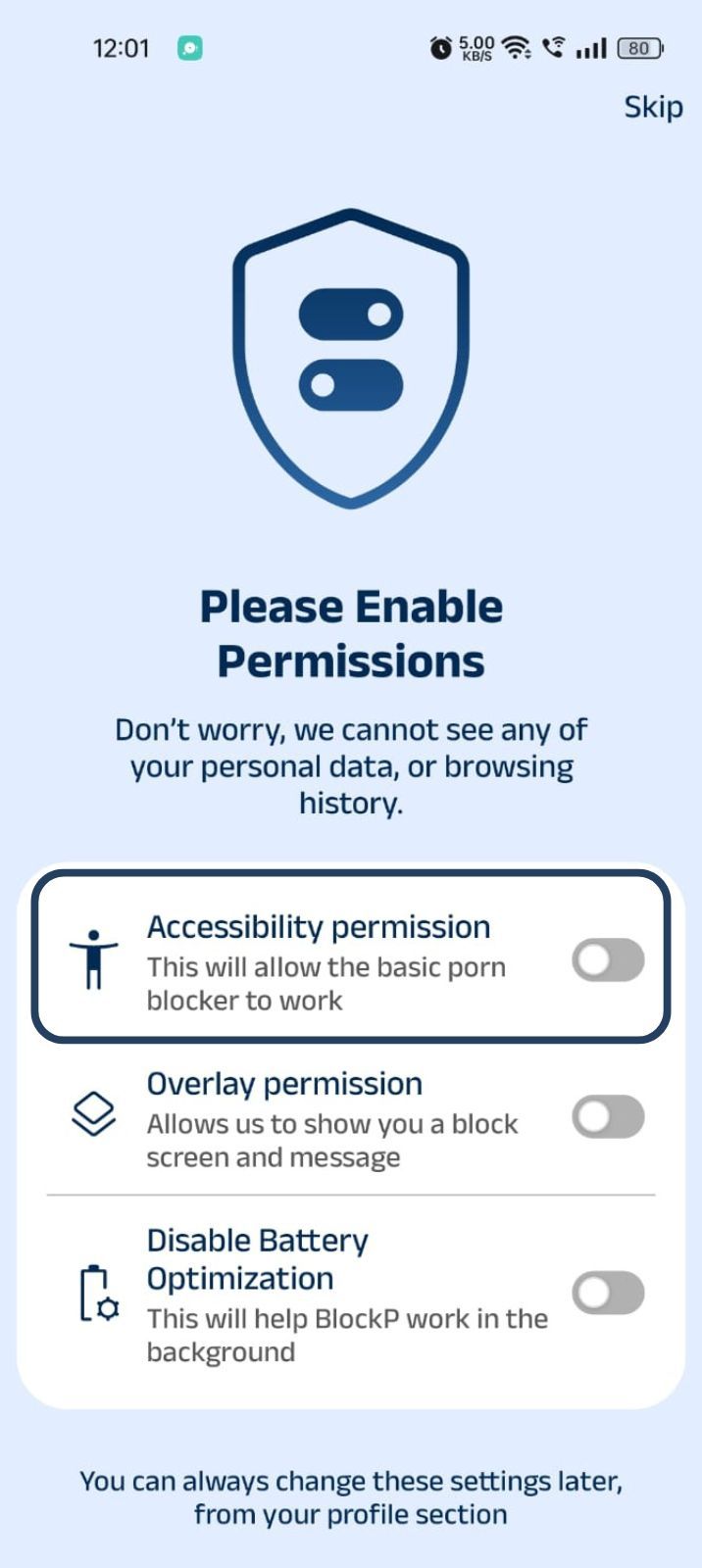
1. Accessibility - Lets the Android adult content blocker see what you are watching on your screen. Here is how to let BlockP use it:
- Click on the Accessibility permission toggle.
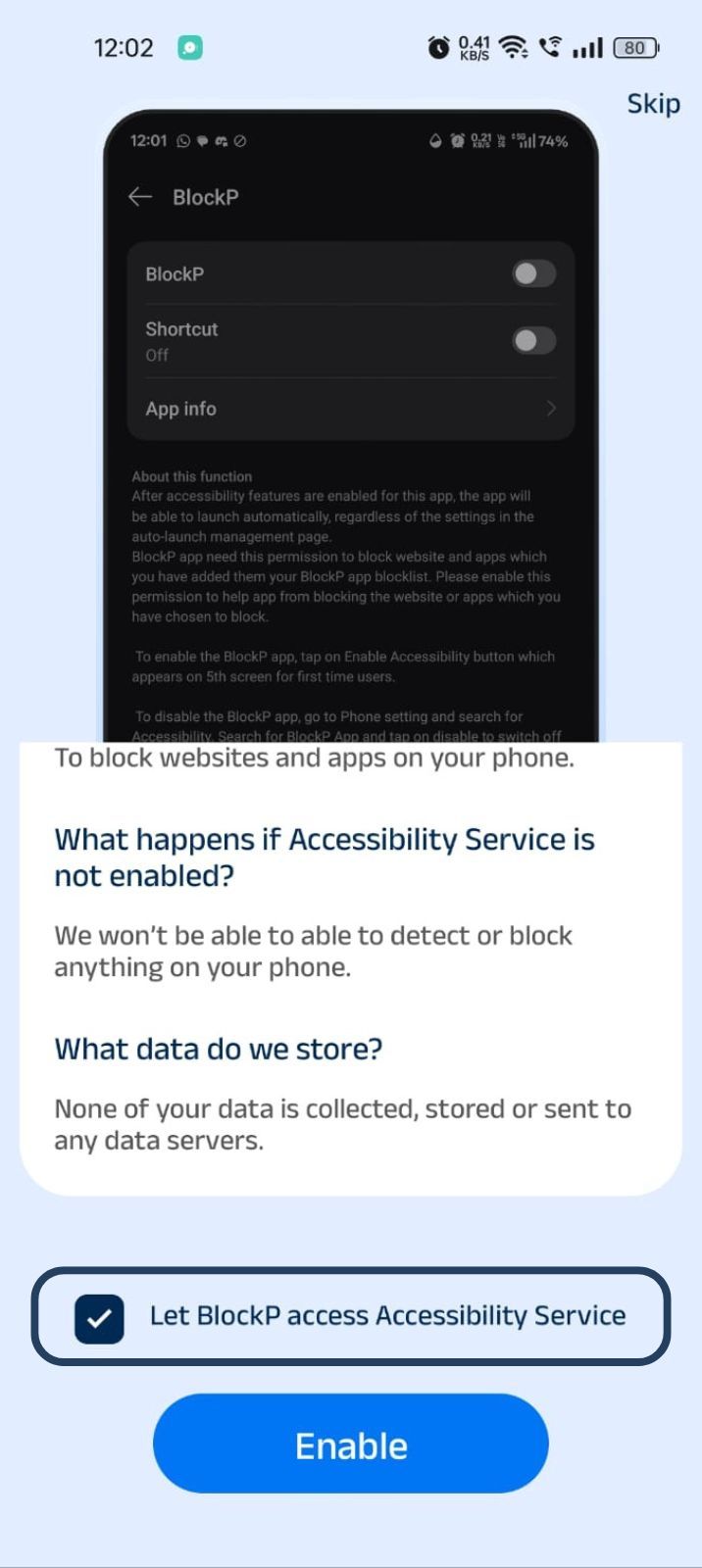
- Then click on "Let BlockP Access Accessibility Services"
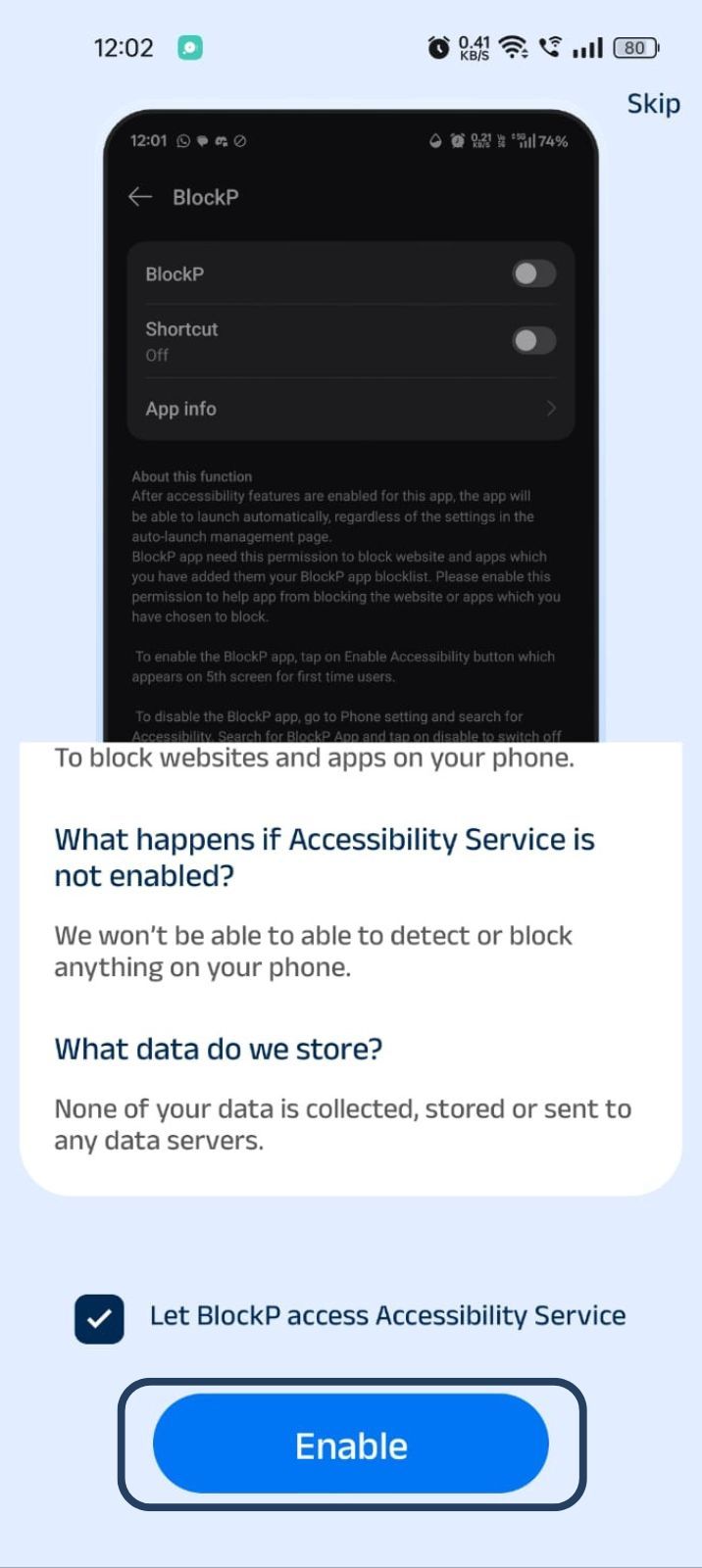
- Next, click on the Enable button
- Next, click on the downloaded apps button.
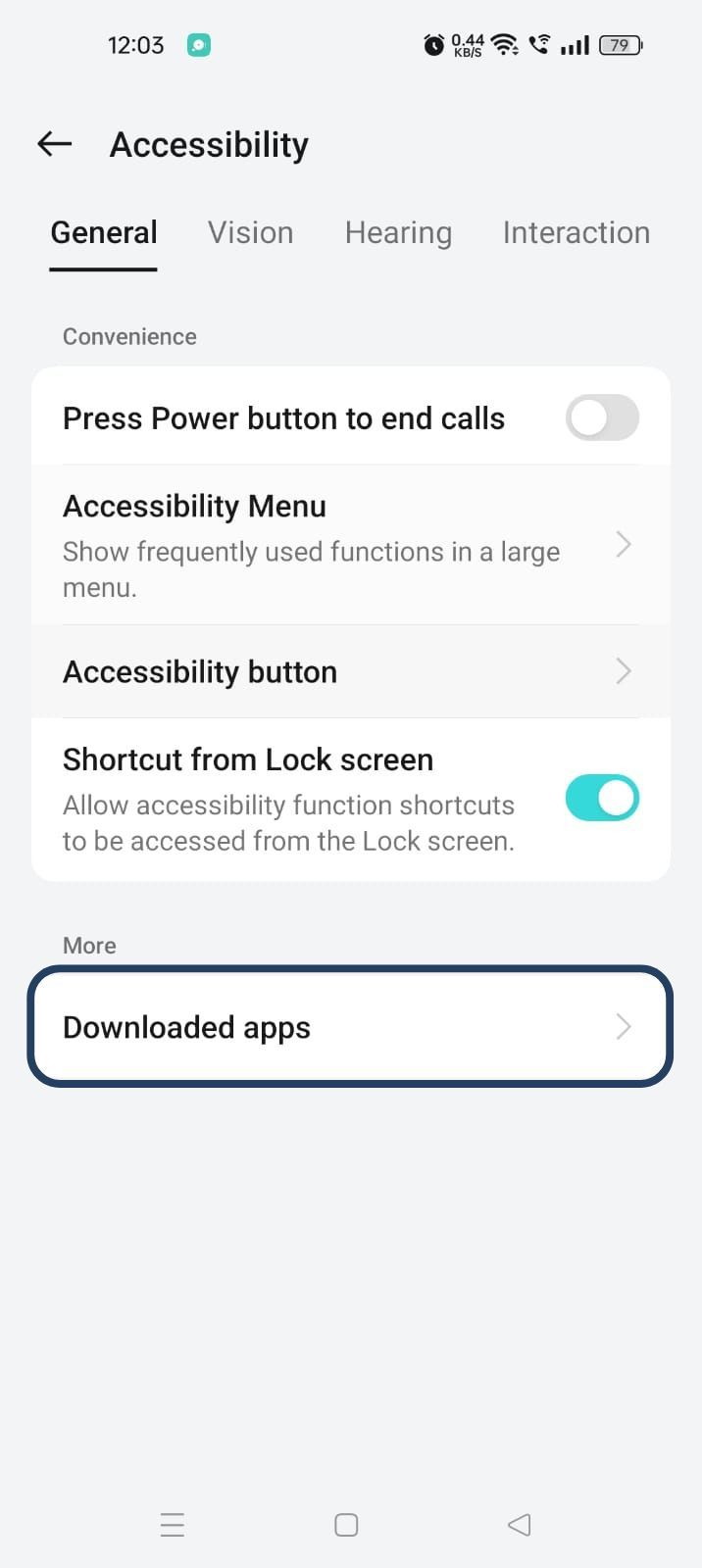
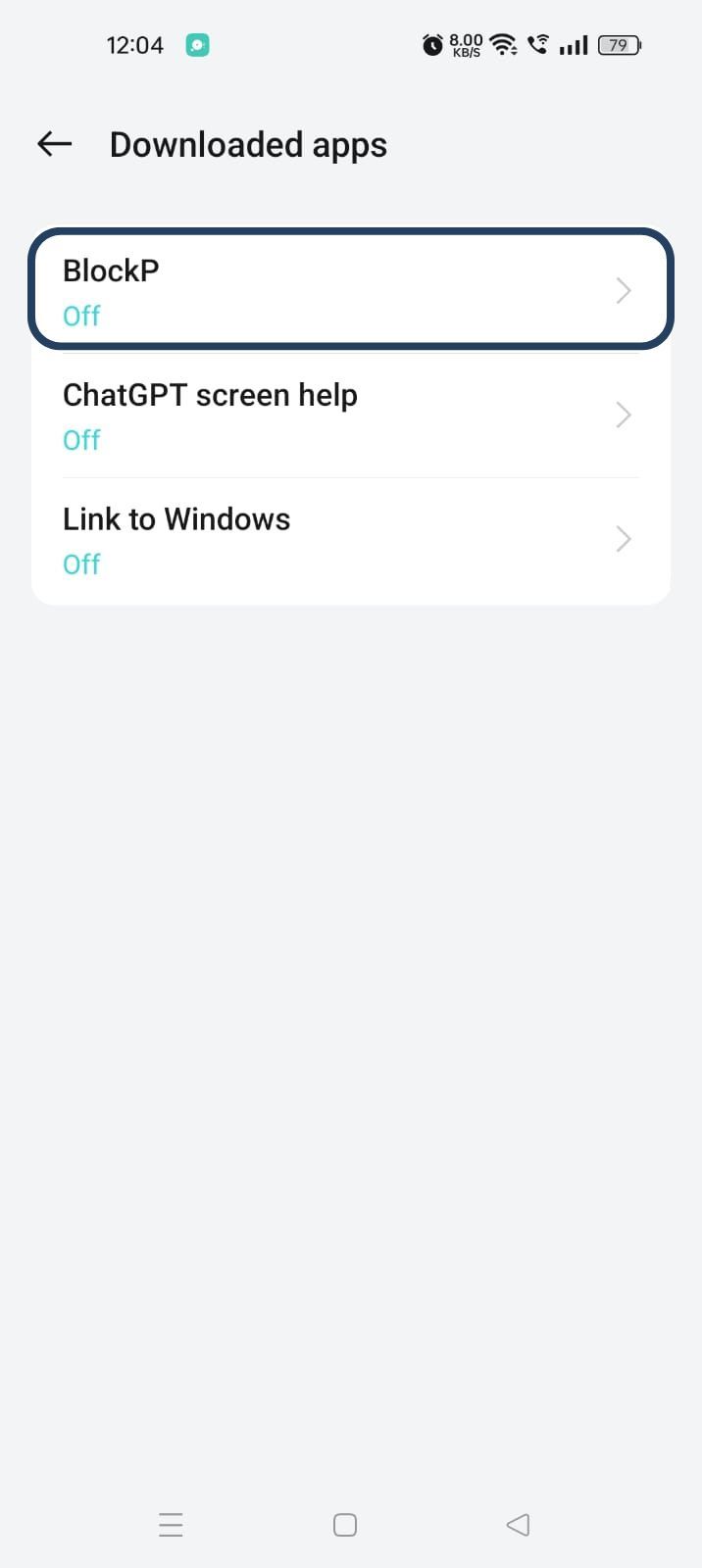
- Now, you will find Blockp - click on BlockP.
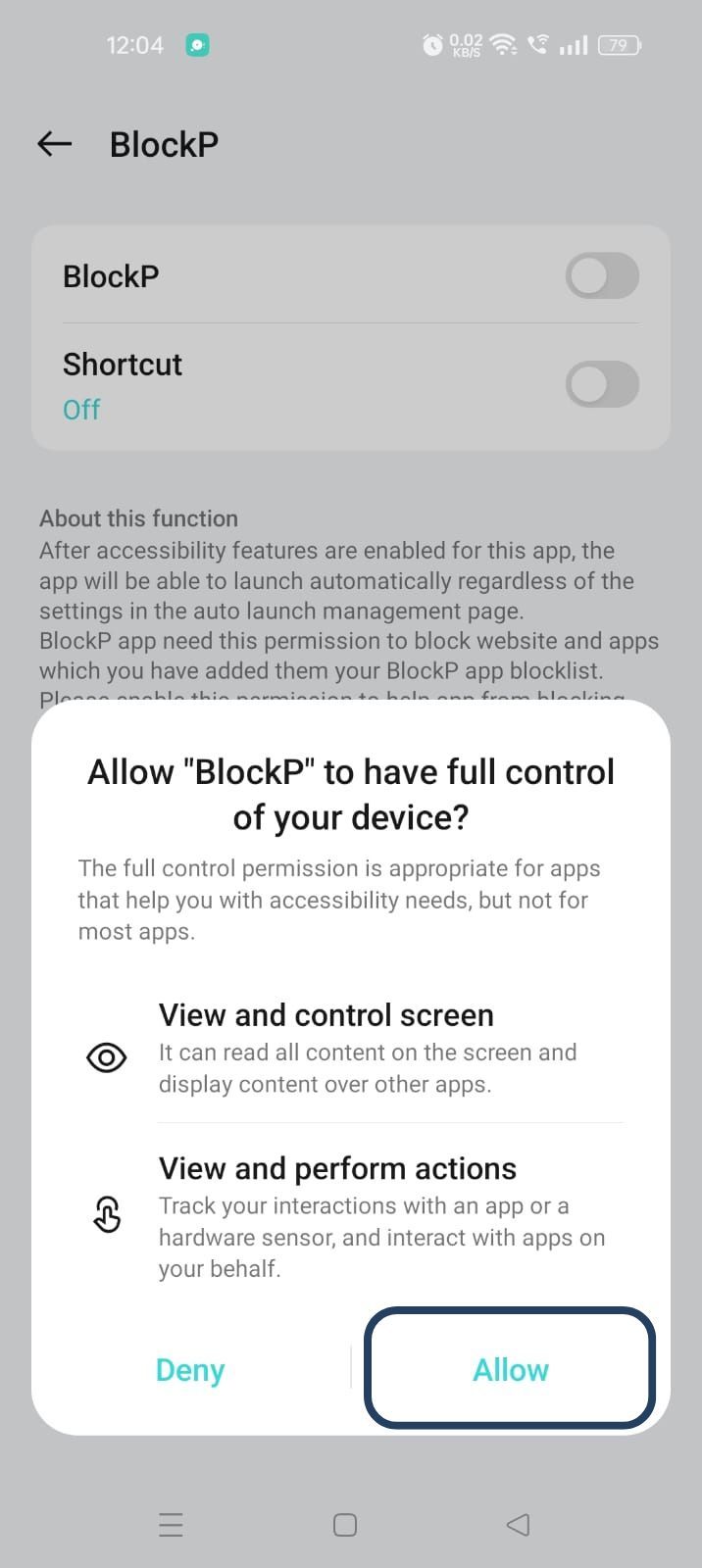
- The new screen will show a toggle in front of BlockP - enable the toggle and then click on the Allow button to complete the accessibility permission.
2. Overlay - lets BlockP show you a blocked screen and message when you try to access adult content.
- Click on Overlay permission toggle.
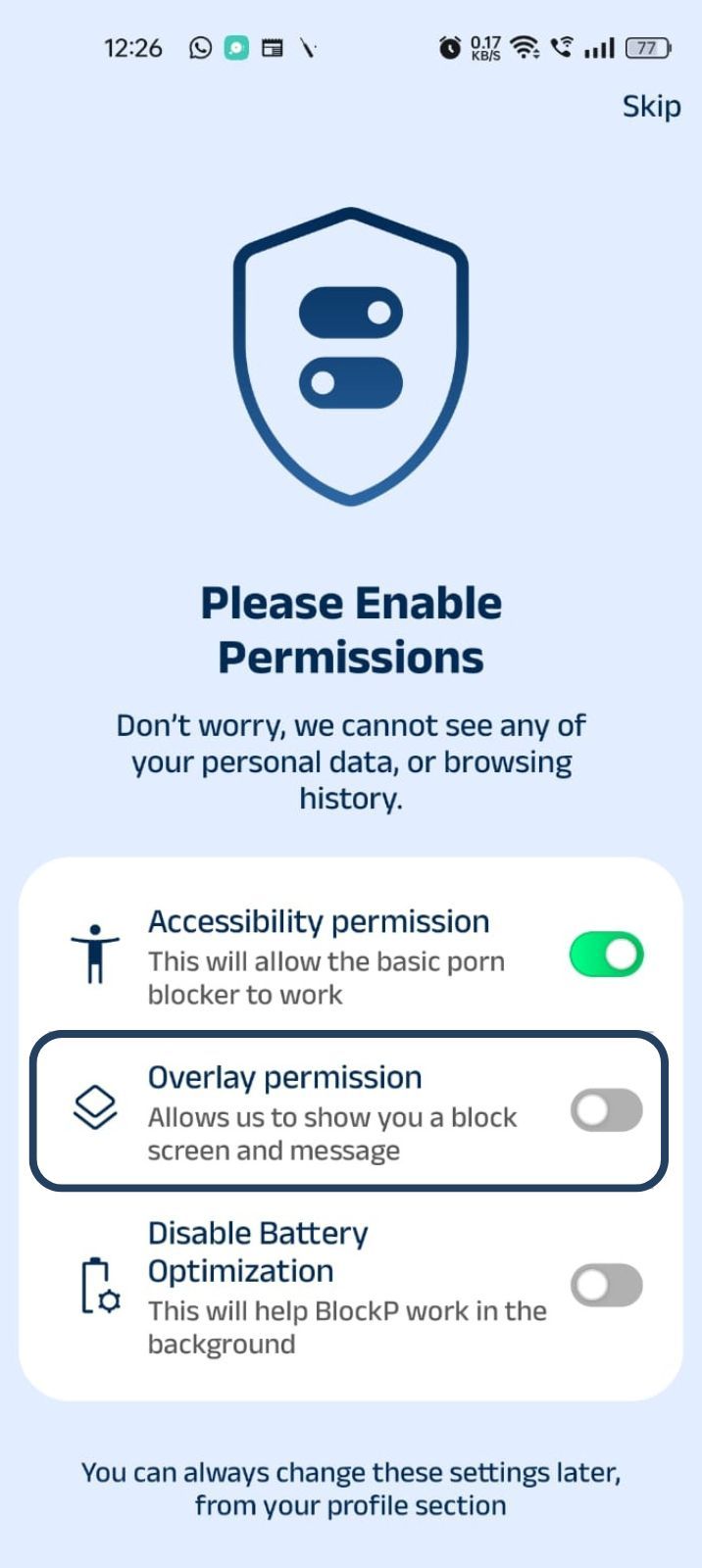
- You will get a menu with a list of apps titled - Display over other apps. Find BlockP in this list and click on it.
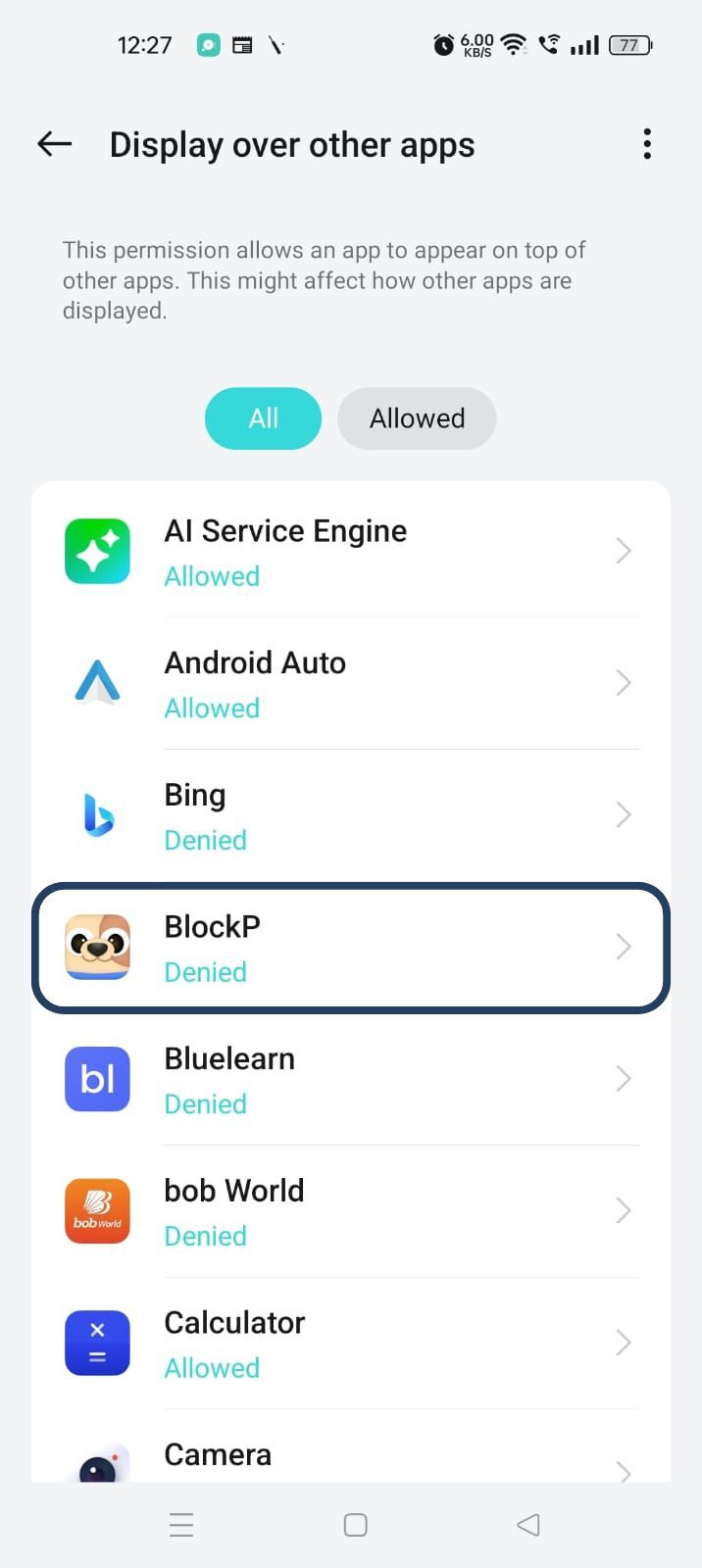
3. Disable battery optimization - so that BlockP can keep working in the background to filter adult content.
- Click on the Disable battery optimization toggle
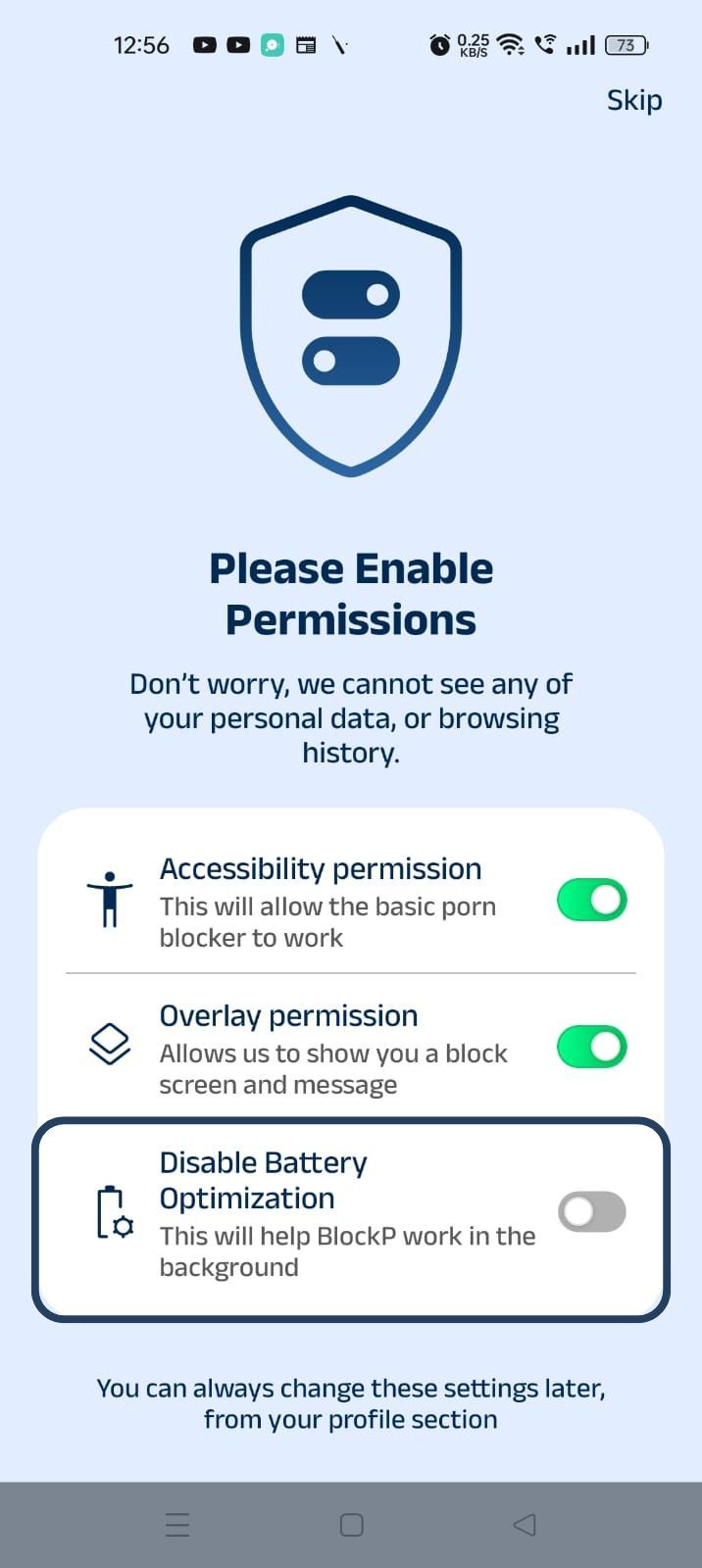
- When prompted, tap Allow to let BlockP run in the background. This helps BlockP stay active and block content without interruption.
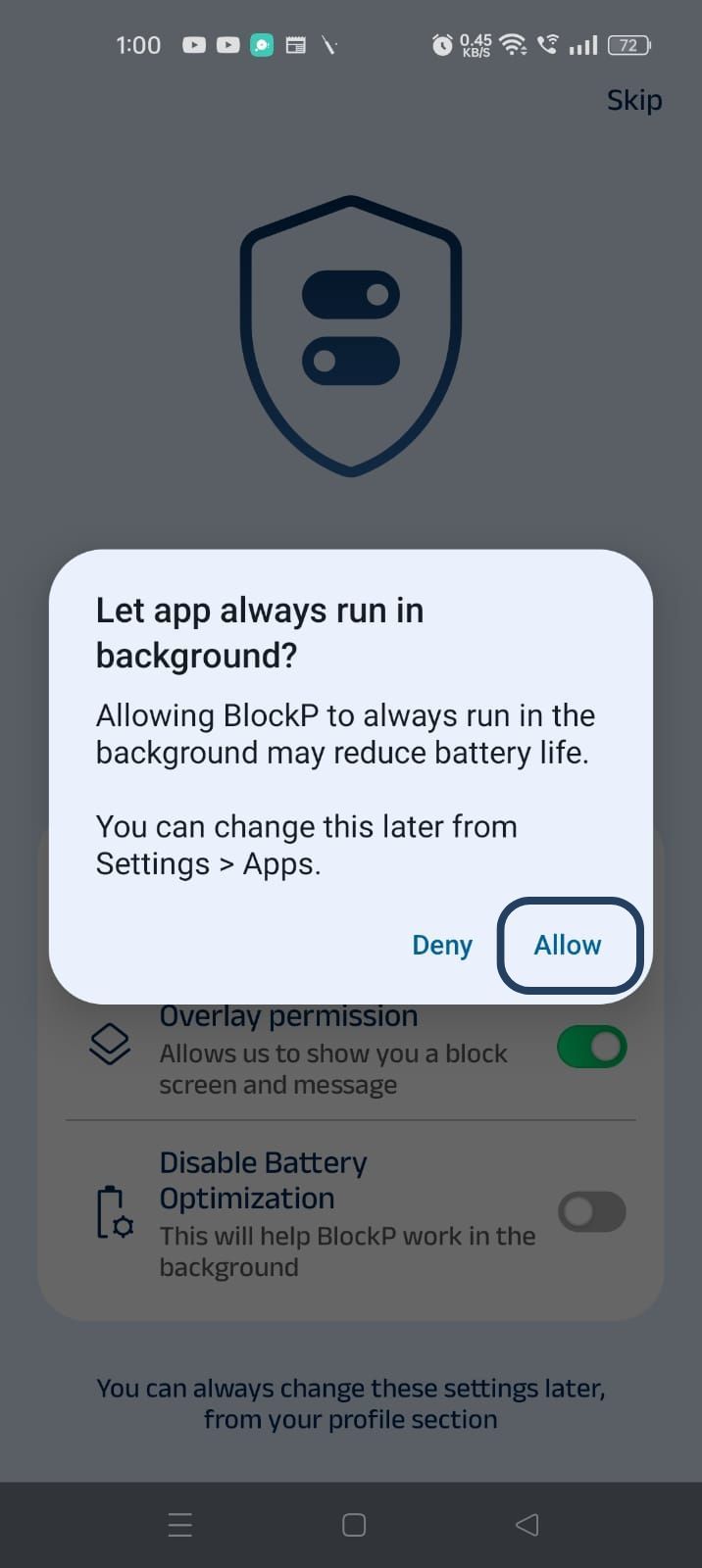
Step 4: Go to Advanced Settings
Locate the advanced settings icon in the top right corner of BlockP’s home screen and click on it.
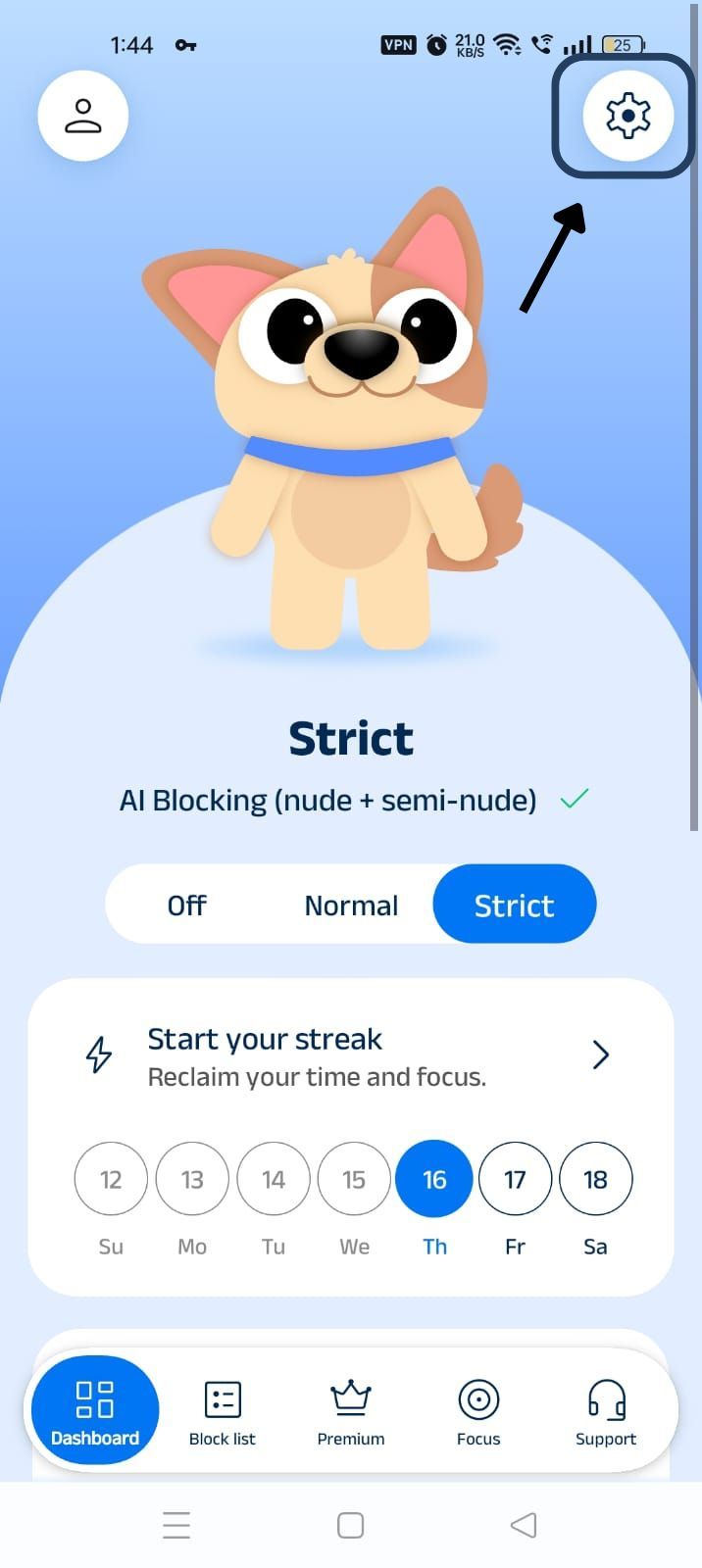
Step 5: Scroll Down to Social Media Blocking Section
Scroll down the General Settings section and find the Social Media Blocking subsection. This section lists options related to social media apps like WhatsApp, Telegram, Instagram, Facebook, Snapchat, X, and so on.
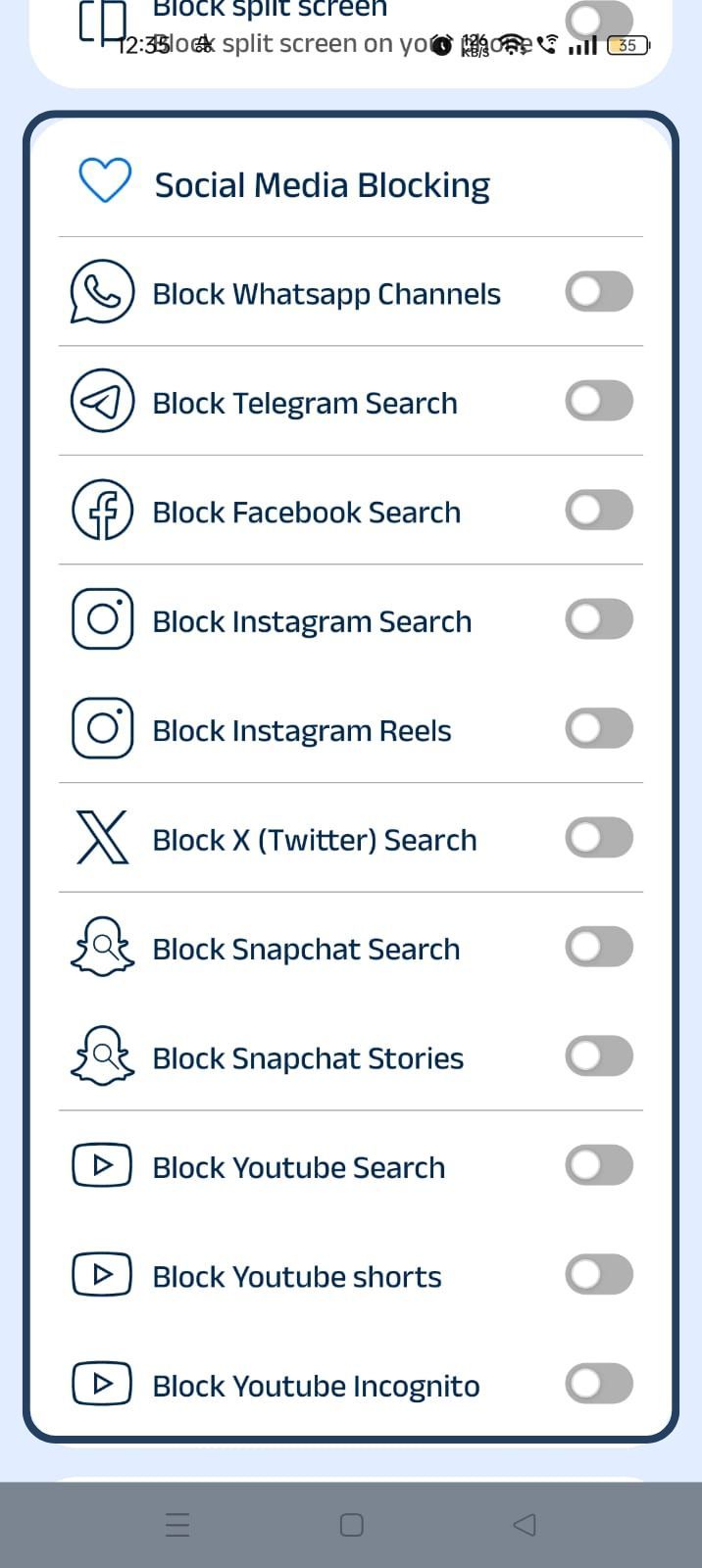
Step 5: Block Twitter Search
In the social media blocking section, find the Block Twitter Search option and slide the toggle to activate it.
How Twitter Search Can Become a Distraction
When you think of using Twitter search, it is normal to assume that you will type in a keyword or hashtag, Twitter will give results related to that hashtag, you will find the info you are looking for, and work or study continues.
But the search on Twitter is not a closed loop. When you search something on Twitter, the result page is an infinite scroll of posts and media that contain not just what you are looking for but also trending topics, ads, unrelated replies, and auto-suggestions.
So, instead of finding what you came looking for, you will lose your time and focus in the flood of results.
Benefits of Blocking Twitter Search with BlockP
When you block Twitter search with BlockP, there is no disruption to real work that you need to do with DMs or posts. Also, when you have enabled the block Twitter search feature, you are removing a huge entry point for distractions where you begin searching something and get lost in the labyrinth of results.
So, Twitter use becomes more intentional, and it improves your productivity.
Sometimes inappropriate content can show up in Twitter searches. So, when you use BlockP to block Twitter search on shared devices, your children can not use another account to access search or accidentally come across pornographic content in search results. So, it makes shared devices safer.
How BlockP Blocks Twitter Search on Android
When you give accessibility permission to BlockP, it can see exactly what you are seeing or what app you are using on your phone. (This is perfectly safe because BlockP does the filtering on your phone itself, and your data is not shared).
So, when you type a keyword in the search bar of the Twitter or X app, BlockP can know that you are trying to use a blocked feature.
The overlay permissions allow BlockP to display a custom screen over any other app on your phone. So, when it detects an attempt to use the Twitter search, instead of search results, BlockP redirects you to its custom screen with a motivational message. So, the search results never load.
Then you can use the ‘Back’ button option on the BlockP custom screen to take you back to your phone’s home screen.
Why Choose BlockP?
Most content restriction apps work by blocking all features of Twitter. This kind of blunt approach without nuance is frustrating for people who are using Twitter for work or still need to access the DMs and their Twitter feeds.
What BlockP does is block only one specific feature, Twitter Search, while keeping all others fully accessible. So, only the distracting feature is blocked, and the use of necessary features becomes more intentional.
Frequently Asked Questions
How do I block Twitter Search on Android?
On the BlockP Android app, you can get the option to block specific social media features like Twitter search.
Can BlockP block Twitter Search without blocking the entire Twitter app?
Yes, it can.
Can BlockP help reduce exposure to pornographic content on Twitter?
BlockP's AI-powered filters can block pornographic content on Twitter.
Does Twitter search blocking hide NSFW and sensitive media?
BlockP Twitter blocker stops any result from loading, so there is no content to be blocked. If you want to hide NSFW and sensitive media, you have to enable the AI filters and semi-nudity filters on the BlockP app.
Will blocking Twitter Search affect other Twitter features?
No.
Does this feature work alongside BlockP's AI Content Filter?
BlockP’s Twitter content blocker can work along with the AI content filter.
Can I enable or disable Twitter search blocking anytime?
The Twitter content blocker can be turned on or off in the BlockP dashboard based on your preference anytime.
Does Twitter search blocking work on all Android devices?
If the Android device supports accessibility and overlay permissions, then BlockP can detect and block the efforts to access Twitter search.
Can parents use this feature to help reduce exposure to inappropriate content?
Parents can use BlockP’s features to block Twitter adult content along with the Twitter search blocking option to protect their children from inappropriate content on the platform.
Is Twitter search blocking included in the free version of BlockP?
Yes.