How to Block Split Screen on Android with BlockP
Learn how to block Split Screen on Android with BlockP. Prevent multitasking, reduce distractions, and strengthen your focus with Split Screen Protection.
Get Started with BlockPA split-screen blocker like BlockP is a much-needed feature for all of us who are using Android phones.
The split-screen option seems very convenient at first, but over time it can become a loophole where people try to sneak unsafe apps.
What begins as ‘multitasking’ on two productive apps also often becomes one work app + one infinite scrolling app. No wonder it hijacks our attention and tanks productivity – the very opposite effect of what split-screen is supposed to do in theory.
Split-screen is a genuinely helpful feature, but if you are trying to build healthier digital habits and want to limit online distractions, it's time to get the split-screen blocker like BlockP.
How to Enable Split Screen Protection in BlockP Android
Here is how to block split screen feature on your Android device with BlockP:
Step 1: Install BlockP.
Download the BlockP app from the Google Play Store and install it on your Android phone.
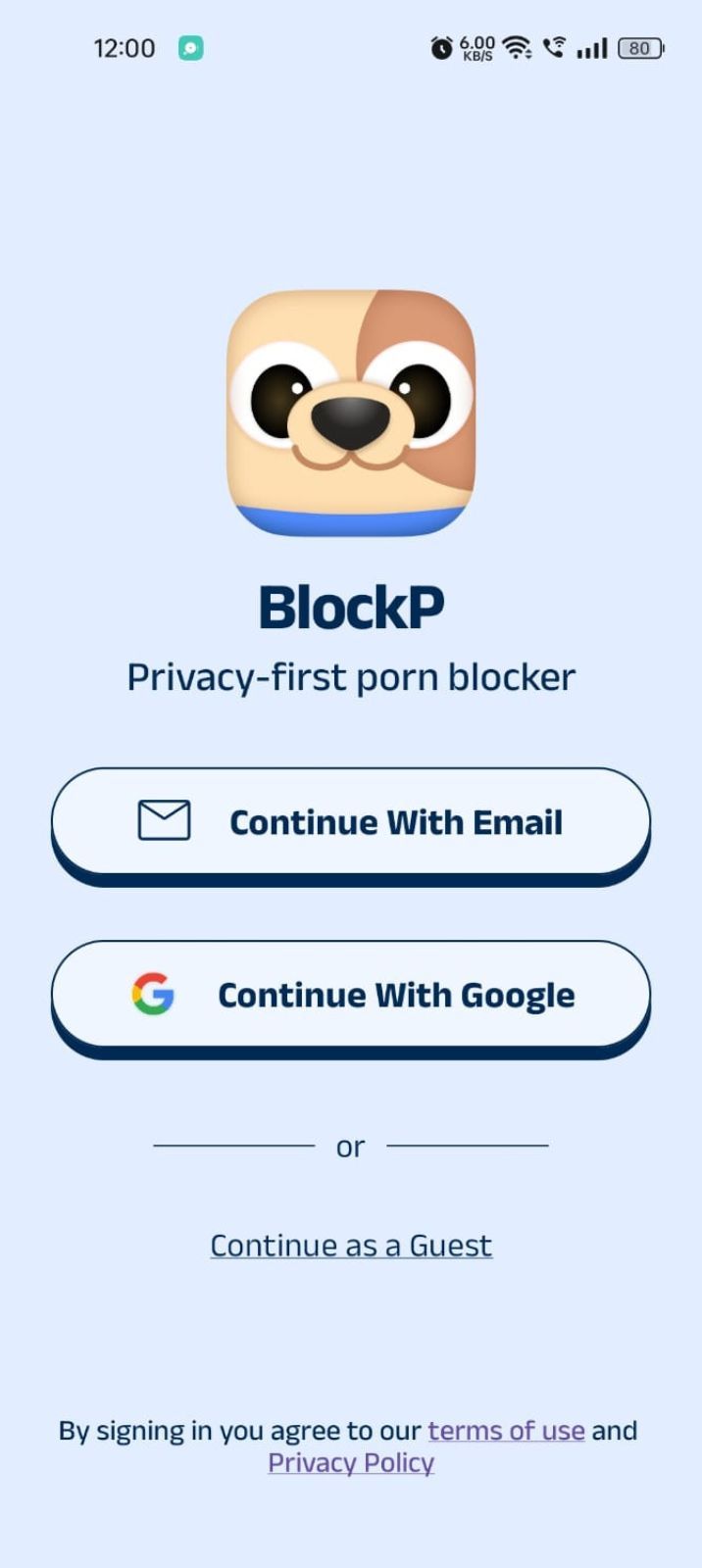
Step 2: Sign Up on BlockP
- Open the BlockP app.
- Sign up using Email or Google.
- Or tap Continue as a Guest to get started without creating an account.
Step 3: Give Necessary Permissions
1. Accessibility - Lets the Android adult content blocker see what you are watching on your screen. Here is how to let BlockP use it:
- Click on the Accessibility permission toggle.
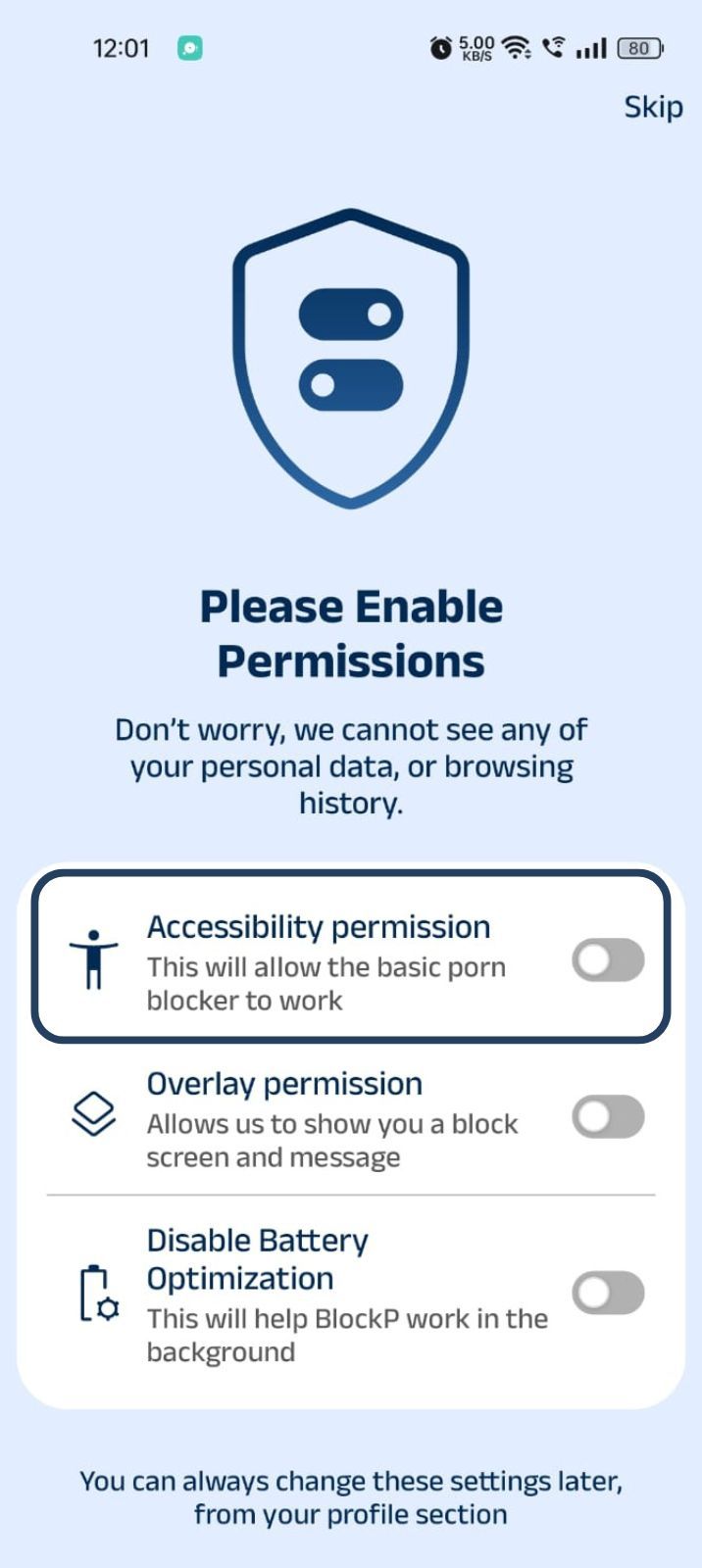
- Then click on "Let BlockP Access Accessibility Services"
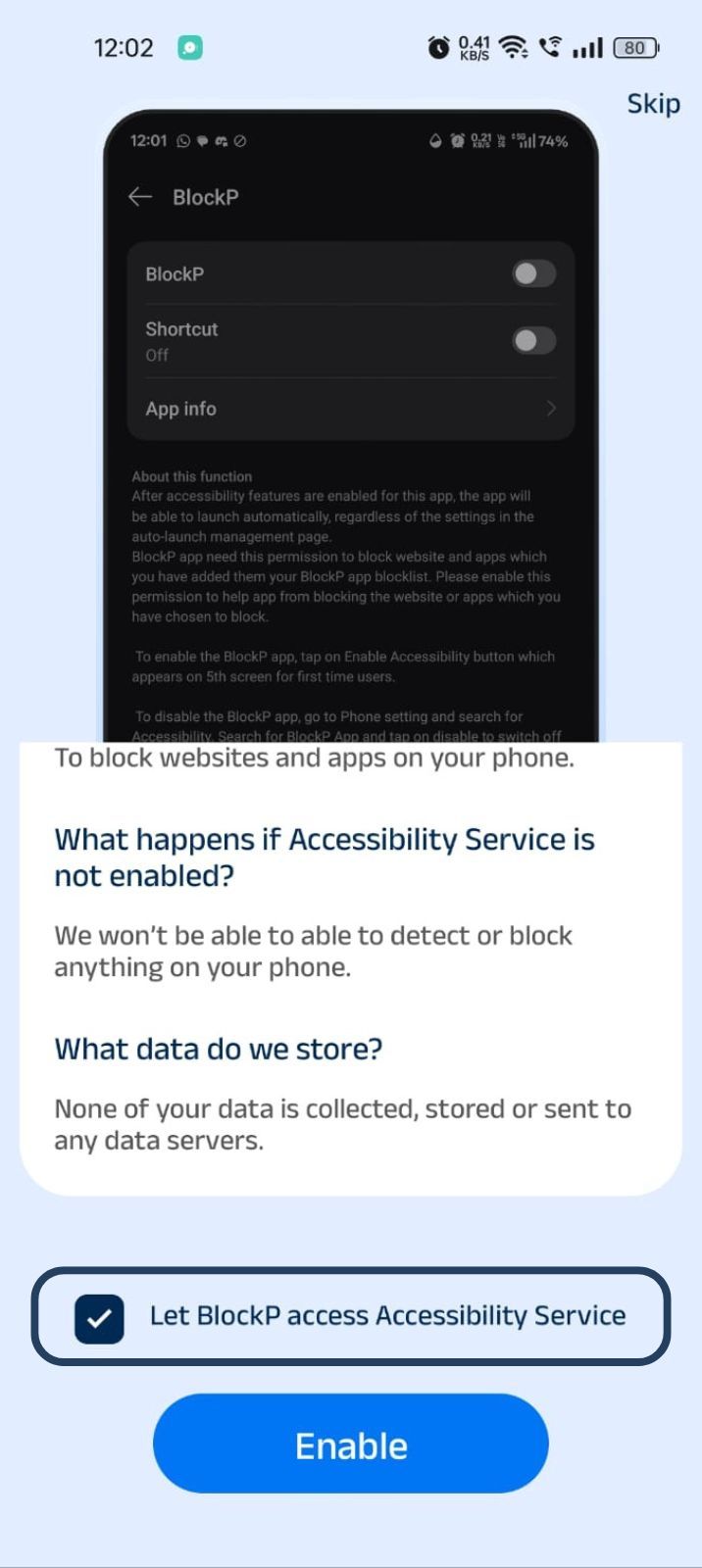
- Next, click on the Enable button
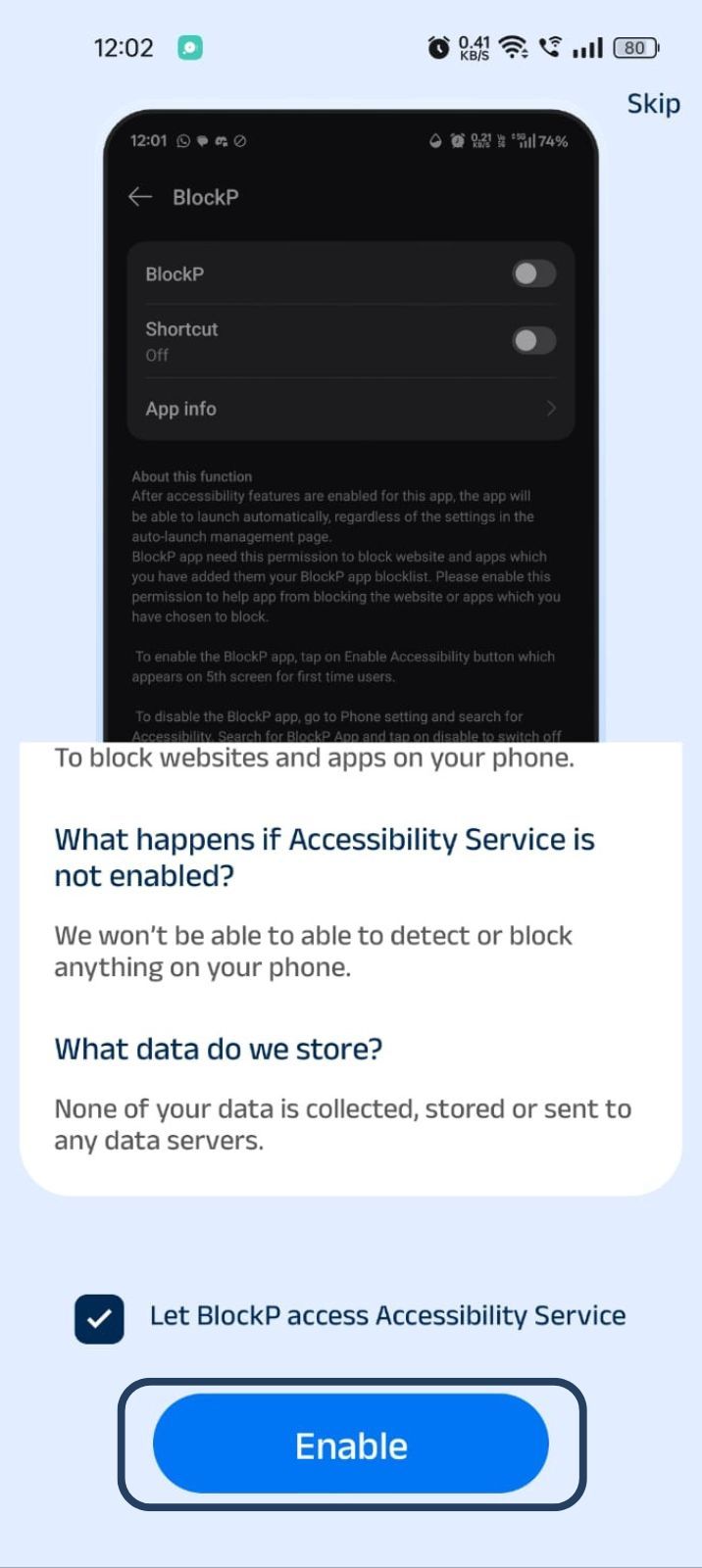
- Next, click on the downloaded apps button.
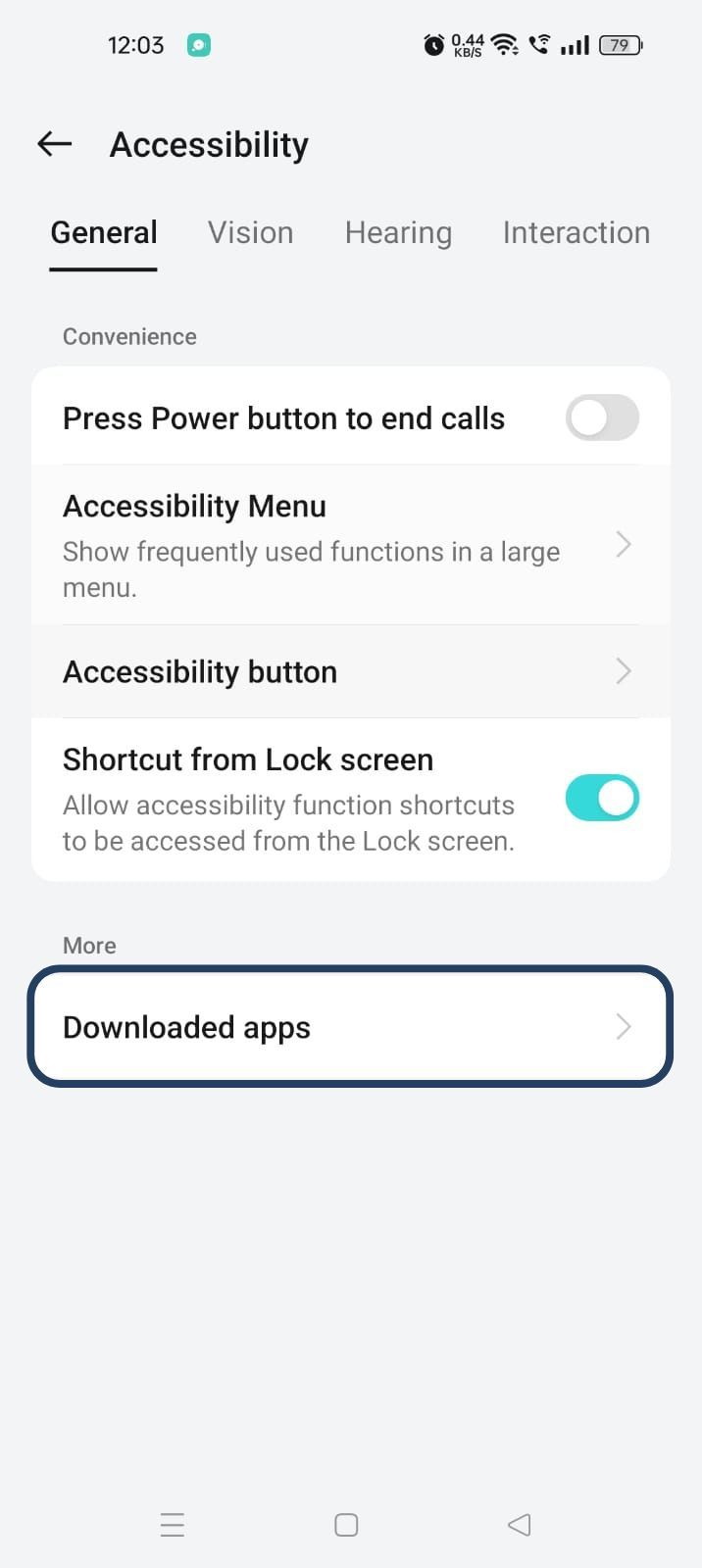
- Now, you will find Blockp - click on BlockP.
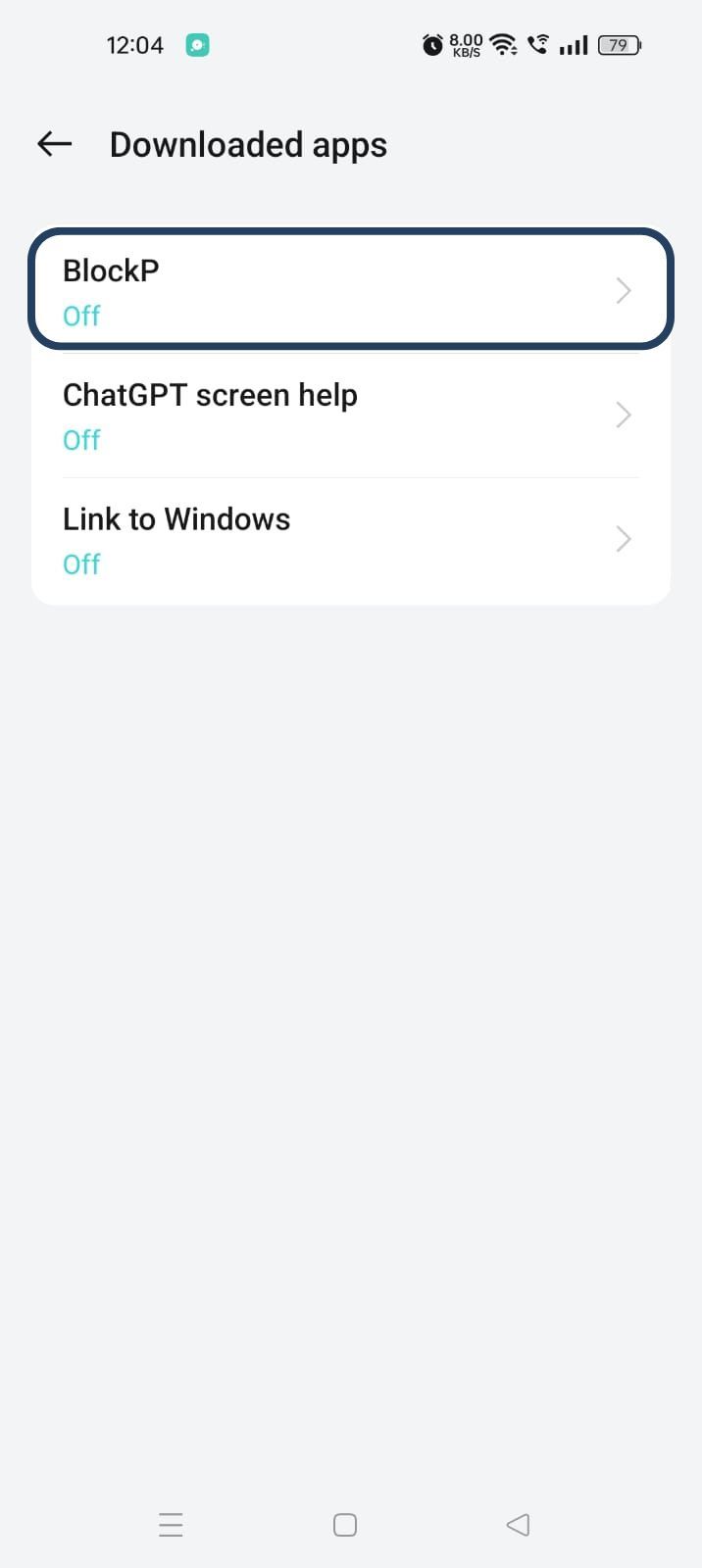
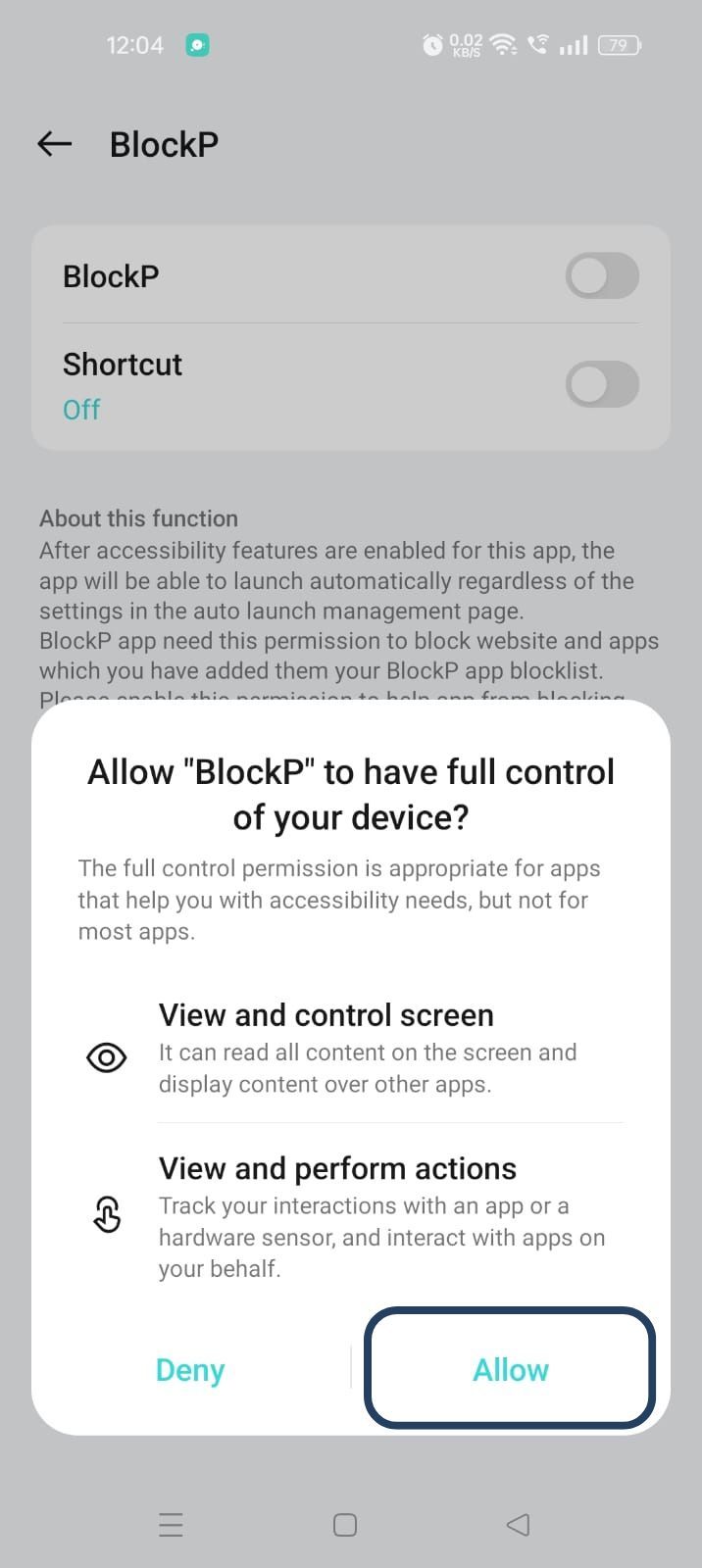
- The new screen will show a toggle in front of BlockP - enable the toggle and then click on the Allow button to complete the accessibility permission.
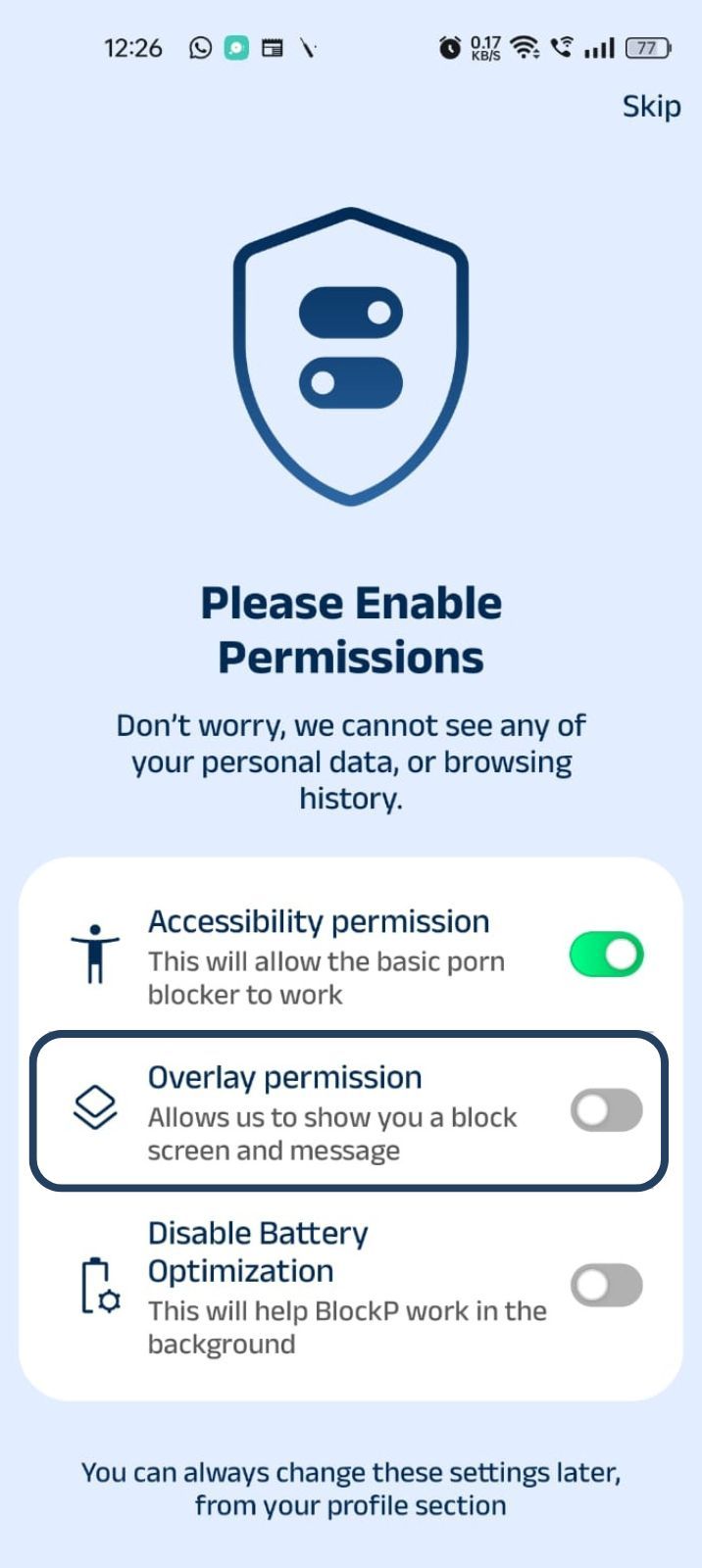
2. Overlay - lets BlockP show you a blocked screen and message when you try to access adult content.
- Click on Overlay permission toggle.
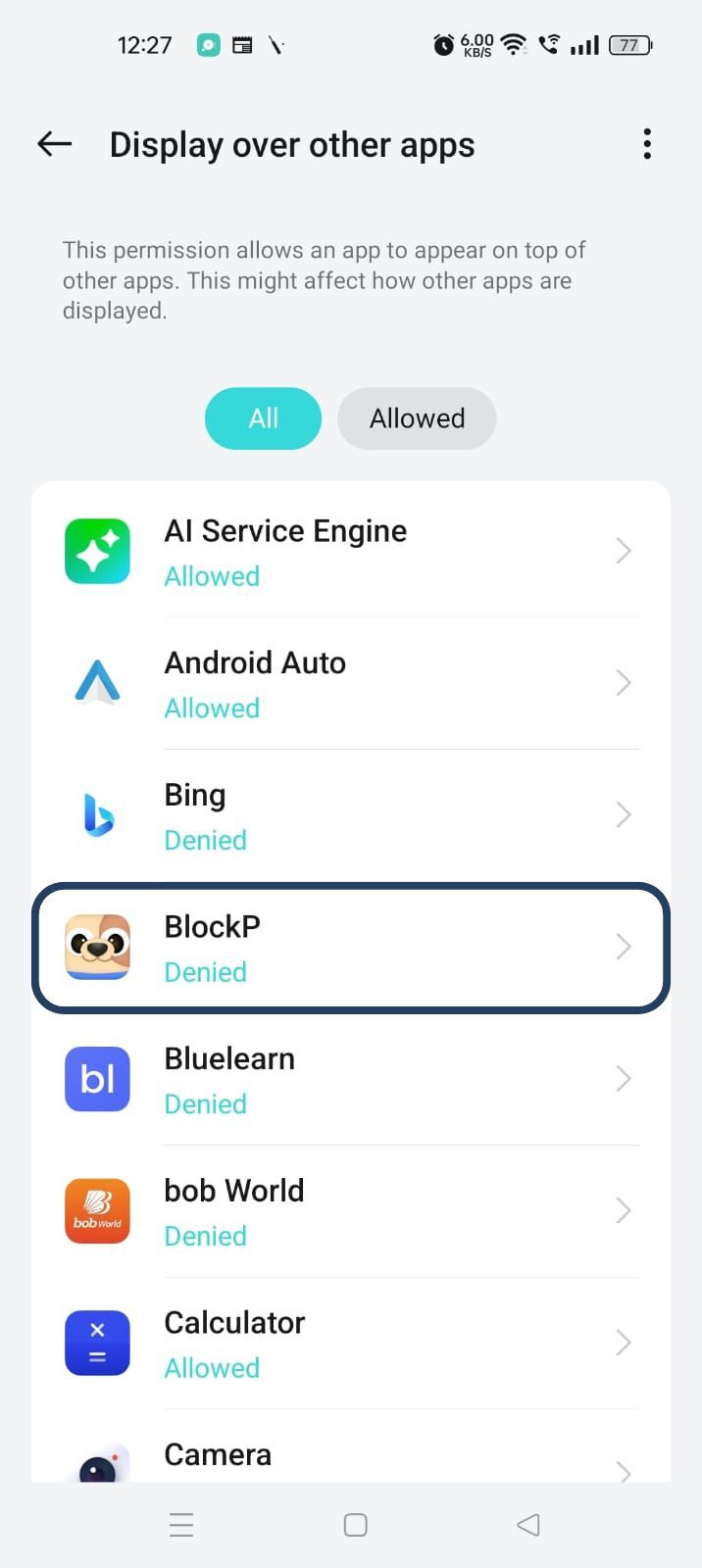
- You will get a menu with a list of apps titled - Display over other apps. Find BlockP in this list and click on it.
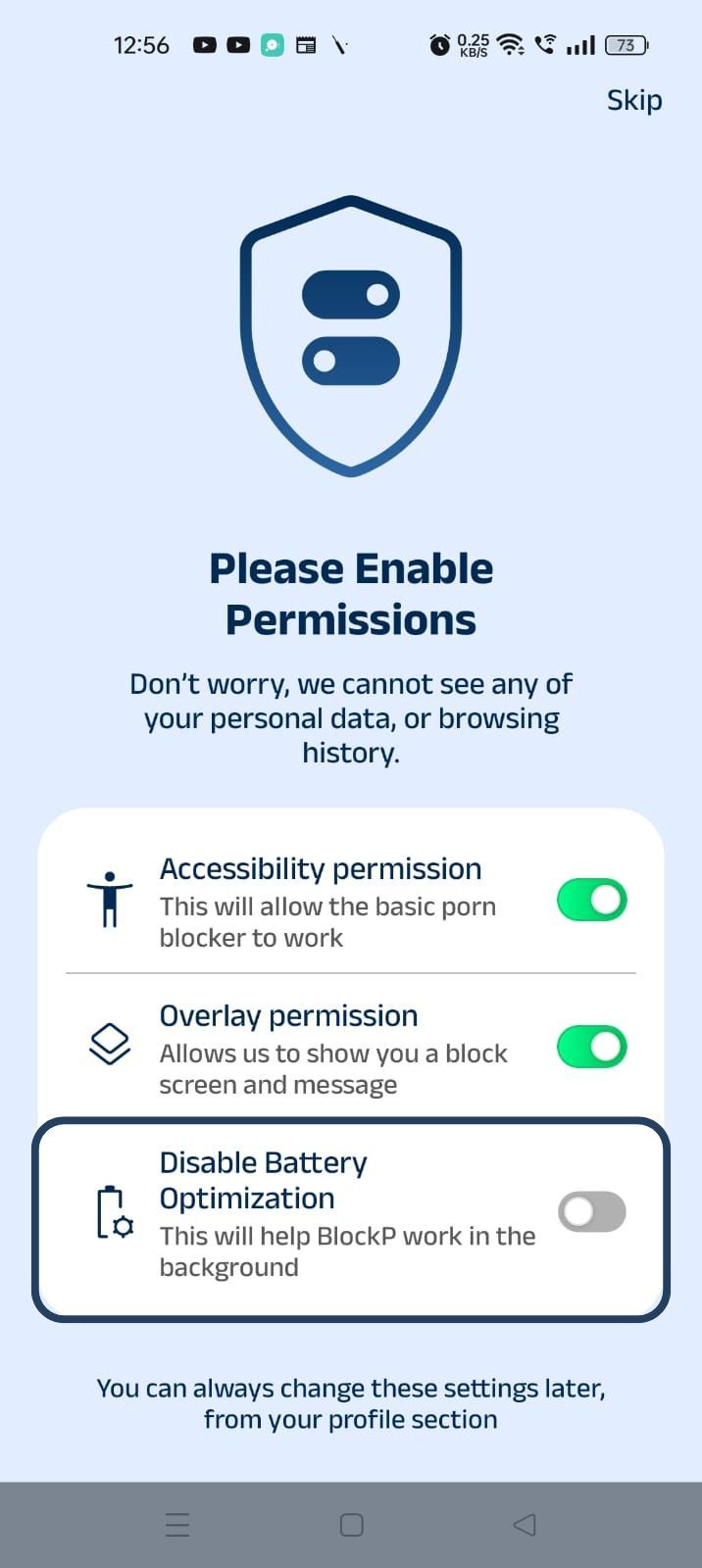
3. Disable battery optimization - so that BlockP can keep working in the background to filter adult content.
- Click on the Disable battery optimization toggle
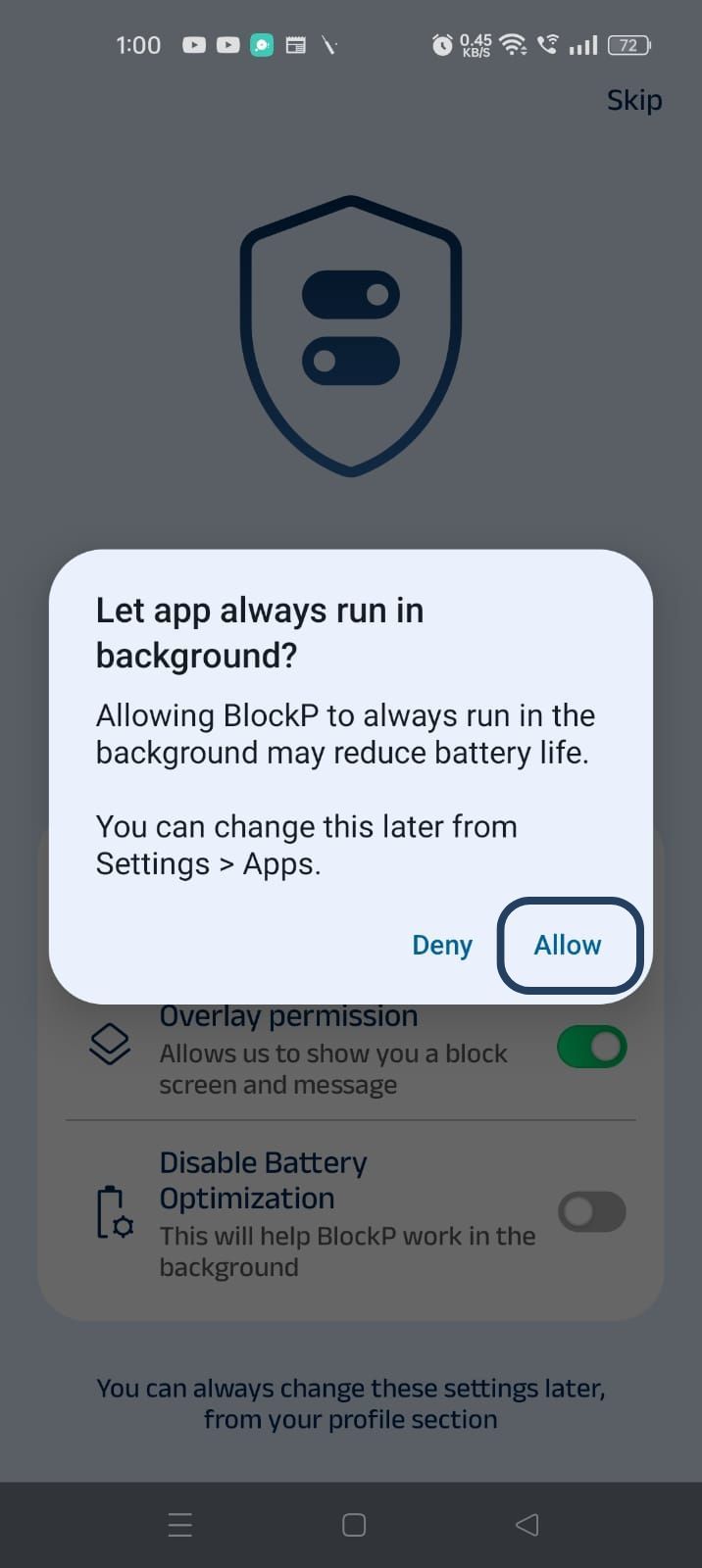
- When prompted, tap Allow to let BlockP run in the background. This helps BlockP stay active and block content without interruption.
Step 4: Go to Advanced Settings
Locate the advanced settings icon in the top right corner of BlockP’s home screen and click on it.
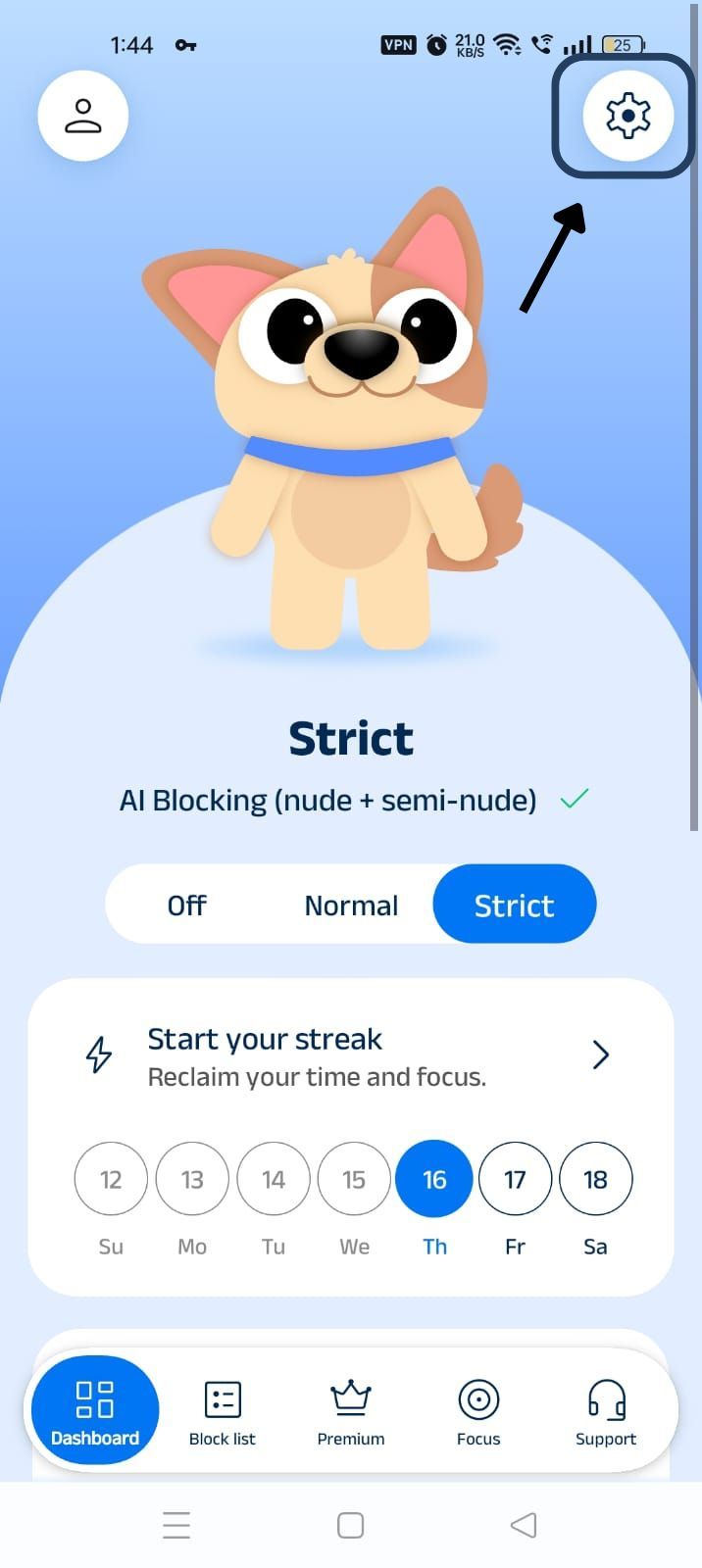
Step 4: Go to General Settings
Scroll down to the General Settings section and find the Block split screen option (it is the fourth one in the General Settings section).
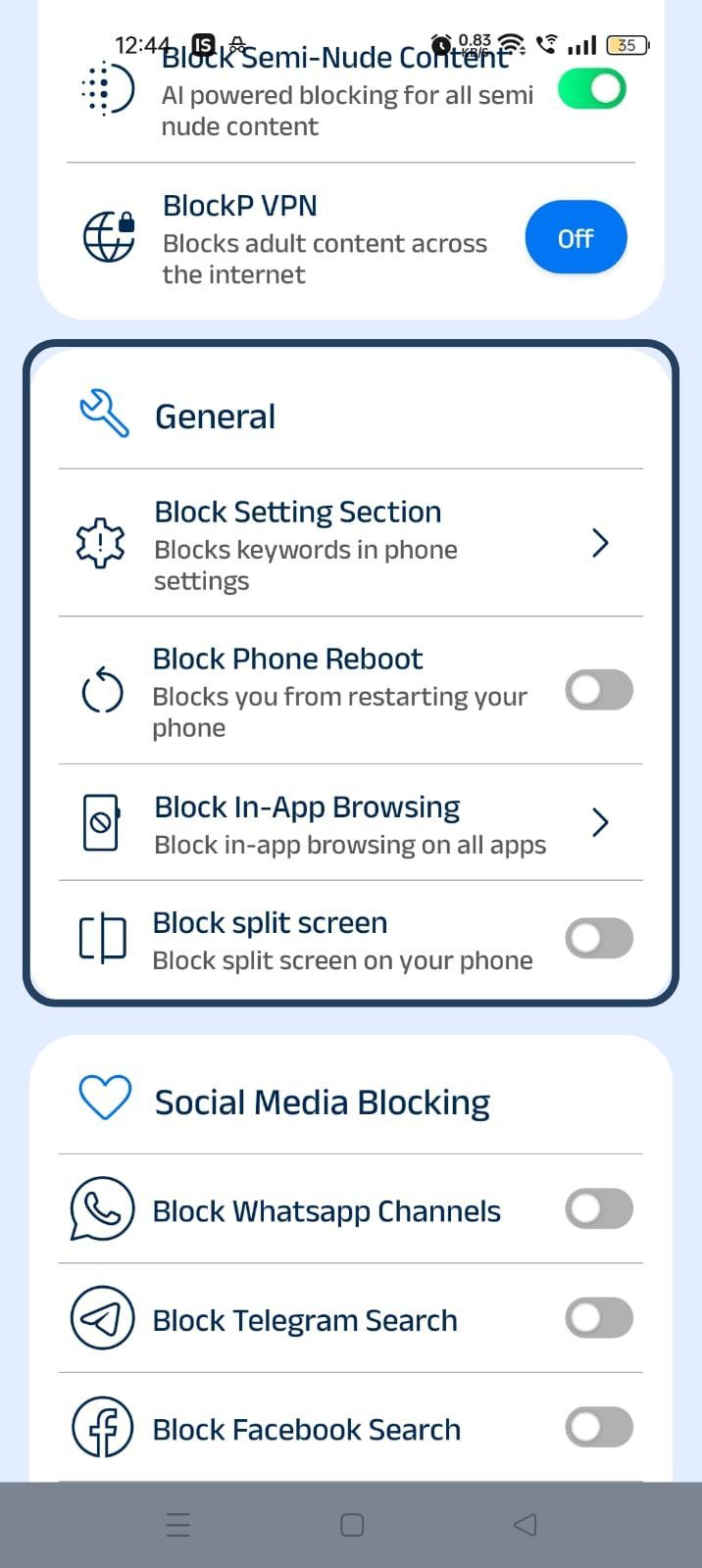
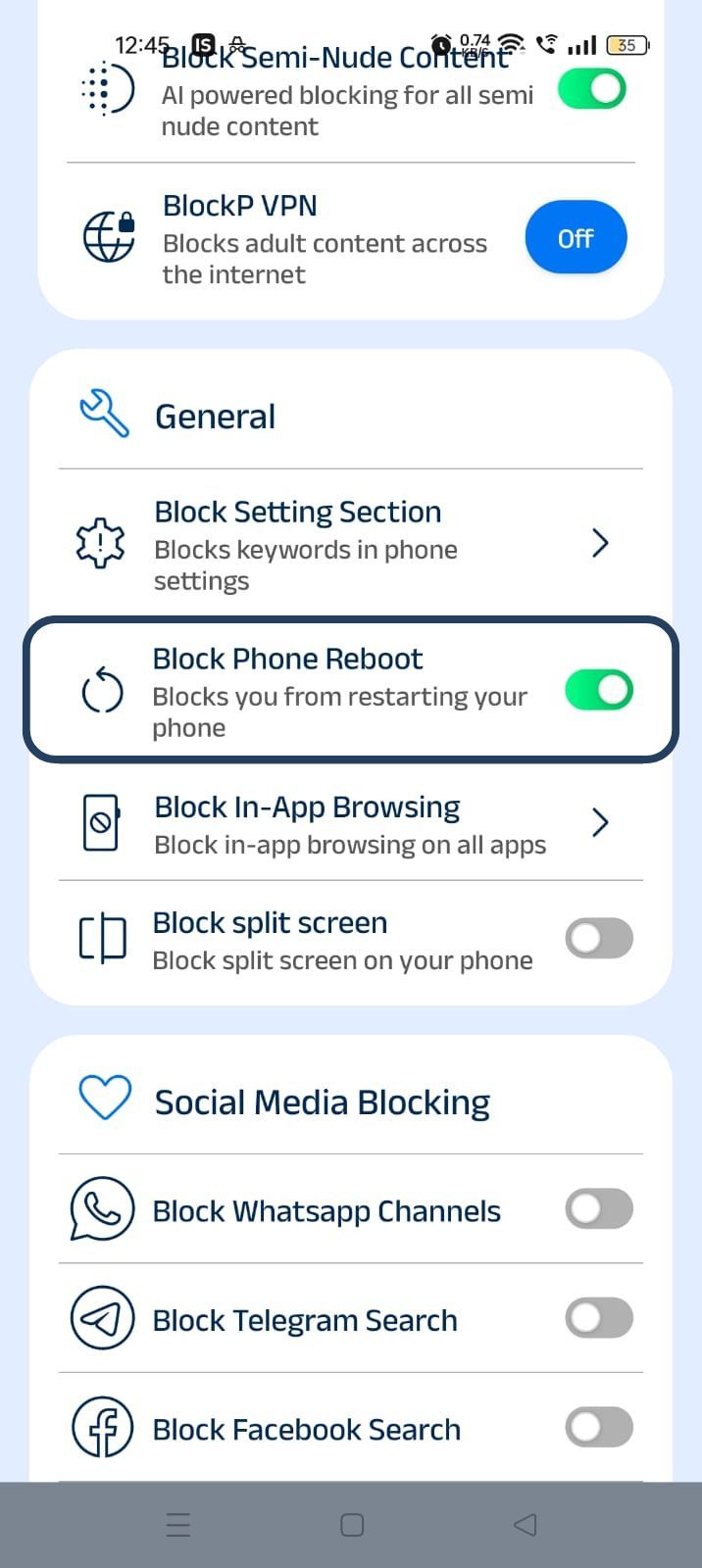
Step 5: Turn on the Block Phone Reboot
Slide the toggle next to the Block split screen option - now you have activated BlockP’s split screen blocker.
Why Block Split Screen on Android?
On Android’s split screen option, you can run two apps side by side.
The original intention was the convenience of quickly replying to a message or checking an email while you were using another app. But, in reality, what happens is that we end up disrupting our work-related or study-related apps by adding a social media app or adult content in some cases.
You may feel that it is highly efficient, but in reality, this splitting and switching comes at a high cost. According to the American Psychological Association, this switching between tasks reduces productivity by 40% and increases the risk of errors.
Benefits of Using Split Screen Protection on Android
Split screen creates a loophole from which your attention and time get sucked. When there is a split-screen blocker like BlockP, it safeguards your focus.
- When the split-screen option is blocked, it helps you to stay focused on one task at a time, so the switching cost is avoided.
- When you are working or studying, the last thing you need is the description of a DM or a zombie scrolling session on the side. BlockP reduces such distractions while studying or working.
- Split screen can be used to sneak in an unsafe app, and a split screen blocker prevents common bypass methods like this.
- When your attention is protected by a split screen blocker, it improves productivity on Android.
- Blocking split-screen removes the temptation to check the "fun" apps when you are working or studying. So, it strengthens digital wellness habits and your control over digital consumption.
- If you are working towards recovery goals for quitting adult content, then blocking split screen supports your NoFap and content-blocking goals.
- When you are working in the focus mode, blocking the split-screen option helps you stay accountable throughout the focus sessions.
How BlockP Blocks Split Screen on Android
Once you have enabled BlockP’s split-screen blocker, it keeps working in the background, and here is how it works to prevent split-screen Android use.
- BlockP detects when you attempt to enter split-screen mode using a recent apps menu, swipe gesture, or shortcut.
- If you try to access a protected app by multitasking in split-screen mode, BlockP prevents you.
- BlockP’s split-screen blocker works alongside other BlockP protections like Focus Mode and adult content blocking.
- The ‘disable split screen Android’ feature of BlockP runs quietly in the background after you have set it up, and you won’t notice it until you try to use the split-screen feature.
- Using split screen is one of the simple and common methods often used to bypass the restrictions of an adult content blocker. BlockP’s split-screen blocker is designed to reduce such common bypass methods.
Why Choose BlockP?
BlockP stands out among the options to block adult websites in apps because it does not stop at adult content blocking. That is only the first step. In the long term, what truly helps with quitting adult content or improving productivity is changing our digital habits itself.
For instance, the split-screen option on your phone can feel like it is helping productivity - after all you are multitasking! But, in reality, what it does is fragments your attention. Apps you are using for productivity have to compete with apps that are designed to hijack your attention.
So, whether you are trying to quit adult content or be more productive, the BlockP feature to prevent split-screen Android use works along with its adult content blocking tools and other productivity features (focus mode, social media blocking, etc.) to help you stay on track.
Frequently Asked Questions
1. Can BlockP disable split screen on Android?
BlockP can detect when you try to use the split-screen option and prevent it.
2. Why should I block split screen on Android?
Blocking split screen prevents you from bypassing the adult content blocking settings and ensures that your attention stays intact to improve productivity.
3. Does split-screen protection work during Focus Mode?
Yes. Split-screen protection of BlockP works along with other features like focus mode for maximum protection.
4. Is split-screen protection free on Android?
Split-screen protection is available only for subscribed users on BlockP. It is not covered under the free version.