How to Block Snapchat Stories on Android Using BlockP
Block Snapchat Stories on Android with BlockP. Reduce distractions, stay focused, and take control of your screen time with just a few taps.
Get Started with BlockPSnapchat is not a niche app - it is among the top 3 social media apps used by teenagers. That’s exactly why parents are worried about whether they need the block Snapchat Stories feature.
According to Pew Research Center, 55% of teens use Snapchat, and 46% open it every day, and alarmingly, 12% of teens admit that they are using Snapchat constantly. On an average, a teenager receives 237 notifications every day from apps like TikTok and Snapchat.
More importantly, Snapchat’s content like stories disappears after 24 hours. This format of posting keeps the users in a constant state of FOMO (the fear of missing out on an important update from their friends).
When parents try to restrict their kid’s Snapchat use, it frustrates the kids because they are relying on it to stay connected with their social circle. So, instead of banning the entire app, BlockP takes a more sophisticated approach of blocking the distracting Stories feature on Snapchat.
How to Block Snapchat Stories on Android with BlockP
Here is how to block Snapchat stories on your Android phone with BlockP:
Step 1: Install BlockP.
Download the BlockP app from the Google Play Store and install it on your Android phone.
Step 2: Sign Up on BlockP
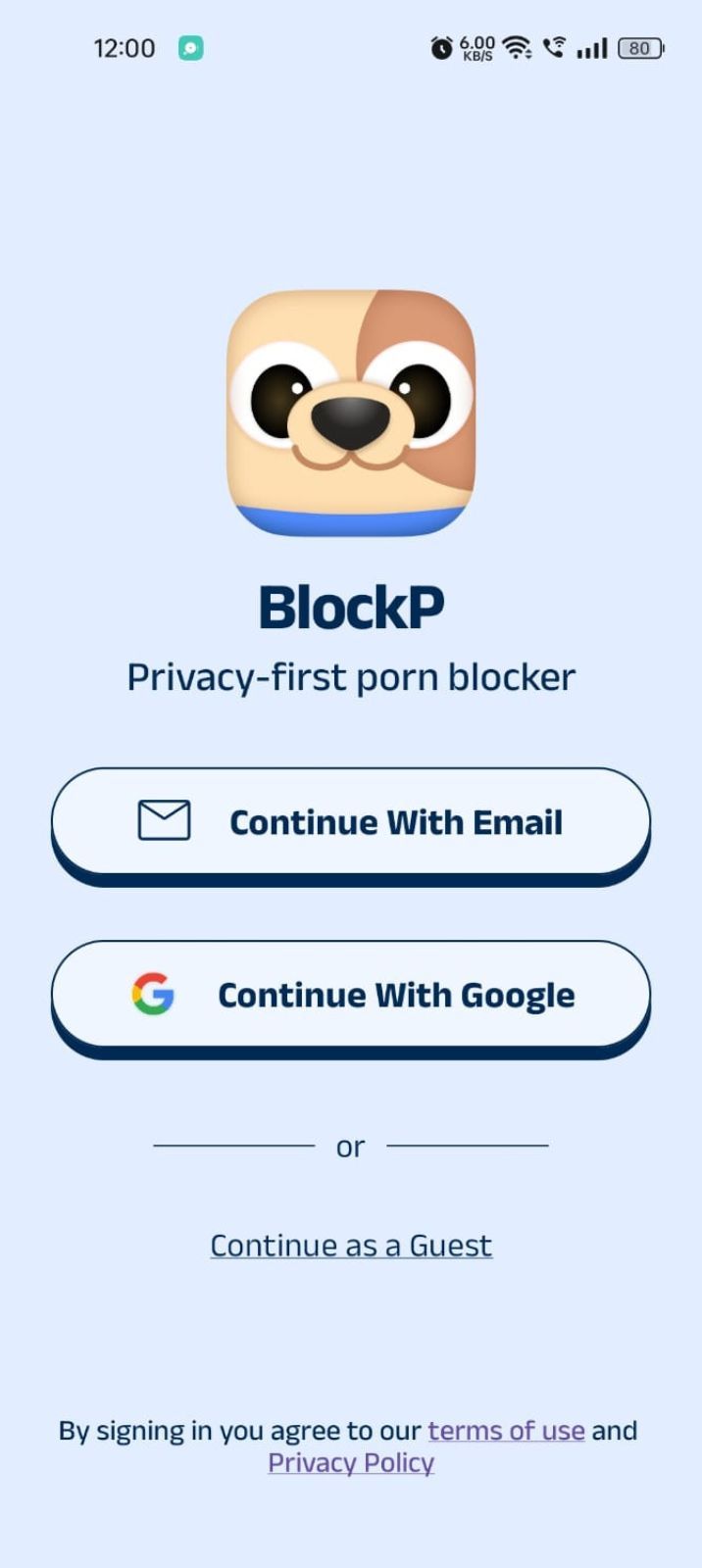
- Open the BlockP app.
- Sign up using Email or Google.
- Or tap Continue as a Guest to get started without creating an account.
Step 3: Give Necessary Permissions
1. Accessibility - Lets the Android adult content blocker see what you are watching on your screen. Here is how to let BlockP use it:
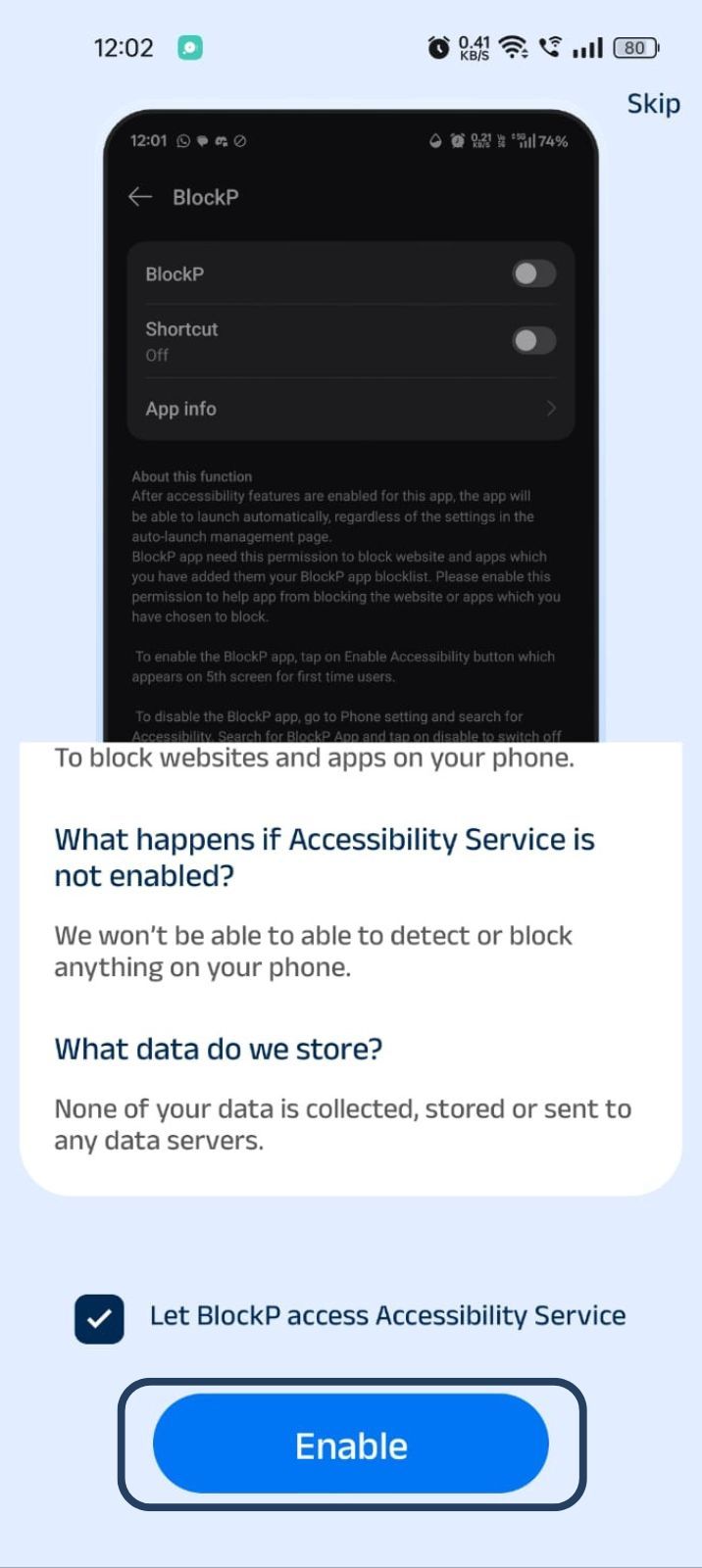
- Click on the Accessibility permission toggle.
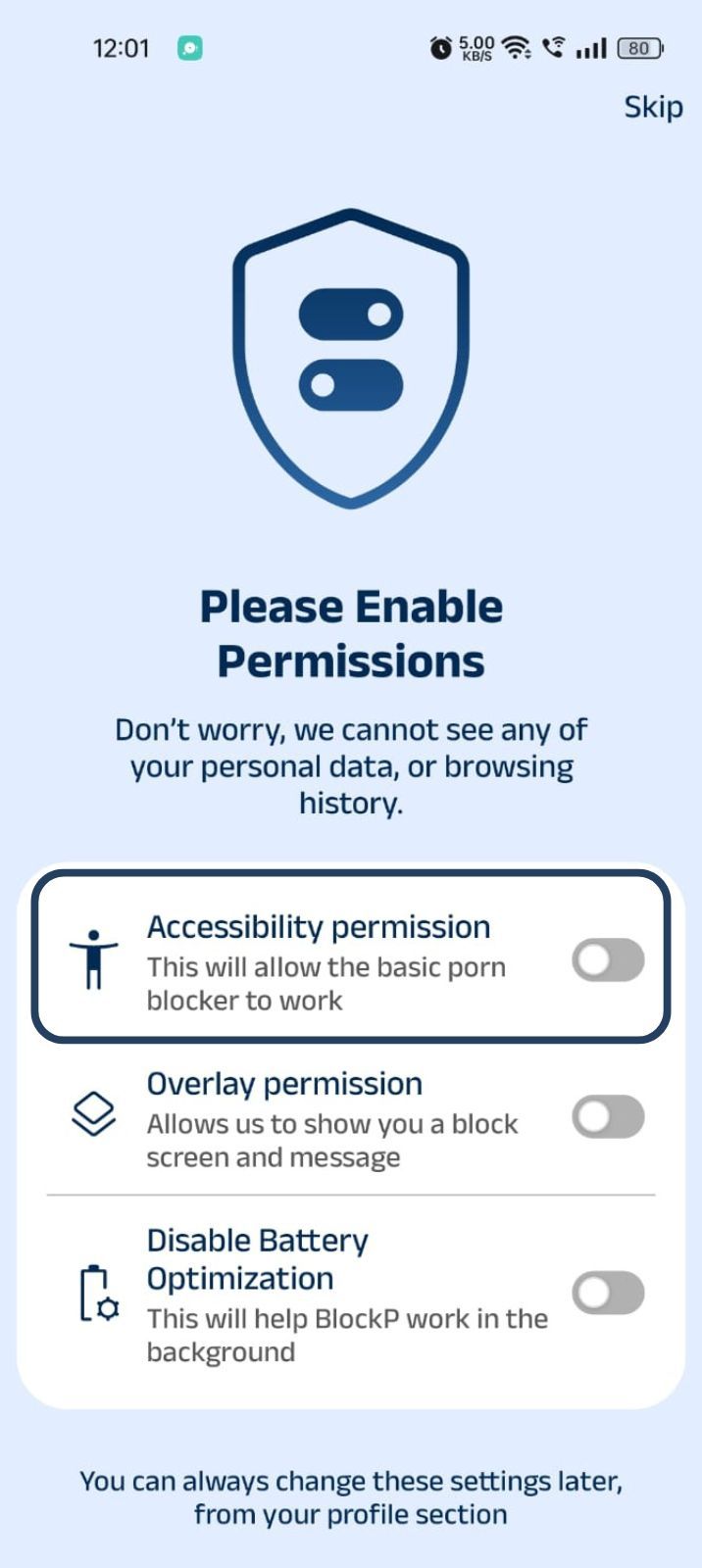
- Then click on "Let BlockP Access Accessibility Services"
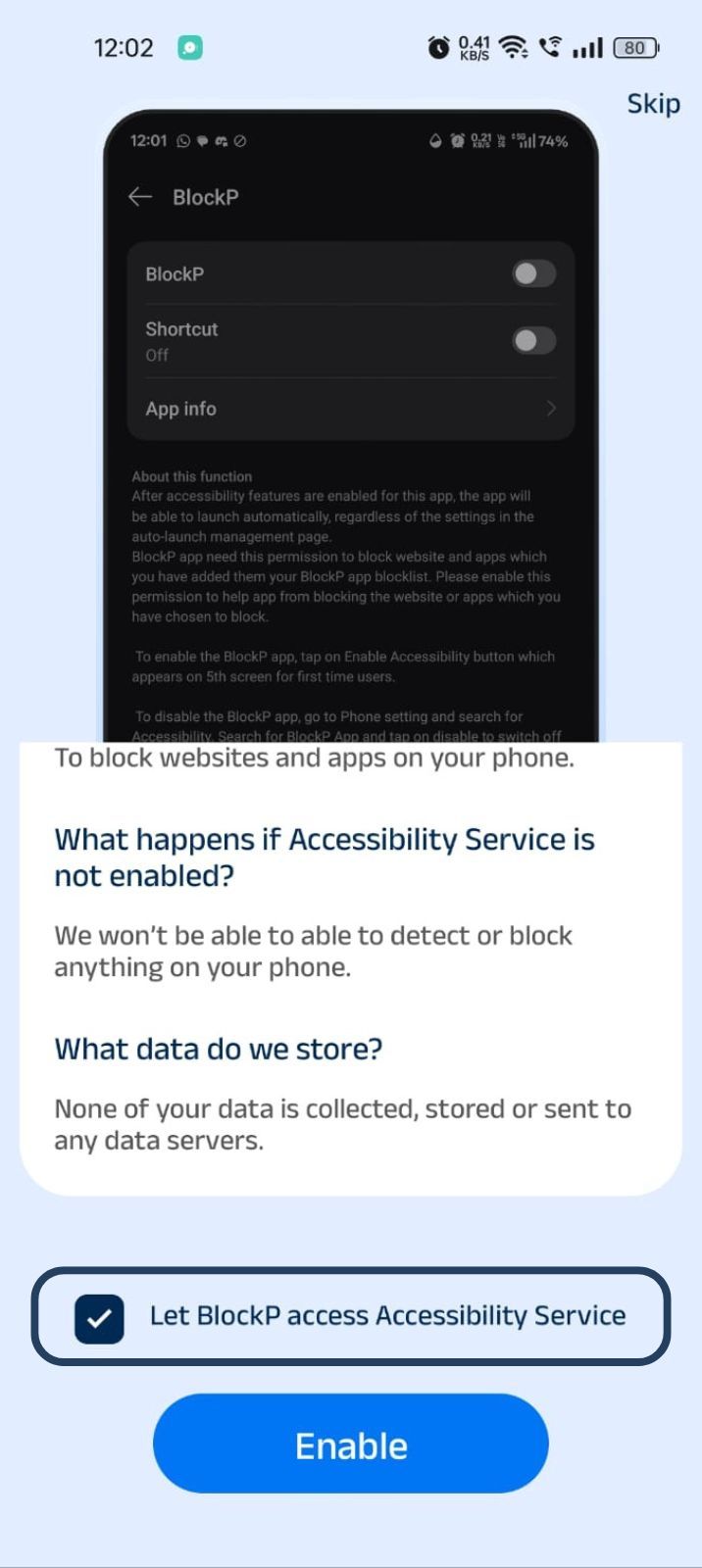
- Next, click on the Enable button
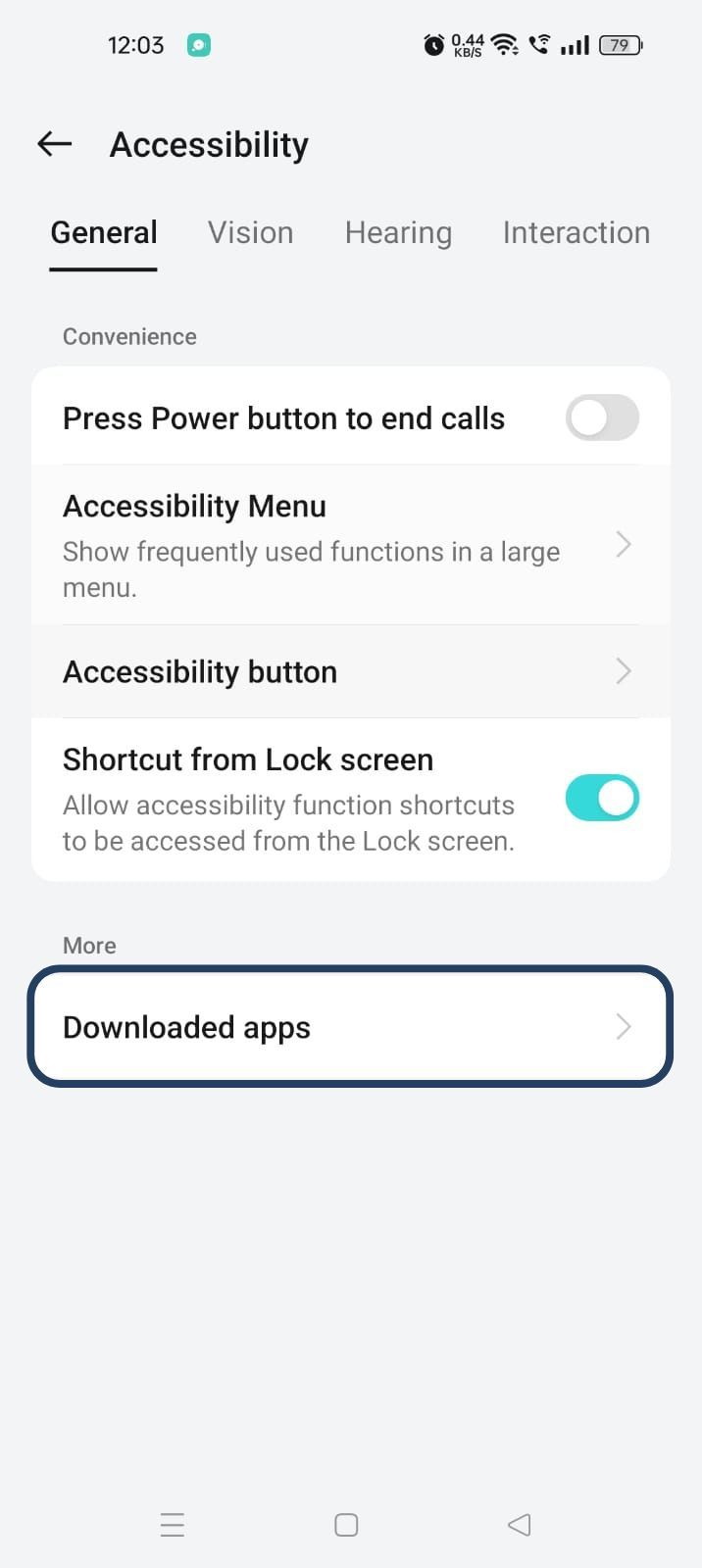
- Next, click on the downloaded apps button.
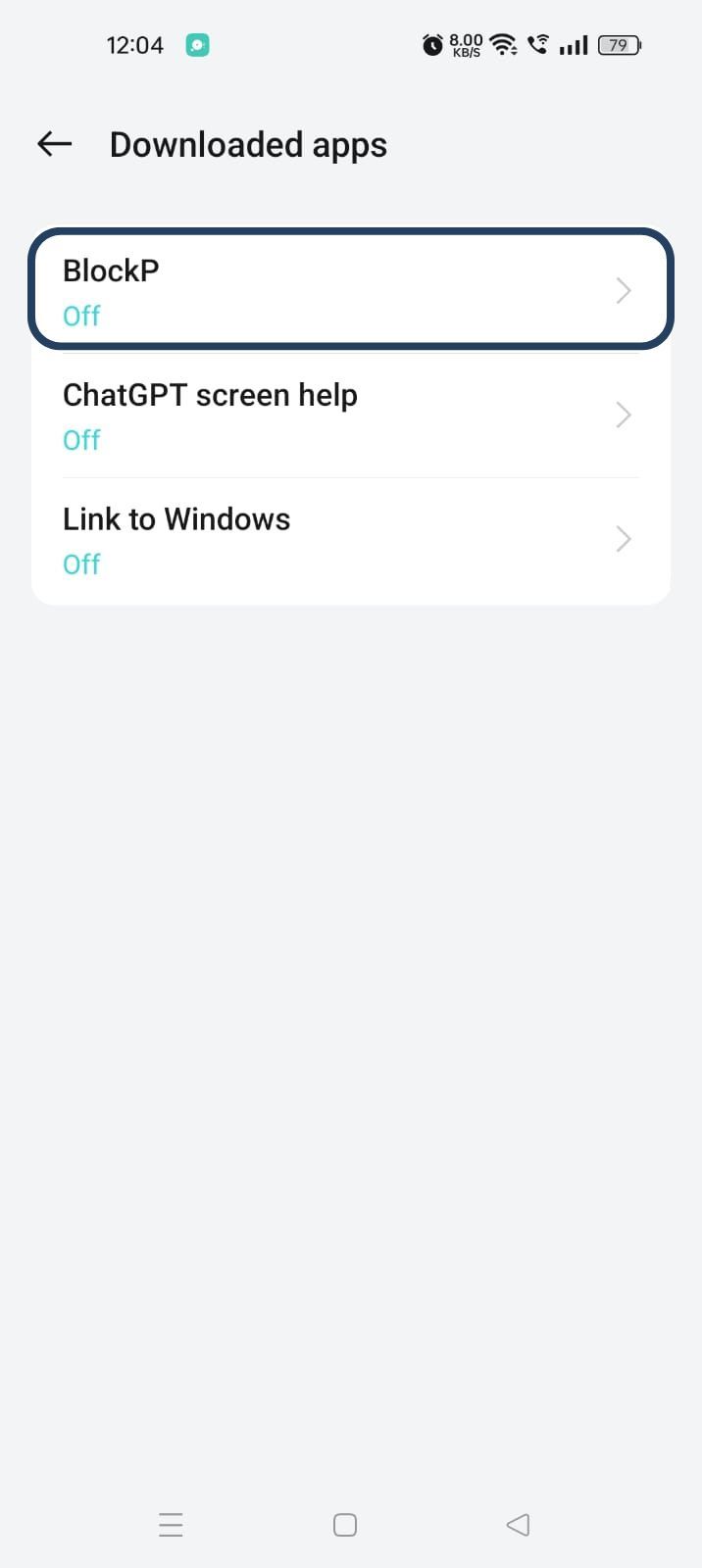
- Now, you will find Blockp - click on BlockP.
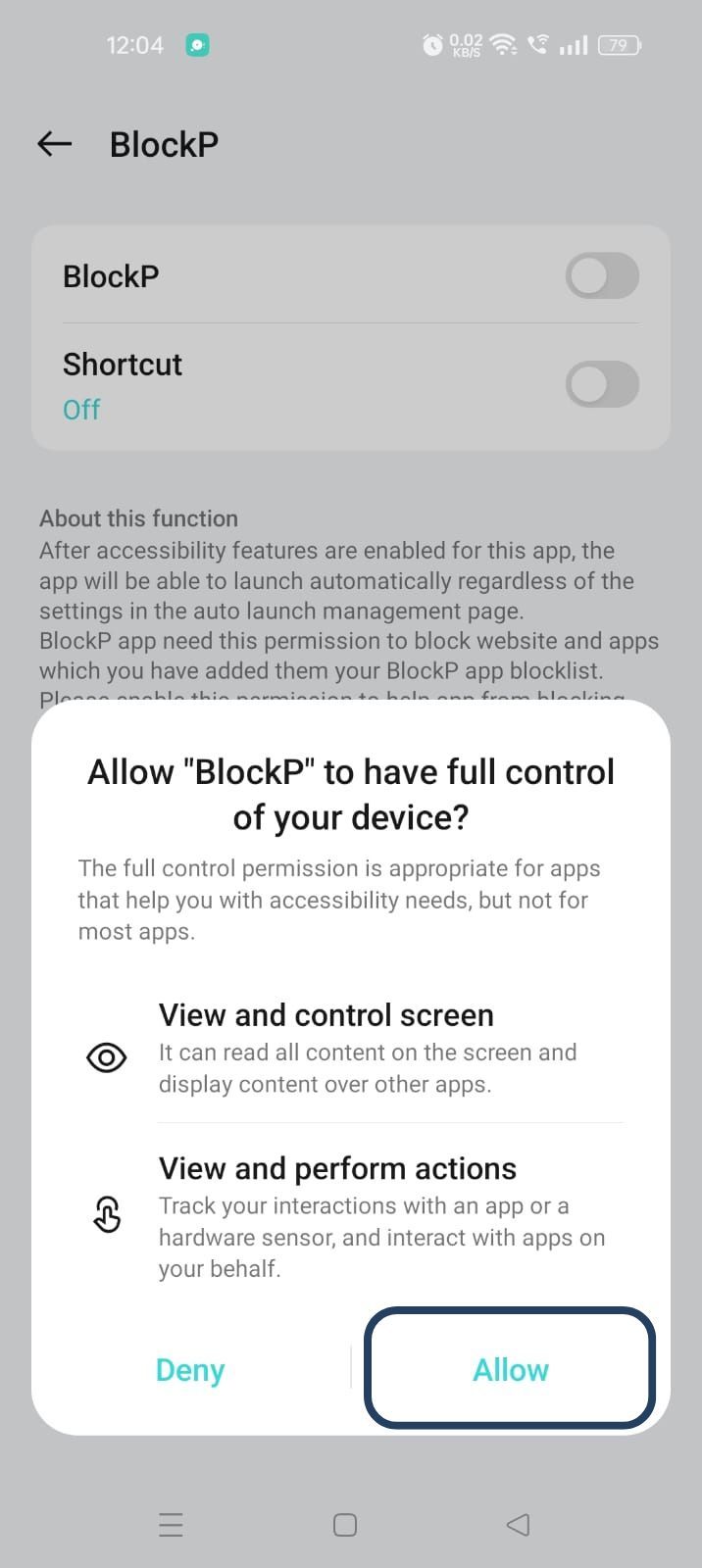
- The new screen will show a toggle in front of BlockP - enable the toggle and then click on the Allow button to complete the accessibility permission.
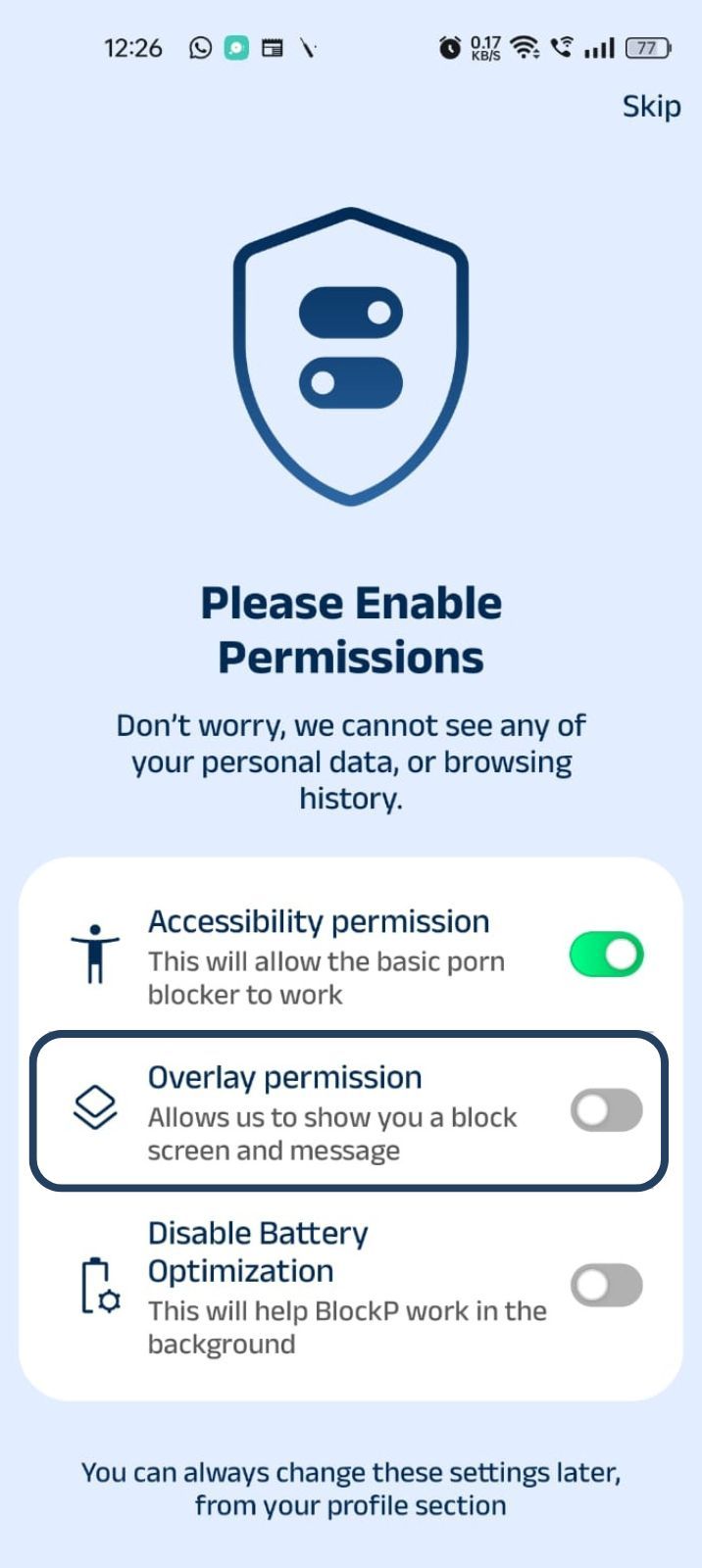
2. Overlay - lets BlockP show you a blocked screen and message when you try to access adult content.
- Click on Overlay permission toggle.
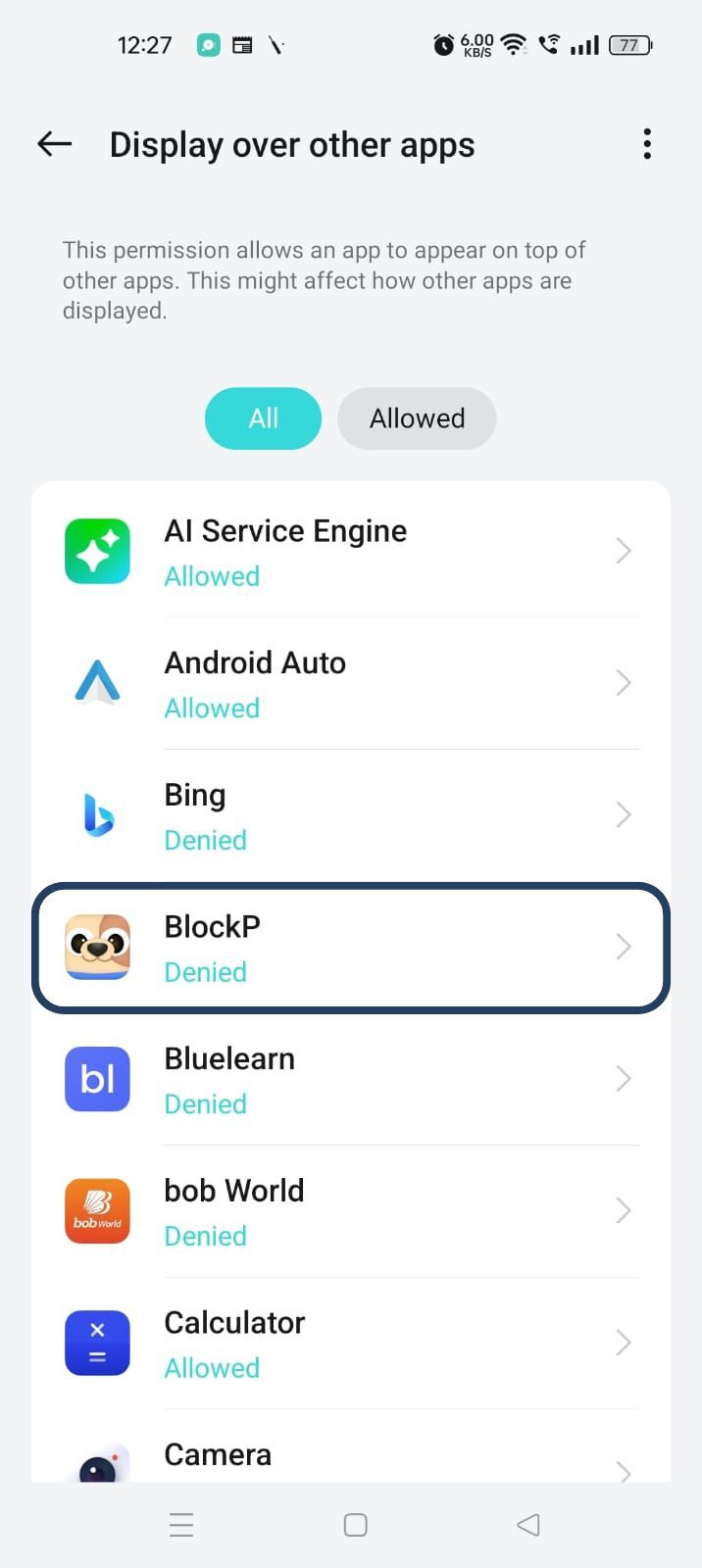
- You will get a menu with a list of apps titled - Display over other apps. Find BlockP in this list and click on it.
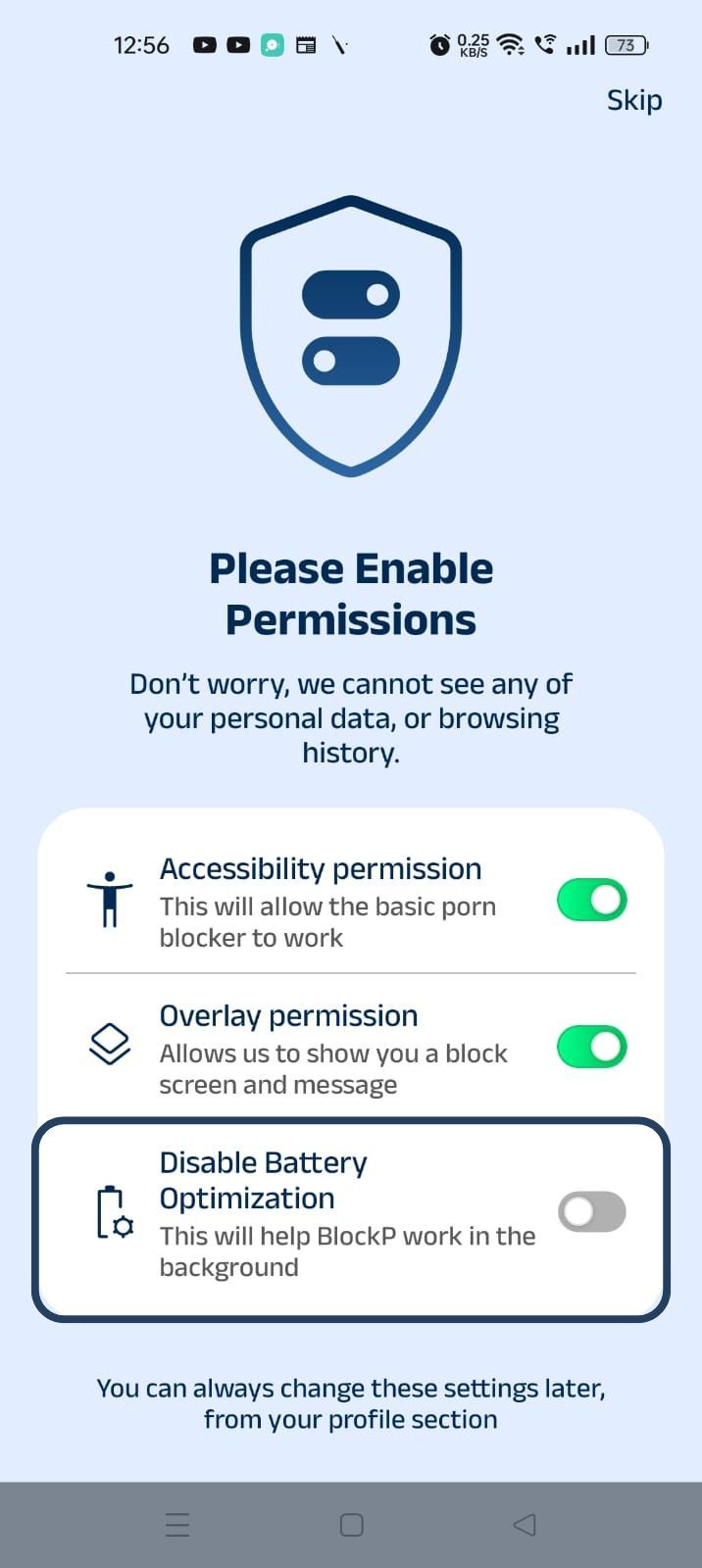
3. Disable battery optimization - so that BlockP can keep working in the background to filter adult content.
- Click on the Disable battery optimization toggle
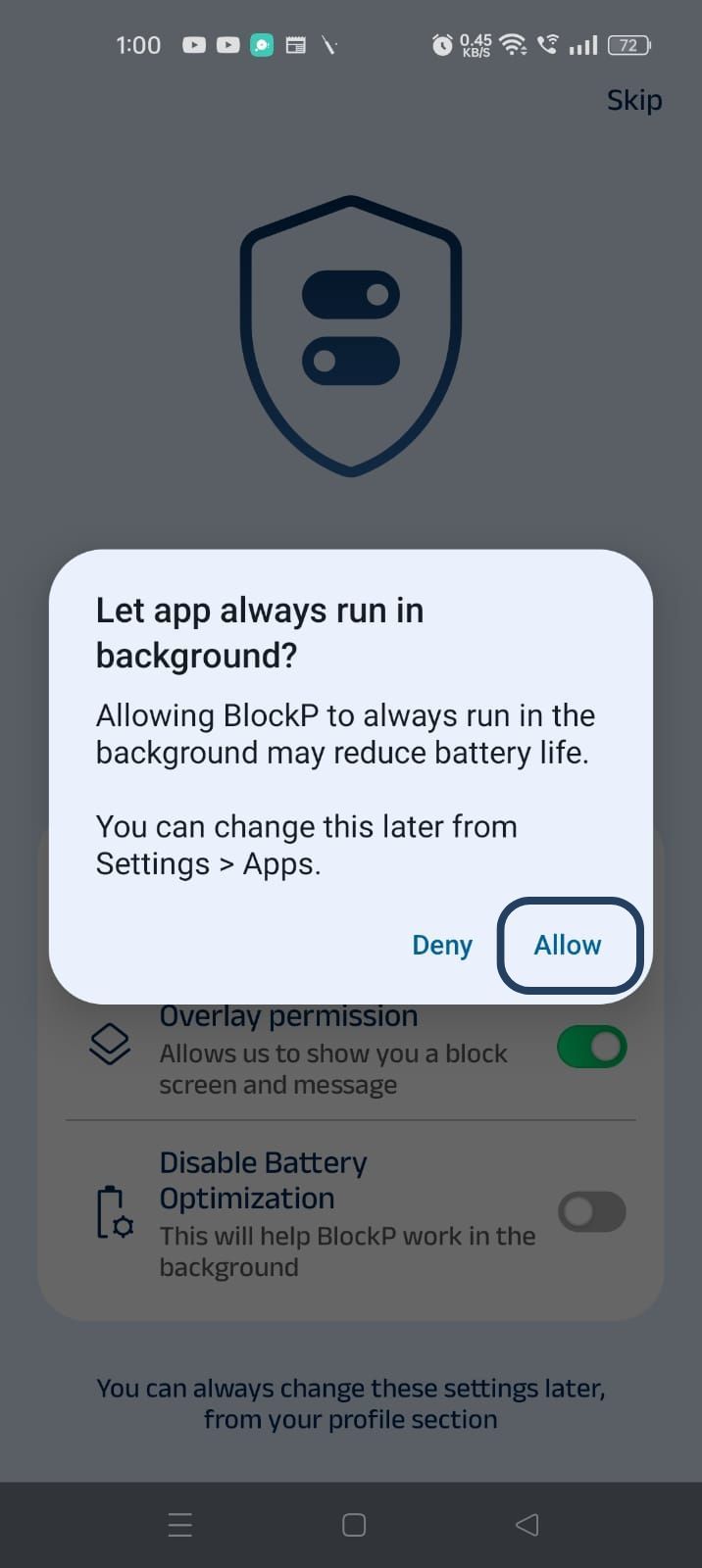
- When prompted, tap Allow to let BlockP run in the background. This helps BlockP stay active and block content without interruption.
Step 4: Go to Advanced Settings
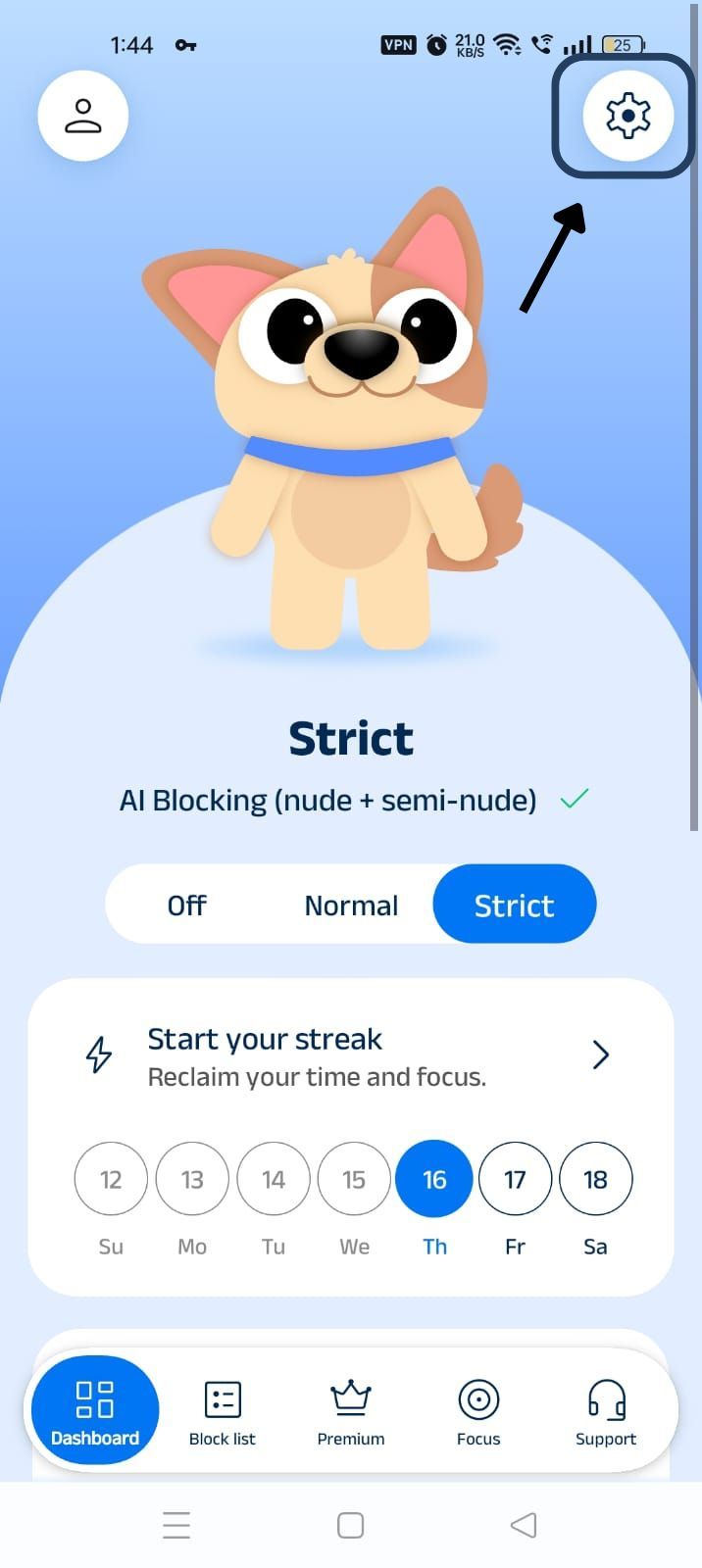
Click on "Advanced settings" (the icon at the top right corner of the BlockP home screen).
Step 5: Find Social Media Blocking Section and Block Youtube Shorts
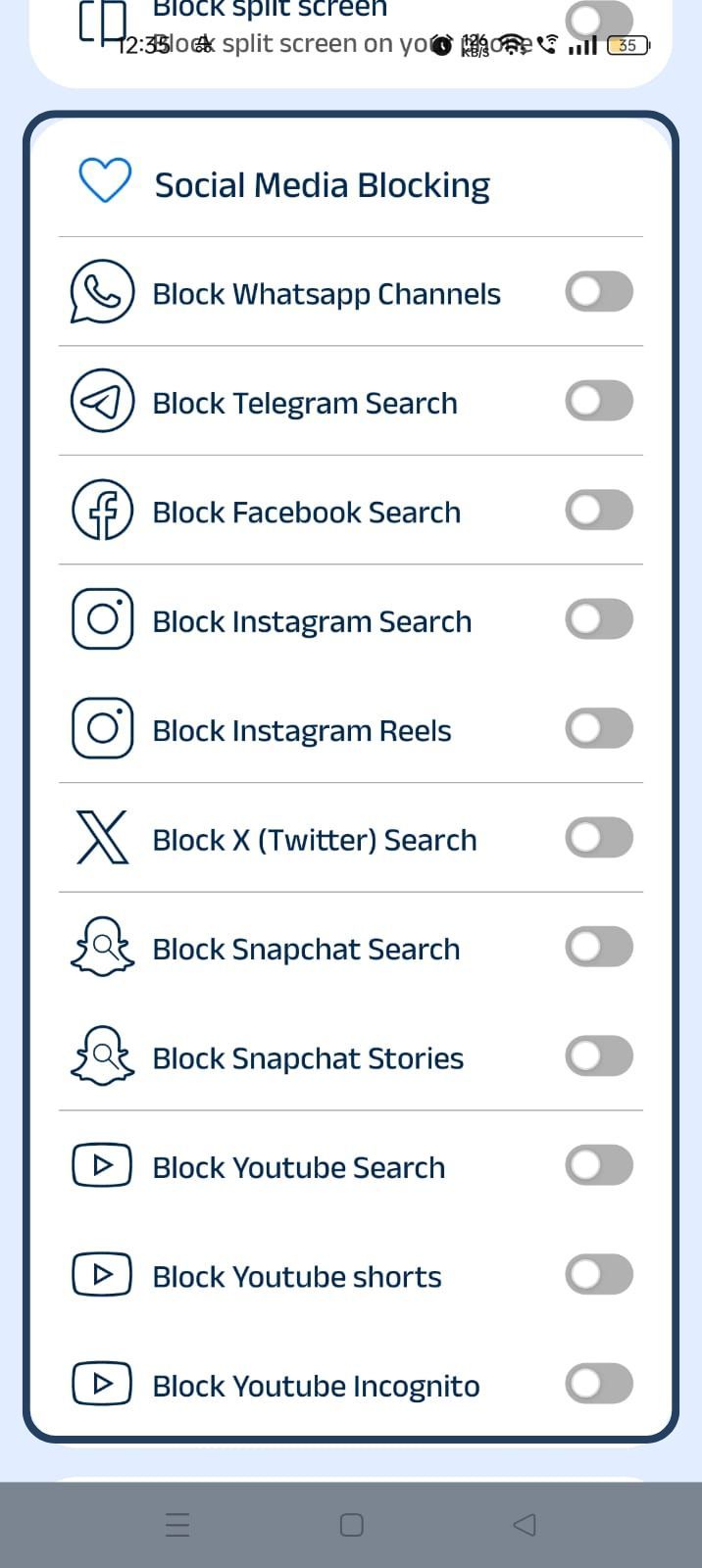
Scroll down the General Settings section and find the Social Media Blocking subsection. This section lists options related to social media apps like Instagram, Facebook, Snapchat, X, and so on.
Step 6: Block Snapchat Stories
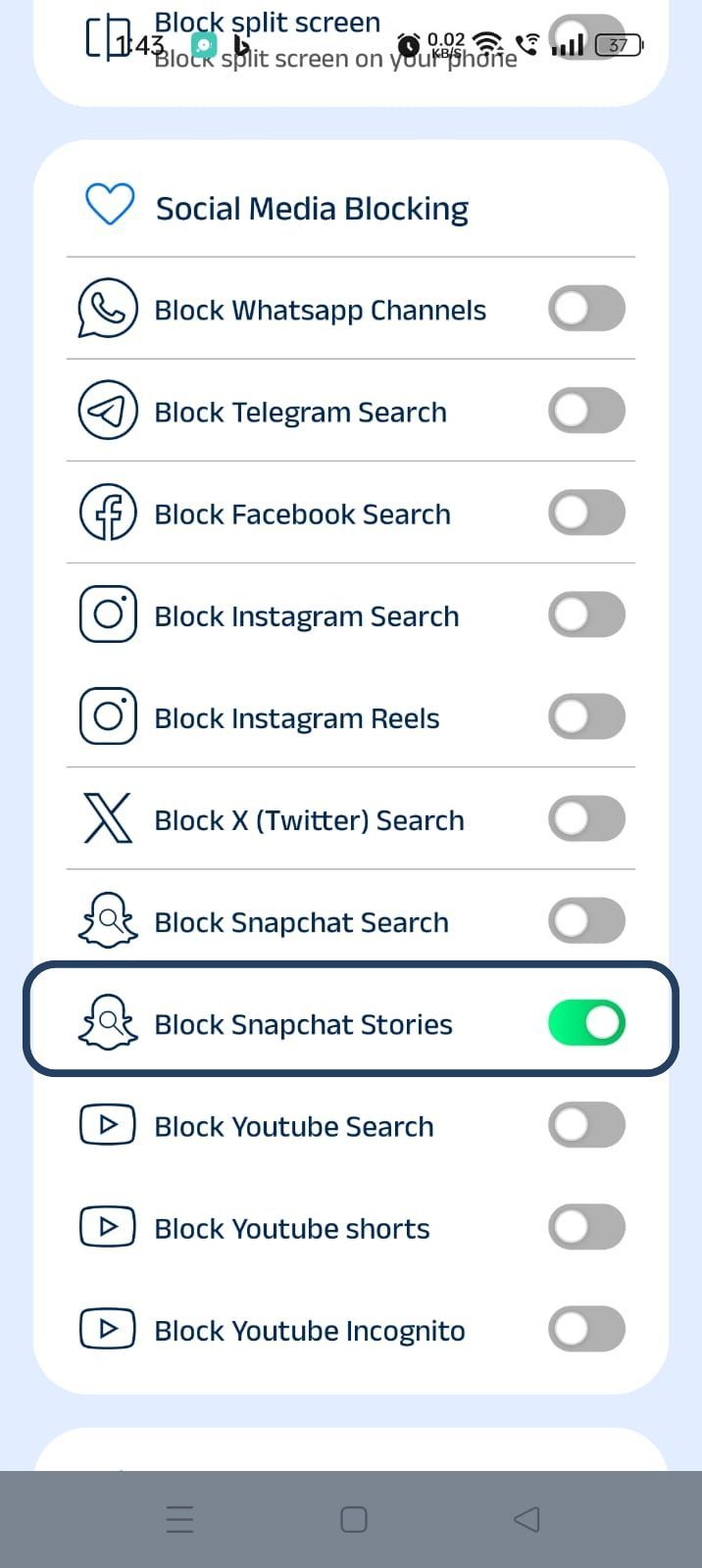
In the social media blocking section, find the Block Snapchat Stories option and slide the toggle to activate it.
Why Block Snapchat Stories on Android?
Snapchat is one of the stickiest apps that teenagers often use.
It follows a disappearing format for its stories and photos, which triggers intense FOMO because it makes the users fear that if they are not checking the app constantly, they are going to miss an important update.
Benefits of Blocking Snapchat Stories
When you stop Snapchat Stories, it helps to make the app’s distraction-free features more valuable.
Reduce Compulsive Checking
When you cannot see the stories, it reduces the impulse to check them again and again. It breaks the compulsive trigger without cutting you off from your friends on the app.
Protect the Children
Parents are often concerned about their children’s safety and health online. If this concern turns too restrictive, it can make the kids hide their social media use instead of actually learning better digital habits.
Nuanced features like Snapchat Stories blocking keep the distraction to a minimum without making the kids feel like they are under surveillance.
Better Digital Habits and Focus
When you can use an app without the noise of distracting features, you can use other useful sections of the app in a better way. Such an approach preserves your focus and helps you stay regulated online.
How BlockP Blocks Snapchat Stories on Android
BlockP works at the app level to identify when you are trying to view Snapchat stories and block you.
When you give BlockP accessibility permissions, it can see your screen and so know when you are clicking on Snapchat stories. It immediately steps in to block access and redirects you to a custom screen before the Snapchat stories can load while Snapchat’s calling and chat features remain fully accessible to you.
Why Choose BlockP?
When using a traditional app-blocker, you can either completely allow or entirely block the Snapchat app. This blunt and all-or-nothing approach often frustrates both parents and the children.
BlockP’s Block Snapchat Stories feature brings much-needed nuance by restricting only the most distracting feature but keeping the rest of the app fully functional.
Frequently Asked Questions -
How do I block Snapchat Stories on Android?
You can block the Snapchat stories feature using the BlockP app's social media blocking settings.
Can I block Snapchat Stories without deleting Snapchat?
BlockP lets you block only selected features like stories so that you do not have to delete the app.
Does BlockP block only Snapchat Stories or the entire app?
The ‘Block Snapchat stories’ feature of BlockP will only block the stories without affecting how you use other features of the app.
Can I block Snapchat Stories during work or study hours?
BlockP gives you a simple toggle setting where you can instantly block Snapchat stories when you want to focus on work or studies.
Does Snapchat Stories Blocking work with Focus Mode?
The Snapchat Story blocker of BlockP keeps working even in Focus Mode.
Will BlockP affect other Snapchat features?
When you stop Snapchat Stories with BlockP, there will be no restrictions on other Snapchat sections.
Can parents block Snapchat Stories on a child's Android device?
A parent can use BlockP’s Block Snapchat Stories setting to block Snapchat Stories. Additionally, they can also set up a password protection to prevent the child from impulsively disabling the Snapchat Story blocker.
Can I enable or disable Snapchat Stories Blocking anytime?
BlockP gives you a simple toggle setting to manage the Snapchat blocker Android settings, which you can use to enable or disable the blocking anytime.
Does this feature work on all Android phones?
As long as your Android phone supports the standard usage and accessibility permissions (BlockP should be able to see when you try to access Snapchat stories and intervene), BlockP's Snapchat blocker Android feature can work.
Is Snapchat Stories Blocking free in BlockP?
Yes. It is a free feature.