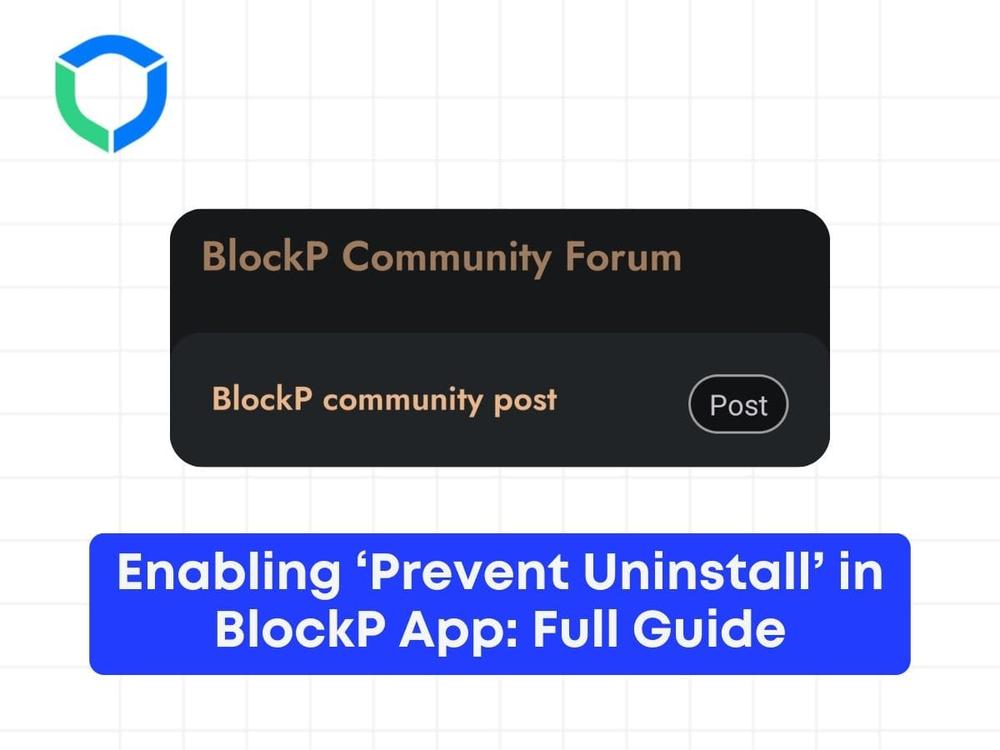


What makes your journey easier is knowing that there are tons of people around you who understand exactly how you feel. Our Community Forum is a safe space where you can share your stories, connect, and motivate each other. You can share anything, from suggestions to personal experiences.
Steps to create post on BlockP Community
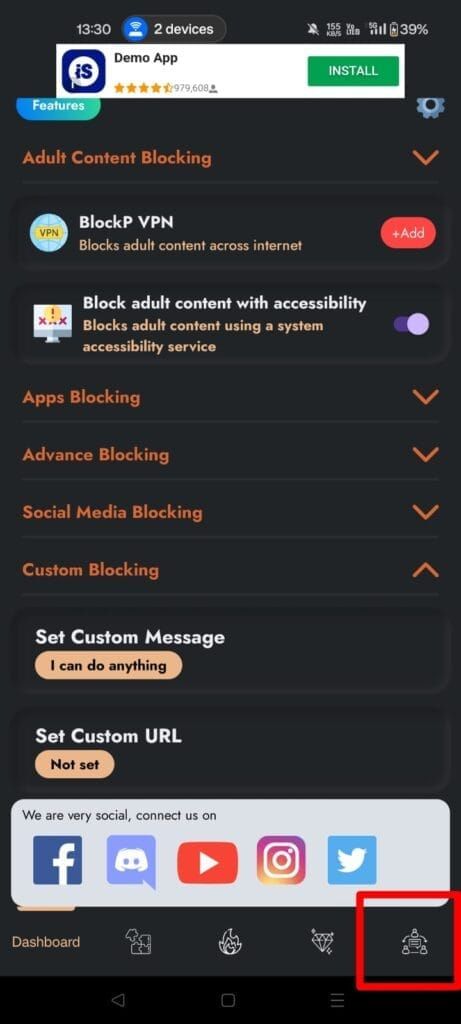
Step 1: Go to BlockP app and You can access the community forum section by clicking on “Forum” at the bottom right corner of the BlockP app.
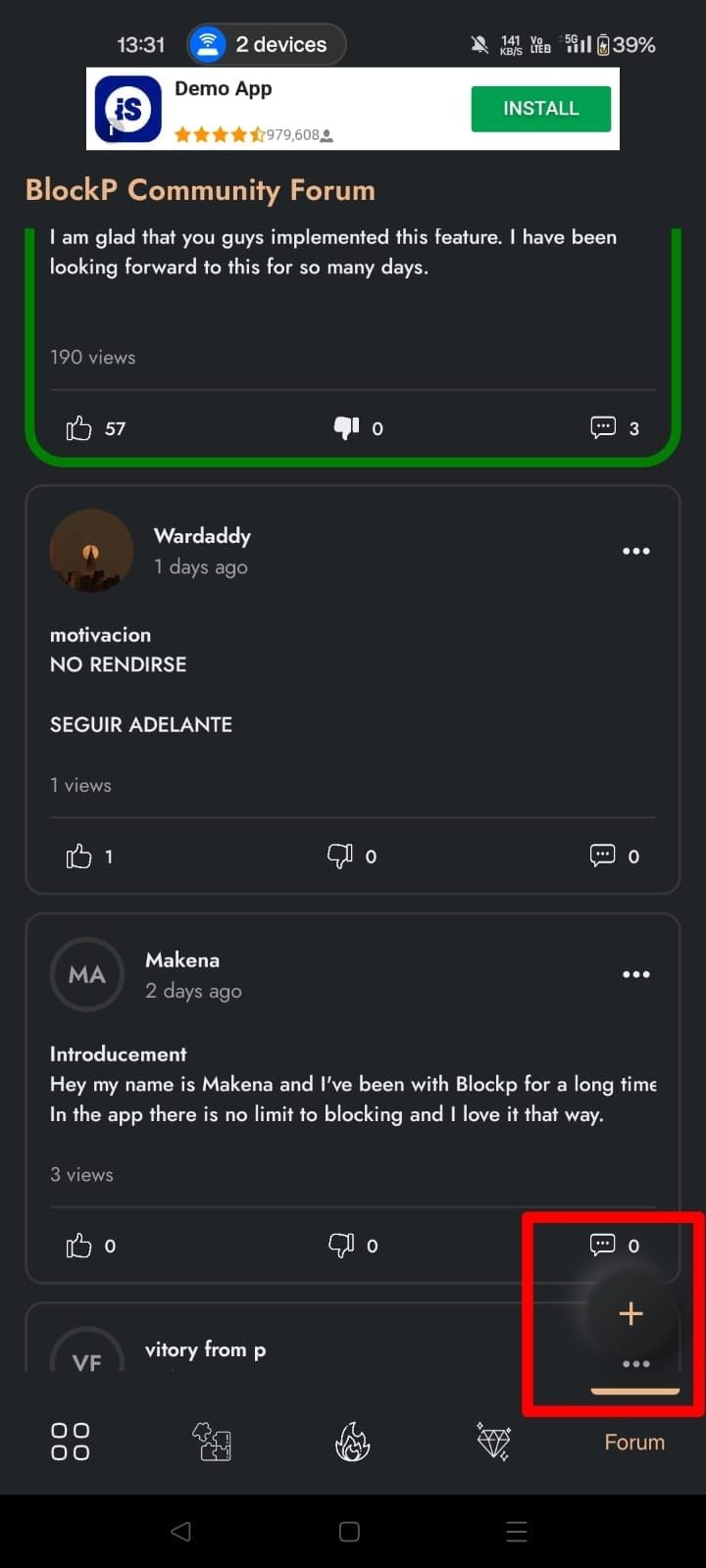
Step 2: You can access all the post and than Click on the Plus Icon to post your content or question
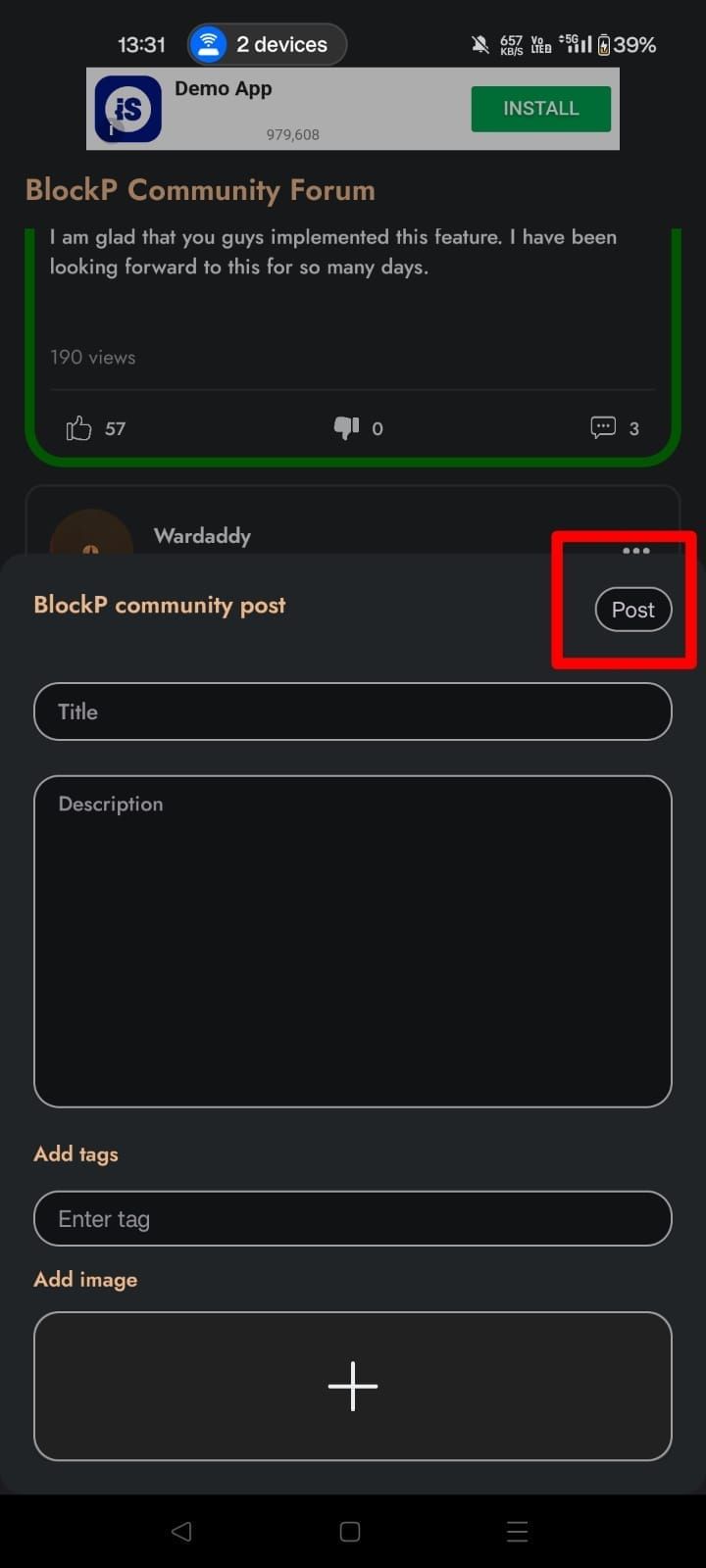
Step 3: Write the Title, Description, Tags and upload the image on your post and than click on “Post” button to publish your post on community
Struggling with Adult Content Addiction?
Download BlockP on your device, and block adult content instantly.

Written By:

BlockP Editorial Team is a group of researchers, behavioral health experts, and digital wellness specialists dedicated to helping people overcome adult content addiction and build healthier online habits. Our content is grounded in scientific research, expert insights, and real-world recovery experiences. Every article is carefully reviewed to ensure accuracy, practicality, and trustworthiness, empowering readers with evidence-based strategies for lasting change.