

Step 1: Enable the ‘Block Phone Reboot’ Option

Step 2: Confirm Block Phone Reboot
- Ensure the ‘Block Phone Reboot’ option is toggled on.
- Verify that the settings have been saved correctly.
Step 3: Attempt to Reboot the Device
- Press the power button on your device.
- Select the reboot option.
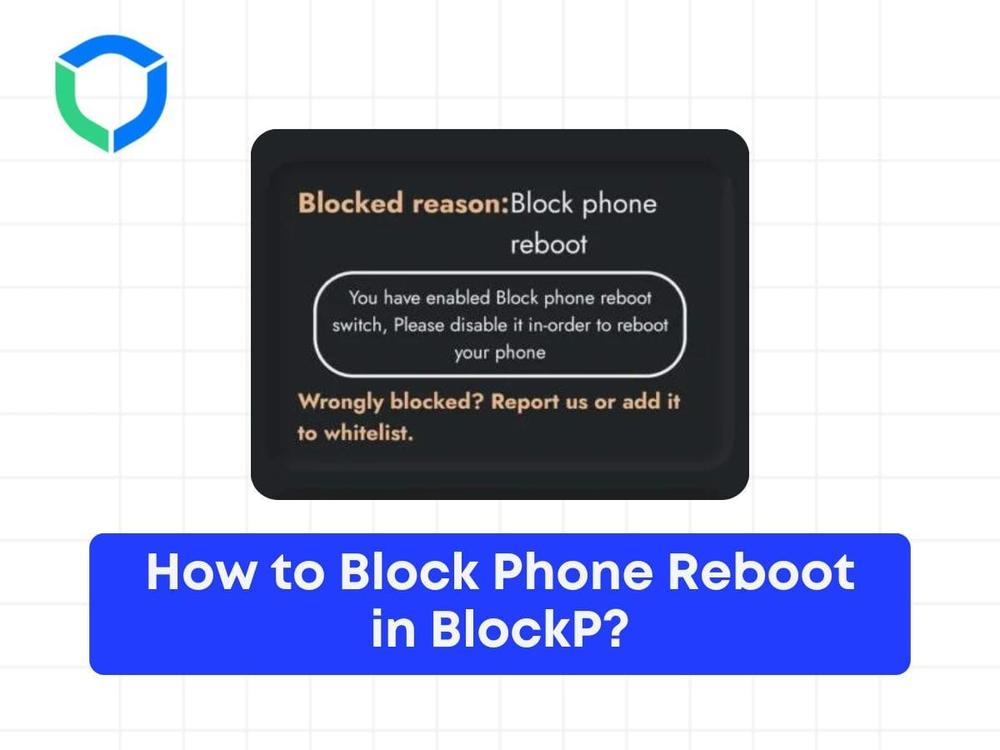
Observe the interface message:
Step 4: Understand the Reboot Block Message
If the reboot is blocked, a message will appear on the screen.
This happened because we have enabled the ‘Block Phone Reboot’ option.

Step 5: Verify the Functionality
- Confirm that the device does not reboot.
- Check that the ‘Block Phone Reboot’ option effectively prevents unintended reboots.
By following these steps, you can successfully block the reboot of your device using the ‘Block Phone Reboot’ option.
Struggling with Adult Content Addiction?
Download BlockP on your device, and block adult content instantly.

Written By:

BlockP Editorial Team is a group of researchers, behavioral health experts, and digital wellness specialists dedicated to helping people overcome adult content addiction and build healthier online habits. Our content is grounded in scientific research, expert insights, and real-world recovery experiences. Every article is carefully reviewed to ensure accuracy, practicality, and trustworthiness, empowering readers with evidence-based strategies for lasting change.