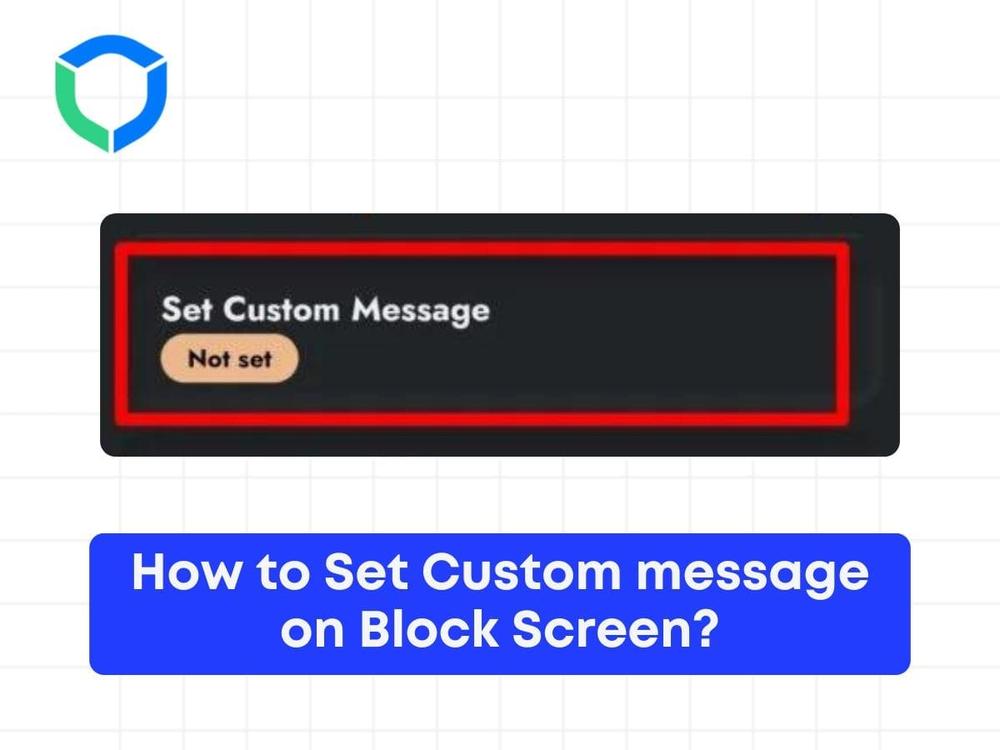


This feature allows users to customize a message to be displayed when a blocked site is accessed. When the individual tries to visit a blocked site, the BlockP porn blocker not only notifies them that the site is restricted but also displays a custom message.
Follow the steps below to set a custom message for your block screen
Step 1: Click on the custom blocking in the dashboard

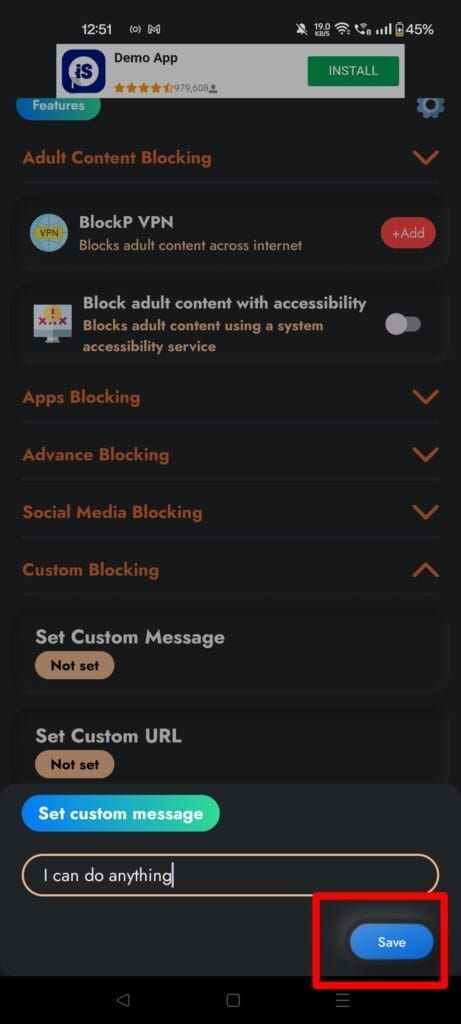
Step 2: In the dashboard section, scroll down to the bottom where you can find the option “Set Custom Message” and type in the message you want to be displayed.
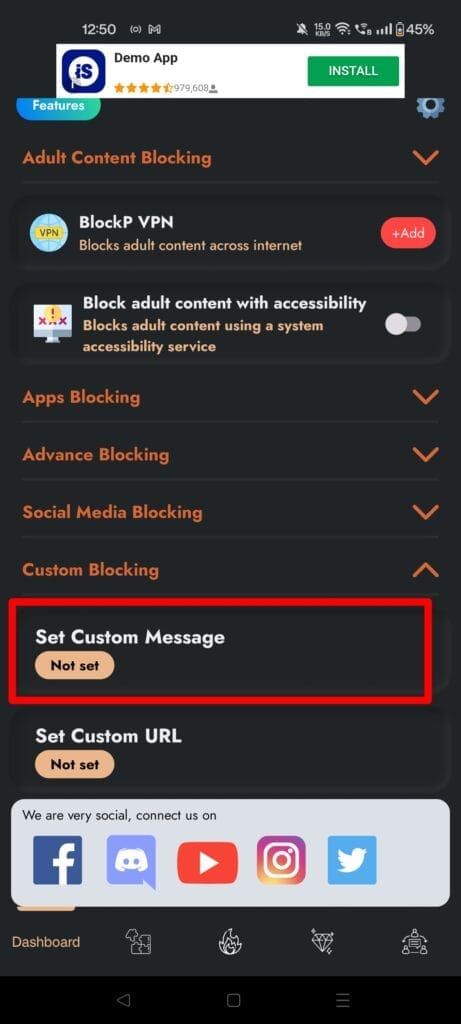
Step 3: Click on “Save” and make sure that BlockP is switched on.
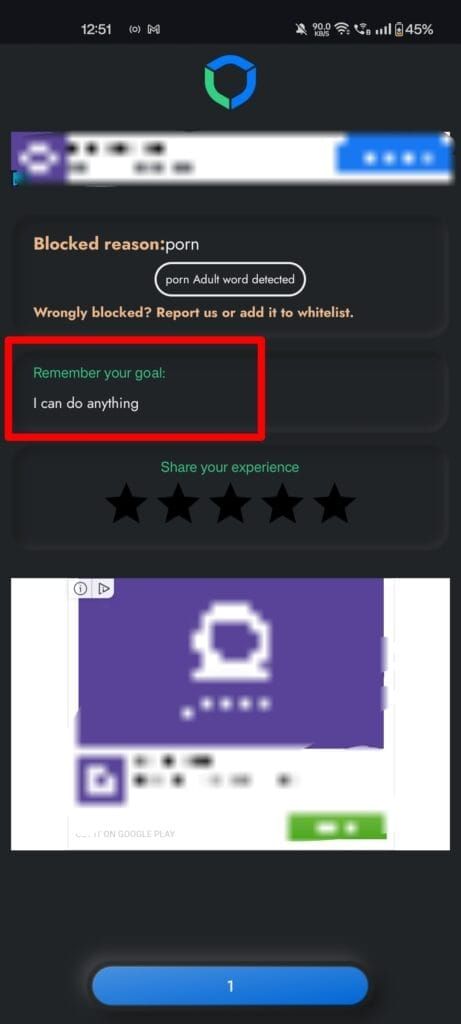
Step 4: You can test to see if it works by visiting a blocked site. When you try to open a blocked site or app, the blocker message displays the reason for restriction along with the custom message set. This custom message can include personal goals, motivational thoughts, or reasons for avoiding such content, encouraging users to stay focused on their objectives.
Struggling with Adult Content Addiction?
Download BlockP on your device, and block adult content instantly.

Written By:

BlockP Editorial Team is a group of researchers, behavioral health experts, and digital wellness specialists dedicated to helping people overcome adult content addiction and build healthier online habits. Our content is grounded in scientific research, expert insights, and real-world recovery experiences. Every article is carefully reviewed to ensure accuracy, practicality, and trustworthiness, empowering readers with evidence-based strategies for lasting change.