
How to Block Porn with AI on Mac
How to enable AI blocking in BlockP's mac software to detect and block explicit images, videos, and adult content for a safer browsing experience.
Get Started with BlockPA blocklist on a Mac can only stop sites someone has already recorded. Generated content may show up without any address at all. One UK figure puts the rise in actionable AI-generated abuse material at 400% between 2024 and 2025. New material may be arriving faster than any list can follow.
So a good AI porn blocker for Mac should effectively detect what is happening on the screen as the content loads. From there, a screen-level tool may block unwanted content as soon as it loads.
BlockP AI will block explicit content from AI in real time. It works well on macOS and catches new content that lists miss.
How to Enable AI Blocking in BlockP macOS Software (Step by Step)
Here are the steps to enable Porn blocker for macOS with BlockP.
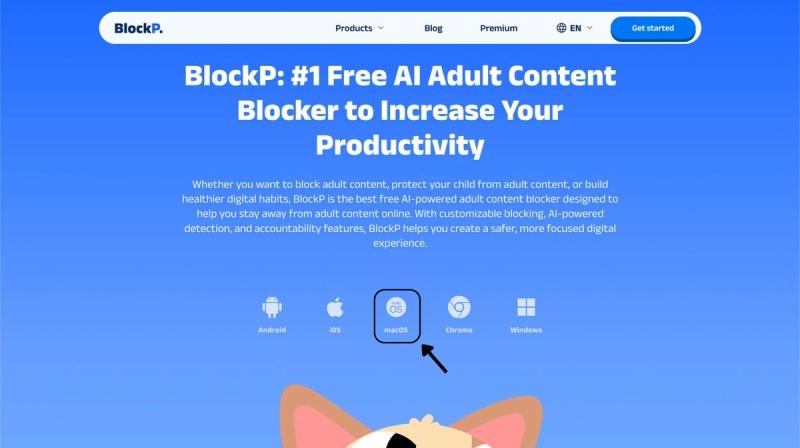
Step 1: Download BlockP
Go to the BlockP website and download the porn blocker software for Mac.
Step 2: Install and Open the App
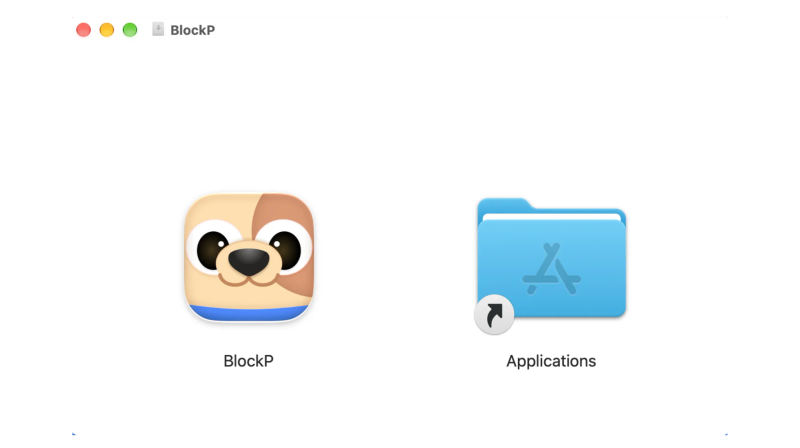
You can find the BlockP icon in the Downloads folder. Move it into Applications and open BlockP from there.
Step 3: Create Your Account
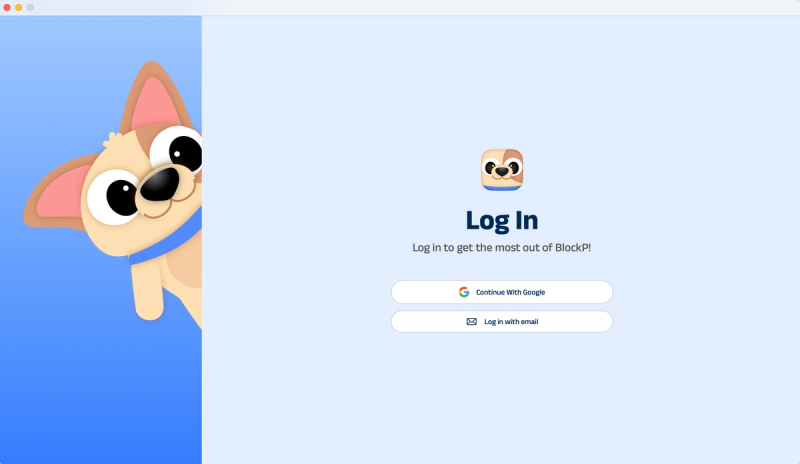
Sign up for BlockP using your email address or your Google account to get going.
Step 4: Give Necessary Permissions
BlockP will request four permissions on your Mac.
- Screen Detection
- Accessibility
- Blocking Permission
- Browser Access
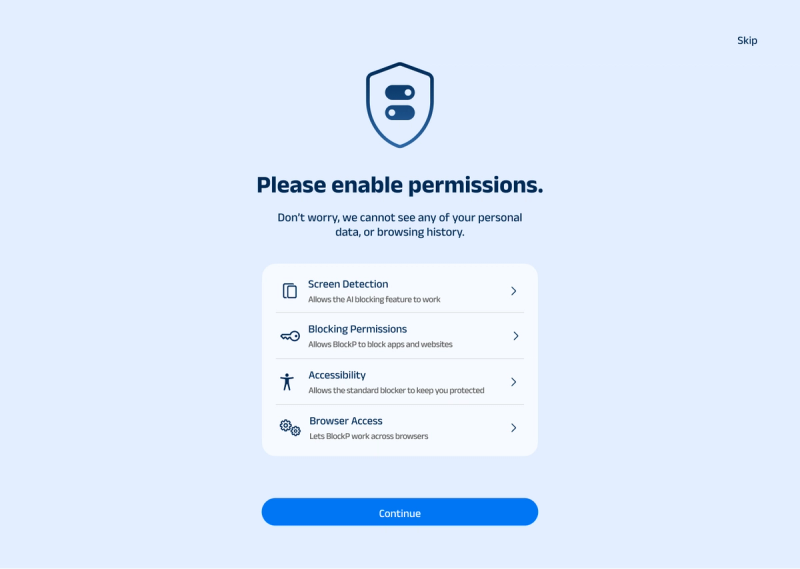
Click on each permission tab, and your Mac Settings page will open. Slide the toggle next to the BlockP icon to the on position. Do this for each of the permissions on the list.
Step 5: Enable AI Blocking
Once you've granted the permissions needed for the porn blocker software for Mac, the BlockP dashboard will open. Under the Features section, just slide the toggle next to AI Blocking, and BlockP will then block AI porn on your Mac.

What Is AI Porn Blocking on Your Mac?
AI porn blocking works by using a model that is trained to look at what's on your screen. It then decides whether or not there is any explicit content. It's on that basis that the AI Porn Blocker for Mac will block the content.
The requirement for a porn blocker for macOS is growing all the time, as a list can never possibly cover content that is generated on demand. Detection therefore has to happen at the level of the content itself.
Benefits of Using AI Porn Blocking
- An AI porn blocker for Mac picks up unlisted content as the model is assessing what's on screen.
- It scans images rather than just addresses (including hidden or disguised explicit content).
- It runs in real time so detection takes place as the content is appearing.
- One setting covers the entire Mac rather than just a single browser.
- BlockP AI Blocking works on the device so no browsing data is sent to any external servers.
How AI Blocking Works in BlockP
BlockP trains its AI on the visual patterns found in explicit content. When a page loads, the model scans what appears on the screen. It compares that content against what it learned during training. If the content passes a set limit for explicit material, BlockP blurs it. The source of the page does not matter to the tool. It treats adult sites and regular sites the same way and works as an unabashed AI NSFW blocker on Mac.
BlockP is porn blocker software for Mac that spots new explicit content other tools miss. So it blocks anything explicit, no matter where it shows up.
AI Porn Blocking vs Standard Porn Blocking
Standard blocking works from a list of known adult sites. It will also block any site or keyword that you add to a list. AI adult content blocker reads the content rather than checking a list. It can act on pages that the list has never seen.
The list covers known sites, and the AI model goes beyond it by monitoring your live screen. BlockP Premium has both, so it is a very good porn blocker for macOS.
Why Choose BlockP macOS Software?
| Feature | BlockP | Kahf Guard | Canopy |
|---|---|---|---|
| Core approach | On-device AI detection | DNS-level filtering | Real-time AI filtering |
| Dedicated adult site and keyword blocklist | Yes | Yes | Yes |
| AI detection of unlisted or new explicit content | Yes | No (list-based DNS filtering) | Yes |
| Block Social media and gambling | Yes | Yes | Yes |
| Blocks apps, not just websites | Yes | Yes | Yes |
| Prevents easy self-uninstall | Yes | Yes | Yes |
| Native Mac app | Yes | Limited | Yes |
| Free option | Standard Blocking | Core protection | No |
Frequently Asked Questions
1. How do I block porn on Mac using AI?
Install BlockP, grant the four permissions in Settings, and then switch on AI Blocking under Features.
2. Is BlockP AI porn blocking free on Mac?
BlockP provides free standard blocking, and its AI porn blocking is a Premium feature.
3. How does AI porn blocking work on macOS?
AI checks what's on your Mac screen and flags content if it is identified as explicit.
4. What is the difference between AI porn blocking and standard porn blocking?
Standard blocking checks sites and keywords against lists. AI blocking analyzes the content itself, so it may catch explicit material that no list has recorded.
5. Can AI porn blockers detect explicit images and videos in real time?
Yes, AI is able to detect explicit content while you’re on your Mac.
6. Does BlockP AI blocking work across different websites and browsers on Mac?
You can use BlockP on supported browsers and apps once you’ve allowed the permission it needs.