
Enable Limit Adult Content in BlockP macOS Software
Block adult websites with BlockP. Use keyword-based filtering to limit access to adult content and build safer browsing habits.
Get Started with BlockPSome Mac users are attempting to avoid porn as part of their recovery. Others simply don't go looking, and it's an accidental exposure via a pop-up or a search result (accidental exposure among teens is 63%). They may then go on to feel rather uneasy afterward, even if it was completely accidental.
Closing the tab after something explicit has popped up doesn't take it away. You've already seen the image. The easier solution may be to block the content before it even loads, as you'll never see it.
BlockP works as a top porn blocker for Mac as it filters adult sites and search results, and it comes with a free plan. It's easy to get to grips with, easy to understand how it works and where it's useful.
How to Enable Limit Adult Content in BlockP macOS Software
Here is how to block adult websites on Mac with BlockP.
Step 1: Download BlockP
Go to the BlockP website and download the porn blocker software for Mac.
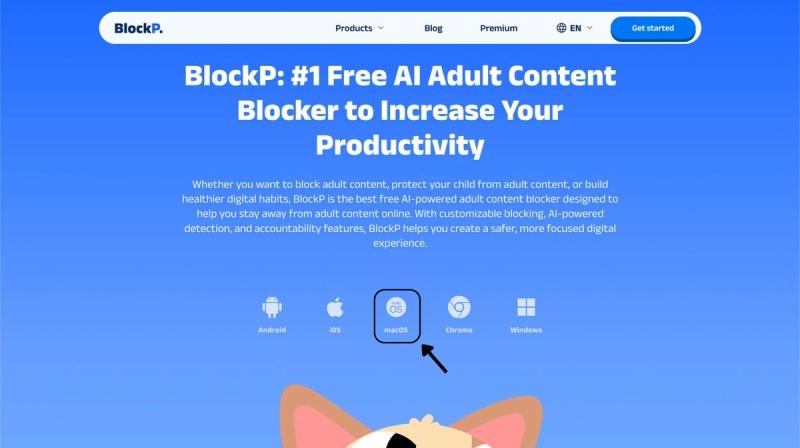
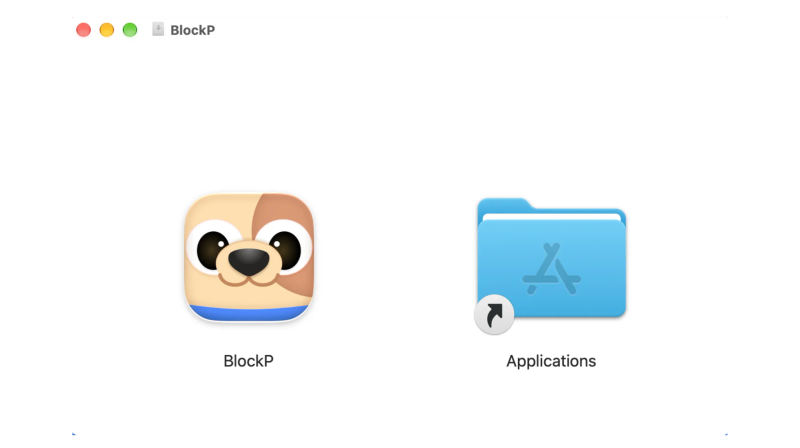
Step 2: Install and Open the App
You can find the BlockP icon in the Downloads folder. Move it into Applications and open BlockP from there.
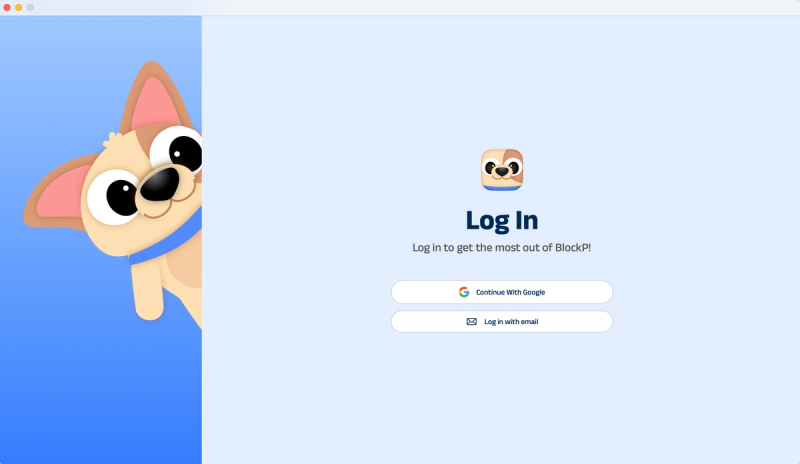
Step 3: Create Your Account
Sign up for BlockP using your email address or your Google account to get going.
Step 4: Give Necessary Permissions
BlockP will request four permissions on your Mac.
- Screen Detection
- Accessibility
- Blocking Permission
- Browser Access
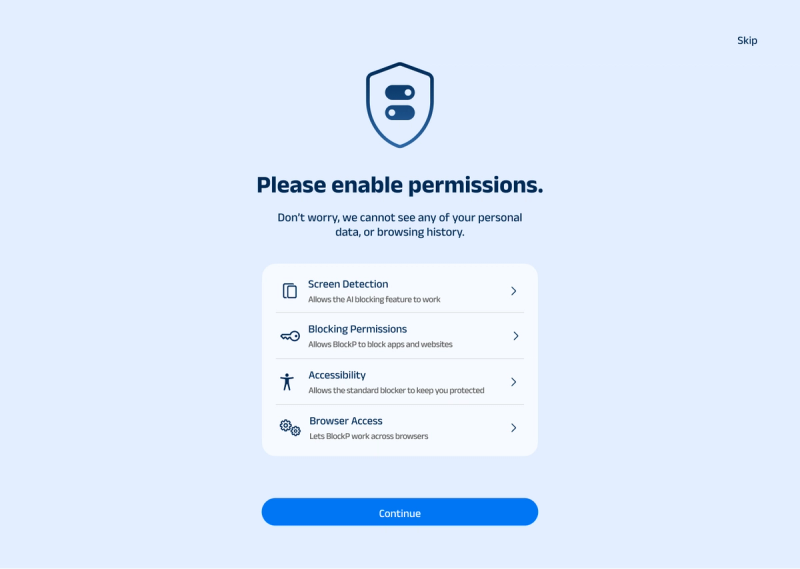
Click on each permission tab, and your Mac Settings page will open. Slide the toggle next to the BlockP icon to the on position. Do this for each of the permissions on the list.
Step 5: Enable Limit Adult Content
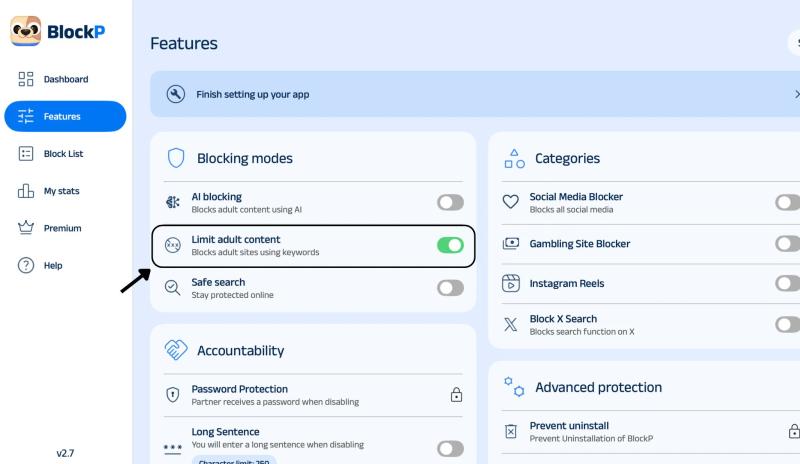
Once you are in the BlockP dashboard, go to the Features tab and find Limit Adult Content. Switch the toggle on. Confirm that BlockP has the required system permissions for full coverage.
What Is Limit Adult Content Blocking on Mac?
Limit Adult Content is basically a way to block explicit content on your Mac before you see it. The URL and search terms are checked against a list of adult keywords and domains. If it matches the predetermined list, then that site is blocked. You can, of course, add your own keywords and a whitelist to tailor exactly what gets blocked.
This is separate from AI Blocking, which looks at the image and video previews as they load. The Adult Content Blocker for Mac is the simpler layer, and it just runs in the background once it's on.
Some people use Limit Adult Content as part of their recovery process. Others will use it on a shared family Mac to stop the explicit pop-ups from appearing on screen. In both cases, BlockP can be very useful.
Benefits of Using Limit Adult Content on Mac
Limit Adult Content adds a safety barrier to Mac in the following ways
- As you can stop explicit pop-ups or search results before they load, a porn blocker for Mac prevents accidental exposure.
- In case you're working on urge control, a blocked page will give you a moment to step away and control the temptation to look.
- You can block porn websites with keywords of your own, and also ensure any websites you want to view are added to the whitelist.
- You can limit Adult Content on every browser on your Mac without any additional setup for each.
- If you fear accidental changes or an urge to bypass the blocker, you can create a PIN for protection.
How Limit Adult Content Blocking Works in BlockP
As an adult content blocker for Mac, BlockP monitors what you open or search for against a built-in list of adult keywords and domains. In most cases, a match is blocked before the page loads, and everything else opens as usual.
When you type a search or click a link, BlockP checks the address and search terms against its lists. If something matches, the page is blocked. If not, it loads. This approach lets BlockP block porn websites with keywords even when a site is new.
Coverage is not limited to one browser. Once BlockP has the permissions it needs, it will work across all browsers on your Mac and will be able to check what is on screen. Private browsing windows are subject to the same rules.
Why Choose BlockP macOS Software to Limit Adult Content?
BlockP for Mac covers the browser and the screen once permissions are granted.
- It is free to start. Standard Blocking, which includes Limit Adult Content, is free forever.
- You can have settings locked behind a PIN, and an accountability partner can have the controls.
- BlockP includes built-in support: focus modes, urge-reduction exercises, meditation guides, and a peer-support community.
- You can connect unlimited devices. BlockP lists unlimited devices on its plans so the same protection can be applied to a phone as well.
As a porn blocker for Mac, BlockP helps in recovery as well as prevention. Therefore, it can be useful for anyone who is looking for an escape from exposure to explicit content on the internet.
Frequently Asked Questions
How do I block adult websites on Mac using BlockP?
In the BlockP dashboard, you will find Limit Adult Content under the Features tab. Simply toggle the button on to enable the feature.
Is Limit Adult Content free on Mac?
Yes. Limit Adult Content is part of Standard Blocking (which is free forever).
How does keyword-based adult content blocking work on macOS?
BlockP checks the websites and the terms you search for against a list of adult keywords and domains. Any matches are blocked.
What is the difference between Limit Adult Content and AI blocking?
Limit Adult Content filters by keywords and domains. AI Blocking checks images and video as they load so it can catch content that the keywords would miss.
Can I block adult websites across different browsers on Mac?
Yes. With permissions granted, BlockP works across every browser, so you can block adult websites on Mac without setting up separate tools for each one.
Does BlockP Limit Adult Content block every adult website?
Yes. Limit Adult Content in BlockP blocks all adult websites across your Mac once it is switched on.