
Block X (Twitter) Search on Mac: How to Turn Off X Search with BlockP
Block the search function on X (Twitter) with BlockP for Mac. Stop explicit and distracting results from showing up while you still use X.
Get Started with BlockPX’s feed is designed to pull you in. You start with one post about something you care about, then get drawn into a trending debate and start searching, losing more time than you expected. Each tweet might be a few characters, but before you notice, you’ve gone far past what you came for. A University of Toronto study found that scrolling accounted for 74% of participants’ time on X, and it associated feed scrolling with lower well-being.
Leaving the platform is the usual answer, yet so many people use X for news, to find out what's trending, who's talking, etc. So to just give that up and go with the search habit is a rather absurd solution. A tool that can block X search will obviously help with the endless browsing. BlockP does this on macOS, and it's a two-step setup.
How to Block X Search on Mac with BlockP (Step by Step)
Step 1: Download BlockP
Go to the BlockP website and download the porn blocker software for Mac.

Step 2: Install and Open the App
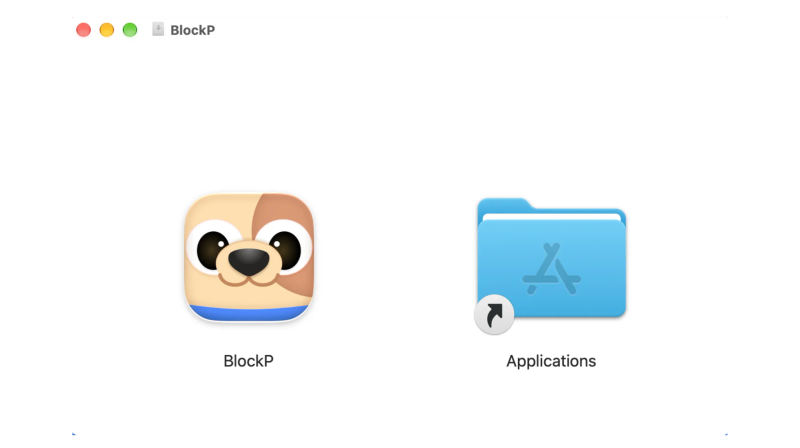
You can find the BlockP icon in the Downloads folder. Move it into Applications and open BlockP from there.
Step 3: Create Your Account
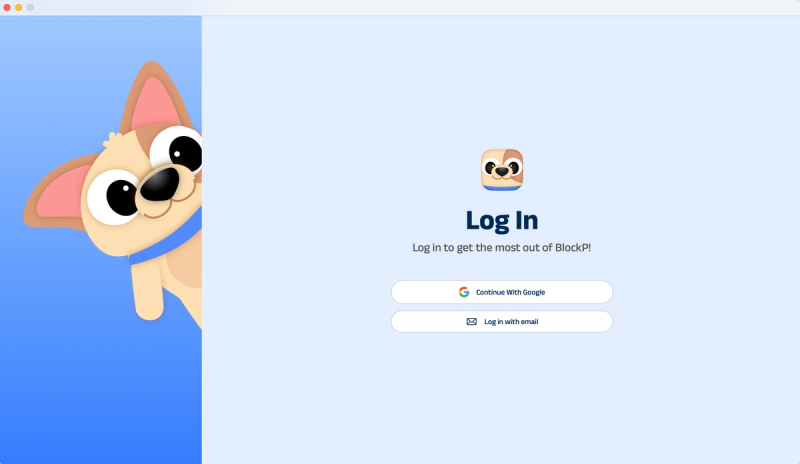
Sign up for BlockP using your email address or your Google account to get going.
Step 4: Give Necessary Permissions
BlockP will request four permissions on your Mac.
- Screen Detection
- Accessibility
- Blocking Permission
- Browser Access
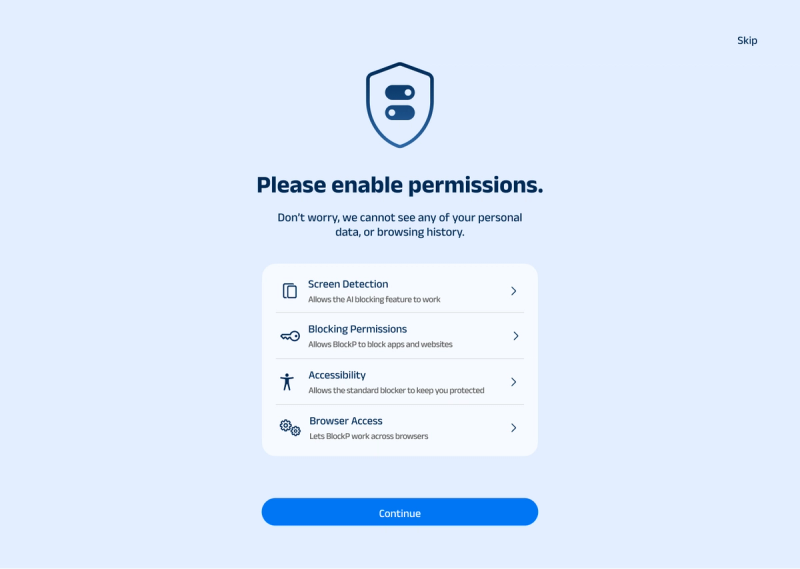
Click on each permission tab, and your Mac Settings page will open. Slide the toggle next to the BlockP icon to the on position. Do this for each of the permissions on the list.
Step 5: Go to Features and
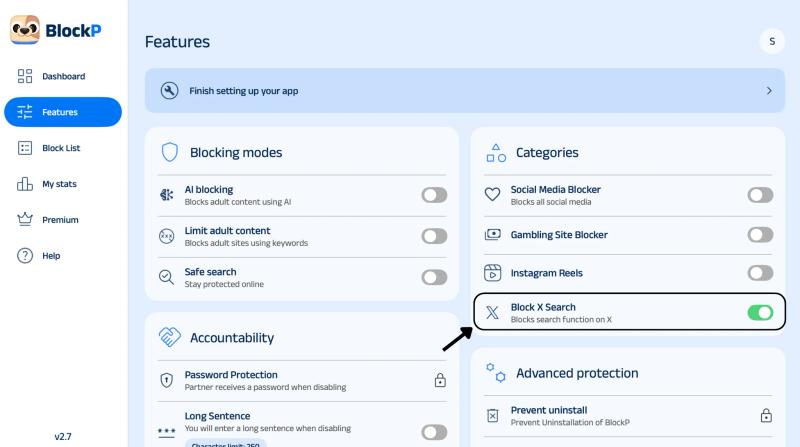
Once you're in the BlockP dashboard, head to the Features tab. Under Categories, find Block X Search and turn it on.
What Is Block X Search on Mac?
To 'block X Search' is simply not to use the app at all; it's to disable the search function on X (formerly Twitter). X has its uses, but the habit of constantly searching is incredibly time-consuming, and it will just reduce your productivity.
Search often becomes a loop where one search leads you to wanting to find something else. It's a pattern, really, where you have one query, read a thread, and end up going to replies, and your session just keeps growing. Anyone asking how to turn off search on X is going to need a tool that works at the device level, as the search box is part of the platform.
Benefits of Blocking X (Twitter) Search on Mac
You can block Twitter search on Mac to protect focus without leaving the platform. The gains are:
- You stop opening X for a quick search and then end up staying for an hour.
- Trending topics and random posts don't appear to distract you.
- You're very focused during the meetings and when you're doing your deep work.
- Late-night scrolling on your Mac is pretty much non-existent.
- There's absolutely no need to delete your account or log out.
- You can view your timeline without necessarily getting sucked into endless browsing.
How Block X Search Works in BlockP
The BlockP Block X Search category is available for free in their macOS application and helps to restrict your tenacious habit of searching X threads and trends. The search page and search bar on X won’t load anymore. Your timeline and profile stay open, so you keep using X without the search pull.
The restriction is in effect whilst the toggle is on. You can turn it off from the same tab. The fact that BlockP has accountability options means you won't be at risk of going over your block and falling back into your old ineffective habits. BlockP takes explicit permission to enable this, and apart from that, there is no collection of your search history or screen content.
BlockP Block X Search vs X’s Sensitive Content Settings
X’s sensitive content settings control what the platform shows you, like blocking certain terms or NSFW content. They are useful for monitoring what content you see when you are using your account. This cannot be useful when you want to restrict your use of the app or control obsessive usage.
BlockP works on the device level and blocks your search on X. This helps control your use of the app and not just what you see in it. BlockP also comes with password protection and uninstall prevention, so even when you are tempted to reverse the restriction, it's hard. If your goal is to block NSFW content on X, BlockP’s AI detection can hide explicit images. This way they also performs the function of X's typical Sensitive Content Settings
Why Choose BlockP to Block X Search on Mac?
BlockP lets you disable Twitter search, and let’s see how it compares to common options for X search and NSFW control.
| Feature | BlockP | Covenant Eyes | Net Nanny | Qustodio | X’s built-in settings |
|---|---|---|---|---|---|
| AI detection of explicit images on X | Yes | No | Yes | Limited | No |
| SafeSearch enforcement | Yes | Varies | Yes | Yes | No |
| Password-protected settings | Yes | Yes | Yes | Yes | No |
| Built for self-control | Yes | Yes | No | No | No |
| Free tier available | Yes | No | No | Yes | Yes |
Frequently Asked Questions
How do I block search on X (Twitter) on Mac?
You can block Twitter search on Mac via BlockP by turning on 'Block X Search' under the categories.
Is BlockP Block X Search free on Mac?
The free version of BlockP includes the Block X Search feature.
Can I still use X (Twitter) after blocking search?
Yes, blocking search means you can't search for anything new. You can still view your timeline, your posts, and your messages.
Does Block X Search stop NSFW content on X?
It blocks search, which removes one common route to explicit results. For more coverage, use it along with BlockP's AI detection.
Does Block X Search work in Safari, Chrome, and other browsers on Mac?
BlockP runs as a macOS application. It also has versions to support other browser-level filtering.
What is the difference between Block X Search and the Social Media Blocker?
Block X Search restricts only the search function on X. The Social Media Blocker restricts all social media, like Facebook, Instagram, etc.