How to Prevent Uninstall BlockP on Mac
Turn on Prevent Uninstall in BlockP for Mac so your porn and website blocker cannot be removed in a weak moment. Stay protected and accountable.
Get Started with BlockPA decision you make to stay away from porn or social media is going to be tested on many days, and you can't just give in. On a Mac, you delete an app with one drag to the Trash. So, in order to work with your willpower, you also need very strong support from the Mac porn blocker that you're using.
BlockP helps to prevent uninstall on Mac with built-in settings on the same. All you have to do is turn it on and let the app help you follow through.
How to Turn On Prevent Uninstall in BlockP macOS Software (Step by Step)
Step 1: Download BlockP
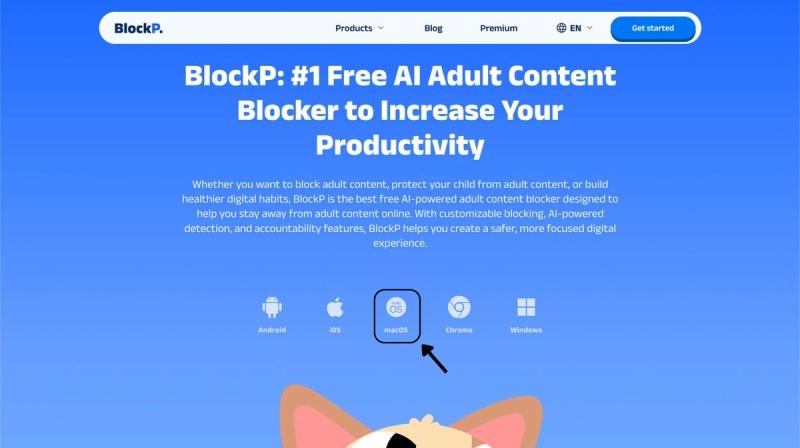
Go to the BlockP website and download the porn blocker software for Mac.
Step 2: Install and Open the App
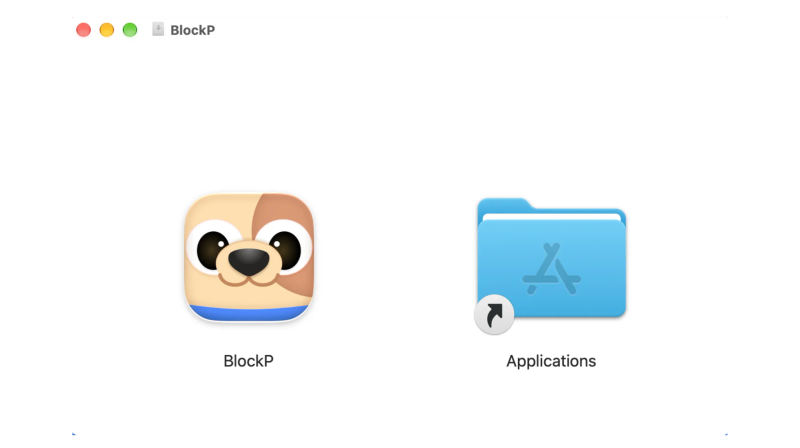
You can find the BlockP icon in the Downloads folder. Move it into Applications and open BlockP from there.
Step 3: Create Your Account
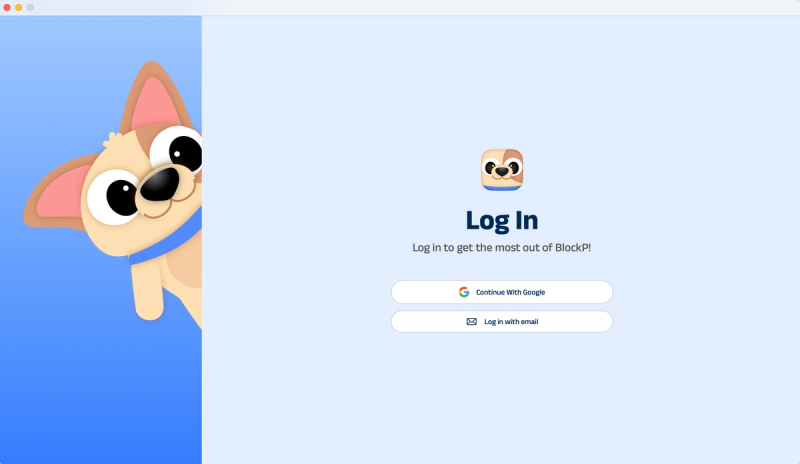
Sign up for BlockP using your email address or your Google account to get going.
Step 4: Give Necessary Permissions
BlockP will request four permissions on your Mac.
- Screen Detection
- Accessibility
- Blocking Permission
- Browser Access
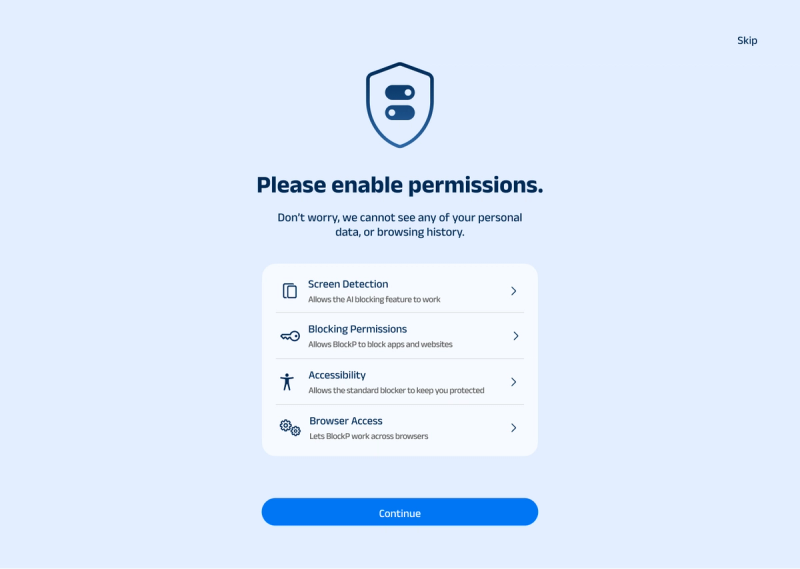
Click on each permission tab, and your Mac Settings page will open. Slide the toggle next to the BlockP icon to the on position. Do this for each of the permissions on the list.
Step 5: Go to Features and Turn On Prevent Uninstall
Open the Features tab and find Advanced Protection. Turn on Prevent Uninstall.
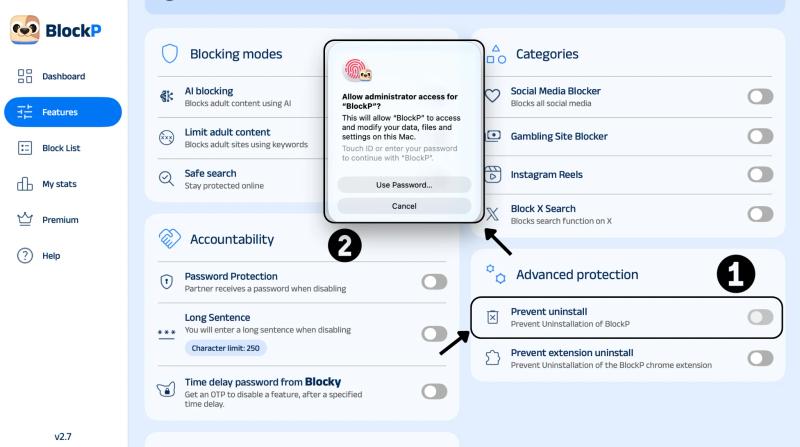
When your Mac asks, give BlockP system access to prevent uninstall on Mac.
What Is Prevent Uninstall on Mac?
Prevent Uninstall is the setting that prevents someone from uninstalling the app whilst it's running. Without it, anyone with admin rights could simply drag the app to the Trash.
If you're looking for a way to prevent app uninstall Mac, you can use Apple's Screen Time (under Content & Privacy Restrictions) to achieve this. It's a case of total control over your Mac apps, though, and not just a specific filter.
This is most important on a shared Mac, as it only allows the main admin the ability to uninstall it. On a personal Mac, you'd have one account with both the filter and admin rights to remove it.
Benefits of Uninstall Protection for Your Porn Blocker on Mac
Porn blocker that cannot be uninstalled adds effort at the moment your resolve is weakest.
- A porn blocker that you can't uninstall will continue to work precisely when you're most inclined to turn it off.
- Extra effort required to uninstall gives the urge time to wane before you can actually go and do it.
- Your blocking rules remain in place between sessions so you can't just slip through a gap.
- You don't need to rely on willpower alone as the app becomes your ally in preventing removal.
- Unlike a system-wide setting, this lock covers the app that does the blocking, so you don’t have to lock down every app on your Mac.
How Prevent Uninstall Works in BlockP
BlockP Prevent Uninstall works by getting access permission from your Mac. Once you give that permission when switching on the option, the app can’t be removed.
The protection has to be running in the background. The permission allows BlockP to be constantly watching for any attempts to remove it, so the lock remains in place even when the app isn't actively open on your screen.
You can set up your blocking mode, website list, and keywords. Then turn on Prevent Uninstall last. That way, all your settings are safe, and the uninstall protection Mac is on too.
BlockP Prevent Uninstall vs Screen Time Restrictions on Mac
Learning how to prevent apps from being deleted on Mac often starts with Screen Time. Under the Content & Privacy option, it has an Allow Deleting Apps toggle. Once it's on, no app can be uninstalled without your permission.
Screen Time affects every app. It wouldn't be a sensible thing to have Screen Time monitoring every app if you only want to monitor one app. BlockP does the job properly in that it protects itself from being removed. All the other apps on your Mac are untouched.
Screen Time is good for a shared family Mac where you have every app requiring a lock. BlockP is the better option if you want to prevent your porn blocker or filter app from being uninstalled on the Mac.
Why Choose BlockP for Uninstall Protection on Mac?
When you search for "prevent app uninstall Mac," you pretty much just get the general system settings. BlockP gives you uninstall protection that Mac users can simply turn on with a toggle in the very same dashboard that hosts the filter.
| Feature | BlockP | Qustodio | Canopy | Covenant Eyes |
|---|---|---|---|---|
| Uninstall protection on Mac | Yes | Yes | Yes | Yes |
| One toggle inside the filtering app | Yes | No | No | No |
| Needs a separate admin and standard account | No separate-account requirement verified | Not the only safeguard | Not required | Not required |
| Works with accountability partner features | Yes, on supported versions | Parent app and dashboard controls | Yes | Account Admin can control uninstall |
| Best for | Dedicated blocking toggle and extension protection | Families who can use separate Mac user accounts | Users who want removal prevention with accountability-partner approval | Users who want admin-controlled uninstall access |
Frequently Asked Questions
How do I stop BlockP from being uninstalled on Mac?
Open the Features tab, go to Advanced Protection, and turn on Prevent uninstall. Allow system access and click Enable when prompted.
Is Prevent Uninstall free in BlockP for Mac?
BlockP has uninstall prevention as part of the Premium plans.
Can I prevent apps from being deleted on Mac?
Yes. You can prevent apps from being deleted on the Mac by turning off 'Allow Deleting Apps' under Content & Privacy in Screen Time.
How do I uninstall BlockP if Prevent Uninstall is turned on?
Turn off the Prevent Uninstall on Mac option in BlockP Advanced Protection, and then you can easily uninstall.
What is the difference between Prevent Uninstall and Prevent Extension Uninstall?
Prevent Uninstall protects the BlockP app on your Mac. Prevent Extension Uninstall protects the BlockP browser extension.
Can Prevent Uninstall be used with an accountability partner?
Yes. BlockP has accountability partner features on supported versions, and it can be paired with uninstall prevention.