How to Turn On Long Sentence in BlockP macOS Software
Use the Long Sentence lock in BlockP for Mac. Type a long sentence of up to 250 characters before disabling, so you pause and stay in control.
Get Started with BlockPA filter only works until you decide to turn it off. That choice disables filtering, and blocking usually hits in a moment of temptation. With the off switch just a click away, this is easy.
A University of Cambridge study in Neuron found that precommitment is more important than willpower. To follow up on the commitment, you can choose a porn blocker without accountability partner, where a self-guarding lock can help you stay on track.
The Long Sentence lock in BlockP is a pretty good lock to stop the user from just getting out of the app. To uninstall BlockP, log out, or turn off any other feature, you have to type in what appears on your screen.
How to Turn On Long Sentence in BlockP macOS Software (Step by Step)
BlockP Long Sentence can be enabled in the following steps:
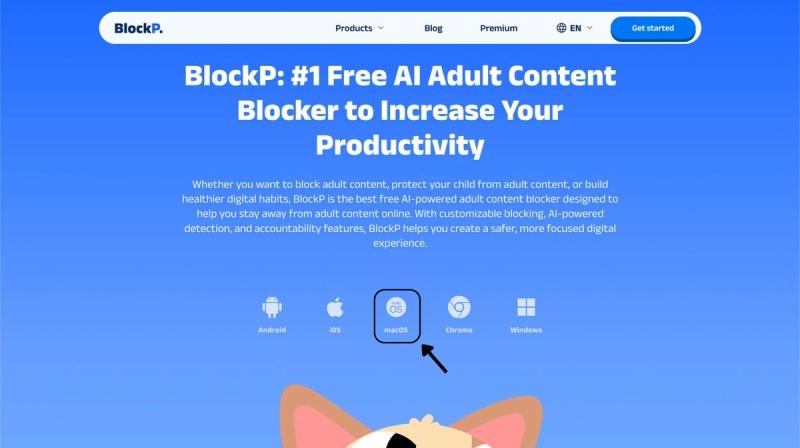
Step 1: Download BlockP
Go to the BlockP website and download the porn blocker software for Mac.
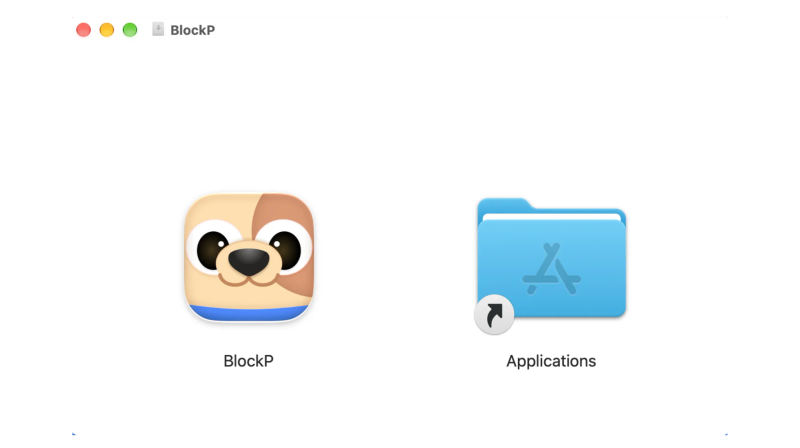
Step 2: Install and Open the App
You can find the BlockP icon in the Downloads folder. Move it into Applications and open BlockP from there.
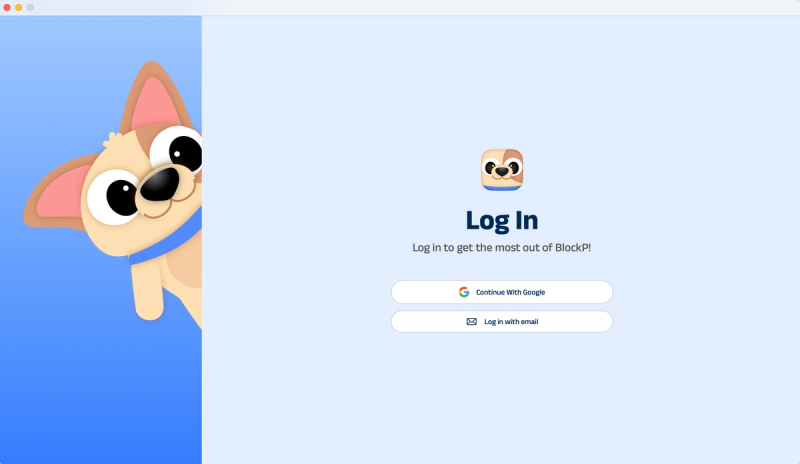
Step 3: Create Your Account
Sign up for BlockP using your email address or your Google account to get going.
Step 4: Give Necessary Permissions
BlockP will request four permissions on your Mac.
- Screen Detection
- Accessibility
- Blocking Permission
- Browser Access
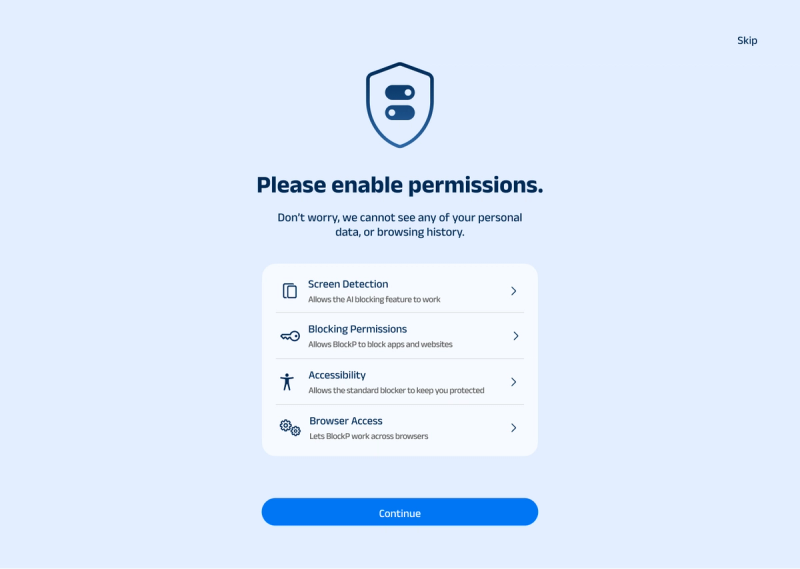
Click on each permission tab, and your Mac Settings page will open. Slide the toggle next to the BlockP icon to the on position. Do this for each of the permissions on the list.
Step 5: Go to Features, Open Accountability, and Turn On Long Sentence
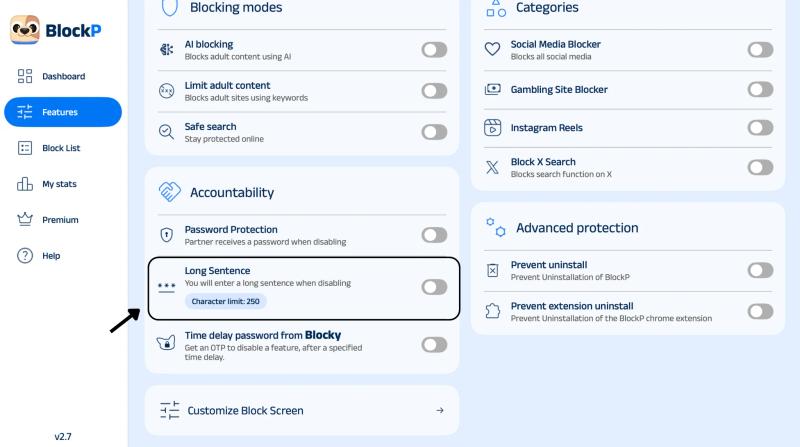
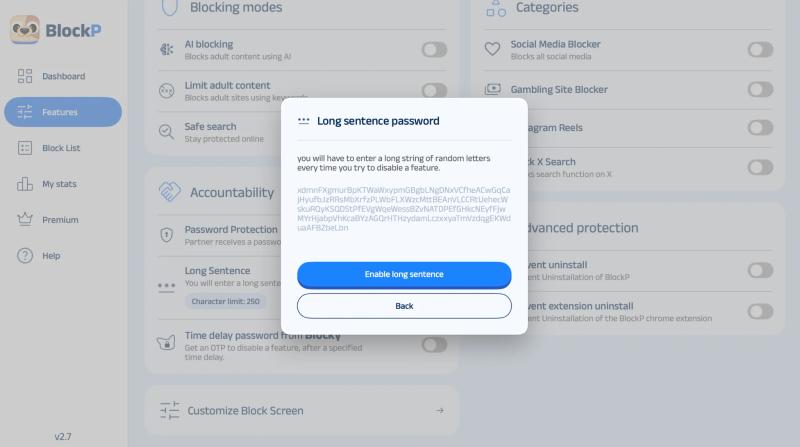
In the dashboard, go to the Features tab. Under Accountability, turn on Long Sentence Password. A window with an explanation of the feature will appear, in which you can click Enable to confirm.
What Is the Long Sentence Lock in BlockP?
The Long Sentence Lock is an accountability feature in BlockP. Once it's on, it protects every exit from the software. If you try to change any settings, you'll be presented with a 250-character string of uppercase and lowercase letters. You can only make the change if you type that string correctly.
You can't just type this out on autopilot given its length and the nature of the content. The lock won't eliminate the urge entirely, but it will slow your reaction to it by giving you a moment where you don't act on impulse. That's exactly what you want if you're looking for a porn blocker for Mac. It adds friction at the point of weakness.
Benefits of a Porn Blocker Without an Accountability Partner
Not everyone wants another person looking at their reports. Some jobs simply don't allow you to share your browsing data, and others just don't want to have that goal shared. Here is what a porn blocker without accountability partner gives you:
- Nobody else gets a report about what you do online.
- Your lock still works when no one else is around to help.
- Every urge you skip is a win that belongs to you.
- The lock acts the same on great days and rough days.
How the Long Sentence Lock Works in BlockP
Following a protected action of your porn blocker for Mac, like uninstall, logout, or turn off, it opens a prompt in BlockP that shows a 250-character string on screen. You have to type it exactly, capital letters included. It must match before the action goes ahead.
The typing takes time, and that time is the point. It gives you a moment to pass on the temptation before the block comes down. If you are wondering how to stop turning off porn blocker settings in a weak moment, this is the answer. It is just you and the software with no intervention from any other person.
Long Sentence vs Password Protection: Which Lock Is Right for You?
A password protects a setting from anyone who does not know it, but it does not help the person who already knows the password, who can simply enter it easily. So a password isn’t a hard to disable porn blocker method.
With BlockP, the long sentence typing is all about effort rather than secrecy. No one is going to memorize 250 characters of mixed case, so every attempt is going to be an attempt to type it all out.
Password Protection is appropriate for a shared Mac (the aim being to keep other people out). A long sentence is required if the intention is to filter or block adult content.
Why Choose BlockP for Self Accountability on Mac?
BlockP is a self accountability porn blocker (focused on adult content) that requires no partner. It has the most robust lock system to prevent impulse exits. The setup is very quick, and you require no human support to maintain your commitment.
The table compares BlockP with other Mac blockers that offer self accountability locks.
| App | Primary purpose | Self-accountability locks |
|---|---|---|
| BlockP | Adult content blocking | Long Sentence (250 character mixed case entry) |
| Cold Turkey Blocker | General website and app blocker | Random text, restart, password, Frozen Turkey |
| Focus | General distraction blocker | Password lock on preferences |
Frequently Asked Questions
How do I block porn on Mac without an accountability partner?
For a porn blocker without accountability partner setup, install BlockP, set your blocking preferences, and turn on Long Sentence under Accountability.
What is the Long Sentence lock in BlockP?
Long Sentence lock is an accountability lock that requires an exact 250 character entry before you can uninstall BlockP, log out, or turn off any other feature.
How long is the sentence I need to type to disable BlockP?
It's 250 characters long and uses both uppercase and lower case.
Is the Long Sentence feature free in BlockP for Mac?
BlockP offers long sentence lock as a free feature.
Does typing a long sentence really stop impulsive disabling?
Yes, it can help a lot, as typing 250 characters takes time, and that gives you a chance to change your mind.
Can I use Long Sentence with Password Protection and Time Delay Password?
Yes. It works as one layer and sits alongside both locks.