Password Protected Porn Blocker for Mac with an Accountability Partner
Turn on Password Protection in BlockP for Mac. Your accountability partner gets the password, so blocking cannot be turned off without them.
Get Started with BlockPDespite having a porn blocker in place, if any temptation strikes to unblock anything, then it's just a couple of clicks away. Most of the blockers out there are quite good at their job of blocking but not at stopping the user from actually turning the blocker off or uninstalling it.
A good password protected porn blocker places the key to its settings with another person and not with the user who uses it. This way, a moment of weakness to turn off blocking isn’t a toggle away but contacting an accountable person you trust. BlockP offers this on macOS through an accountability partner and password protection.
How to Turn On Password Protection in BlockP macOS Software (Step by Step)
This walkthrough shows how to password protect a porn blocker in BlockP.
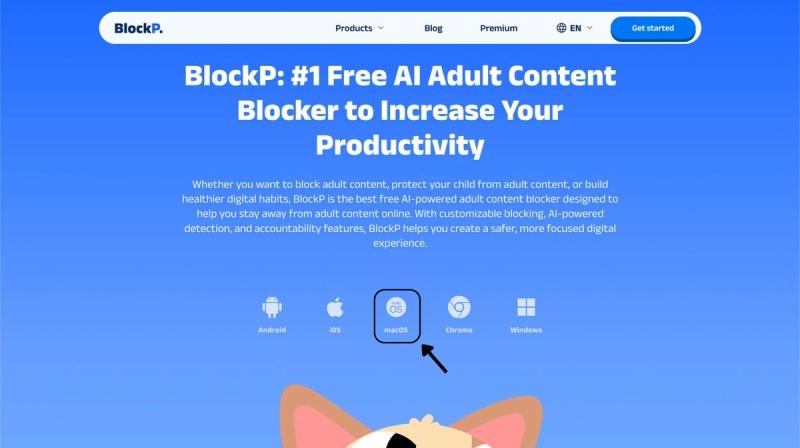
Step 1: Download BlockP
Go to the BlockP website and download the porn blocker software for Mac.
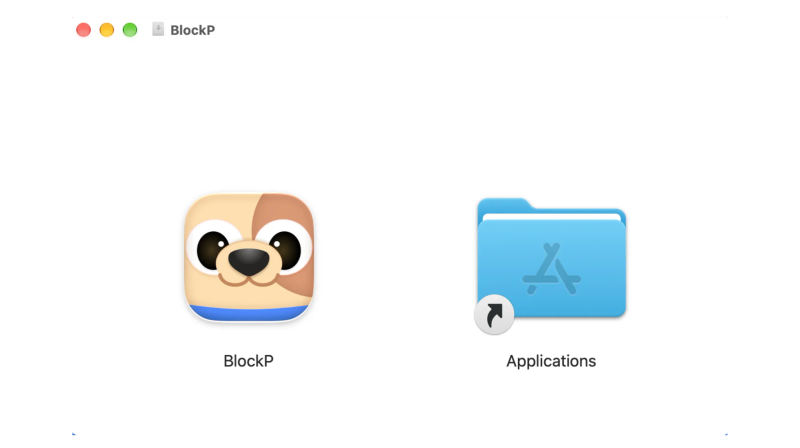
Step 2: Install and Open the App
You can find the BlockP icon in the Downloads folder. Move it into Applications and open BlockP from there.
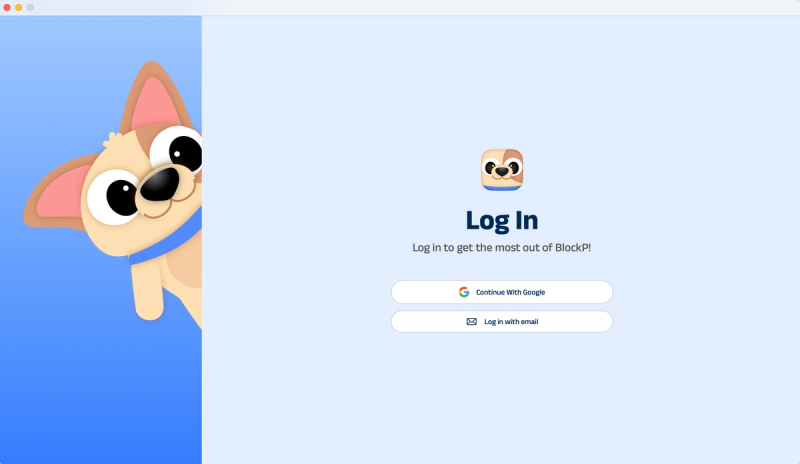
Step 3: Create Your Account
Sign up for BlockP using your email address or your Google account to get going.
Step 4: Give Necessary Permissions
BlockP will request four permissions on your Mac.
- Screen Detection
- Accessibility
- Blocking Permission
- Browser Access
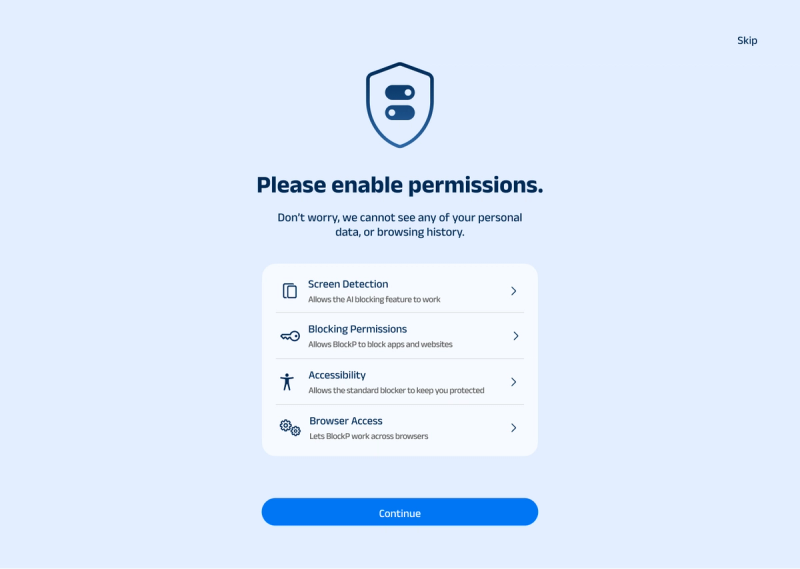
Click on each permission tab, and your Mac Settings page will open. Slide the toggle next to the BlockP icon to the on position. Do this for each of the permissions on the list.
Step 5: Open BlockP macOS Software
Launch BlockP on your Mac and open the dashboard.
Step 6: Go to Features, Open Accountability, and Turn On Password Protection
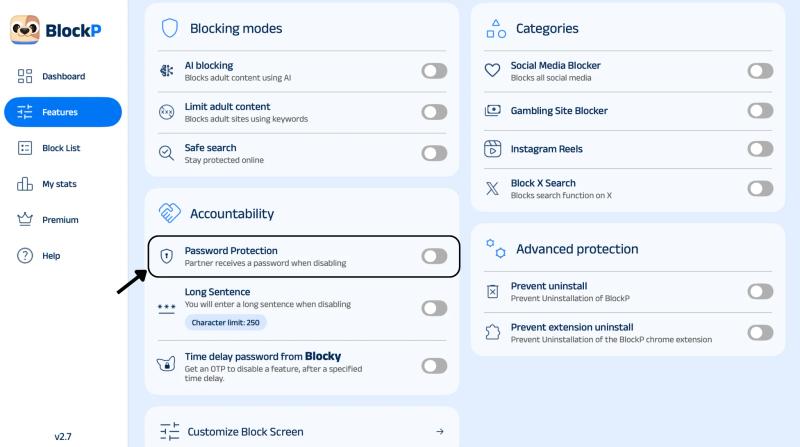
In the Features tab, select Accountability and toggle on Password Protection. Enter your accountability partner's email and click Send OTP.
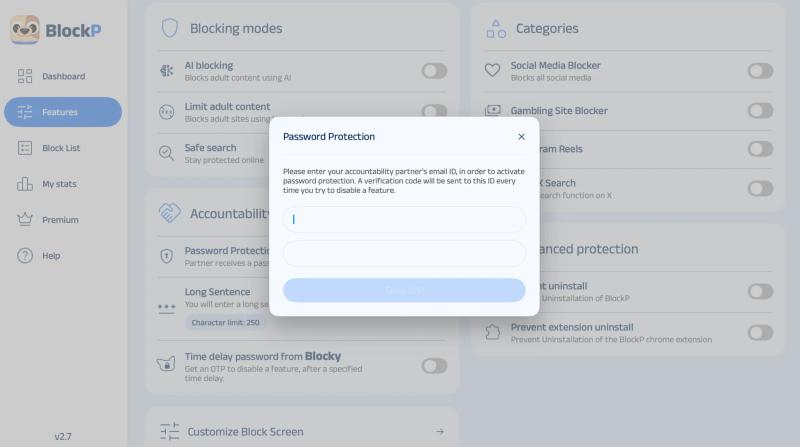
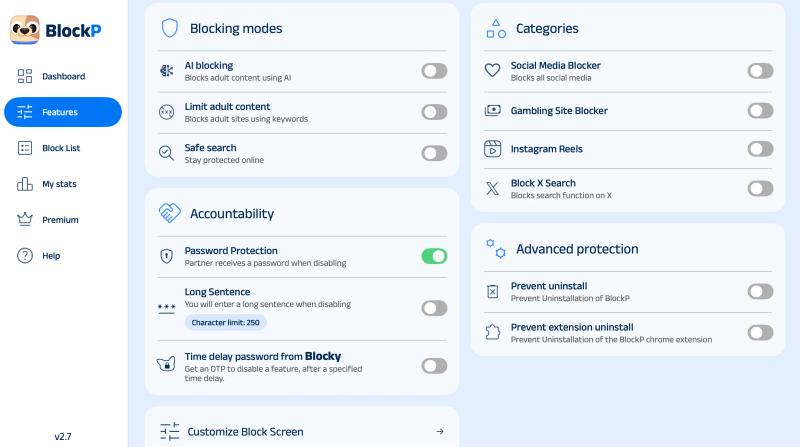
Once your accountability partner receives the OTP, you then submit it to set up your password protection.
What Is Password Protection in a Porn Blocker for Mac?
Password protection means the blocker's settings are locked behind a password that is held by a trusted person. If you want to make any changes to the block, your accountability partner will get an OTP via email. That OTP has to be entered in order to carry out the change.
A porn blocker with accountability partner means that the decision to disable or uninstall the software is a joint one between you and your partner. Your partner can ask you why you want to make that change. Depending on your answer, they can either agree or say no to sharing the code.
Benefits of Using a Password Protected Porn Blocker with an Accountability Partner
- Gets more difficult to disable the restrictions even when you're tempted to look at explicit content.
- When you share access with a trusted person, you will have support to stay committed.
- Password protection is like an additional layer of resistance if you are working on porn recovery.
- Knowing you have an accountability partner along with filtering can help you develop healthy browsing habits over time.
- A password protected porn blocker helps you maintain restrictions across all the supported websites and devices.
How Password Protection Works in BlockP
BlockP doesn't just assist with blocking and filtering out adult content; it also helps you to be honest with your own decisions. You can turn on password protection with an accountability partner so that any change results in an OTP being sent to your partner's email. You then enter that code to proceed. Without the code, the setting remains locked.
It also includes the Long Sentence Lock, an accountability feature that protects every exit from the software. That pause that these features provide makes BlockP the best accountability software for Mac, because it protects against impulsive action. The two controls can run together, or you can use password protection alone if you need to involve another person.
BlockP Password Protection vs Screen Time Passcode on Mac
Screen Time is the built-in control on macOS that allows you to set up your device limits with a single passcode that you have to enter if you want to make any changes to your Mac. Screen Time is a perfectly reasonable option for device limits in general. If you know the code, then you can change every limit.
Porn blocker with accountability partner, like BlockP, is exclusive to your blocking software and puts the responsibility of approving the changes on someone you trust. BlockP issues a fresh OTP for each change request, and the code goes to your partner instead of you. This way, no changes can be made when you are tempted to switch off blocking.
Why Choose BlockP as Your Accountability Porn Blocker for Mac?
BlockP is the best accountability partner app for Mac that doesn't just filter out explicit content but actually helps you stick to your decision to stay away from it. Here is how it compares with competitors.
| Feature | BlockP | Covenant Eyes | Gertrude |
|---|---|---|---|
| Partner receives | An OTP for each setting change | Activity reports with blurred screenshots | Screenshots and keystrokes for review |
| Browsing shared with partner | No, per BlockP | Yes | Yes |
| Content blocking | AI-based detection | Optional blocking | Filter included |
| Mac support | Yes | Yes | Mac only |
Frequently Asked Questions
How do I password protect my porn blocker on Mac?
Open the BlockP dashboard, go to Features, and select Accountability. Turn on Password protection, add your partner's email, and submit the OTP.
Who receives the password when I try to disable BlockP?
Your accountability partner will be sent an OTP by BlockP when you try to disable anything.
What is an accountability partner in BlockP?
A person you know and trust could act as an accountability partner in BlockP. That person would be the one who will get the OTP to change your settings.
Is Password Protection free in BlockP for Mac?
BlockP Password Protection is available in the premium version.
What happens if my accountability partner is not available?
The setting of password protected porn blocker can’t be changed until the OTP arrives. So, choose a partner who can respond at short notice, and agree on how to handle urgent changes.
What is the difference between Password Protection, Long Sentence, and Time Delay Password?
Password Protection sends an OTP to your partner. Long Sentence makes you type a 250-character string yourself. Time Delay Password, described in BlockP’s Google Play listing, requires a cooling-off period before a change takes effect.